
Kanban board with Neovim!!
kanban.nvim
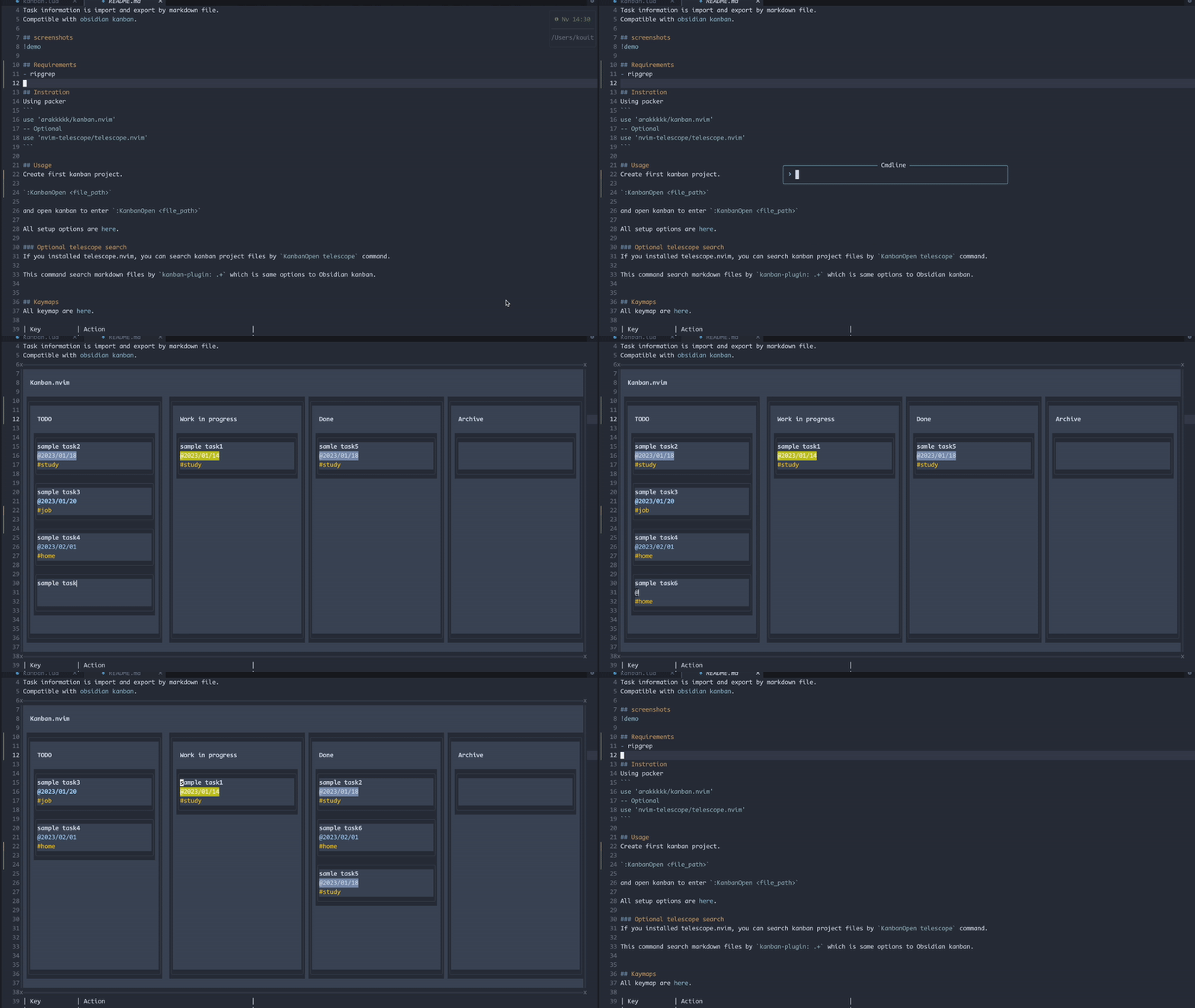
Neovim kanban plugin. Manage task as a kanban board in neovim. Task information is import and export by markdown file. Compatible with obsidian kanban.screenshots
Requirements
- ripgrep
Installation
Using packeruse 'arakkkkk/kanban.nvim'
-- Optional
use 'nvim-telescope/telescope.nvim'require("kanban").setup({
markdown = {
description_folder = "./tasks/", -- Path to save the file corresponding to the task.
list_head = "## ",
}
})return {
"arakkkkk/kanban.nvim",
-- Optional
dependencies = {
"nvim-telescope/telescope.nvim",
},
config = function() require("kanban").setup({ markdown = { description_folder = "./tasks/", -- Path to save the file corresponding to the task. list_head = "## ", }, }) end, }
With the above settings, you can manage tasks as follows
.
└── kanban.md
    └── tasks           # Configured by setup option (description_folder)
        ├── task1.md    # Memo for task1
        ├── task2.md    # Memo for task2
        ├── task3.md    # Memo for task3
        └── task4.md    # Memo for task4
Usage
Create first kanban project.:KanbanCreate <file_path>
and open kanban to enter :KanbanOpen <file_path>.
You can add new tasks with a and move cards to focus with <C-h/j/k/l>.
You can also move a card with H/J/K/L.
See more keymap for information on how to create and move tasks.
In a task card, the first line of text is as the task title, the string beginning with @ is treated as the deadline, and the characters beginning with # are treated as tags.
All setup options are here.
Format of task cards
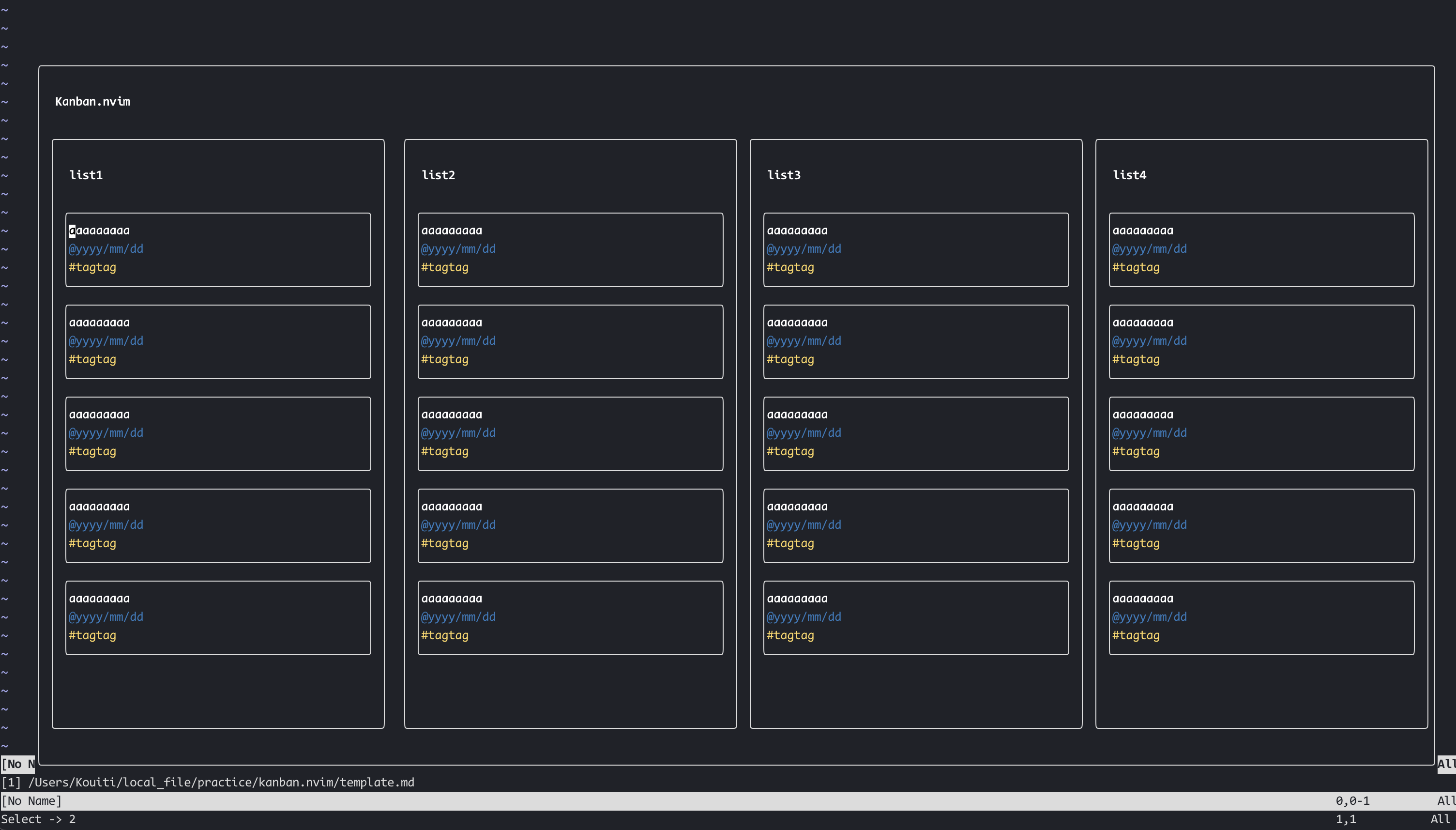
- First line is Task title.
- Line beginning with
#are tag. - Line beginning with
@is due.
Integration
Obsidian.nvim
If you are an obsidian.nvim user, you can use this plugin as an Obsidian command.
Examples:
:Obsidian kanban open task.md:Obsidian kanban create task.md
Telescope search
If you installed telescope.nvim, you can search kanban project files byKanbanOpen telescope command.
This command search markdown files by kanban-plugin: .+ which is same options to Obsidian kanban.
Completion (Optional)
kanban.nvim can provide in-buffer completion for due dates (@...) and tags (#...) via optional completion engines. The plugin works without any of these; install only if you want completion.
What gets completed
@due tokens are expanded to dates:@today,@2d,@1w,@2m,@1y,@/MM/DD,@//DD, weekdays@su..@sa, and next-week variants like@nmo,@nwe, etc. Candidates insert the concrete date like@2025/09/07.#tags are suggested from existing task tags found in the current Kanban board (unique, case-insensitive match).
nvim-cmp
- Install: hrsh7th/nvim-cmp
- Auto setup: If
nvim-cmpis installed, kanban.nvim automatically registers a source namedkanbanand enables it forfiletype=kanban. No extra config is required. - Manual tweak (optional):
-- Example: change sources order for kanban buffers
require('cmp').setup.filetype('kanban', {
  sources = require('cmp').config.sources({
    { name = 'kanban' },
    { name = 'buffer' },
    { name = 'path' },
  })
})
blink.cmp
- Install: saghen/blink.cmp
- Add the provider in your blink.cmp setup:
require('blink.cmp').setup({
  sources = {
    default = { 'lsp', 'path', 'buffer', 'kanban' },
    providers = {
      kanban = {
        name = 'kanban',
        module = 'kanban.fn.cmp.blink.cmp',
        score_offset = 15, -- optional: bump priority
        opts = {},         -- reserved for future options
      },
    },
  },
})filetype=kanban and replaces the token under the cursor using textEdit for precise insertion.
Kaymaps
All keymap are here.| Key | Action | |--------------|------------------------------------------------| |


