
nvim-cmp completion source for buffer lines
nvim-cmp Buffer Lines ================
Contents
- packer.nvim - Options - Command-line - Only for certain file typesPreview
Introduction
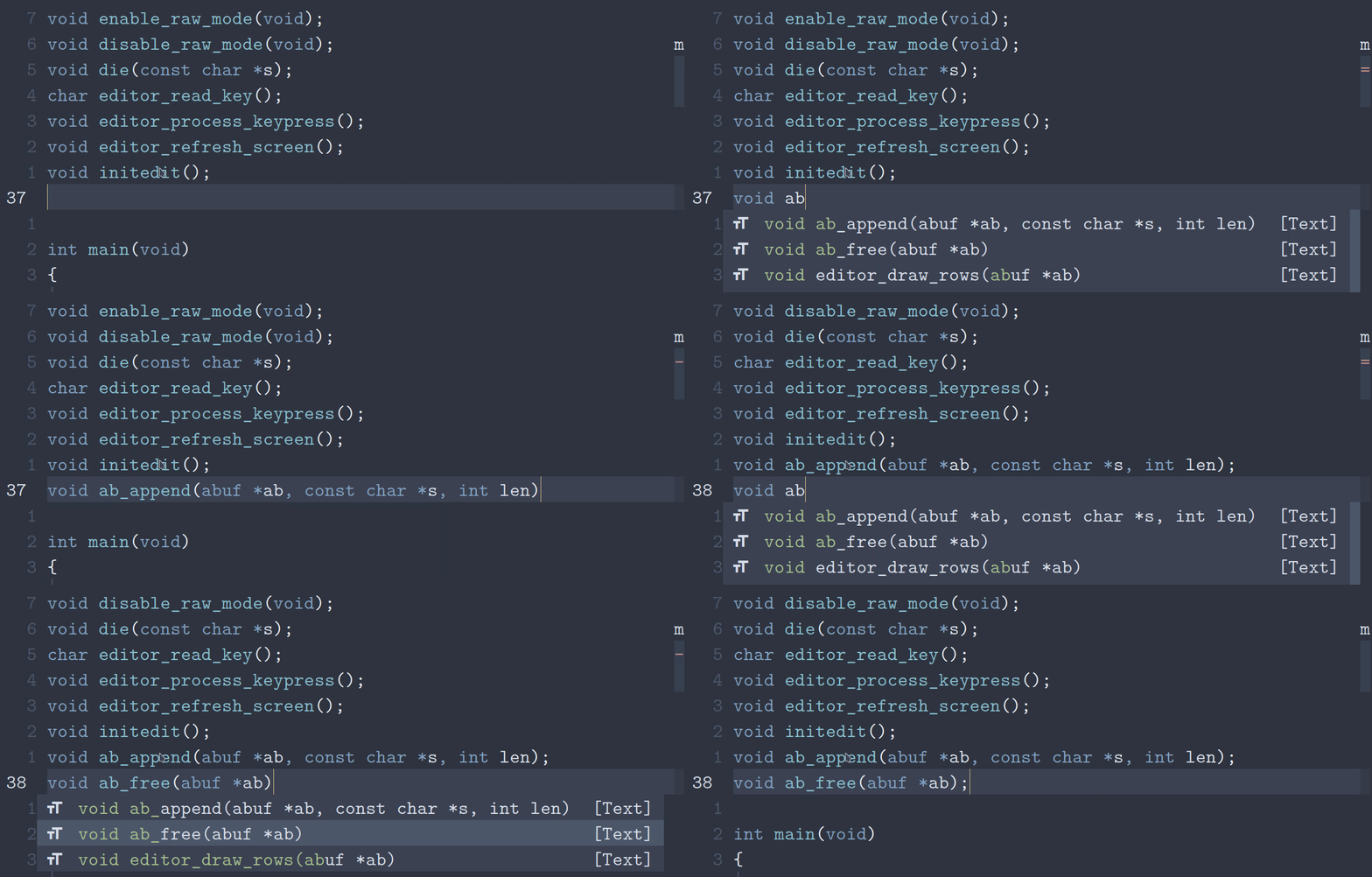
nvim-cmp Buffer Lines is a completion source for nvim-cmp that provides a source for all the lines in the current buffer. This is especially useful for C programmers. It uses tree-sitter if you have it installed on your system. tree-sitter is optional but recommended.
Installation
packer.nvim
lua
require "packer".startup(function(use)
    use "amarakon/nvim-cmp-buffer-lines"
end)
Setup
lua
require "cmp".setup {
    sources = {
        {
            name = "buffer-lines",
            option = { … }
        }
    }
}
Options
| Option | Type | Default | Description | |:---------------------|:--------|:--------|:----------------------------------------------------------------------------------------------------------------------------------------------------------------------------------------------------| | words | Boolean | false | Include words | | comments | Boolean | false | Include comments | | line_numbers | Boolean | false | Include line numbers in the completion menu (does not apply on selection/confirmation) | linenumberseparator | String | " " | The separator between the line number and the line text (only used if line_numbers is set. | leading_whitespace | Boolean | true | Include leading whitespace in the completion menu (does not apply on selection/confirmation) | | max_indents | Number | 0 | Maximum indentation level lines can be shown (0-indexed). For example, lines with one or more indents will not be shown when this is set to 1. Set to 0 to show an unlimited amount of indents. | | max_size | Number | 100 | Maximum file size (in kB) for which this plugin will be activated |
Command-line
You can use this source for searching for patterns in the command-line. I recommend using it in conjunction with cmp-buffer for a bread-and-butter combination. The following code block is the configuration I use and recommend.
lua
-- Enable buffer and buffer-lines for / and ? in the command-line
require "cmp".setup.cmdline({ "/", "?" }, {
    mapping = require "cmp".mapping.preset.cmdline(),
    sources = {
        {
            name = "buffer",
            option = { keyword_pattern = [[\k\+]] }
        },
        { name = "buffer-lines" }
    }
})
Only for certain file types
lua
-- Only enable buffer-lines for C and C++
require "cmp".setup.filetype({ "c", "cpp" }, {
    sources = {
        { name = "buffer-lines" }
    }
})
TODO
- [x] Automatically update the source
- [x] Cut comments from lines
- [x] Omit duplicate lines
- [x] Add an option to show line numbers
- [x] Show indentation level in the completion menu, but not when
- [x] Add an option to choose the maximum indentation level lines will
- [ ] Make the plugin more efficient for editing large files
- [x] Add an option to set a file size limit
- [x] Add configuration options
- [ ] Add syntax highlighting
- [x] Use the current buffer instead of buffer 0


