
This is a small, opinionated Go library and CLI for Markdown to PDF. It handles cover pages, tables of contents, watermarks, signatures, and more. You can use CSS themes and custom assets. It works with parallel batch processing. The engine behind it is Chrome. It does not rely on LaTeX.
Picoloom




If you need something between the complexity of Pandoc and the speed of Markdown-to-PDF converters with limited styling options, Picoloom might be a good fit. It is a small, opinionated Go library and CLI for converting Markdown to PDF that I created to share teaching materials with my French students. I designed it to be easy enough, fast enough, and polished enough for that purpose. It supports cover pages, tables of contents, watermarks, signatures, and more. You can also use CSS themes and custom assets. It supports parallel batch processing. Under the hood, it uses Chrome, and it does not rely on LaTeX. I hope it will be useful to you as well.
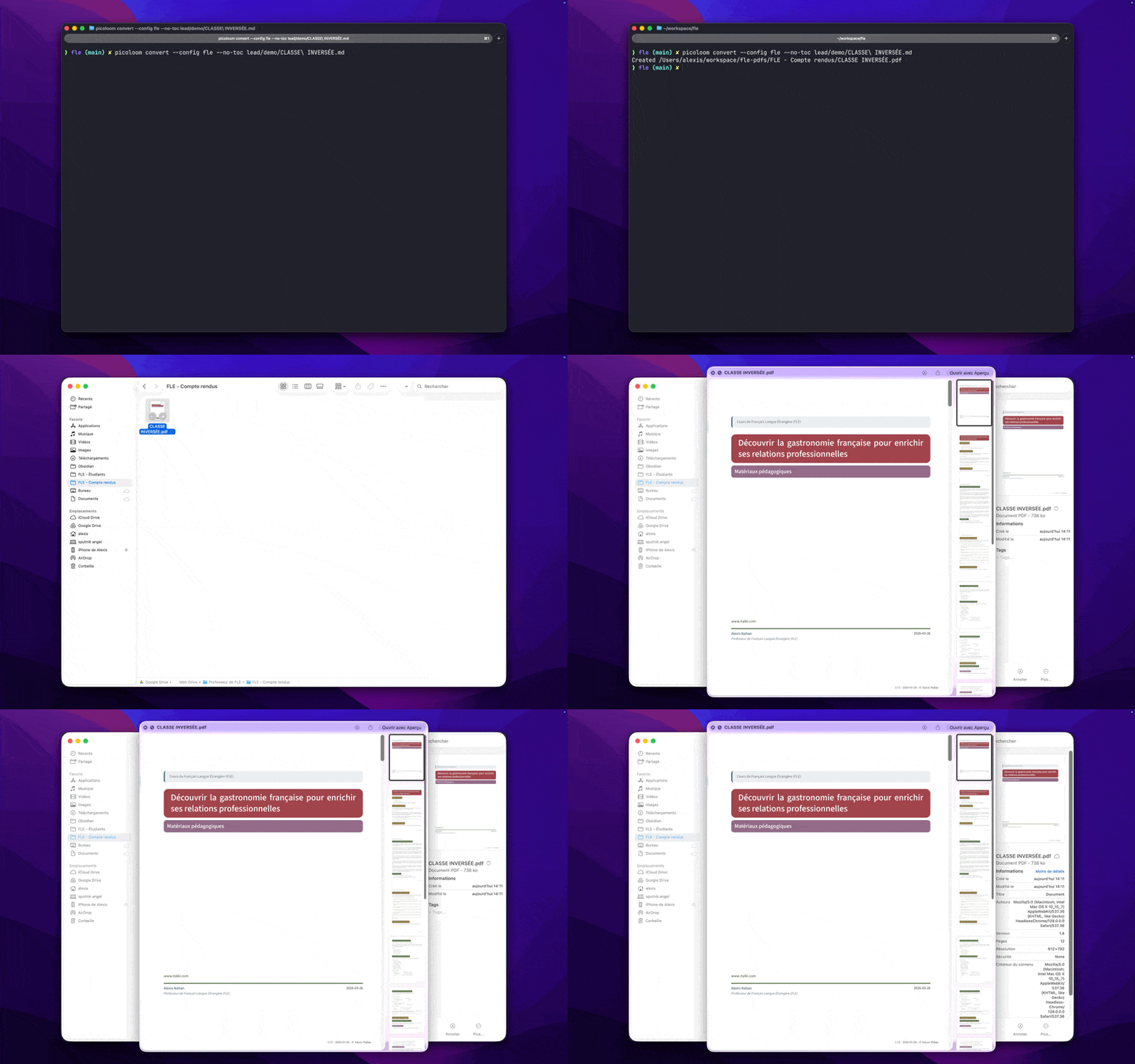
Table of Contents
- Installation
- Quick Start
- Features
- CLI Reference
- Environment Variables
- Configuration
- Config Init Wizard
- Library Usage
- Troubleshooting
- Known Limitations
- Sponsors
- Contributing
Installation
go install github.com/alnah/picoloom/v2/cmd/picoloom@v2The current Go module path is github.com/alnah/picoloom/v2.
For reproducible CI or pinned installs, use an exact version:
go install github.com/alnah/picoloom/v2/cmd/picoloom@v2.1.2Using @v2 avoids the extra legacy v1 module lookup/downloading noise that can happen with @latest on versioned Go modules.
Other installation methods
Homebrew
brew tap alnah/tap
brew install alnah/tap/picoloom
Update later with:
brew upgrade alnah/tap/picoloomOn a fresh machine without Chrome installed yet, picoloom doctor stays strict by default. Use picoloom doctor --allow-managed-browser to validate the managed Chromium bootstrap path used on first run.
Docker
docker pull ghcr.io/alnah/picoloom:latestBinary Download
Download pre-built binaries from GitHub Releases.
Requirements
- Go 1.25+
- Chrome/Chromium (downloaded automatically on first run)
- Homebrew users can install the CLI from
alnah/tap/picoloom
Docker/CI users: See Troubleshooting for setup instructions.
Quick Start
CLI
picoloom convert document.md                # Single file
picoloom convert ./docs/ -o ./output/       # Batch convert
picoloom convert -c work document.md        # With config
picoloom config init                        # Create config with wizard
Library
package main
import (     "context"     "log"     "os"
"github.com/alnah/picoloom/v2" )
func main() {     conv, err := picoloom.NewConverter()     if err != nil {         log.Fatal(err)     }     defer conv.Close()
result, err := conv.Convert(context.Background(), picoloom.Input{         Markdown: "# Hello World\n\nGenerated with Picoloom.",     })     if err != nil {         log.Fatal(err)     }
os.WriteFile("output.pdf", result.PDF, 0644) }
The Convert() method returns a ConvertResult containing:
result.PDF- the generated PDF bytesresult.HTML- the intermediate HTML (useful for debugging)
Input.HTMLOnly: true to skip PDF generation and only produce HTML.
Features
- CLI + Library - Use as
picoloomcommand or import in Go, with shell completion - Batch conversion - Process directories with parallel workers
- Cover pages - Title, subtitle, logo, author, organization, date, version
- Table of contents - Auto-generated from headings with configurable depth
- Frontmatter stripping - YAML frontmatter (
---blocks) stripped before conversion - Custom styling - Embedded themes or your own CSS (some limitations)
- Page settings - Size (letter, A4, legal), orientation, margins
- Signatures - Name, title, email, photo, links
- Footers - Page numbers, dates, status text
- Watermarks - Diagonal background text (BRAND, etc.)
CLI Reference
picoloom convert document.md                # Single file
picoloom convert ./docs/ -o ./output/       # Batch convert
picoloom convert -c work document.md        # With config
picoloom convert --style technical doc.md   # With style
picoloom config init                        # Interactive config wizard
All flags
picoloom <command> [flags] [args]
Commands:   convert      Convert markdown files to PDF   config       Manage configuration files   doctor       Check system configuration   completion   Generate shell completion script   version      Show version information   help         Show help for a command
picoloom convert <input> [flags]
Input/Output:   -o, --output <path>       Output file or directory   -c, --config <name>       Config file name or path   -w, --workers <n>         Parallel workers (0 = auto)   -t, --timeout <duration>  PDF generation timeout (default: 30s)                             Examples: 30s, 2m, 1m30s
Author:       --author-name <s>     Author name       --author-title <s>    Author professional title       --author-email <s>    Author email       --author-org <s>      Organization name       --author-phone <s>    Author phone number       --author-address <s>  Author postal address       --author-dept <s>     Author department
Document:       --doc-title <s>       Document title ("" = auto from H1)       --doc-subtitle <s>    Document subtitle       --doc-version <s>     Version string       --doc-date <s>        Date (see Date Formats section)       --doc-client <s>      Client name       --doc-project <s>     Project name       --doc-type <s>        Document type       --doc-id <s>          Document ID/reference       --doc-desc <s>        Document description
Page:   -p, --page-size <s>       letter, a4, legal (default: letter)       --orientation <s>     portrait, landscape (default: portrait)       --margin <f>          Margin in inches (default: 0.5)
Footer:       --footer-position <s> left, center, right (default: right)       --footer-text <s>     Custom footer text       --footer-page-number  Show page numbers       --footer-doc-id       Show document ID in footer       --no-footer           Disable footer
Cover:       --cover-logo <path>   Logo path or URL       --cover-dept          Show author department on cover       --no-cover            Disable cover page
Signature:       --sig-image <path>    Signature image path       --no-signature        Disable signature block
Table of Contents:       --toc-title <s>       TOC heading text       --toc-min-depth <n>   Min heading depth (1-6, default: 2)                             1=H1, 2=H2, etc. Use 2 to skip title       --toc-max-depth <n>   Max heading depth (1-6, default: 3)       --no-toc              Disable table of contents
Watermark:       --wm-text <s>         Watermark text       --wm-color <s>        Color hex (default: #888888)       --wm-opacity <f>      Opacity 0.0-1.0 (default: 0.1)       --wm-angle <f>        Angle in degrees (default: -45)       --no-watermark        Disable watermark
Page Breaks:       --break-before <s>    Break before headings: h1,h2,h3       --orphans <n>         Min lines at page bottom (default: 2)       --widows <n>          Min lines at page top (default: 2)       --no-page-breaks      Disable page break features
Assets & Styling:       --style <name|path>   CSS style name or file path (default: default)                             Name: uses embedded or custom asset (e.g., "technical")                             Path: reads file directly (contains / or \)       --template <name|path> Template set name or directory path       --asset-path <dir>    Custom asset directory (overrides config)       --no-style            Disable CSS styling
Debug Output:       --html                Output HTML alongside PDF       --html-only           Output HTML only, skip PDF generation
Output Control:   -q, --quiet               Only show errors   -v, --verbose             Show detailed timing
picoloom config init [flags]
Config Init:       --output <path>       Output path for generated config (default: ./picoloom.yaml)       --force               Overwrite destination if it exists       --no-input            Use defaults without interactive prompts
Examples
# Single file with custom output
picoloom convert -o report.pdf input.md
Batch with config
picoloom convert -c work ./docs/ -o ./pdfs/
Custom CSS, no footer
picoloom convert --style ./custom.css --no-footer document.md
A4 landscape with 1-inch margins
picoloom convert -p a4 --orientation landscape --margin 1.0 document.md
With watermark
picoloom convert --wm-text "DRAFT" --wm-opacity 0.15 document.md
Override document title
picoloom convert --doc-title "Final Report" document.md
Page breaks before H1 and H2 headings
picoloom convert --break-before h1,h2 document.md
Use embedded style by name
picoloom convert --style technical document.md
Debug: output HTML alongside PDF
picoloom convert --html document.md
Debug: output HTML only (no PDF)
picoloom convert --html-only document.md
Use custom assets directory
picoloom convert --asset-path ./my-assets document.md
Interactive config wizard
picoloom config init
Non-interactive config generation (CI/scripts)
picoloom config init --no-input --output ./configs/work.yaml --force
Shell Completion
Generate shell completion scripts for tab-completion of commands, flags, and file arguments:
# Bash - add to ~/.bashrc
eval "$(picoloom completion bash)"
Zsh - add to ~/.zshrc
eval "$(picoloom completion zsh)"
Fish - save to completions directory
picoloom completion fish > ~/.config/fish/completions/picoloom.fish
PowerShell - add to $PROFILE
picoloom completion powershell | Out-String | Invoke-Expression
Exit Codes
| Code | Name | Description | |------|------|-------------| | 0 | Success | Conversion completed successfully | | 1 | General | Unexpected or unclassified error | | 2 | Usage | Invalid flags, configuration, or validation failure | | 3 | I/O | File not found, permission denied, write failure | | 4 | Browser | Chrome not found, connection failed, timeout |
Example usage in scripts:
picoloom convert document.md
case $? in
    0) echo "Success" ;;
    2) echo "Check your flags or config" ;;
    3) echo "Check file permissions" ;;
    4) echo "Check Chrome installation" ;;
    *) echo "Unknown error" ;;
esac
Doctor Command
Diagnose system configuration before running conversions:
picoloom doctor           # Human-readable output
picoloom doctor --json    # JSON output for CI/scripts
picoloom doctor --allow-managed-browser
Checks performed:
- Chrome/Chromium: binary exists, version, sandbox status
- Environment: container detection (Docker, Podman, Kubernetes)
- System: temp directory writability
--allow-managed-browser on fresh Homebrew installs when Chromium may be downloaded on first run instead of being installed locally ahead of time.
Exit codes:
0- All checks passed (including warnings)1- Errors found (conversion will likely fail)
# Fail pipeline early if setup is broken
picoloom doctor --json | jq -e '.status != "errors"' || exit 1
Docker
# Convert a single file
docker run --rm -v $(pwd):/data ghcr.io/alnah/picoloom convert document.md
Convert with output path
docker run --rm -v $(pwd):/data ghcr.io/alnah/picoloom convert -o output.pdf input.md
Batch convert directory
docker run --rm -v $(pwd):/data ghcr.io/alnah/picoloom convert ./docs/ -o ./pdfs/
Note: The official Docker image has all dependencies pre-installed. For custom images, see Troubleshooting.
Environment Variables
Environment variables provide CI/CD-friendly configuration without requiring YAML files.
Priority: CLI flags > config file > environment variables > defaults
PICOLOOM Variables
| Variable | Description | |----------|-------------| | PICOLOOM_CONFIG | Config file path (e.g., /app/config.yaml) | | PICOLOOMINPUTDIR | Default input directory | | PICOLOOMOUTPUTDIR | Default output directory | | PICOLOOM_TIMEOUT | PDF generation timeout (e.g., 2m, 90s) | | PICOLOOM_STYLE | CSS style name or path (e.g., technical) | | PICOLOOM_WORKERS | Parallel workers (e.g., 4) | | PICOLOOMAUTHORNAME | Author name for cover/signature | | PICOLOOMAUTHORORG | Organization name | | PICOLOOMAUTHOREMAIL | Author email | | PICOLOOMDOCVERSION | Document version | | PICOLOOMDOCDATE | Document date (supports auto) | | PICOLOOMDOCID | Document ID | | PICOLOOMPAGESIZE | Page size: letter, a4, legal | | PICOLOOMCOVERLOGO | Cover logo path/URL (auto-enables cover) | | PICOLOOMWATERMARKTEXT | Watermark text (auto-enables watermark) | | PICOLOOM_CONTAINER | Set to 1 to force container detection (for picoloom doctor) |
Legacy MD2PDF variables are still accepted as fallback. Unknown PICOLOOM or MD2PDF_* variables trigger a warning to catch typos.
CI/CD Examples
GitHub Actions:
- name: Generate PDFs env: PICOLOOM_STYLE: technical PICOLOOMAUTHORORG: ${{ github.repository_owner }} PICOLOOMDOCVERSION: ${{ github.ref_name }} PICOLOOMWATERMARKTEXT: ${{ github.ref_name == 'main' && '' || 'DRAFT' }} run: picoloom convert ./docs/ -o ./output/GitLab CI:
pdf: variables: PICOLOOM_STYLE: corporate PICOLOOMOUTPUTDIR: ./artifacts/pdf PICOLOOMDOCDATE: auto script: - picoloom convert ./docs/Docker:
docker run --rm \ -e PICOLOOM_STYLE=technical \ -e PICOLOOMAUTHORORG="Acme Corp" \ -e RODNOSANDBOX=1 \ -v $(pwd):/data \ ghcr.io/alnah/picoloom convert ./docs/Browser Variables (go-rod)
| Variable | Default | Description | |----------|---------|-------------| | RODNOSANDBOX | - | Set to 1 to disable Chrome sandbox (required for Docker/CI) | | RODBROWSERBIN | - | Path to custom Chrome/Chromium binary |
These are used by the underlying go-rod browser automation library. Error messages will suggest these variables when browser issues are detected in CI/Docker environments.
Configuration
Config files are searched in the current directory first, then in the user config directory:
| OS | User Config Directory | | ------- | ------------------------------------------ | | Linux | ~/.config/picoloom/ | | macOS | ~/Library/Application Support/picoloom/ | | Windows | %APPDATA%\picoloom\ |
Supported formats: .yaml, .yml
Legacy fallbacks are still supported during the migration: ./md2pdf.yaml, ~/.config/go-md2pdf/, and MD2PDF_*.
Config Init Wizard
Use the wizard to generate a valid config file without writing YAML manually:
# Interactive wizard (TTY required)
picoloom config init
Custom destination
picoloom config init --output ./configs/work.yaml
Non-interactive defaults (CI/scripts)
picoloom config init --no-input --output ./configs/work.yaml --force
Wizard behavior:
- Prompts are in English and include available options plus an example value.
- Type
?at a prompt to display inline help and a YAML snippet. - Interactive mode collects style, author fields, page size, and optional signature/watermark/cover settings.
- Interactive mode shows a summary and YAML preview before write confirmation.
- Without
--force, existing files are preserved; with--force, overwrite is explicit and safe.
input.defaultDir | string | - | Default input directory | | output.defaultDir | string | - | Default output directory | | timeout | string | "30s" | PDF generation timeout (e.g., "30s", "2m") | | style | string | "default" | CSS style name or path | | assets.basePath | string | - | Custom assets directory (styles, templates) | | author.name | string | - | Author name (used by cover, signature) | | author.title | string | - | Author professional title | | author.email | string | - | Author email | | author.organization | string | - | Organization name | | author.phone | string | - | Contact phone number | | author.address | string | - | Postal address (multiline via YAML \|) | | author.department | string | - | Department name | | document.title | string | - | Document title ("" = auto from H1) | | document.subtitle | string | - | Document subtitle | | document.version | string | - | Version string (used in cover, footer) | | document.date | string | - | Date (see Date Formats) | | document.clientName | string | - | Client/customer name | | document.projectName | string | - | Project name | | document.documentType | string | - | Document type (e.g., "Specification") | | document.documentID | string | - | Document ID (e.g., "DOC-2025-001") | | document.description | string | - | Brief document summary | | page.size | string | "letter" | letter, a4, legal | | page.orientation | string | "portrait" | portrait, landscape | | page.margin | float | 0.5 | Margin in inches (0.25-3.0) | | cover.enabled | bool | false | Show cover page | | cover.logo | string | - | Logo path or URL | | cover.showDepartment | bool | false | Show author.department on cover | | toc.enabled | bool | false | Show table of contents | | toc.title | string | - | TOC title (empty = no title) | | toc.minDepth | int | 2 | Min heading depth (1-6, skips H1) | | toc.maxDepth | int | 3 | Max heading depth (1-6) | | footer.enabled | bool | false | Show footer | | footer.showPageNumber | bool | false | Show page numbers | | footer.position | string | "right" | left, center, right | | footer.text | string | - | Custom footer text | | footer.showDocumentID | bool | false | Show document.documentID in footer | | signature.enabled | bool | false | Show signature block | | signature.imagePath | string | - | Photo path or URL | | signature.links | array | - | Links (label, url) | | watermark.enabled | bool | false | Show watermark | | watermark.text | string | - | Watermark text (required if enabled) | | watermark.color | string | "#888888" | Watermark color (hex) | | watermark.opacity | float | 0.1 | Watermark opacity (0.0-1.0) | | watermark.angle | float | -45 | Watermark rotation (degrees) | | pageBreaks.enabled | bool | false | Enable page break features | | pageBreaks.beforeH1 | bool | false | Page break before H1 headings | | pageBreaks.beforeH2 | bool | false | Page break before H2 headings | | pageBreaks.beforeH3 | bool | false | Page break before H3 headings | | pageBreaks.orphans | int | 2 | Min lines at page bottom (1-5) | | pageBreaks.widows | int | 2 | Min lines at page top (1-5) |
Example config file
# ~/.config/picoloom/work.yaml
Input/Output directories
input:
  defaultDir: './docs/markdown' # Default input when no arg provided
output:   defaultDir: './docs/pdf' # Default output when no -o flag
PDF generation timeout (default: 30s)
Use Go duration format: 30s, 2m, 1m30s
timeout: '1m'
Shared author info (used by cover and signature)
author:
  name: 'John Doe'
  title: 'Senior Developer'
  email: 'john@example.com'
  organization: 'Acme Corp'
  phone: '+1 555-0123'
  address: |
    123 Main Street
    San Francisco, CA 94102
  department: 'Engineering'
Shared document metadata (used by cover and footer)
document:
  title: '' # "" = auto from H1 or filename
  subtitle: 'Internal Document'
  version: 'v1.0'
  # Date formats:
  #   - Literal: '2025-01-11'
  #   - Auto (ISO): 'auto' -> 2025-01-11
  #   - Auto with format: 'auto:DD/MM/YYYY' -> 11/01/2025
  #   - Auto with preset: 'auto:long' -> January 11, 2025
  # Presets: iso, european, us, long
  # Tokens: YYYY, YY, MMMM, MMM, MM, M, DD, D
  # Escaping: [text] -> literal text
  date: 'auto'
  clientName: 'Client Corp'
  projectName: 'Project Alpha'
  documentType: 'Technical Specification'
  documentID: 'DOC-2025-001'
  description: 'Technical documentation for Project Alpha'
Page layout
page:
  size: 'a4'           # letter (default), a4, legal
  orientation: 'portrait' # portrait (default), landscape
  margin: 0.75         # inches, 0.25-3.0 (default: 0.5)
Styling
Available styles:
  - default: minimal, neutral styling (applied when no style specified)
  - technical: system-ui, clean borders, GitHub syntax highlighting
  - creative: colorful headings, badges, bullet points
  - academic: Georgia/Times serif, 1.8 line height, academic tables
  - corporate: Arial/Helvetica, blue accents, business style
  - legal: Times New Roman, double line height, wide margins
  - invoice: Arial, optimized tables, minimal cover
  - manuscript: Courier New mono, scene breaks, simplified cover
Accepts name (e.g., "technical") or path (e.g., "./custom.css")
style: 'technical'
assets:   basePath: '' # "" = use embedded assets
Cover page
cover:
  enabled: true
  logo: '/path/to/logo.png' # path or URL
  showDepartment: true      # show author.department on cover
Table of contents
toc:
  enabled: true
  title: 'Table of Contents'
  minDepth: 2 # 1-6 (default: 2, skips H1)
  maxDepth: 3 # 1-6 (default: 3)
Footer
footer:
  enabled: true
  position: 'center'     # left, center, right (default: right)
  showPageNumber: true
  showDocumentID: true   # show document.documentID in footer
  text: ''               # optional custom text
Signature block
signature:
  enabled: true
  imagePath: '/path/to/signature.png'
  links:
    - label: 'GitHub'
      url: 'https://github.com/johndoe'
    - label: 'LinkedIn'
      url: 'https://linkedin.com/in/johndoe'
Watermark
watermark:
  enabled: false
  text: 'DRAFT'      # DRAFT, CONFIDENTIAL, SAMPLE, PREVIEW, etc.
  color: '#888888'   # hex color (default: #888888)
  opacity: 0.1       # 0.0-1.0 (default: 0.1, recommended: 0.05-0.15)
  angle: -45         # -90 to 90 (default: -45 = diagonal)
Page breaks
pageBreaks:
  enabled: true
  beforeH1: true
  beforeH2: false
  beforeH3: false
  orphans: 2 # min lines at page bottom, 1-5 (default: 2)
  widows: 2  # min lines at page top, 1-5 (default: 2)
Date Formats
The document.date field supports auto-generation with customizable formats:
| Syntax | Example | Output | | ------------- | ----------------- | --------------- | | auto | auto | 2026-01-09 | | auto:FORMAT | auto:DD/MM/YYYY | 09/01/2026 | | auto:preset | auto:long | January 9, 2026 |
Presets: iso (YYYY-MM-DD), european (DD/MM/YYYY), us (MM/DD/YYYY), long (MMMM D, YYYY)
Tokens: YYYY, YY, MMMM (January), MMM (Jan), MM, M, DD, D
Escaping: Use brackets for literal text: auto:[Date:] YYYY-MM-DD → "Date: 2026-01-09"
Library Usage
With Relative Images
When your markdown contains relative image paths like 
content, _ := os.ReadFile("docs/report.md")
result, err := conv.Convert(ctx, picoloom.Input{     Markdown:  string(content),     SourceDir: "docs/", // Images resolve relative to this directory })
The CLI automatically sets SourceDir to the input file's directory, so relative images work out of the box.
With Cover Page
result, err := conv.Convert(ctx, picoloom.Input{
    Markdown: content,
    Cover: &picoloom.Cover{
        Title:        "Project Report",
        Subtitle:     "Q4 2025 Analysis",
        Author:       "John Doe",
        AuthorTitle:  "Senior Analyst",
        Organization: "Acme Corp",
        Date:         "2025-12-15",
        Version:      "v1.0",
        Logo:         "/path/to/logo.png", // or URL
        ClientName:   "Client Corp",       // extended metadata
        ProjectName:  "Project Alpha",
        DocumentType: "Technical Report",
        DocumentID:   "DOC-2025-001",
    },
})
With Table of Contents
result, err := conv.Convert(ctx, picoloom.Input{
    Markdown: content,
    TOC: &picoloom.TOC{
        Title:    "Contents",
        MinDepth: 2, // Start at h2 (skip document title)
        MaxDepth: 3, // Include up to h3
    },
})
With Footer
result, err := conv.Convert(ctx, picoloom.Input{
    Markdown: content,
    Footer: &picoloom.Footer{
        ShowPageNumber: true,
        Position:       "center",
        Date:           "2025-12-15",
        Status:         "DRAFT",
    },
})
With Signature
result, err := conv.Convert(ctx, picoloom.Input{
    Markdown: content,
    Signature: &picoloom.Signature{
        Name:         "John Doe",
        Title:        "Senior Developer",
        Email:        "john@example.com",
        Organization: "Acme Corp",
        Phone:        "+1 555-0123",  // extended metadata
        Department:   "Engineering",
    },
})
With Watermark
result, err := conv.Convert(ctx, picoloom.Input{
    Markdown: content,
    Watermark: &picoloom.Watermark{
        Text:    "CONFIDENTIAL",
        Color:   "#888888",
        Opacity: 0.1,
        Angle:   -45,
    },
})
With Page Settings
result, err := conv.Convert(ctx, picoloom.Input{
    Markdown: content,
    Page: &picoloom.PageSettings{
        Size:        picoloom.PageSizeA4,
        Orientation: picoloom.OrientationLandscape,
        Margin:      1.0, // inches
    },
})
With Page Breaks
result, err := conv.Convert(ctx, picoloom.Input{
    Markdown: content,
    PageBreaks: &picoloom.PageBreaks{
        BeforeH1: true, // Page break before H1 headings
        BeforeH2: true, // Page break before H2 headings
        Orphans:  3,    // Min 3 lines at page bottom
        Widows:   3,    // Min 3 lines at page top
    },
})
With Custom CSS
The CSS field in Input accepts a CSS string that is injected into the HTML for this specific conversion:
// CSS string injected into this document only
result, err := conv.Convert(ctx, picoloom.Input{
    Markdown: content,
    CSS:
        body { font-family: Georgia, serif; }
        h1 { color: #2c3e50; }
        code { background: #f8f9fa; }
    ,
})
This is useful for:
- Document-specific styling that differs from the base theme
- Dynamically generated CSS (e.g., user-selected colors)
- Quick overrides without changing service configuration
Server input size limits
For services, APIs, queues, or other multi-tenant environments, reject oversized Markdown before calling Convert:
const maxMarkdownBytes = 1 << 20 // 1 MiB
if len(markdown) > maxMarkdownBytes {
    return fmt.Errorf("markdown exceeds %d bytes", maxMarkdownBytes)
}
result, err := conv.Convert(ctx, picoloom.Input{Markdown: markdown})
Picoloom intentionally does not expose a library size-limit option. Local CLI and library users may convert large documents, while server callers can enforce limits that match their own request, tenant, and storage policies.
Markdown parsing is CPU-bound, and Goldmark does not accept a standard context.Context cancellation signal while parsing. Picoloom checks cancellation before and after parsing, but a parse already in progress may continue briefly after the caller cancels. Caller-side byte limits are the reliable guard that stops oversized input before preprocessing and parsing begin.
With Custom Assets
Override embedded CSS styles and HTML templates:
// Option 1: Use embedded style by name
conv, err := picoloom.NewConverter(picoloom.WithStyle("technical"))
// Option 2: Load CSS from file path conv, err := picoloom.NewConverter(picoloom.WithStyle("./custom.css"))
// Option 3: Provide CSS content directly conv, err := picoloom.NewConverter(picoloom.WithStyle("body { font-family: Georgia; }"))
// Option 4: Load from custom directory (with fallback to embedded) conv, err := picoloom.NewConverter(picoloom.WithAssetPath("/path/to/assets"))
// Option 5: Provide template set directly ts := picoloom.NewTemplateSet("custom", coverHTML, signatureHTML) conv, err := picoloom.NewConverter(picoloom.WithTemplateSet(ts))
// Option 6: Full control with custom loader loader, err := picoloom.NewAssetLoader("/path/to/assets") if err != nil {     log.Fatal(err) } conv, err := picoloom.NewConverter(picoloom.WithAssetLoader(loader))
WithStyle accepts a style name, file path, or CSS content:
- Name:
"technical"loads the embedded style - Path:
"./custom.css"reads from file (detected by/or\) - CSS:
"body { ... }"uses content directly (detected by{)
WithAssetPath:
/path/to/assets/
├── styles/
│   ├── default.css      # Override default style
│   └── technical.css    # Add custom style
└── templates/
    └── default/         # Template set directory
        ├── cover.html       # Cover page template
        └── signature.html   # Signature block template
Available embedded styles: default, technical, creative, academic, corporate, legal, invoice, manuscript
Missing files fall back to embedded defaults silently.
Note: Converter-level options (WithAssetPath,WithStyle,WithAssetLoader) configure the base theme for all conversions. To add document-specific CSS on top of the base theme, useInput.CSSin theConvert()call.
With Converter Pool (Parallel Processing)
For batch conversion, use ConverterPool to process multiple files in parallel:
package main
import (     "context"     "log"     "os"     "sync"
"github.com/alnah/picoloom/v2" )
func main() {     // Create pool with 4 workers (each has its own browser instance)     pool := picoloom.NewConverterPool(4)     defer pool.Close()
files := []string{"doc1.md", "doc2.md", "doc3.md", "doc4.md"}     var wg sync.WaitGroup
for _, file := range files {         wg.Add(1)         go func(f string) {             defer wg.Done()
conv := pool.Acquire()             if conv == nil {                 log.Printf("failed to acquire converter: %v", pool.InitError())                 return             }             defer pool.Release(conv)
content, _ := os.ReadFile(f)             result, err := conv.Convert(context.Background(), picoloom.Input{                 Markdown: string(content),             })             if err != nil {                 log.Printf("convert %s: %v", f, err)                 return             }             os.WriteFile(f+".pdf", result.PDF, 0644)         }(file)     }     wg.Wait() }
Use picoloom.ResolvePoolSize(0) to auto-calculate a conservative pool size based on CPU cores. The automatic size is clamped to picoloom.MaxPoolSize because each Converter owns a browser process and may use significant memory.
Explicit library pool sizes are not clamped. For example, picoloom.NewConverterPool(16) and picoloom.ResolvePoolSize(16) request 16 converters. Use explicit values above picoloom.MaxPoolSize only when your environment has enough memory and process capacity. The CLI is stricter: --workers is capped at picoloom.MaxPoolSize.
Documentation
Full API documentation with runnable examples: pkg.go.dev/github.com/alnah/picoloom/v2
Troubleshooting
Run picoloom doctor to diagnose system configuration issues:
picoloom doctor           # Human-readable diagnostics
picoloom doctor --json    # JSON output for CI/scripts
picoloom doctor --allow-managed-browser
Docker and CI/CD
"Failed to connect to browser" or blank PDF
Chrome requires disabling its sandbox in containerized environments:
export RODNOSANDBOX=1
picoloom convert document.md
Or in Docker:
docker run -e RODNOSANDBOX=1 -v $(pwd):/data ghcr.io/alnah/picoloom convert doc.mdMissing dependencies on Linux
If Chrome fails to start, install required libraries:
# Debian/Ubuntu
sudo apt-get update
sudo apt-get install -y \
    libnss3 \
    libatk-bridge2.0-0 \
    libcups2 \
    libdrm2 \
    libxkbcommon0 \
    libxcomposite1 \
    libxdamage1 \
    libxrandr2 \
    libgbm1 \
    libasound2
Alpine
apk add --no-cache \
    chromium \
    nss \
    freetype \
    harfbuzz \
    ca-certificates \
    ttf-freefont
Note: Dependency lists may change with Chrome versions. See chromedp dependencies for the latest requirements.
Using custom Chrome/Chromium
Point to a specific browser binary:
export RODBROWSERBIN=/usr/bin/chromium-browser
picoloom convert document.md
Common Errors
| Error | Cause | Solution | |-------|-------|----------| | "failed to connect to browser" | Chrome not installed or sandbox issue | Install Chrome or set RODNOSANDBOX=1 | | "page load failed" | Timeout on large document | Use --timeout 2m or longer | | Blank PDF | Missing system libraries | Install Chrome dependencies (see above) | | "style not found" | Invalid style name | Use: default, technical, creative, academic, corporate, legal, invoice, manuscript | | Fonts look different | System fonts vary | Use Docker image for consistent fonts |
Platform Notes
- macOS/Windows: Chrome is downloaded automatically. No special setup needed.
- Linux: May require installing Chrome dependencies (see above).
- Docker/CI: Always set
RODNOSANDBOX=1and install dependencies, or use the official Docker image.
Known Limitations
Design philosophy: Professional PDF generation from Markdown. No LaTeX. No complexity.
By Design
These are intentional to keep the tool simple:
| Not Supported | Why | Alternative | |---------------|-----|-------------| | Raw HTML tags | Security (prevents code execution during conversion) | Cover config for logos, native markdown ![]() for images, custom CSS for styling | | LaTeX/MathJax | Adds complexity, requires external tools | Pre-render as PNG/SVG | | Wikilinks [[...]] | Not relevant for PDF output | Use text | | Admonitions ::: | Not implemented | Use blockquotes |
Chrome PDF Engine
Inherited from the browser's print-to-PDF:
- No PDF/A archival format
- No multi-column layouts
- No per-page headers/footers
- No mixed orientation in one document
- System fonts only (not embedded)
Platform Notes
| Issue | Solution | |-------|----------| | Long code lines overflow | Keep lines under ~80 chars | | Fonts differ across systems | Use Docker for consistency | | Docker/CI fails | Set RODNOSANDBOX=1 (see Troubleshooting) |
Sponsors
Special thanks to @petervdpas, Picoloom's first sponsor.
Contributing
See: CONTRIBUTING.md.
License
See: BSD-3-Clause.


