
Save a web page/selection as an eBook (.epub format) - a Chrome/Firefox/Opera Web Extension
Last updated Jul 3, 2026
1.1k
Stars
73
Forks
46
Issues
0
Stars/day
Attention Score
65
Language breakdown
JavaScript 90.4%
CSS 6.6%
HTML 3.0%
▸ Files
click to expand
README
save-as-ebook
Save a web page/selection as an eBook (.epub format) - a Chrome/Firefox/Opera Web Extension
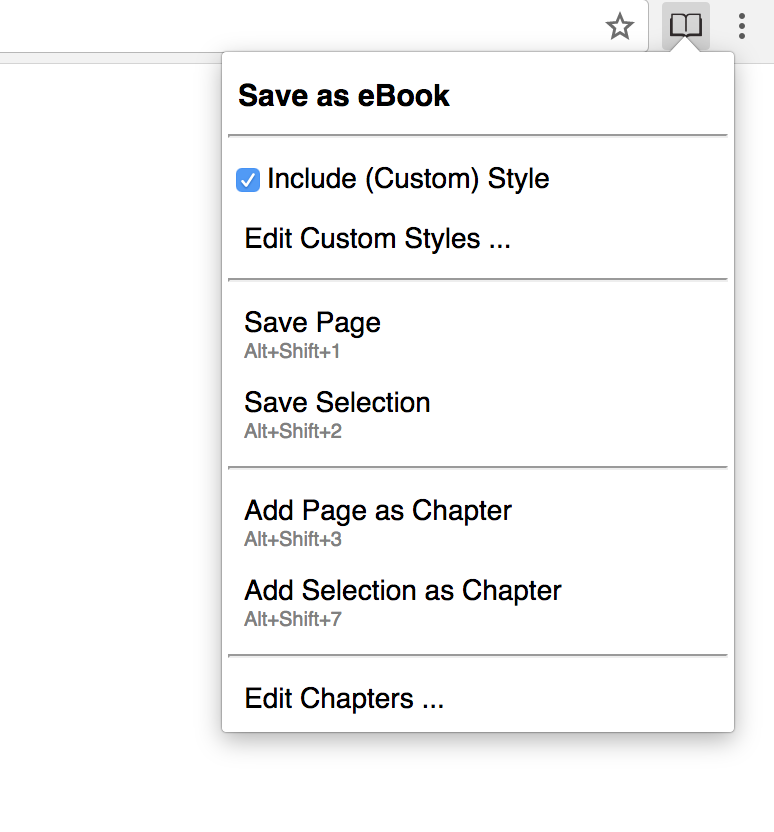
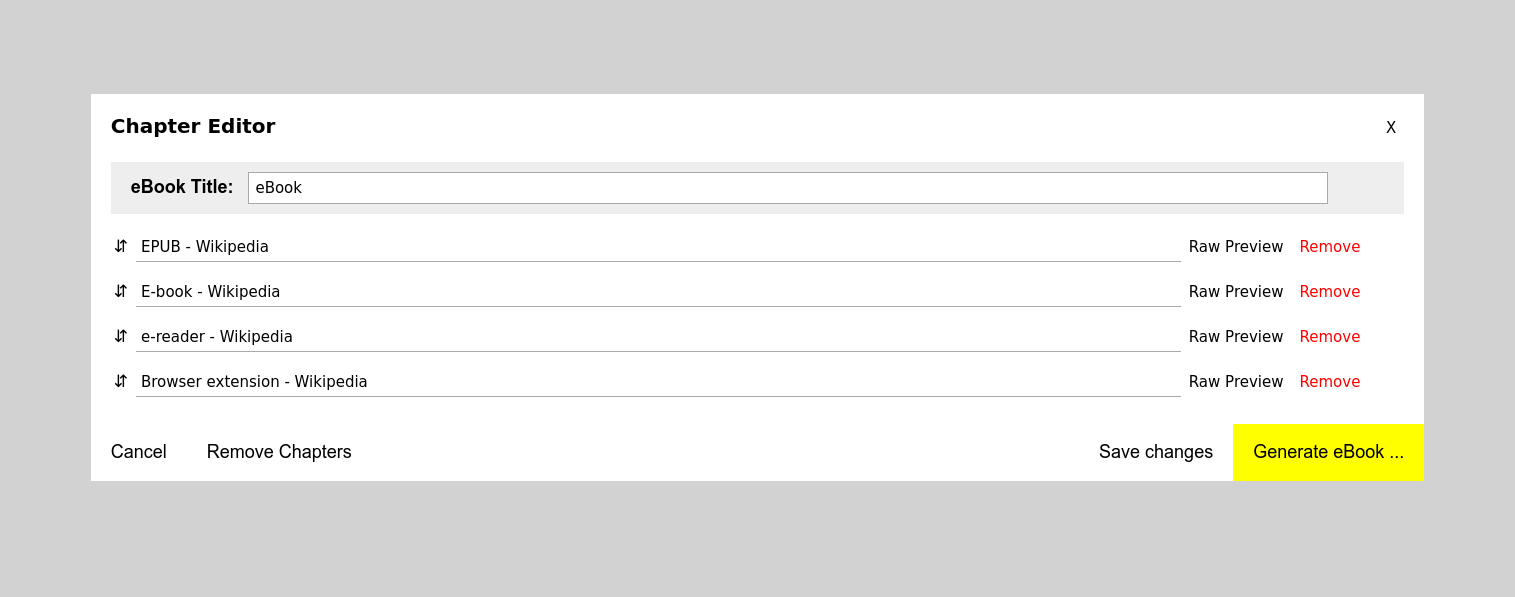

How to install it
From Chrome Web Store
or manually (tested on v. 52.0.2743.116)
1. Navigate to chrome://extensions/
- Load unpacked extension ...
- Select the extension's directory
From Firefox Add-ons
or manually (tested on v. 50.0a2)
1. Navigate to about:debugging
- Load temporary add-on ...
- Select the extension's directory
Opera (tested on v. 39.0.2256.48)
1. Navigate to opera:extensions
- Load unpacked extension ...
- Select the extension's directory
Convert .epub to .mobi
sudo apt-get install calibre
ebook-convert "book.epub" "book.mobi"
Default Keyboard Shortcuts
NOTE These shortcuts are not fixed and the browser will assign a different shortcut if the default one is taken
| Shortcut | Description | | --- | --- | | Alt + Shift + 1 | Save current page as eBook | | Alt + Shift + 2 | Save current selection as eBook | | Alt + Shift + 3 | Add current page as chapter | | Alt + Shift + 4 | Add current selection as chapter |
How to change the default Shortcuts
in Chrome:
1. Navigate to chrome://extensions/
- Scroll down
- Click on Keyboard shortcuts
Added in 1.4.2
- Added MIME type to the generated .epub fileAdded in 1.4.1
- Remove unnecessary permissions - Detect image type if the URL doesn't have a file extension (jpg, gif, png) - Reset the Busy indicator on errors - Remove hidden elements when style is not included - Replace iframes with divsAdded in 1.4
- Smaller ebook file size - Fix for #37 - custom styles not applied - Fix for #36 - br tag missing from pre blocks - Fix for #31 - hanging in Busy state - Other misc bug fixesAdded in v1.3.4
- Fix for MathML - the rendered expression is too large (Issue #26) - Add translation in Russian (thanks to @ Emil Khalikov) & Brazilian Portuguese (thanks to @welksonramos)Added in v1.3
- Keyboard shortcuts - Simplified tool bar menu - Misc bug fixesAdded in v1.2.2
- fixed & & issue in title; Issue # 10Added in v1.2.1
- support for hr/br html tagsAdded in v1.2
- BETA: Support for CSS - BETA: Create / edit custom Styles - No errors from EPUB Validator (http://validator.idpf.org/) + this should fix the Google Play upload issueAdded in v1.1
- Chapter Editor: option to save changes - Chapter Editor: option to remove all chapters - persist Chapter Editor changes & chapters after generating an eBook or after a browser restartTo-Do
- make the Custom Style Editor more user friendly - support backup / restore for Custom Styles - DONE fix all 'epubcheck' errors (https://github.com/IDPF/epubcheck) - clean & optimize code - create tests - support other formats (mobi, pdf etc.) - show confirmations (ui/ux) - display errors (ui/ux) - DONE support custom style - add 'remove from ebook' right click menu actionRun Tests (Work in progress...)
cd tests
 yarn install  # install puppeteer
 node test/index.js  # should start a chrome instance with Save as eBook loaded
# it will generate and save the ebook in ./tmp-downloads
....


