
Python ChatBot 💬
Last updated Jun 22, 2026
868
Stars
356
Forks
9
Issues
0
Stars/day
Attention Score
59
Language breakdown
Python 100.0%
▸ Files
click to expand
README




ChatBotAI
Python chatbot AI that helps in creating a python based chatbot with minimal coding. This provides both bots AI and chat handler and also allows easy integration of REST API's and python function calls which makes it unique and more powerful in functionality. This AI provides numerous features like learn, memory, conditional switch, topic-based conversation handling, etc.🚀 NEW: Ollama Integration
Now supports Ollama with Llama 3.2 for state-of-the-art AI responses!- No training required - uses pretrained models
- Coherent, human-like conversations
- Local inference (no API costs)
- See
OLLAMA_SETUP.mdfor installation instructions
Installation
Install from PyPI (includes Ollama setup):
pip install chatbotAIInstall from GitHub (Source)
- Clone the repository:
git clone https://github.com/ahmadfaizalbh/Chatbot.git
cd Chatbot- Install dependencies:
pip install -r requirement.txt- Install package:
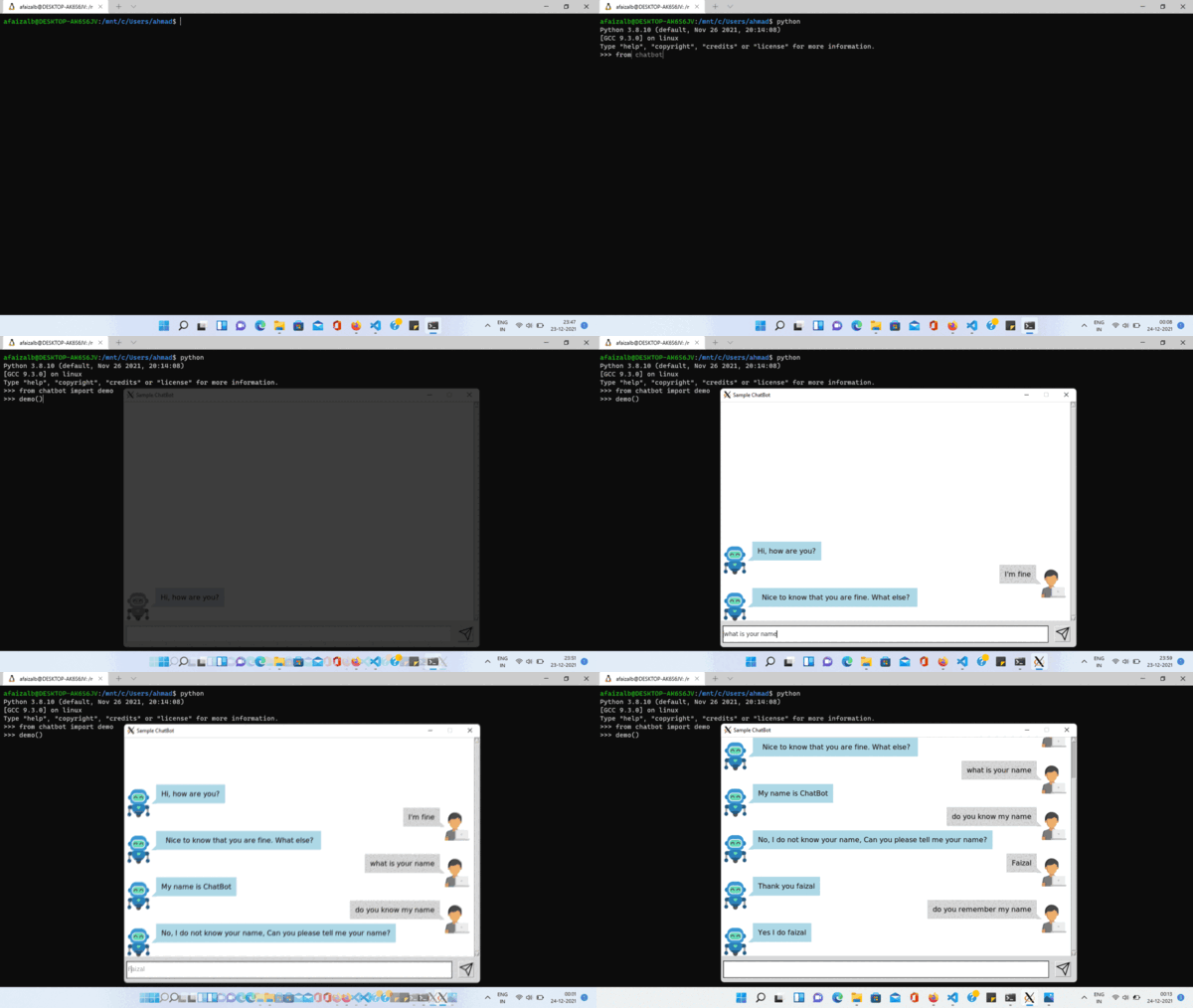
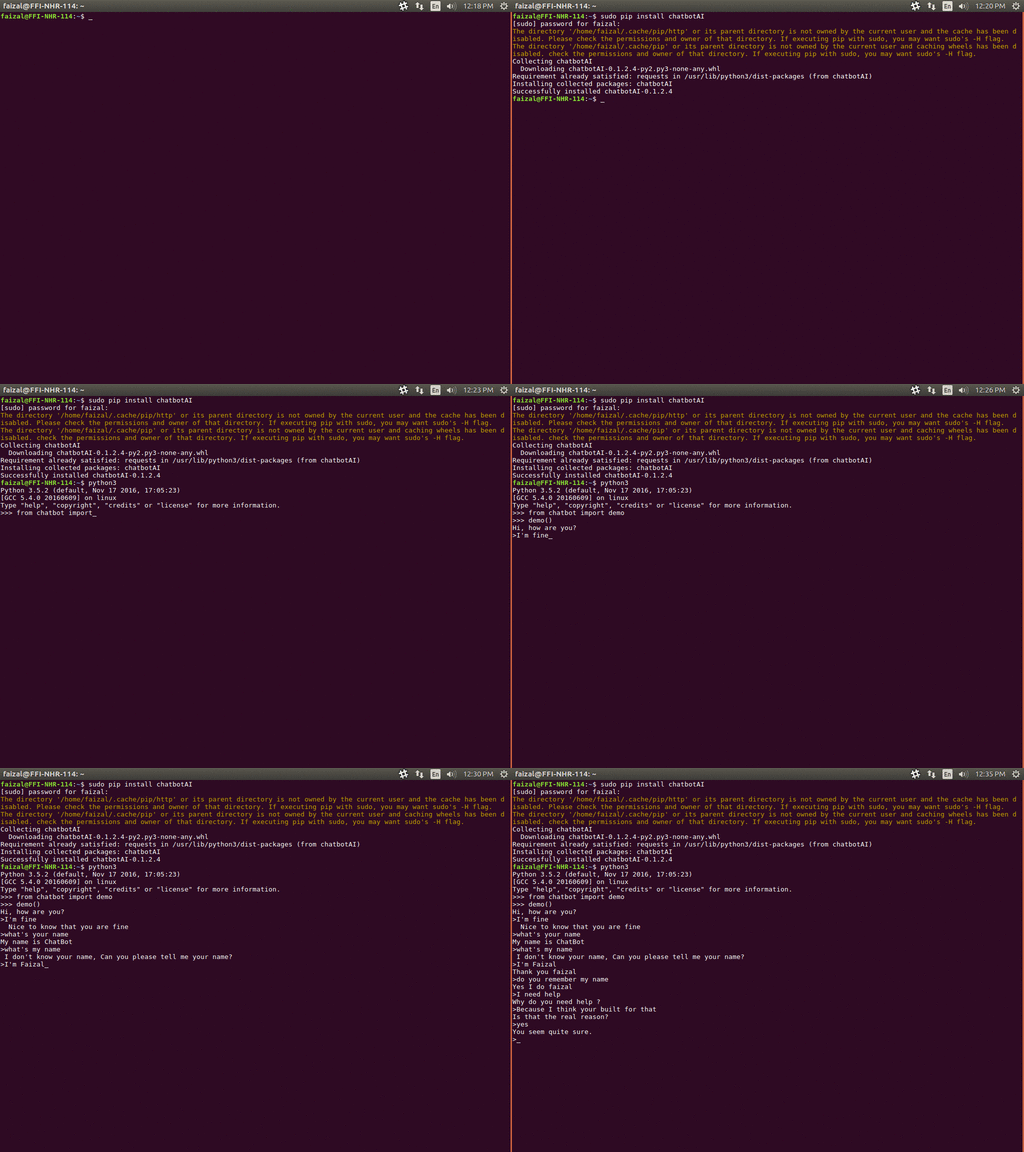
python setup.py installDemo
>>> from chatbot import demo
>>> demo()
Hi, how are you?
> i'm fine
Nice to know that you are fine
> quit
Thank you for talking with me.
>>>
Sample Code (with wikipedia search API integration)
from chatbot import Chat, register_call
import wikipedia
@register_call("whoIs") def who_is(session, query):     try:         return wikipedia.summary(query)     except Exception:         for new_query in wikipedia.search(query):             try:                 return wikipedia.summary(new_query)             except Exception:                 pass     return "I don't know about "+query
first_question="Hi, how are you?" Chat("examples/Example.template").converse(first_question)
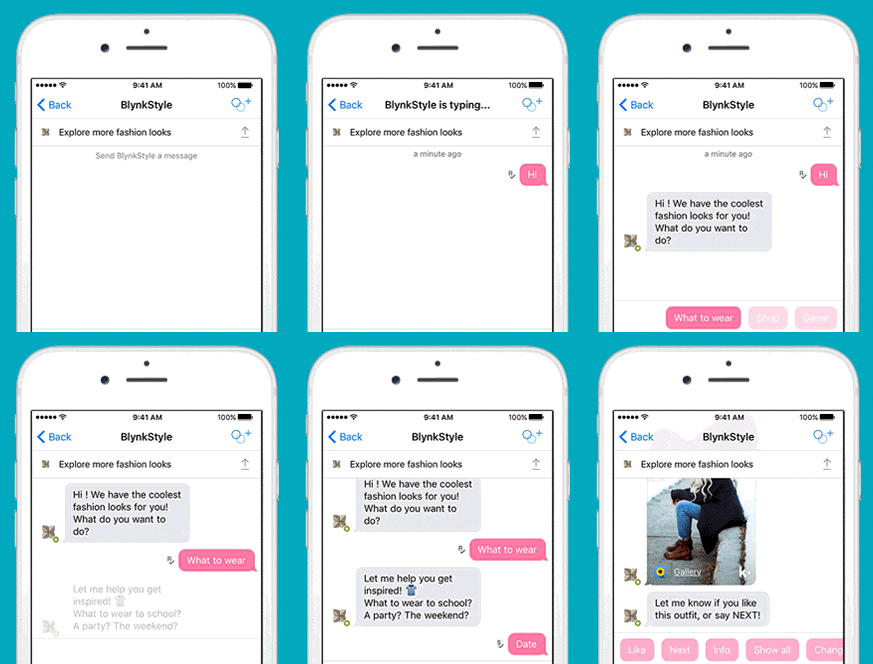
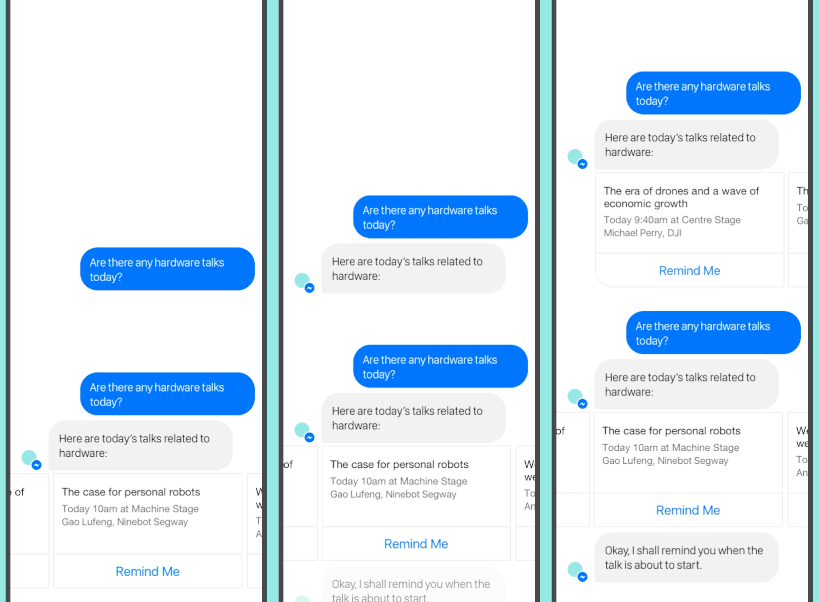
For Detail on how to build Facebook messenger bot checkout Facebook Integration.ipynb
For Jupyter notebook Chatbot checkout Infobot built using NLTK-Chatbot
Sample Apps
- A sample facebook messenger bot built using messengerbot, Django and NLTK-Chatbot is available here Facebook messenger bot
- A sample microsoft bot built using Microsoft Bot Connector Rest API - v3.0, Django and NLTK-Chatbot is available here Microsoft Chatbot
List of feature supported in bot template
- Memory
- Get matched group
- Recursion
- Condition
- Change Topic
- Interact with python function
- REST API integration
- Topic based group
- Learn
- To upper case
- To lower case
- Capitalize
- Previous
Memory
Set Memory
{ variable : value }{! variable : value }Get Memory
{ variable }Get matched group
for grouping in regex refer Python regular expression docsGet Nth matched group of client pattern
%N%1Get matching named group of client pattern
%Clientpatterngroup_nameperson
%personGet Nth matched group of bots message pattern
%!N%!1Get matching named group of bots message pattern
%!Botpatterngroup_nameregion
%!regionRecursion
Get response as if client said this new statement{% chat statement %}Condition
{% if condition %} do this first {% elif condition %} do this next {% else %} do otherwise {% endif %}Change Topic
{% topic TopicName %}Interact with python function
In python
@register_call("functionName")
def function_name(session, query):
    return "response string"
In template
{% call functionName: value %}REST API integration
In API.json file
{
    "APIName":{
        "auth" : {
            "url":"https://yourrestapi_url/login.json",
            "method":"POST",
            "data":{
                "user":"Your_Username",
                "password":"Your_Password"
            }
        },
        "MethodName" : {
            "url":"https://yourrestapiurl/GETmethod_Example.json",
            "method":"GET",
            "params":{
                "key1":"value1",
                "key2":"value2",
                ...
            },
            "value_getter":[order in which data has to be picked from json response]
        },
        "MethodName1" : {
            "url":"https://yourrestapiurl/GETmethod_Example.json",
            "method":"POST",
            "data":{
                "key1":"value1",
                "key2":"value2",
                ...
            },
            "value_getter":[order in which data has to be picked from json response]
        },
        "MethodName2" : {
            ...
        },
        ...
    },
    "APIName2":{
        ...
    },
    ...
}auth method is needed.The data and params defined in pi.json file acts as default values and all key value pair defined in template file overrides the default value.value_getter consists of list of keys in order using which info from json will be collected.
In Template file
[ APIName:MethodName,Key1:value1 (,Key:value) ]method, if method is POST then it overrides data and if method is GET then it overrides params.
Topic based group
{% group topicName %}
  {% block %}
      {% client %}client says {% endclient %}
      {% response %}response text{% endresponse %}
  {% endblock %}
  ...
{% endgroup %}
Learn
{% learn %}
  {% group topicName %}
    {% block %}
        {% client %}client says {% endclient %}
        {% response %}response text{% endresponse %}
    {% endblock %}
    ...
  {% endgroup %}
  ...
{% endlearn %}
To upper case
{% up string %}To lower case
{% low string %}Capitalize
{% cap string %}Previous
{% block %}
    {% client %}client's statement pattern{% endclient %}
    {% prev %}previous bot's statement pattern{% endprev %}
    {% response %}response string{% endresponse %}
{% endblock %}
AI Framework
The library now uses Ollama with Llama 3.2 for state-of-the-art AI responses.
Features
- Pretrained Models: No training required - uses advanced language models.
- Local Inference: Runs locally without API costs or internet dependency.
- Fine-tuning: Create custom models with your own training data.
- Online Learning: The bot can learn specific responses dynamically.
- Fallback Mechanism: If no template pattern matches, Ollama generates intelligent responses.
Usage
Training
You can train the bot on text files or URLs:chat = Chat()
Train on a book or website
chat.train("https://www.gutenberg.org/files/11/11-0.txt", epochs=10)Self-Learning
The bot can learn from interactions:chat.learn_response("What is the capital of Mars?", "Elon Musk's future home.")AI Fallback
The AI integration is automatic. If a user query does not match any defined template pattern, theconverse method calls ai_converse.
- If the model is untrained, it replies: "I haven't been trained on enough data to answer that yet. Please train me!"
- Once trained, it generates a response based on its vocabulary and training.
 -0.txt", epochs=10)
#### Self-Learning The bot can learn from interactions:
AI Fallback
The AI integration is automatic. If a user query does not match any defined template pattern, the
converse method calls ai_converse`.
- If the model is untrained, it replies: "I haven't been trained on enough data to answer that yet. Please train me!"
- Once trained, it generates a response based on its vocabulary and training.


