
AI-powered Lottie animation generator CLI
kin3o
Text to Motion. From your terminal.








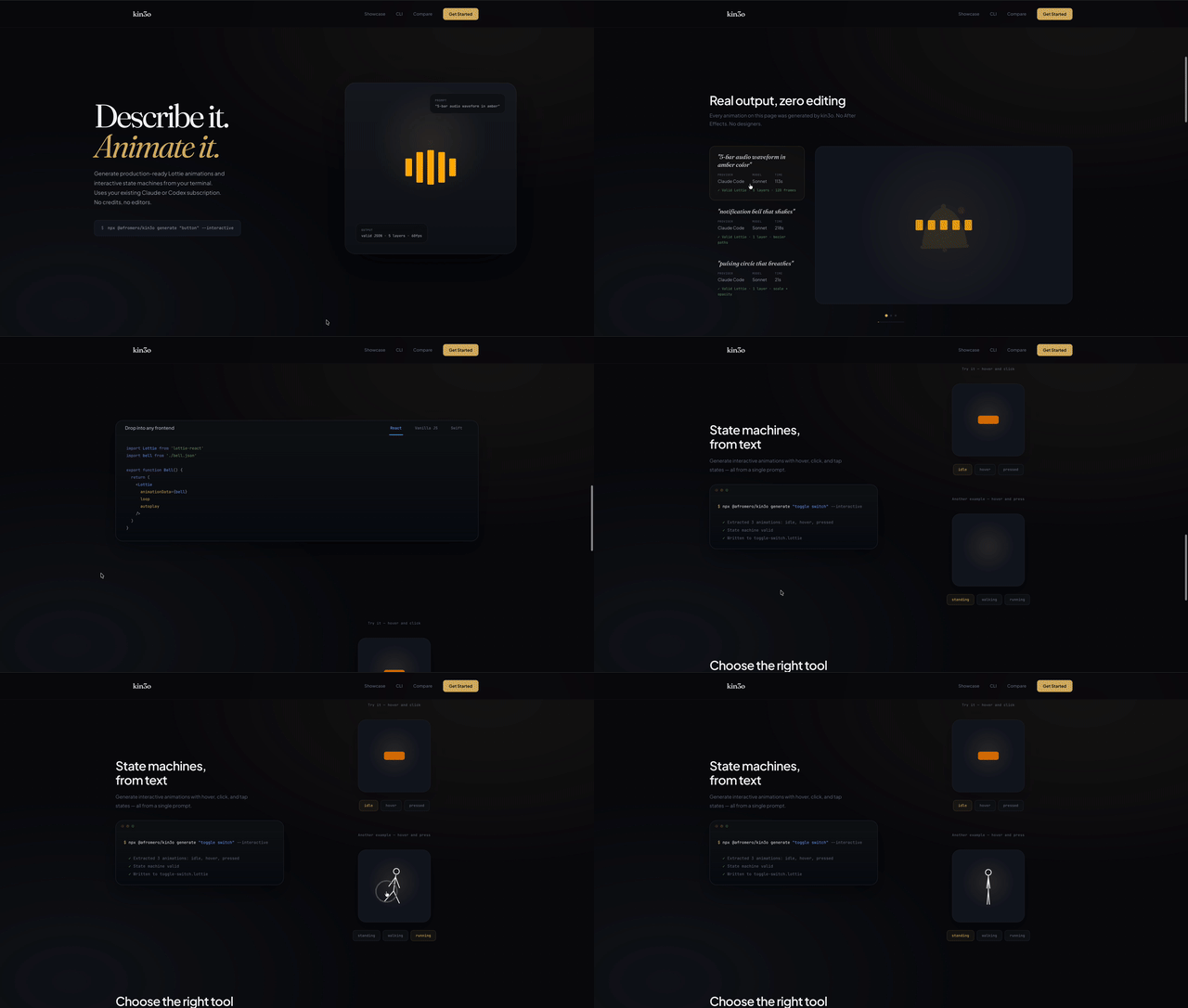
AI-powered Lottie animation generator. Turns natural language prompts into valid, playable Lottie JSON and interactive dotLottie state machines using your existing Claude or Codex subscription.
Why?
Great tools like LottieFiles, Lottielab, and Rive offer powerful visual editors, massive animation libraries, and team collaboration — if you need a full design workflow, they're excellent choices.
kin3o takes a different approach: it's a CLI tool for developers who want to generate animations from their terminal using AI subscriptions they already pay for. Search and download from the LottieFiles marketplace (122K+ community animations), refine with AI, and publish back — all without leaving the terminal.
Choosing the right tool
There are great tools for different animation workflows. Here's an honest look at where each shines:
| Tool | Best for | Strengths | |------|----------|-----------| | kin3o | Developers who want animations from their terminal | CLI-first, uses your existing AI subscription, open source, git-friendly JSON output, interactive state machines from text | | Rive | Complex interactive animations with a visual editor | Skeletal animation, mesh deformation, runtime inputs (cursor tracking, sliders), built-in state machines, beautiful visual editor | | LottieFiles | Finding and sharing animations | Massive community library, Motion Copilot AI, After Effects integration, team collaboration — kin3o integrates directly for search, download, and publish | | Lottielab | Designing Lottie animations visually | Polished editor with timeline and keyframes, team collaboration, export to Lottie JSON | | Recraft | AI-powered design with animation export | Visual AI design tool, vector and animation output, broad creative capabilities |
Quick Start
# Install globally
npm install -g @afromero/kin3o
Generate a static animation
kin3o generate "loading spinner with 3 dots"
Generate an interactive state machine
kin3o generate "toggle switch with on/off states" --interactive
Or use without installing:
npx @afromero/kin3o generate "pulsing circle"CLI Usage
# Static animations (.json)
kin3o generate "pulsing circle that breathes"
kin3o generate "5-bar audio waveform" --provider claude-code --model sonnet
kin3o generate "notification bell" --no-preview --output bell.json
kin3o generate "loading dots" --tokens sotto
Motion personality
kin3o generate "bouncy loading dots" --personality playful
kin3o generate "dashboard chart entrance" --personality corporate
kin3o generate "luxury brand reveal" --personality premium
kin3o generate "sports highlight reel" --personality energetic
kin3o generate "happy celebration confetti"                        # auto-detects personality + emotion
Interactive state machines (.lottie)
kin3o generate "toggle switch with on/off states" --interactive
kin3o generate "like button with hover and click" --interactive
Refine an existing animation
kin3o refine output/animation.json "make it faster and add easing"
kin3o refine output/animation.lottie "add a bounce on the pressed state"
Preview
kin3o preview output/animation.json
kin3o preview output/animation.lottie
Validate
kin3o validate output/animation.json
kin3o validate output/animation.lottie
List available AI providers
kin3o providers
Marketplace (LottieFiles)
kin3o search "loading spinner"                         # Search marketplace
kin3o search --featured --limit 10                     # Browse featured
kin3o search --popular                                 # Browse popular
kin3o search "button" --no-browser                     # Terminal output only
kin3o download abc12345                                # Download by UUID
kin3o download <url> --lottie                          # Download as .lottie
kin3o login                                            # Authenticate for publishing
kin3o publish output/anim.json --name "My Anim" --tags "loading,ui"
kin3o logout                                           # Clear auth token
Export to video
kin3o export output/animation.json                     # MP4 (default: 1080p 30fps)
kin3o export output/animation.json --format gif        # GIF
kin3o export output/animation.json --format webm       # WebM (supports transparency)
kin3o export output/animation.lottie --res 720p        # dotLottie → MP4 at 720p
kin3o export output/animation.json --bg white -o out.mp4  # Custom background + path
Live preview with hot reload
kin3o view output/animation.json                       # File watcher + auto-reload
kin3o view output/animation.lottie --port 3000         # Specific port
Options
| Flag | Description | |------|-------------| | -p, --provider <name> | AI provider (claude-code, codex, anthropic) | | -m, --model <name> | Model (sonnet, opus, haiku, codex) | | -o, --output <path> | Output filename | | --no-preview | Skip browser preview | | -i, --interactive | Generate interactive state machine (.lottie output) | | --personality <type> | Motion personality: playful, premium, corporate, energetic | | -t, --tokens <path> | Design tokens JSON or sotto preset | | --featured | Browse featured marketplace animations | | --popular | Browse popular marketplace animations | | --recent | Browse recent marketplace animations | | --limit <n> | Number of search results (default: 20) | | --no-browser | Print search results in terminal | | --lottie | Download .lottie format instead of .json | | --port <n> | Port for view server (auto-selects if omitted) | | --format <fmt> | Export format: mp4, webm, gif (default: mp4) | | --res <res> | Export resolution: 1080p, 720p, 480p, 4k, or WxH | | --fps <n> | Export frames per second (default: 30) | | --bg <color> | Export background color (hex or name) |
Using Generated Animations
Static animations (.json)
// React (lottie-react)
import Lottie from 'lottie-react';
import animationData from './pulsing-circle.json';
<Lottie animationData={animationData} loop autoplay />
<!-- Vanilla JS (lottie-web) -->
<div id="anim"></div>
// iOS (lottie-ios)
let animationView = LottieAnimationView(name: "pulsing-circle")
animationView.loopMode = .loop
animationView.play()
Interactive state machines (.lottie)
<!-- dotlottie-web — hover, click, and tap state transitions -->Why Lottie?
kin3o generates Lottie because its JSON format is ideal for AI generation — structured, text-based, and diffable. Rive is a fantastic tool with capabilities Lottie doesn't have (skeletal animation, mesh deformation, runtime inputs), but its binary .riv format can't be generated by LLMs today.
| What you need | Best tool | |--------------|-----------| | AI-generated animations from text | kin3o (Lottie JSON) | | Interactive state machines from text | kin3o (dotLottie) | | Skeletal animation, mesh deformation | Rive (visual editor) | | Massive animation library + community | LottieFiles | | Polished visual animation editor | Lottielab or Rive | | Runtime inputs (cursor tracking, sliders) | Rive | | Search, download, publish to marketplace | kin3o + LottieFiles |
Lottie covers shapes, paths, easing, color transitions, masking, and — via dotLottie — interactive state machines (hover, click, tap). That handles the vast majority of UI animations, loading states, and micro-interactions.
Architecture
Static:      prompt → generate() → extractJson() → validateLottie() → autoFix() → .json → preview
Interactive: prompt → generate() → extractInteractiveJson() → validate animations + state machine → .lottie → preview
Export:      .json/.lottie → headless Chrome (lottie-web) → frame capture → FFmpeg → MP4/WebM/GIF
Marketplace: search → browse → download → validate → .json/.lottie → refine → publish
Live preview: view <file> → HTTP server + fs.watch → SSE → browser auto-reload
Prompt System
All prompts live in src/prompts/ with a barrel export at src/prompts/index.ts:
| Module | Purpose | |--------|---------| | system.ts | Static Lottie generation prompt + LOTTIEFORMATREFERENCE | | system-interactive.ts | Interactive state machine prompt (imports shared ref) | | examples.ts | Few-shot: pulsing circle, waveform bars | | examples-interactive.ts | Few-shot: interactive button (idle/hover/pressed) | | examples-mascot.ts | kin3o mascot/logo (static + interactive) | | motion-design.ts | Motion design principles — personality archetypes, emotion mapping, timing, easing, choreography | | tokens.ts | Design token loader (hex → Lottie RGBA) |
Prerequisites for Export
The export command requires Chrome/Chromium and FFmpeg installed on your system:
# macOS
brew install --cask google-chrome
brew install ffmpeg
Linux
sudo apt install chromium-browser ffmpeg
Or set CHROMEPATH and FFMPEGPATH environment variables to custom paths.
Development
npm install
npm run typecheck    # Type check
npm run test         # Run tests (node --test)
npm run ci           # typecheck + test
npm run build        # Compile to dist/
Related Projects
| Project | Description | |---------|-------------| | Fairtrail | Flight price evolution tracker with natural language search | | PriceToken | Real-time LLM pricing API, npm/PyPI packages, and live dashboard | | gitpane | Multi-repo Git workspace dashboard for the terminal |
Acknowledgments
Motion design principles (personality archetypes, emotion mapping, timing tables, easing curves, choreography rules) are adapted from the LottieFiles motion-design-skill (MIT), condensed and translated into Lottie-native parameters (tangent values, frame counts at 60fps).
License
MIT


