
The goal is to make it easier to configure your favorite Linux distribution as a router. Built with Rust and eBPF.

Landscape routes traffic by domain—not just IP. Each flow gets its own DNS server.
DNS answers populate kernel eBPF maps. Packets are steered at XDP/TC wire speed.
No userspace datapath. No iptables.
Built with Rust / eBPF.
简体中文 | English | Documentation
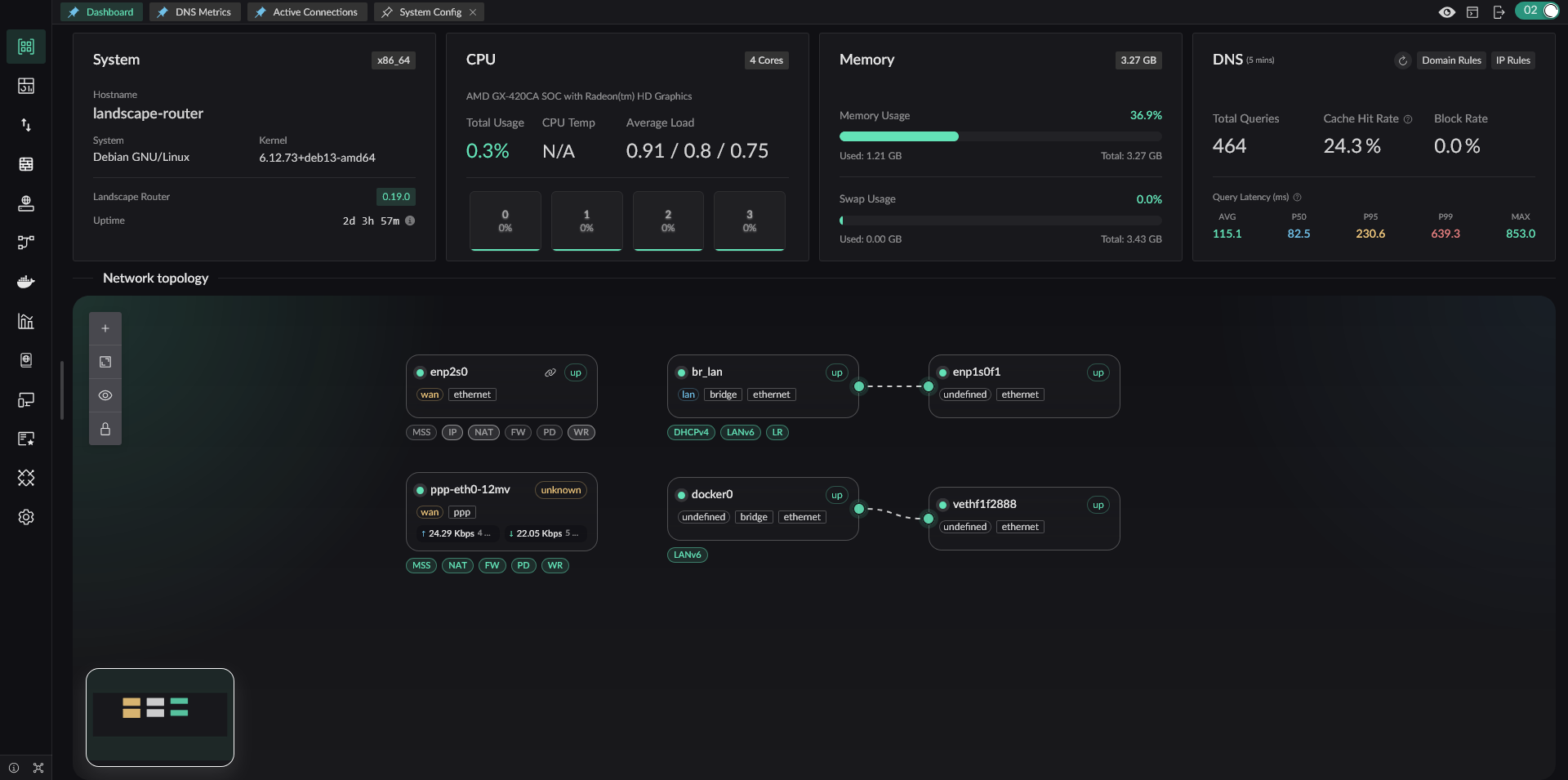
Screenshot
Architecture
Landscape separates traffic steering into two planes:
DNS plane (userspace). A flow is a policy group that devices join by IP or MAC. Each flow gets its own isolated Hickory DNS server with independent cache, upstream (UDP/DoH/DoT/DoQ), and rules. DNS answers populate per-flow eBPF maps in the kernel.
Data plane (kernel). XDP and TC hooks read these maps to steer packets at wire speed. Packets matching a flow are steered according to its policy. Everything else passes through directly — no userspace context switch, zero overhead.
DNS results → eBPF flow maps → TC/XDP in-kernel steering → interface routing
DNS plane decides. Kernel enforces.
Core Features
- DNS-driven traffic steering via eBPF — DNS answers populate per-flow kernel maps
- Fine-grained NAT — strict NAT4 by default, per-domain/IP NAT1 exceptions (details)
- Per-flow DNS isolation — independent cache and upstream per flow, no cross-flow leaks
- Redirect packets matching a flow into Docker containers — extend with any TProxy-compatible program
- Geo database management — DAT and TXT format support
- Full REST API — everything in the UI is scriptable
Why Landscape
Standard Linux, no lock-in. Debian, Arch, openSUSE. Your distro, your rules.
Upgrade without fear. Single directory. Drop in a new binary, config auto-migrates. Downgrade works too.
NAT that fits your LAN. BT/PT on one device, everything else locked down — domain-level control, no blanket rules.
One failure, one victim. Per-flow DNS and traffic policies. A container goes down? Only the traffic routed through it is affected.
Quick Start
Prerequisites
- Linux kernel ≥ 6.9 with BTF/BPF enabled,
rootprivileges; non-Linux kernels (FreeBSD, macOS) are not supported - Docker (optional, for container redirection)
1. Create the config directory
mkdir -p /root/.landscape-router2. Download the release assets
- From Releases (backend binary and frontend static assets are released separately)
static.zip
- Download the landscape-webserver binary for your architecture
- Extract it to
/root/.landscape-router/static(this is the default path, but it can be customized)
3. Start Landscape
Run as root:
./landscape-webserverDefaults: config at /root/.landscape-router, HTTPS on port 6443, user/pass root / root.
Landscape can start directly without any pre-created configuration file. If you want to initialize it through landscape_init.toml, see the configuration guide on the documentation site.
You can check more options with ./landscape-webserver --help.
4. Open the management interface
http://landscape.local:6300automatically redirects to HTTPShttps://landscape.local:6443opens the Web UIhttps://landscape.local:6443/api/docsopens the REST API docs
Run as a systemd Service
After confirming that the service is running correctly, you can configure it as a systemd service:
[Unit]
Description=Landscape Router
[Service] ExecStart=/root/landscape-webserver Restart=always User=root LimitMEMLOCK=infinity
[Install] WantedBy=multi-user.target
Replace ExecStart with the actual path to your binary.
Development
Build guide: BUILD.md | BUILD.zh.md
License
landscape-ebpf: GNU General Public License v2.0- Other parts: GNU General Public License v3.0


