
A better "ls". View folder structures and copy entire codebases for prompting LLMs (works with gitignore)
gitree 🌴
An upgrade from "ls" for developers. An open-source tool to analyze folder structures and to provide code context to LLMs. Published on PyPi





[!NOTE]
Instead of the full-name "gitree", you may use "gt" to call this tool
📦 Installation
Install using pip (python package manager):
# Install the latest version using pip
pip install gitree
Alternatively, use pipx
pipx install gitree
to update gitree
pip install -U gitree
💡 Getting Started
Open a terminal in any project and run:
# This should print the structure of the current working directory
gitree
OR use this short alias
gt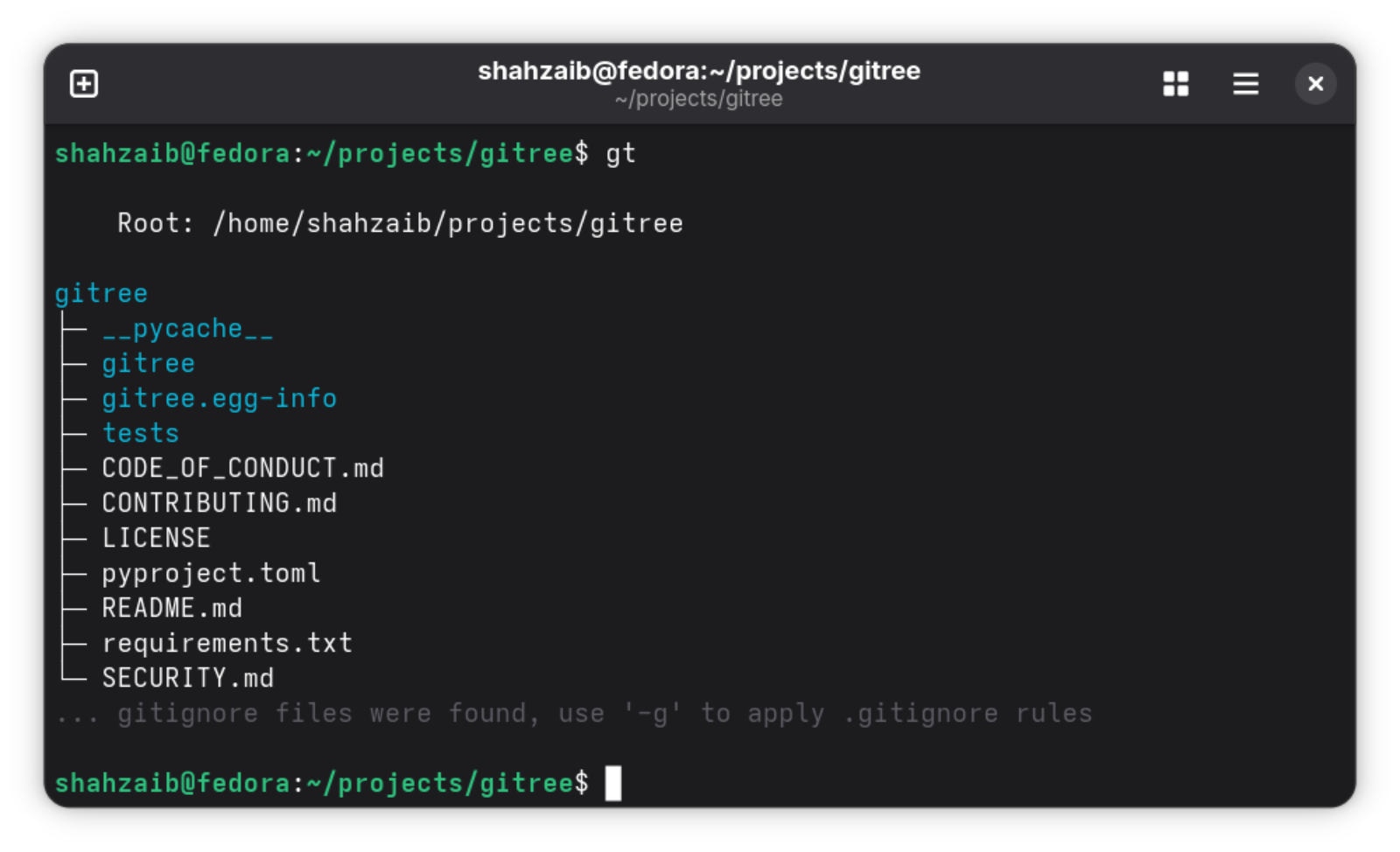
Now try using --full for printing full directory structure:
gt --full
OR -f as alias for --full
gt -f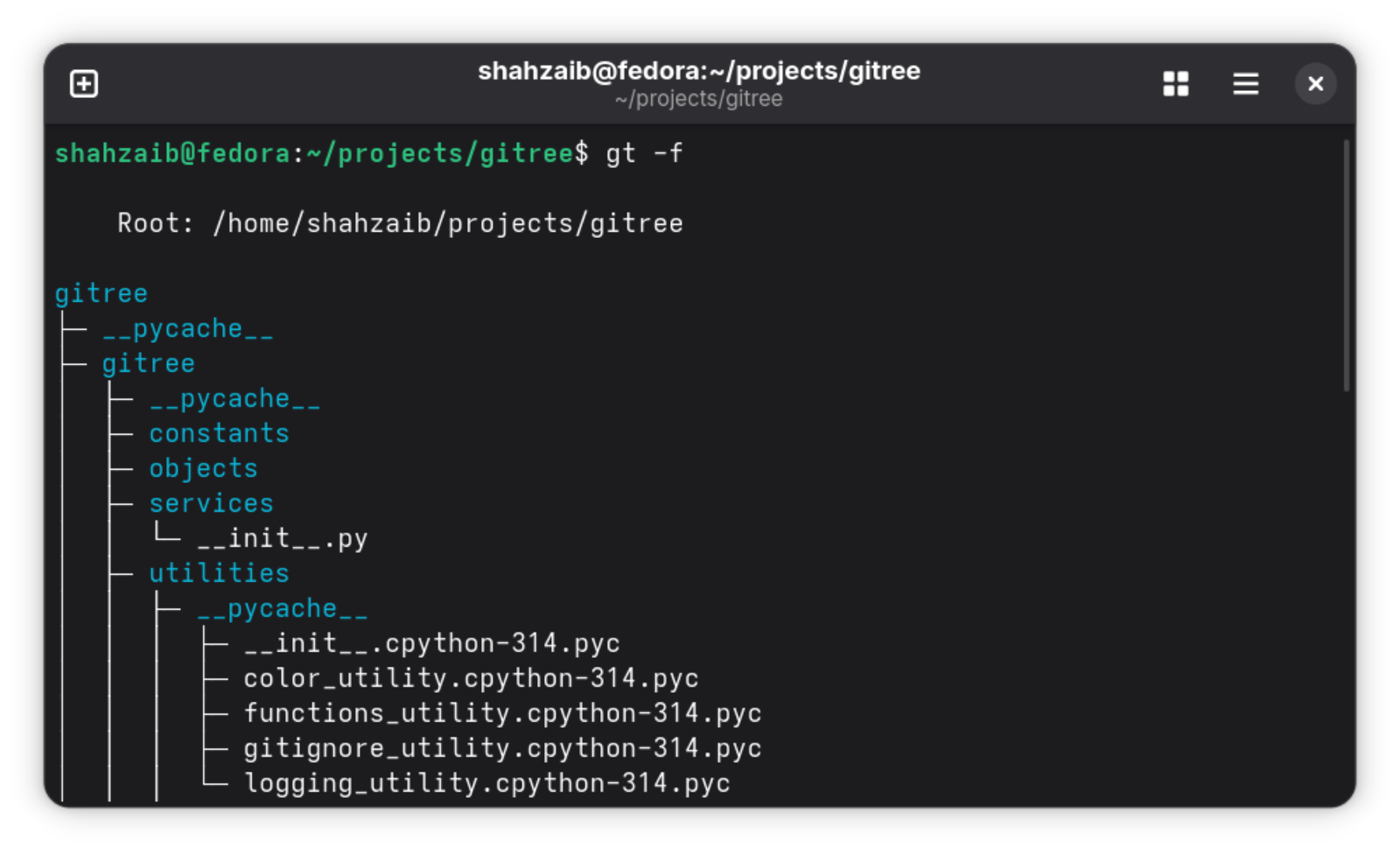
Try using --emoji for better visuals:
gt --full --emoji
You can also use -f and -e together like this
gt -fe
🚀 Streamlined Workflow with Move
The usual workflow in terminal involves listing directory contents and then using cd to navigate. With the -m/--move flag, gitree streamlines this by automatically changing your working directory to the determined root:
# Display project structure and move to the gitree subdirectory
gt gitree -m
For current directory, display structure and stay in place
gt -m
Works with multiple paths - moves to the common parent directory
gt src tests -m
This feature determines the root directory as the common parent of all given paths, displays the tree structure, and then changes your terminal's working directory to that root location.
🧠 This is where it gets useful
For copying all code files in your project, with interactive selection:
gt --code --copy --interactive
OR alternaitvely, using short aliases
-i for interactive, -c for copy, -f for full, -t for types
gt --code -ci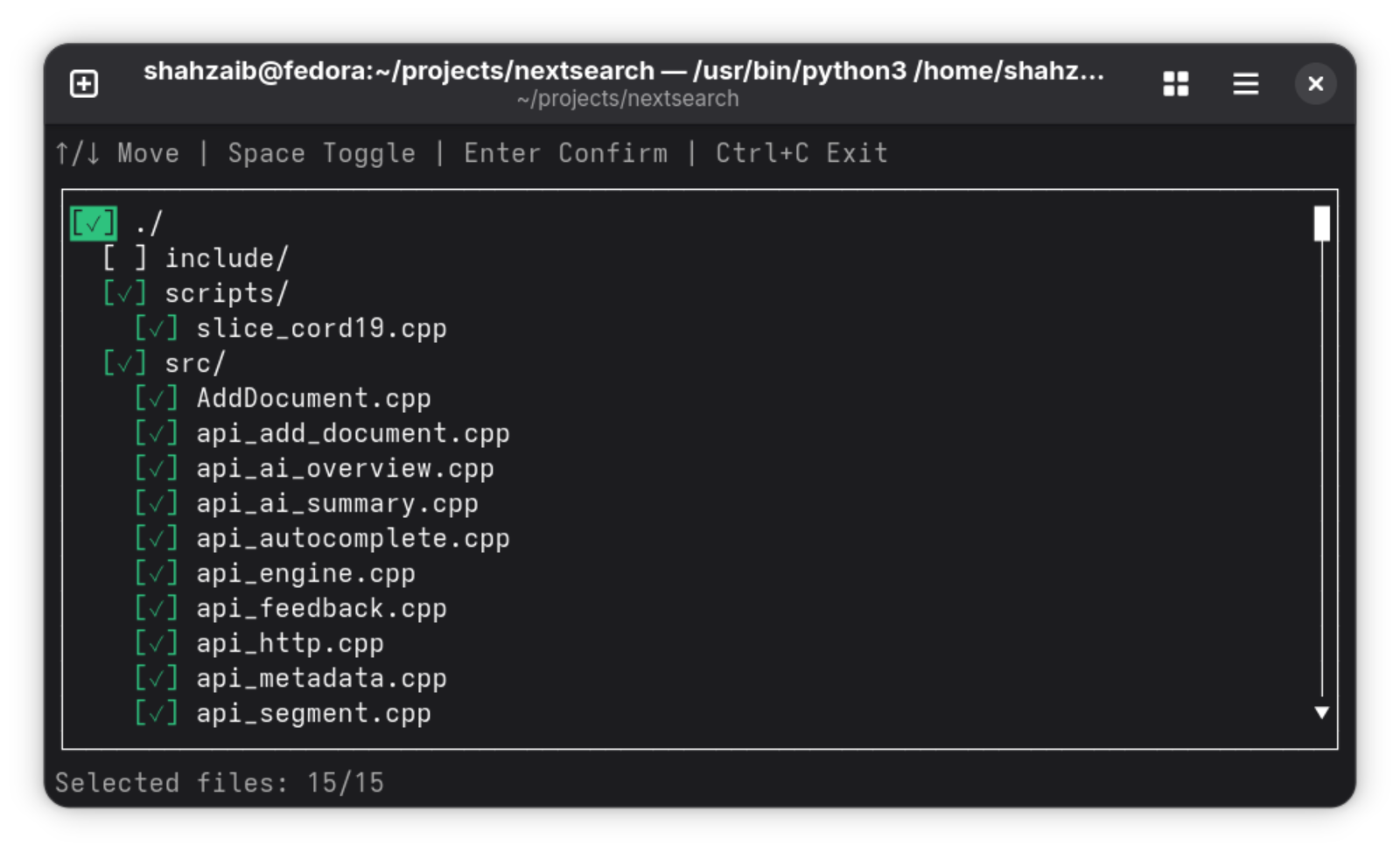

For zipping the whole project (use -g to respect gitignore):
# creates project.zip in the same directory
gt --zip project
OR alternatively, using alias
gt -z project
To respect gitignore rules when zipping, add -g flag
gt -gz project
To zip only the code files use --code
gt -z project --code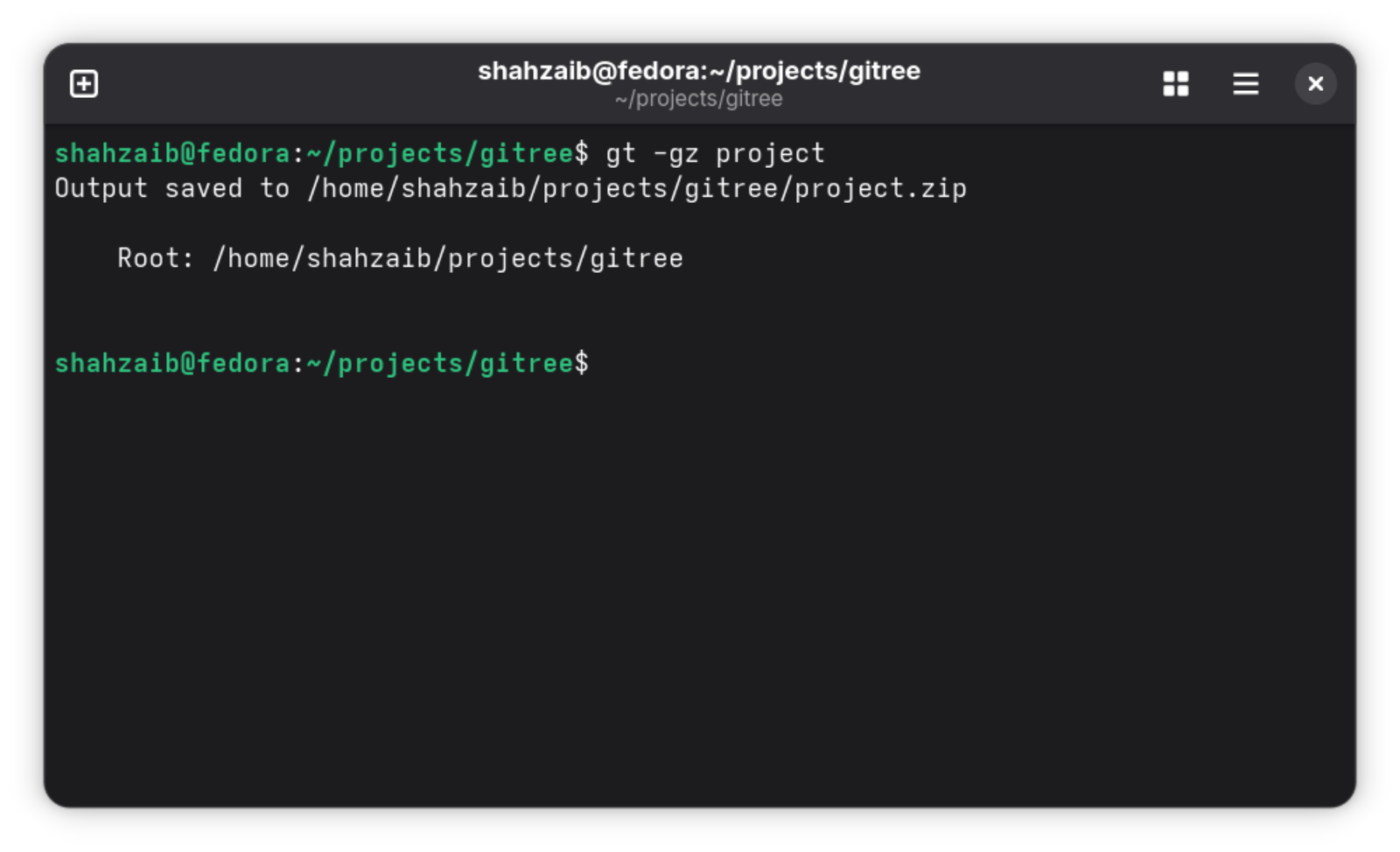
For dumping the whole project into a single file:
# Creates project.txt in the directory from where gt is run
Default format for export is tree
gt --export project --format tree
OR using aliases
gt -x project --format tree
OR use other formats
gt -fx project --format json
gt -fx project --format md
OR using --fmt alias
gt -fx project --fmt json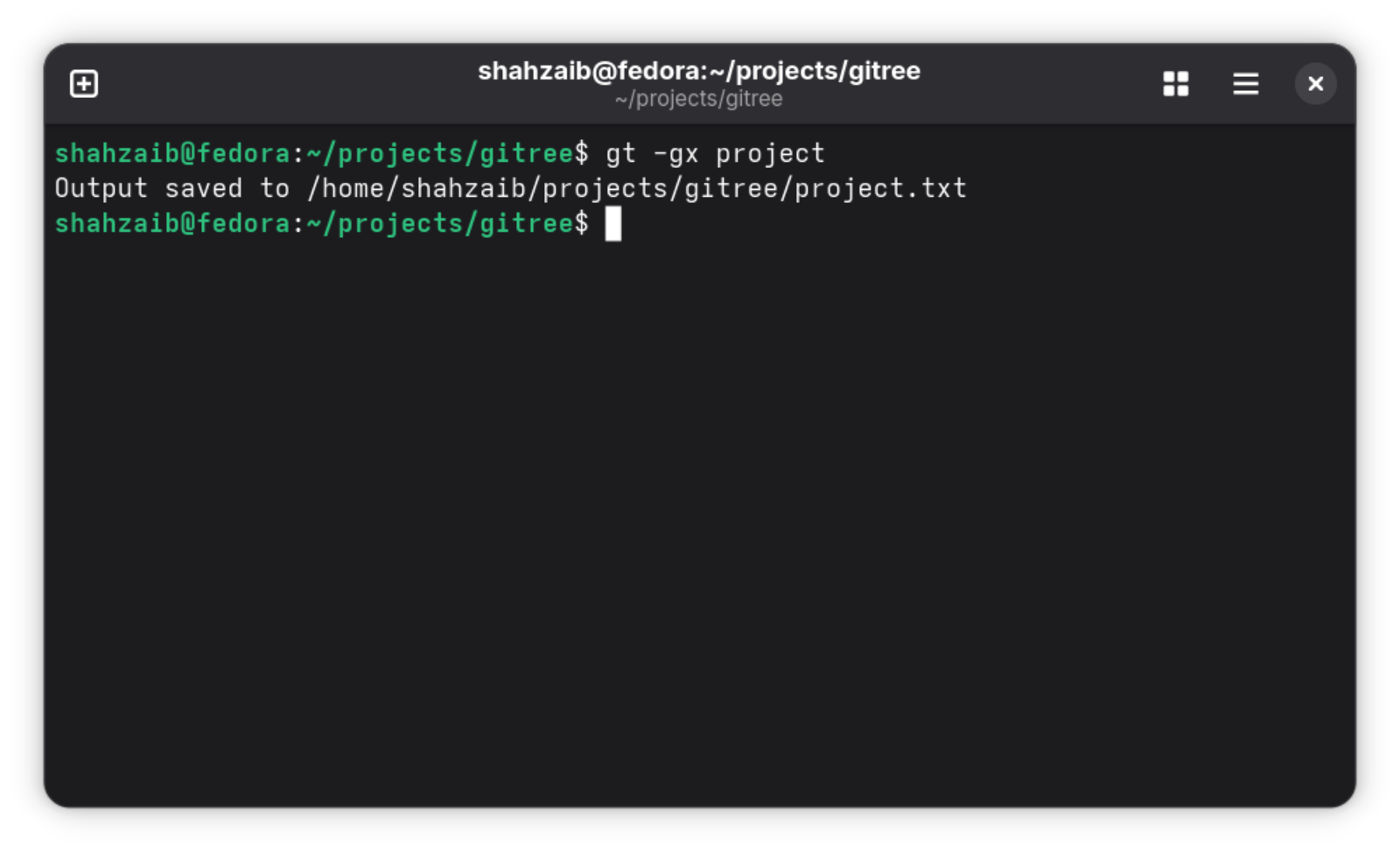
🧩 How it works
╭────────────────────────────╮
    │           Start            │
    ╰────────────────────────────╯
                  │
                  ▼
    ╭────────────────────────────╮
    │      Argument Parsing      │
    ╰────────────────────────────╯
                  │
                  ▼
    ╭────────────────────────────╮
    │  Files/Folders Selection   │
    ╰────────────────────────────╯
                  │
                  ▼
    ╭────────────────────────────╮
    │   Interactive Selection    │
    │      (only if used)        │
    ╰────────────────────────────╯
            │
            ├─────────────────────────┐
            │                         │
            ▼                         ▼
    ╭─────────────────╮    ╭─────────────────────╮
    │ Zipping Service │    │   Drawing Service   │
    ╰─────────────────╯    ╰─────────────────────╯
            │                  │
            │                  ├────────────────────┐
            │                  │                    │
            │                  ▼                    ▼
            │         ╭─────────────────╮  ╭──────────────────╮
            │         │  Copy Service   │  │  Export Service  │
            │         ╰─────────────────╯  ╰──────────────────╯
            │                  │                    │
            │                  └──────────┬─────────┘
            │                             │
            └─────────────────────────────┘
                           │
                           ▼
               ╭────────────────────────╮
               │    Output & Finish     │
               ╰────────────────────────╯
⚙️ Common Arguments
General Options
| Argument | Description | | ----------------- | ------------------------------------------------------------------------------------------------------------- | | -h, --help | Show the help message with all available options and exit. | | -v, --version | Display the version number of the tool. | | -m, --move | Change the terminal's working directory to the determined root directory after displaying the tree structure. | | --verbose | Enable logger output to the console. Helpful for debugging. | | --user-config | Create a default config.json file in the current directory and open it in the default editor. | | --no-config | Ignore both user-level and global-level config.json and use default and CLI values for configuration. |
Semantic Flags (Quick Actions)
| Argument | Description | | ----------------- | -------------------------------------------------------------------------------------------- | | -f, --full | Shortcut for --max-depth 5 - show full directory tree up to 5 levels deep. | | -e, --emoji | Show emojis in the output for better visual clarity. | | -i, --interactive | Use interactive mode for manual file selection after automatic filtering. | | -c, --copy | Copy file contents and project structure to clipboard (great for LLM prompts). | | --code | Include only code extensions |
Output & Export Options
| Argument | Description | | ----------------- | -------------------------------------------------------------------------------------------- | | -z, --zip | Create a zip archive of the given directory (respects gitignore if -g is used). | | -x, --export | Save project structure along with its contents to a file with the format specified using --format. | | --format, --fmt | Format output only. Options: tree, json, md. Default: tree. |
Full CLI Arguments List (Click to expand)
Listing Options
| Argument | Description | | ---------------------------- | ------------------------------------------------------------------------------------ | | --max-items | Limit items to be selected per directory. | | --max-entries | Limit entries (files/dirs) to be selected for the overall output. | | --max-depth | Maximum depth to traverse when selecting files. | | --gitignore-depth | Limit depth to look for during .gitignore processing. | | -a, --hidden-items, --all | Show hidden files and directories. | | --exclude [pattern ...] | Patterns of files to specifically exclude. | | --exclude-depth | Limit depth for exclude patterns. | | --include [pattern ...] | Patterns of files to specifically include. | | --include-file-types | Include files of certain types. | | --files-first | Print files before directories. | | --no-color | Disable colored output. | | --no-contents | Don't include file contents in export/copy. | | --no-contents-for [path ...] | Exclude contents for specific files for export/copy. | | --max-file-size | Maximum file size in MB to include in exports (default: 1.0). | | --override-files | Override existing files. | | -s, --size | Show file sizes in the output. |
Listing Override Options
| Argument | Description | | ------------------ | ------------------------------------------ | | --no-max-entries | Disable --max-entries limit. | | --no-max-items | Disable --max-items limit. | | -g, --gitignore | Enable .gitignore rules (respects .gitignore files). | | --no-files | Hide files (show only directories). |
Installation (for Contributors)
Clone the repository:
git clone https://github.com/ShahzaibAhmad05/gitreeMove into the project directory:
cd gitreeSetup a Virtual Environment (to avoid package conflicts):
python -m venv .venvActivate the virtual environment:
.venv/Scripts/Activate      # on windows
.venv/bin/activate          # on linux/macOS
[!WARNING]
If you get an execution policy error on windows, run this:
Set-ExecutionPolicy -ExecutionPolicy RemoteSigned -Scope CurrentUserInstall dependencies in the virtual environment:
pip install -r requirements.txtThe tool is now available as a Python CLI in your virtual environment.
For running the tool, type (venv should be activated):
gtFor running unit tests after making changes:
python -m testsContributions
[!TIP]
This is YOUR tool. Issues and pull requests are always welcome.
Gitree is kept intentionally small and readable, so contributions that preserve simplicity and follow Contributing Guidelines are especially appreciated.


