
AMVD is a Lidarr companion script to automatically download and tag Music Videos for use in other video applications (plex/kodi/jellyfin/emby)
Deprecated
This repository is now deprecated, will no longer be updated and is being archived. Please visit the new project/replacement:
AMVD - Automated Music Video Downloader
RandomNinjaAtk/amvd is a Lidarr companion script to automatically download and tag Music Videos for use in other video applications (plex/kodi/jellyfin/emby)
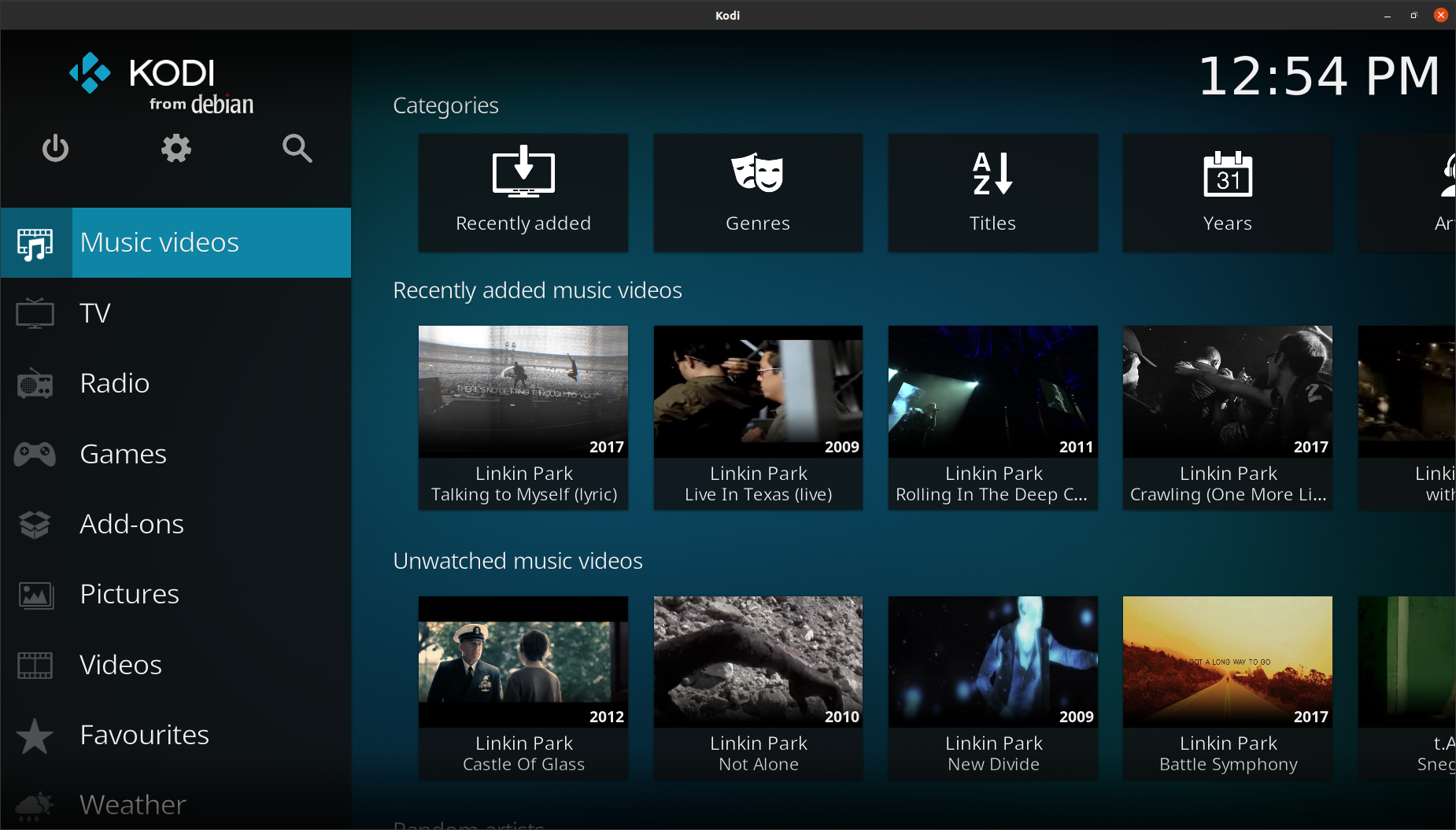
Video Example (Kodi)
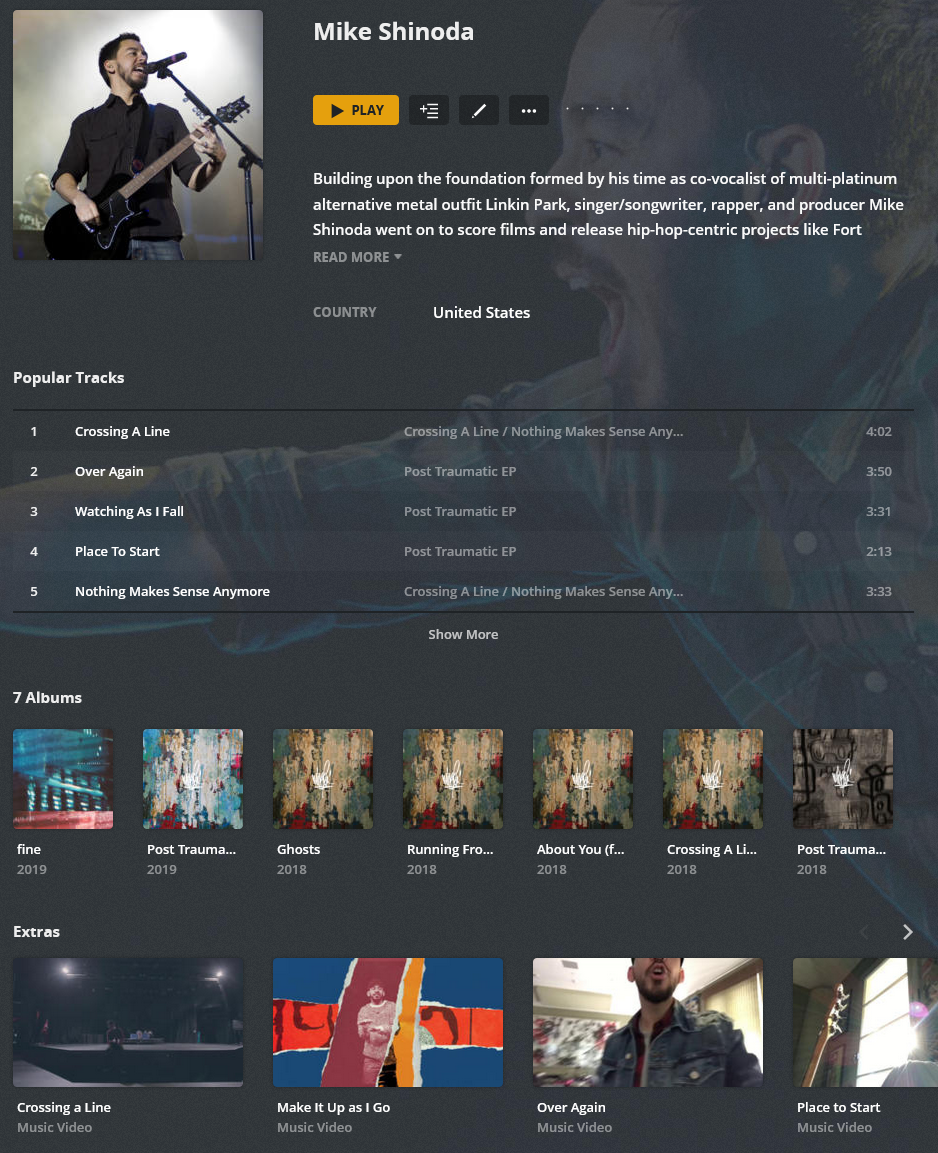
Audio (AMD) + Video (AMVD) (Plex Example)
Features
- Downloading Music Videos using online sources for use in popular applications (Plex/Kodi/Emby/Jellyfin):
Supported Architectures
The architectures supported by this image are:
| Architecture | Tag | | :----: | --- | | x86-64 | latest |
Version Tags
| Tag | Description | | :----: | --- | | latest | Newest release code |
Parameters
Container images are configured using parameters passed at runtime (such as those above). These parameters are separated by a colon and indicate <external>:<internal> respectively. For example, -p 8080:80 would expose port 80 from inside the container to be accessible from the host's IP on port 8080 outside the container.
| Parameter | Function | | --- | --- | | -e PUID=1000 | for UserID - see below for explanation | | -e PGID=1000 | for GroupID - see below for explanation | | -v /config | Configuration files for Lidarr. | | -v /downloads-amvd | Location of music videos, also add a volume to match the location | | -v /ama | Optional :: Map this to the AMA containers /config folder for proper usage | | -v /tmp | Optional :: Downloads are downloaded to this temporary location before moving to final library/folder destination | | -e updateScripts="true" | true = Enabled :: Updates scripts on startup :: Optional | | -e AUTOSTART="true" | true = Enabled :: Runs script automatically on startup | | -e SCRIPTINTERVAL=1h | #s or #m or #h or #d :: s = seconds, m = minutes, h = hours, d = days :: Amount of time between each script run, when AUTOSTART is enabled | | -e LidarrUrl="http://127.0.0.1:8686" | Set domain or IP to your Lidarr instance including port. If using reverse proxy, do not use a trailing slash. Ensure you specify http/s. | | -e LidarrAPIkey="08d108d108d108d108d108d108d108d1" | Lidarr API key. | | -e MBRAINZMIRROR="https://musicbrainz.org" | OPTIONAL :: Only change if using a different mirror | | -e MBRATELIMIT=1 | OPTIONAL: musicbrainz rate limit, musicbrainz allows only 1 connection per second, max setting is 10 | | -e SOURCE_CONNECTION=lidarr | lidarr or ama :: ama requires the AMA config folder to be mounted as a volume: /ama | | -e CountryCode=us | Set the country code for preferred video matching, uses Musicbrainz Country Codes, lowercase only. | | -e subtitlelanguage="en" | Desired Language Code :: For guidence, please see youtube-dl documentation. | | -e WriteNFOs="false" | true = enabled :: Create NFO and Local Thumbnail for use in applications such as Kodi | | -e USEFOLDERS=false | true = enabled :: Creates subfolders using the Lidarr Artist folder name | | -e USEVIDEOFOLDERS=false | true = enabled :: Creates subfolders using Video File Name only, requires USEFOLDERS to be enabled | | -e FilePermissions=666 | Optional :: Based on chmod linux permissions | | -e FolderPermissions=777 | Optional :: Based on chmod linux permissions |
Usage
Here are some example snippets to help you get started creating a container.
docker
docker create \
  --name=amvd \
  -v /path/to/config/files:/config \
  -v /path/to/music-videos:/downloads-amvd \
  -v /path/to/ama/config:/ama \
  -v /path/to/tmp:/tmp \
  -e PUID=1000 \
  -e PGID=1000 \
  -e AUTOSTART=true \
  -e SCRIPTINTERVAL=1h \
  -e SOURCE_CONNECTION=lidarr \
  -e subtitlelanguage=en \
  -e videofilter=live \
  -e USEFOLDERS=false \
  -e USEVIDEOFOLDERS=false \
  -e MBRAINZMIRROR=https://musicbrainz.org \
  -e MBRATELIMIT=1 \
  -e LidarrUrl=http://127.0.0.1:8686 \
  -e LidarrAPIkey=LIDARRAPI \
  -e CountryCode=us \
  --restart unless-stopped \
  randomninjaatk/amvd
docker-compose
Compatible with docker-compose v2 schemas.
version: "2.1"
services:
  amvd:
    image: randomninjaatk/amvd
    container_name: amvd
    volumes:
      - /path/to/config/files:/config
      - /path/to/music-videos:/downloads-amvd
      - /path/to/ama/config:/ama
      - /path/to/tmp:/tmp
    environment:
      - PUID=1000
      - PGID=1000
      - AUTOSTART=true
      - SCRIPTINTERVAL=1h
      - SOURCE_CONNECTION=lidarr
      - subtitlelanguage=en
      - videofilter=live
      - USEFOLDERS=false
      - USEVIDEOFOLDERS=false
      - MBRAINZMIRROR=https://musicbrainz.org
      - MBRATELIMIT=1
      - LidarrUrl=http://127.0.0.1:8686
      - LidarrAPIkey=LIDARRAPI
      - CountryCode=us
    restart: unless-stopped
Script Information
- Script will automatically run when enabled, if disabled, you will need to manually execute with the following command:
docker exec -it amvd /bin/bash -c 'bash /config/scripts/download.bash'
* From Docker CLI: bash /config/scripts/download.bash
Directories:
- /config/scripts
- /config/logs
- /config/cache
- /config/cookies
Credits
- ffmpeg
- yt-dlp
- Lidarr
- Musicbrainz
- Icons made by Freepik from www.flaticon.com


