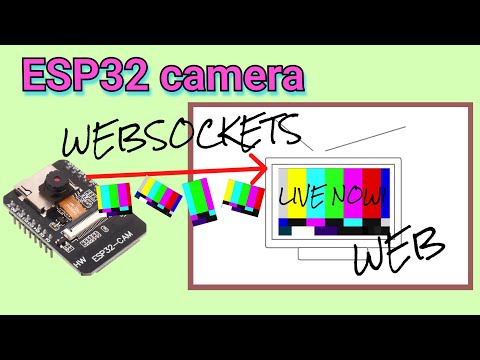
Streams ESP32 camera images to web backend and forwards them to a website in realtime.
Last updated Jun 30, 2026
97
Stars
25
Forks
2
Issues
+1
Stars/day
Attention Score
13
Language breakdown
No language data available.
▸ Files
click to expand
README

esp32camerawebstream
Bringing the ESP32 camera video stream to the web!Want to stay updated or participate? Join my Discord!
The Arduino ESP32-Camera test sketch only lets you use the stream on your local network. To get the stream to the web, you need a bit more...
This collection of scripts consists of: - Arduino code for ESP32 camera module (AI Thinker CAM) websocketcamerastream.ino - Python code to receive the images via websockets with receive_stream.py - Python code to push the most recent image to a website with sendimagestream.py
# Why is this cool? I havent found a working repository that streams ESP32 camera images in real time to a web backend. This sovles this issue.
How to run?
- Open the ESP32 code in your Arduino IDE, install all missing libraries, change the
ssid,passwordandwebsocketsserverhost.
- Install the missing python requirements using pip:
pip install pillow websockets flask asyncio
- Run
python receive_stream.py
- Open a second terminal and run
python sendimagestream.py
Now enjoy your fresh live stream! 📺
Known Issues
Browsers don't like broken images.
This is solved using the placeholder.jpg. It just replaces the image, if the backend receives a broken frame to prevent the browser from freezing the stream.You have to have the right board.
There are many ESP32 Camera modules. The defined pins inwebsocketcamerastream.ino only work with the AI Thinker Cam. Change this, if you have a different board. The only tested camera is currently the OV2640.
Video!