
Real-time dashboard tracking cryptocurrency liquidations, funding rates, and cross-exchange arbitrage opportunities.
Last updated Apr 20, 2026
25
Stars
5
Forks
1
Issues
0
Stars/day
Attention Score
61
Topics
Language breakdown
No language data available.
▸ Files
click to expand
README
Crypto Liquidation Feed
Browser-based dashboard for live liquidations, funding rates, clustering, replay, and anomaly tracking.
Live Website
View Live Website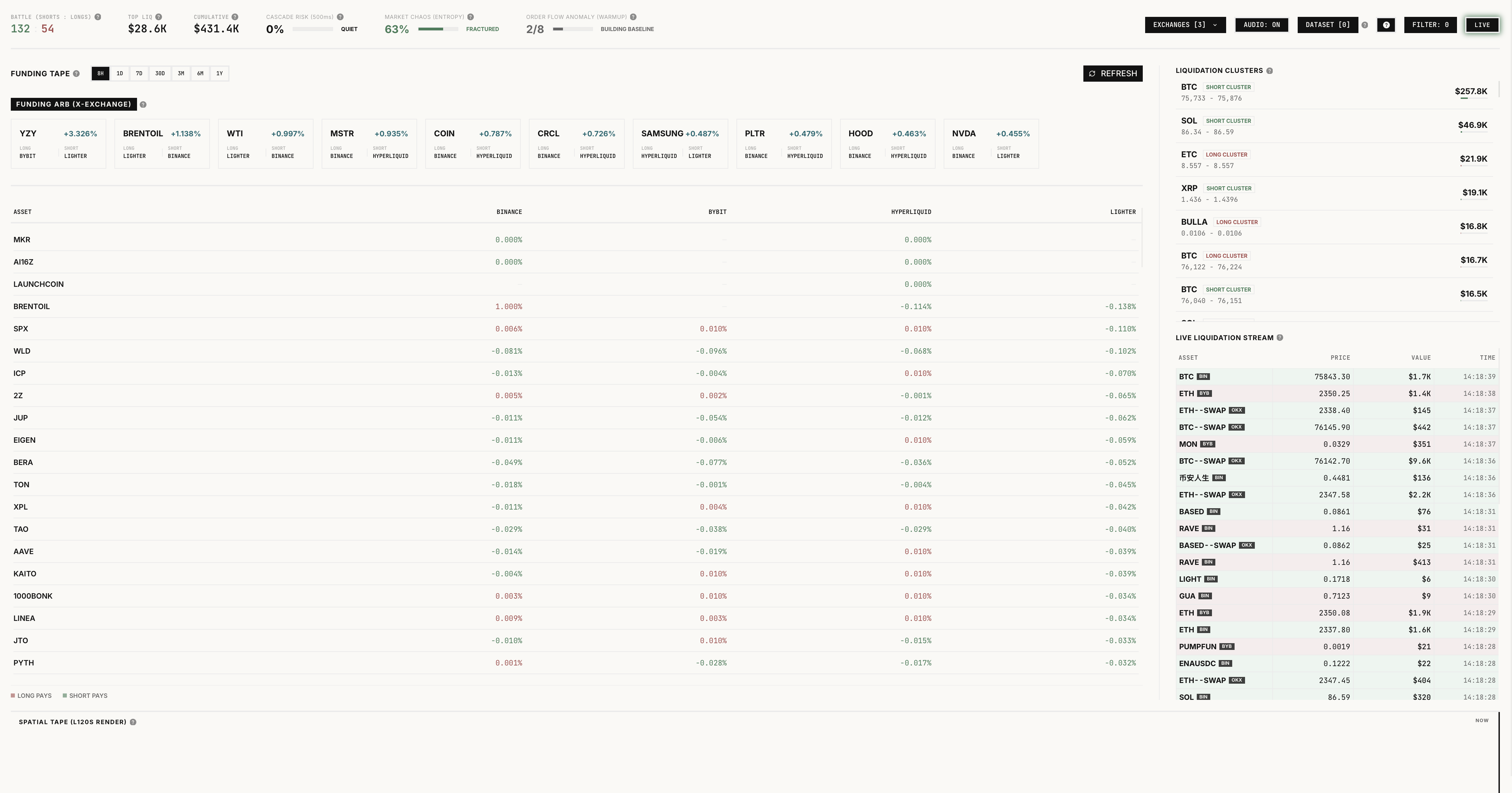
What It Is
This project tracks live liquidation activity across exchanges and pairs it with funding, clustering, replay, and anomaly tools. Everything runs in the browser.
Features
- Live liquidation stream for perpetual markets
- Exchange selection across Binance, Bybit, and OKX
- Client-side market stress meters for cascade risk, chaos, and anomaly
- Funding rates and cross-exchange funding spread view
- Replay controls with play, pause, seek, speed, and compare-to-live support
- Replay dataset capture, import, export, and browser-side management
- Shared minute-vector pipeline for live scoring and offline model training
- Optional offline-trained TensorFlow.js autoencoder scoring in the browser
- Responsive dashboard with audio alerts and inline help for market jargon
Supported Exchanges
- Binance
- Bybit
- OKX
Installation
git clone https://github.com/Mohamed1756/Crypto-Liquidation-Feed/
cd Crypto-Liquidation-Feed
npm install
npm run dev
Production Build
npm run buildReplay And ML Workflow
The replay pipeline is built around full timestamps and canonical minute vectors.
- Capture raw liquidation events into JSONL:
npm run replay:capture- Build a replay dataset with dated timestamps and minute vectors:
npm run replay:build -- --input=./data/captures/binance-2025-01-01.jsonlFor legacy CSV files with time-only rows, pass an assumed date:
npm run replay:build -- --input=./my-file.csv --assume-date=2025-01-01- Train a small offline autoencoder and emit a browser-loadable manifest:
npm run replay:train -- --input=./public/replay/liquidation-replay-dataset.jsonBy default the trained model is written to public/ml/liquidation-autoencoder.json, which the app can load at runtime.
Inside the app, imported datasets can be replayed locally with:
- play and pause controls
- minute-by-minute seek
- adjustable playback speed
- compare-to-live matching
- replay-driven stream, cluster, and canvas views
Notes
- The browser anomaly meter works without a shipped model by using the rolling statistical baseline.
- Shipping an offline-trained model improves regime recognition, but the replay dataset quality matters more than model complexity.
- Live ingestion, replay, and analytics all run client-side.


