
The platform that MetaGame will be played on aka MetaOS - an open source framework for running decentralized societies. Currently featuring MyMeta Profiles, Dashboard & Quests
The Game
Monorepo for the MetaGame applications, backend and databases.
We're using the following stack:
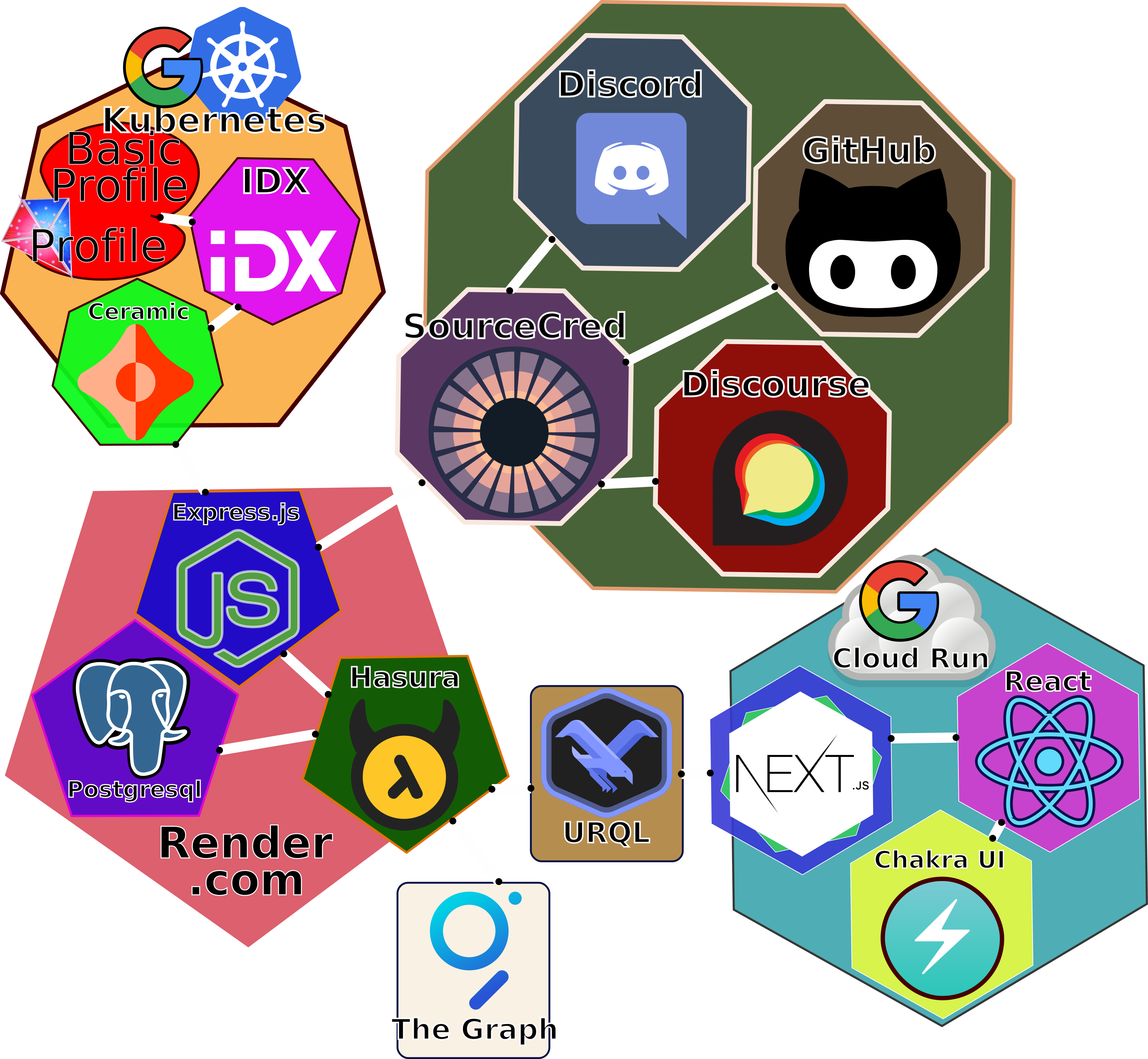
Frontend
Backend
Overall
MetaGame
Guides
If you're new to the MetaGame codebase, check out the following guides to learn how to contribute.
Development
Before you start contributing read the Contributing Guide!
Bootstrap
Create your local .env file
script
cp .env.sample .env
Create a GitHub token at https://github.com/settings/tokens
Set GITHUBAPITOKEN=yourgithubtoken in .env
Install Packages
script
yarn
Initial TS Compilation For Monorepo Packages
script
yarn typecheck
Adding a package to the codebase can be done with Lerna
Run services
Start backend services
script
yarn docker:start
For M1 Mac Users
Official docker images of Hasura don't work on M1 yet
In hasura/Dockerfile Replace
FROM hasura/graphql-engine:v1.3.3.cli-migrations-v2with
FROM fedormelexin/graphql-engine-arm64:v1.3.3.cli-migrations-v2- Runs docker containers for backend, Hasura Engine, and PostGres database
- will auto-restart on any changes to
packages/backendandpackages/utils
- Populate the database with the production dataset:
script
yarn hasura:seed-db- Populate the database with the initial dataset:
script
curl -X POST http://localhost:4000/actions/syncSourceCredAccounts?force=true
Rebuild backend services
If your docker containers fail to start due to changes in config, you may need to rebuild the containers. This can take several minutes.
script
yarn docker:build
Stop backend services
script
yarn docker:stop- Stops all the containers
Rebuild and run the containers (in attach mode):
script
docker-compose up --build
In case non of the above commands are working try purge the docker containers and images you can do this by running (notice: this removes all the containers and images on your computer!):
script
docker system prune -a
If you're working on the front-end and the build fails with something like the error below, you'll need to create a .env file in packages/web and add NEXTPUBLICGRAPHQLURL=https://api-staging.metagame.wtf/v1/graphql_
[Error [CombinedError]: [Network] request to http://localhost:8080/v1/graphql failed, reason: connect ECONNREFUSED 127.0.0.1:8080] {
  type: 'CombinedError',
  graphQLErrors: [],
  networkError: {
    message: 'request to http://localhost:8080/v1/graphql failed, reason: connect ECONNREFUSED 127.0.0.1:8080',
    type: 'system',
    errno: 'ECONNREFUSED',
    code: 'ECONNREFUSED'
  }
}
A note about environment variables
If you need to add an environment variable, it will need to go in several places:
- your own
.envfile .env.samplegcp-deploy.yaml
deploy-backend step alongside the others
- For frontend variables, add to the deploy-frontend step. You may also need to add it to the build-frontend step, if it is used in a page that is statically generated by next.js
gcp-deploy-frontend.yamlfor frontend variables, this should be the same as the frontend actions in the other yaml file
TheGame Github secrets; contact a senior builder for assistance.
As an aside, the gcp-deploy-frontend.yaml is the deployment configuration for our test and production frontend instances, while gcp-deploy.yaml is only for PR environments.
Run NextJS Web App dev mode (new)
script
yarn web:dev
Go to http://localhost:3000
Happy Coding!
Run Discord Bot
script
yarn discord-bot dev
This will automatically register with Discord and relay chat messages to your local instance! Pretty cool. Testing in a dedicated test Discord server (rather than MetaGame's) is recommended.
Tooling
Start Hasura console
script
yarn hasura:console
Hasura CLI example
script
yarn hasura migrate status
yarn hasura migrate squash --name "<feature-name>" --from 1598417879553
yarn hasura migrate apply --version "<squash-migration-version>" --skip-execution
Hasura CLI documentation Hasura Migrations Guide
Generate GraphQL Types
script
yarn generate
Reload Schema + Generate GraphQL Types (backend needs to be running)
script
yarn update-schema
yarn generate
Restart with fresh database
script
yarn docker:clean
yarn docker:start
Run typechecks
script
yarn typecheck
WIP Branch Push
Upon pushing to the repository a linting check will be initialized validating your code. If you want to push the branch to the repository (maybe for collaboration) while the code isn't completely valid yet you have the option of skipping the linting process:
script
git push -u origin <branch> [--no-verify]
Please use this only when absolutely necessary!
Debugging with Visual Studio Code
When running the backend stack locally using docker-compose, you can still debug the backend container using VS Code. Just add this configuration to your .vscode/launch.json.


