
Manage installation access tokens for GitHub apps from your terminal 💻
GH Token
        _
 / _| | | | |   _|  | |                  🦄
| | | || | ⭐️ | |  | |  __       *
| | | |  |    ||/  \| |/ /  \ ' \        *
| || | |  | |   | | (_)|   <  / | | |  *
 \||  ||    ||\/||\\|| ||   *
Manage installation access tokens for GitHub apps from your terminal

Creates an installation access token to make authenticated API requests.
Installation tokens expire 1 hour from the time you create them. Using an expired token produces a status code of 401 - Unauthorized, and requires creating a new installation token.
You can use this access token to make pretty much any REST or GraphQL API call the app is authorized to make!
Why?
In order to use GitHub's REST or GraphQL APIs you will need either a Personal Access Token (PAT) or a GitHub App.
PATs are dangerous, they:
- have a very wide scope that spans across multiple organizations
- never (automatically) expire. They have an indefinite lifetime (or at least until you regenerate them)
- cannot be revoked (they're only revoked when a new one is generated)
Installation
Download as a standalone binary
Download gh-token from the latest release for your platform.
Install as a gh cli extension
You can install gh-token as a gh cli extension!
$ gh extension install Link-/gh-token
Verify installation
$ gh token
All the commands and parameters remain the same, the only different is you now can use gh token instead of gh-token.
Creating a GitHub App
Follow these steps
Usage
Compatible with GitHub Enterprise Server.
NAME:
   gh-token - Manage GitHub App installation tokens
USAGE:    gh-token [global options] command [command options] [arguments...]
VERSION:    2.0.2
COMMANDS:    generate       Generate a new GitHub App installation token    revoke         Revoke a GitHub App installation token    installations  List GitHub App installations    help, h        Shows a list of commands or help for one command
GLOBAL OPTIONS:    --help, -h     show help    --version, -v  print the version
Examples in the Terminal
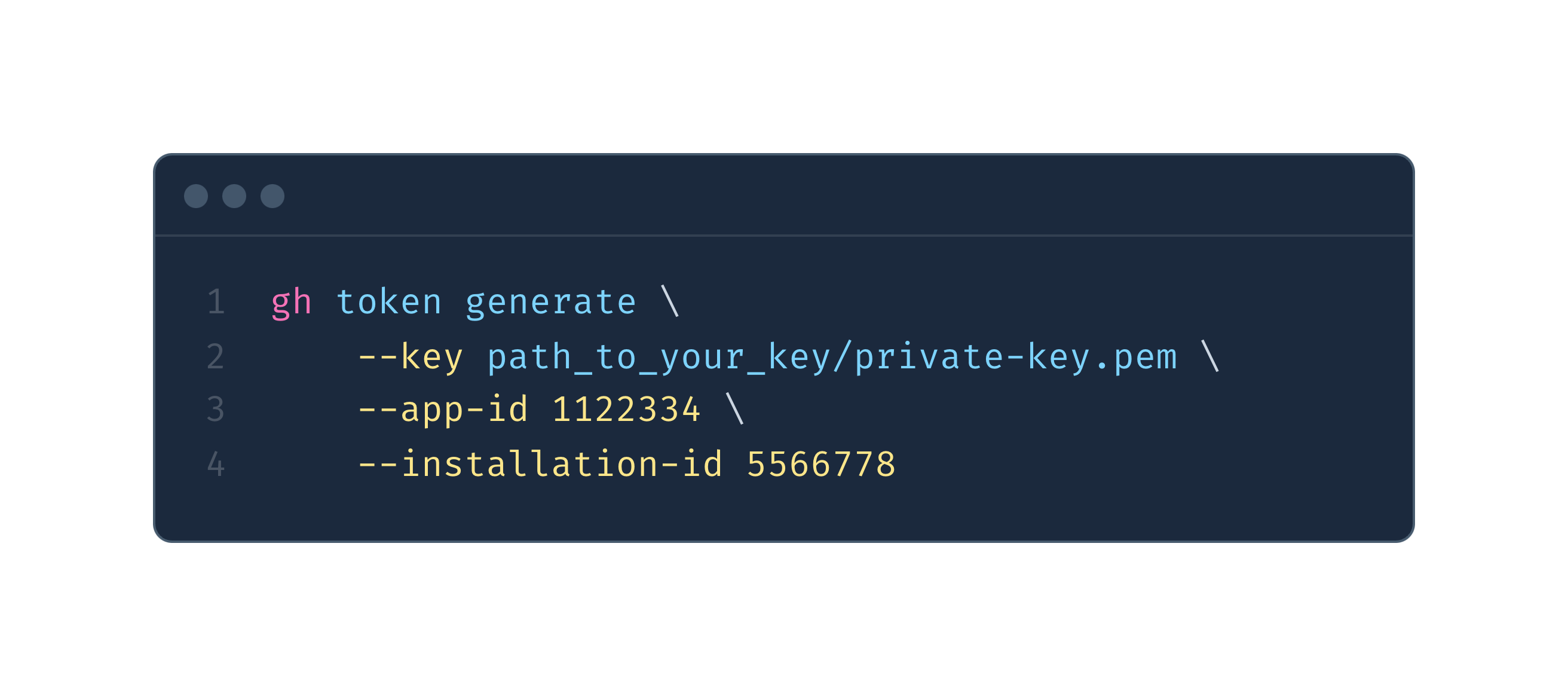
Run gh token as a gh CLI extension
gh token generate \
    --key ./.keys/private-key.pem \
    --app-id 1122334 \
    --installation-id 5566778
{
"token": "ghs8JohtbLCMS_M0EPOhJ",
"expires_at": "2023-09-08T18:11:34Z",
"permissions": {
"actions": "write",
"administration": "write",
"metadata": "read",
"members": "read",
"organization_administration": "read"
}
}Run gh token and pass the key as a base64 encoded string
gh token generate \
    --base64-key $(printf "%s" $APP_KEY | base64) \
    --app-id 1122334 \
    --installation-id 5566778
{
"token": "ghs8JohtbLCMS_M0EPOhJ",
"expires_at": "2023-09-08T18:11:34Z",
"permissions": {
"actions": "write",
"administration": "write",
"metadata": "read",
"members": "read",
"organization_administration": "read"
}
}Run gh token with GitHub Enterprise Server
gh token generate \
    --base64-key $(printf "%s" $APP_KEY | base64) \
    --app-id 1122334 \
    --installation-id 5566778 \
    --hostname "github.example.com"
{
"token": "ghs8JohtbLCMS_M0EPOhJ",
"expires_at": "2023-09-08T18:11:34Z",
"permissions": {
"actions": "write",
"administration": "write",
"metadata": "read",
"members": "read",
"organization_administration": "read"
}
}Fetch list of installations for an app
gh token installations \
    --key ./private-key.pem \
    --app-id 2233445
Response
[
    {
      "id": 1,
      "account": {
        "login": "octocat",
        "id": 1,
        "node_id": "MDQ6VXNlcjE=",
        "avatarurl": "https://github.com/images/error/octocathappy.gif",
        "gravatar_id": "",
        "url": "https://api.github.com/users/octocat",
        "html_url": "https://github.com/octocat",
        "followers_url": "https://api.github.com/users/octocat/followers",
        "followingurl": "https://api.github.com/users/octocat/following{/otheruser}",
        "gistsurl": "https://api.github.com/users/octocat/gists{/gistid}",
        "starred_url": "https://api.github.com/users/octocat/starred{/owner}{/repo}",
        "subscriptions_url": "https://api.github.com/users/octocat/subscriptions",
        "organizations_url": "https://api.github.com/users/octocat/orgs",
        "repos_url": "https://api.github.com/users/octocat/repos",
        "events_url": "https://api.github.com/users/octocat/events{/privacy}",
        "receivedeventsurl": "https://api.github.com/users/octocat/received_events",
        "type": "User",
        "site_admin": false
      },
      "accesstokensurl": "https://api.github.com/installations/1/access_tokens",
      "repositories_url": "https://api.github.com/installation/repositories",
      "html_url": "https://github.com/organizations/github/settings/installations/1",
      "app_id": 1,
      "target_id": 1,
      "target_type": "Organization",
      "permissions": {
        "checks": "write",
        "metadata": "read",
        "contents": "read"
      },
      "events": [
        "push",
        "pull_request"
      ],
      "singlefilename": "config.yaml",
      "hasmultiplesingle_files": true,
      "singlefilepaths": [
        "config.yml",
        ".github/issue_TEMPLATE.md"
      ],
      "repository_selection": "selected",
      "created_at": "2017-07-08T16:18:44-04:00",
      "updated_at": "2017-07-08T16:18:44-04:00",
      "app_slug": "github-actions",
      "suspended_at": null,
      "suspended_by": null
    }
  ]
Revoke an installation access token
gh token revoke \
    --token "v1.bb1168d1202bb8753b133919" \
    --hostname "github.example.com"
Successfully revoked installation tokenExample in a workflow
- You need to create a secret to store the applications private key securely (this can be an organization or a repository secret):
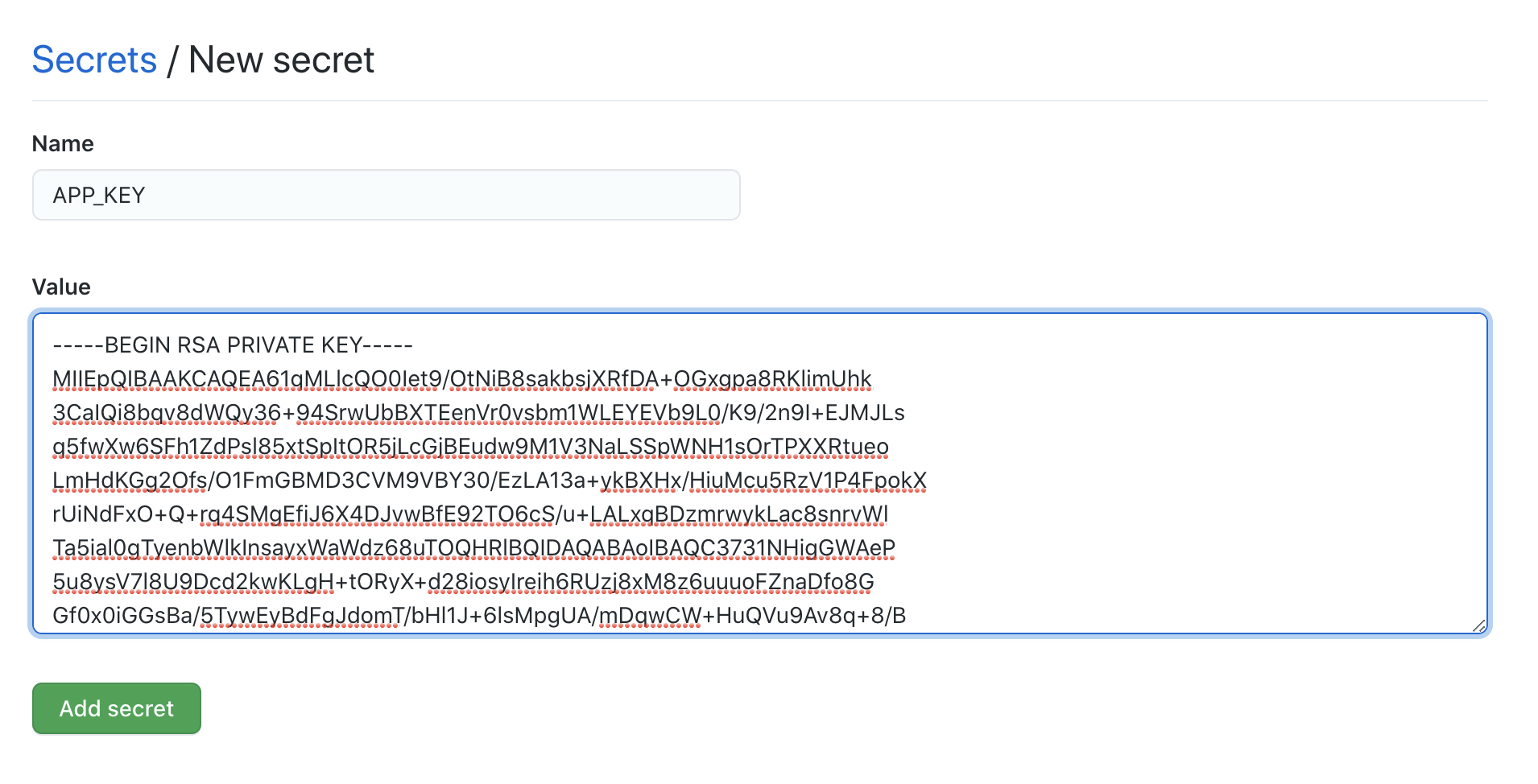
- You need to create another secret to store the application id security (same as the step above).
- The secrets need to be provided as an environment variable then encoded into base64 as show in the workflow example:
api.github.com and change the API URL in the testing step.
name: Create access token via GitHub Apps Workflow
on:   workflow_dispatch:
jobs:   Test:     # The type of runner that the job will run on     runs-on: [ self-hosted ]
steps:     - name: "Install gh-token"       run: gh extension install Link-/gh-token     # Create access token with a GitHub App ID and Key     # We use the private key stored as a secret and encode it into base64     # before passing it to gh-token     - name: "Create access token"       run: |         token=$(gh token generate \           --base64-key $(printf "%s" "$APPPRIVATEKEY" | base64 -w 0) \           --app-id $APP_ID \           --hostname "github.example.com" \           | jq -r ".token")         echo "token=$token" >> $GITHUB_OUTPUT       env:         APPID: ${{ secrets.APPID }}         APPPRIVATEKEY: ${{ secrets.APP_KEY }}     # To test the token we will use it to fetch the list of repositories     # belonging to our organization     - name: "Fetch organization repositories"       run: |         curl -X GET \           -H "Authorization: token $token" \           -H "Accept: application/vnd.github.v3+json" \           https://github.example.com/api/v3/orgs/<ORGNAME>/repos
Similar projects
These are not endorsements, just a listing of similar art work


