
LibreWeb Browser - Decentralized Web Browser (mirror of https://gitlab.melroy.org/libreweb/browser)
LibreWeb Browser
LibreWeb is an open-source decentralized web browser, leveraging IPFS. What would you do different; if you could reinvent The Internet in 21st century? With all the knowledge and new technologies available today. I was inspired by Douglas Engelbart, Tim Berners-Lee and Ted Nelson as well as projects like IPFS, Jekyll, ARPANET and more.




[!NOTE]
LibreWeb Browser is still work in progress. However, we have a working alpha version available.
LibreWeb is:
- Free and open-source
- Decentralized
- Censorship resistant
- Available for Linux and Windows (macOS coming soon)
For Users
Download
Just download the latest LibreWeb release and get started:
Documentation
Visit the dedicated documentation site for user_ documentation.
How to Report issues
Reporting
Create a new issue in GitHub Issues.
Supporting
If you want to support a certain feature request or same bug that another user already reported, please let us know by using the "thumbs up" button.
How to Contribute
You could help us with:
- Documentation
- Discussions on the Telegram or Matrix groups
- Bugs & Feature requests
- Official GitLab project (contact me for access)
- Sponsor us
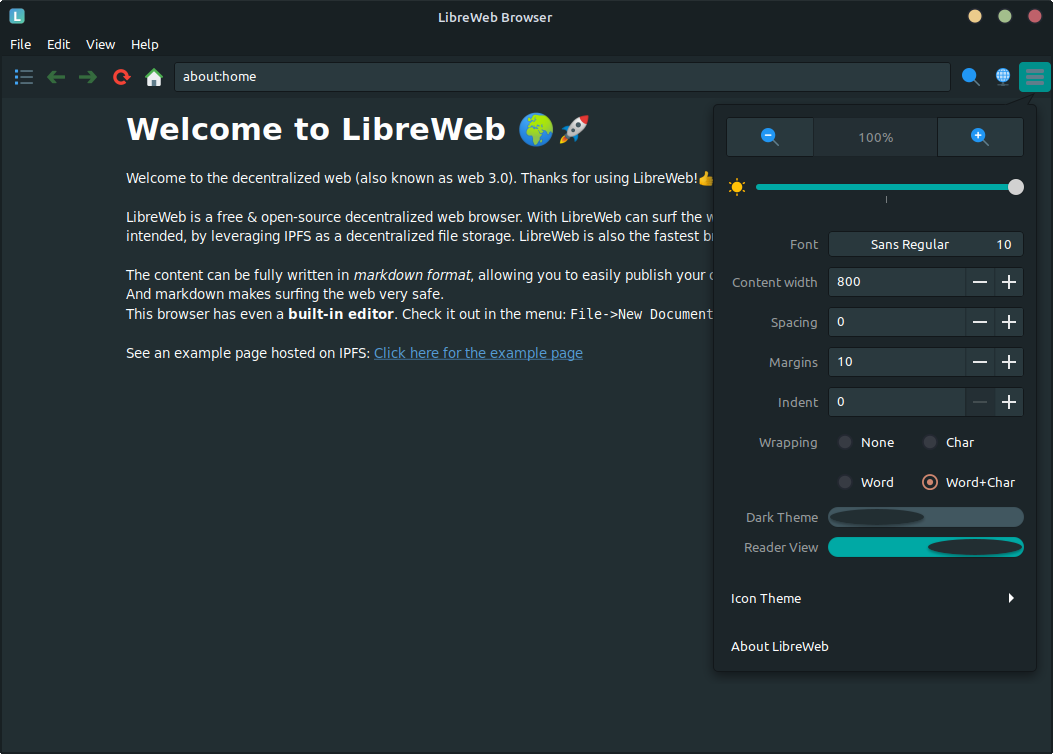
Screenshots

Community
Join our Telegram group or Matrix channel and become part of our community!
Ideas / Features
The current success criteria:
- Everyone should be able to easily read and create a site/blog/news page and publish the content online (without minimal technical knowledge);
- Built-in easy-to-use editor (whenever you want to publish some content without programming language knowledge);
- Decentralized (no single-point of failure or censorship), like: P2P, DHT and IPFS;
- No client-server approach (the client is also the server and visa versa) - think mesh network.
- Encrypted transfers;
- Data is stored redundantly within the network (no single-point of failure);
- Versioning/revisions of content and documenents (automatically solves broken 'links', that can't happy anymore);
- Publisher user should be able to add additional information about the document/page, eg. title or path (similar in how Jekyll is using the
YMLformat for meta data) - Human-readable source-code (eg.
Markdownformat, could be extended as well); - You are in control about the layout and styling (just like with e-books);
- Content is King;
- Fast and Extensible!
The sections below are mainly relevant for software developers, who want to contribute or help the LibreWeb Browser project.
For Developers
Decentralized Browser is written C++ together with some external libraries. LibreWeb is using the cmark-gfm library for example, which is used for CommonMark (markdown) parsing. We're using markdown as the source-code of the content/site. No HTML and JavaScript anymore, content is king after all.
LibreWeb Browser is also using Gnome GTK3 framework for the GUI. Using the C++ bindings, called Gtkmm.
Development Environment
Personally, I'm using VSCodium editor, with the following extensions installed: C/C++, CMake, CMake Tools, PlantUML, Markdown All in One, vscode-icons and GitLab Workflow. But your local development setup is completely up to you.
Linux Build Dependencies
For the GNU/Linux build you need at least:
- GCC 13 or higher (Packages:
build-essential g++) - CMake (Package:
cmake) - Ninja build system (Package:
ninja-build) - Libcurl (Package:
libcurl4-openssl-dev) - GTK3/Gtkmm3 (Package:
libgtkmm-3.0-dev)
- Ccache (optional, but much recommended:
ccache) - rpm
- clangd (v18 or higher, if clangd is used in your IDE)
- X virtual framebuffer (Package:
xvfb) - Clang-format (Package:
clang-format) - cppcheck (v2.19 or higher)
- doxygen
- graphviz
Linux Build
Clone the source-code with SSH (do not forget --recurse-submodules):
git clone --recurse-submodules -j5 git@gitlab.melroy.org:libreweb/libreweb-browser.gitOr if you cloned it already but forgot to use the --recurse-submodules flag, you can still do it:
git clone --recurse-submodulesStart the Linux build, which is using CMake and Ninja build system, using the wrapper script: ./scripts/build-lnx.sh.
Optionally, use the VSCode CMake Tools extension to start the build or build with debug targets.
Unit testing (Linux)
To execute the unit tests you can configure with cmake -DUNITTEST:BOOL=TRUE and build. Execute: ctest command in the tst target directory.
Or just use script:
./scripts/run-tests.shC++ Coding Style Guidelines
Automated Clang Format
We use our own Clang LLVM C++ Programming Style Format, using clang-format command.
To automatically comply to our style format execute following script (inplace edits are performed for you):
./scripts/fix-format.shCheck only for errors, run: ./scripts/check-format.sh
Guidelines
First we try to use the Google C++ Style Guide as basis.
Next, we also tend to follow the popular C++ Core Guidelines as much as possible.
Doxygen
See latest Developer Documentation.
Doxygen is build by default. You can disable the doxygen build, if you want, using: cmake -DDOXYGEN:BOOL=FALSE ..
Memory check
First build the (Linux) target including debug symbols. Binary should be present in the build/src folder.
Next, check for memory leaks using valgrind by executing:
./scripts/valgrind.shOr to generate a memory usage plot in massif format, execute:
./scripts/valgrind-plot.shProduction
GNU/Linux
Note: Linux packages are already available under releases.
To build a release target including packaging under GNU/Linux, use:
./scripts/build-lnx-prod.sh "TGZ;DEB;RPM"First parameter is required and should be a semicolon separated list of packages to build. Some valid options are: TGZ, DEB, RPM. See cpack --help for more information.
Root access is required for cpack to build Linux packages.
Microsoft Windows
We are cross-compiling towards Microsoft Windows using GNU/Linux.
Windows Build Dependencies
- MXE Gtkmm3 / Curl Binary packages (static build using Meson build with GCC11, see below for more info)
- CMake (Package:
cmake) - Ninja (Package:
ninja-build) - Nullsoft Scriptable Install System (Package:
nsis)
Note: We're currently busy trying to upgrade the whole GTK stack.
We used the following build command to get the Windows dependencies and MXE cross-compilation toolset:
make gtkmm3 curl -j 16 MXETARGETS='x8664-w64-mingw32.static' MXEPLUGINDIRS='plugins/gcc10'NOTE: Soon we need gcc11, but GTK3 upstream needs to create a new release that fixes the GCC11 builds.
Add the following line to the end of the ~/.bashrc file:
export PATH="/opt/mxe/usr/bin:$PATH"And add /opt/mxe/usr/bin to the secure_path using: sudo visudo command.
Windows Cross-compile Build
Please, be sure you meet all the requirements above. So your MXE environment should be ready in: /opt/mxe/usr.
To start the cross-compile build towards Windows 64-bit (using GNU/Linux as host) you can use the commands below.
Build a Windows development release:
./scripts/build-win.shWindows Packaging
Note: Windows Installer is already available under releases.
Build a production release + packaging with NSIS Installer, execute the following:
./scripts/build-win-prod.shFor more info, see also: Packaging readme.
Apple MacOS / Darwin
MacOS Build Dependencies
- Xcode (
xcode-select --install) - Brew (
/bin/bash -c "$(curl -fsSL https://raw.githubusercontent.com/Homebrew/install/master/install.sh)") - CMake (brew:
cmake) - Libcurl (brew:
curl) - Gtk3/Gtkmm3 (brew:
gtkmm3) - GTK Mac Integration (brew:
gtk-mac-integration) - Ninja (brew:
ninja)
MacOS Build
We're currently using GitHub Actions for the macOS build. You could already download the artifact if you want, but do not expect the runtime to work.
Note: Packaging towards MacOS is still in progress.
For more info, see also: Packaging readme
License
LibreWeb Browser is licensed under the MIT license (more info).
LibreWeb Research
For research document plus findings including explanation (like diagrams) see the:


