
Python-based document management tool for organizing, processing, and managing files.
Document Manager
Transform your document chaos into an AI-powered knowledge powerhouse.
Build. Automate. Share.





 Most document management systems feel like they're stuck in 2005. DocumentManager brings AI intelligence to understand your documents' actual content and meaning - not just their titles or tags. Features • Quick Start • Demo • Documentation • API • Contributing
Document Management | Python | Public | Maintained
What is this?
Document Manager focuses on organizing, processing, and managing documents so files become searchable, structured, or easier to work with.
Project Context
- Input usually starts with files or folders that need processing, metadata, or storage decisions.
- The important flow is ingestion first, then normalization, then retrieval or downstream use.
- This repository is maintained as a practical project and reference asset.
How It Works
Documents enter through an upload or watched folder, are parsed and enriched with metadata, then stored so users or other systems can retrieve the processed result.
flowchart LR
    Files[Files and folders] --> Ingest[Ingestion]
    Ingest --> Process[Parsing and processing]
    Process --> Metadata[Metadata extraction]
    Metadata --> Store[Storage]
    Store --> Search[Search or retrieval]
    Search --> User[User workflow]
Quick Start
- Review the project context and workflow below.
- Clone the repository:
git clone https://github.com/JayRHa/DocumentManager.git- Continue with the setup, usage, or workflow sections below.
🌟 Features
🤖 AI-Powered Intelligence
- Semantic Search: Find documents by meaning, not just keywords. Search for "payment terms" and find invoicing documents, contracts with payment clauses, and financial agreements - even if they never use those exact words
- Smart OCR: Extract text from scanned PDFs, photos of whiteboards, and documents in 50+ languages using Tesseract OCR
- Auto-Tagging: AI automatically categorizes documents based on content - financial reports get tagged as "finance", contracts as "legal", technical specs as "engineering"
- Natural Language Queries: Just ask questions like "Show me all contracts expiring this year" or "What were our Q4 marketing expenses?"
- AI-Generated Summaries: Understand large documents at a glance with automatic summary generation
🔒 Enterprise-Ready Security
- Role-Based Access Control: Fine-grained permissions for users and groups
- Complete Audit Trails: Track all document activities
- Privacy First: Option to use Azure OpenAI to keep models in your own tenant
- Self-Hosted: All data stays on your infrastructure - no vendor lock-in
- Session Management: Secure session handling with automatic expiry
🚀 Modern Architecture
- RESTful API: Complete OpenAPI 3.0 documented API built with FastAPI
- Vector Database: ChromaDB for lightning-fast semantic search using embeddings
- Flexible AI: Choose between OpenAI or Azure OpenAI (your choice)
- Simple Frontend: Vanilla JavaScript keeping it simple and fast
- Docker-Ready: Deploy in minutes with included setup script
📸 Demo
Dashboard Overview
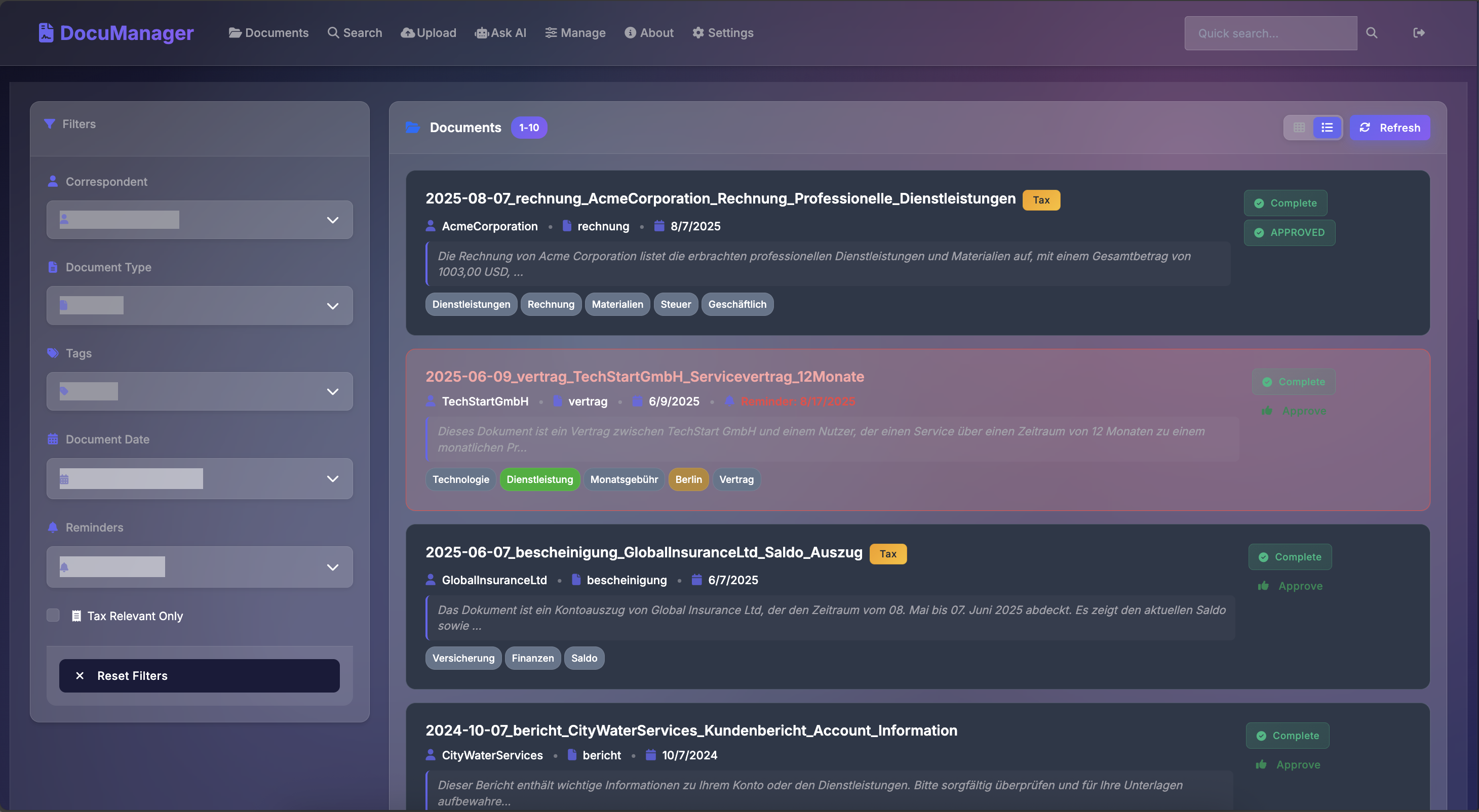 Clean, intuitive dashboard showing document statistics and recent activities
AI-Powered Search
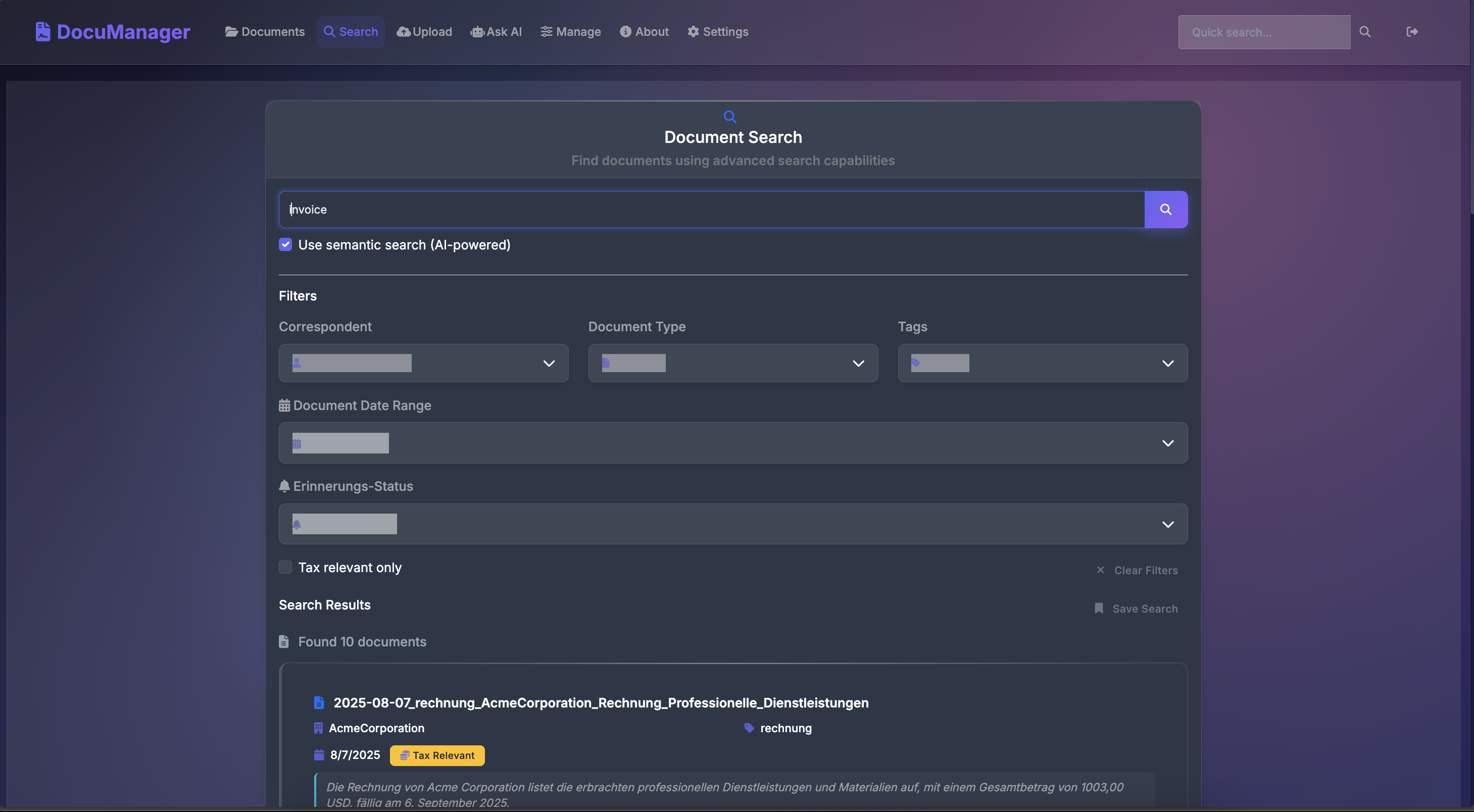 Find documents by meaning, not just keywords - ask questions in natural language
AI Chat
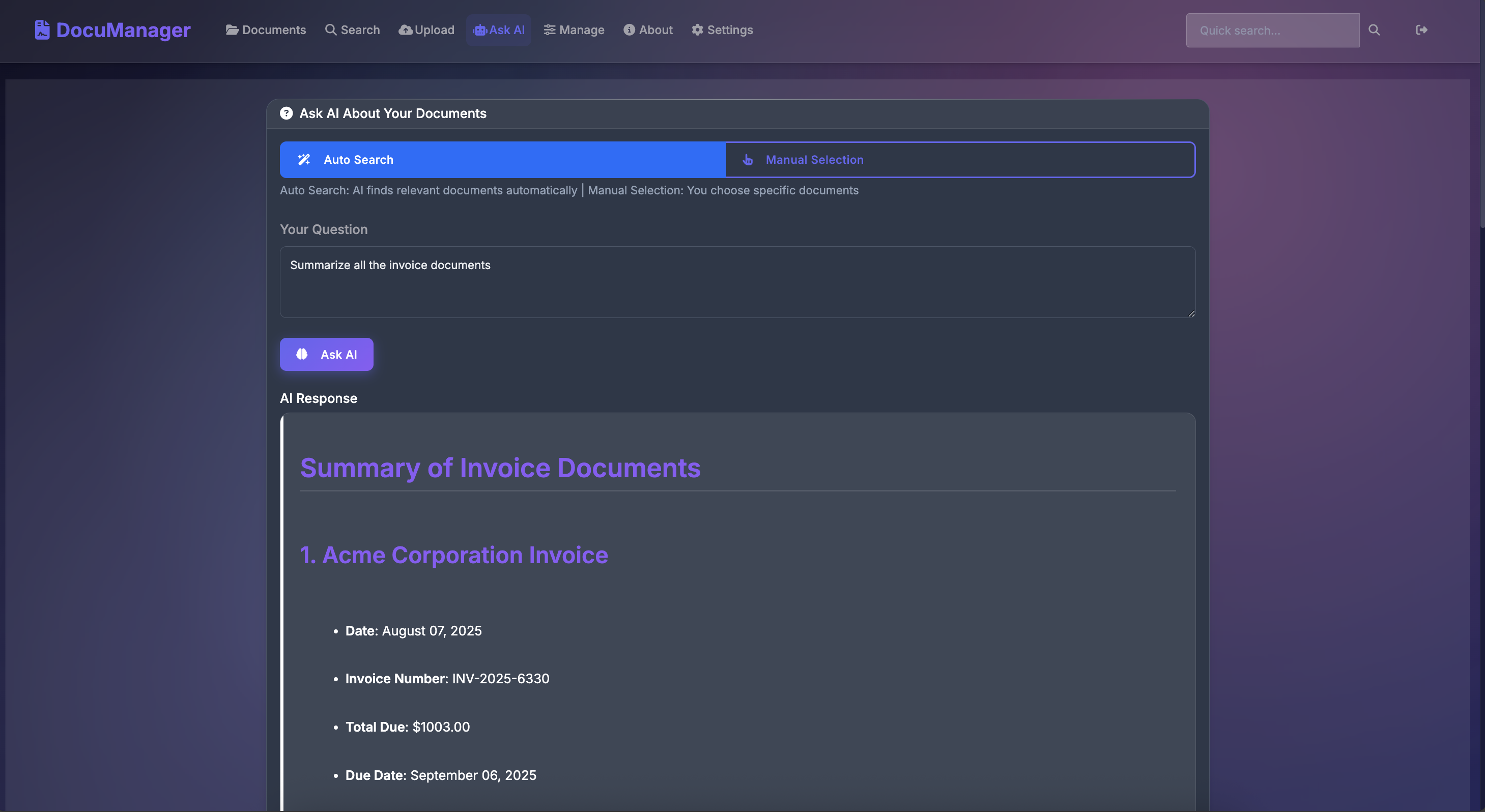 Interactive AI chat for document analysis and knowledge extraction
Document Upload & Processing
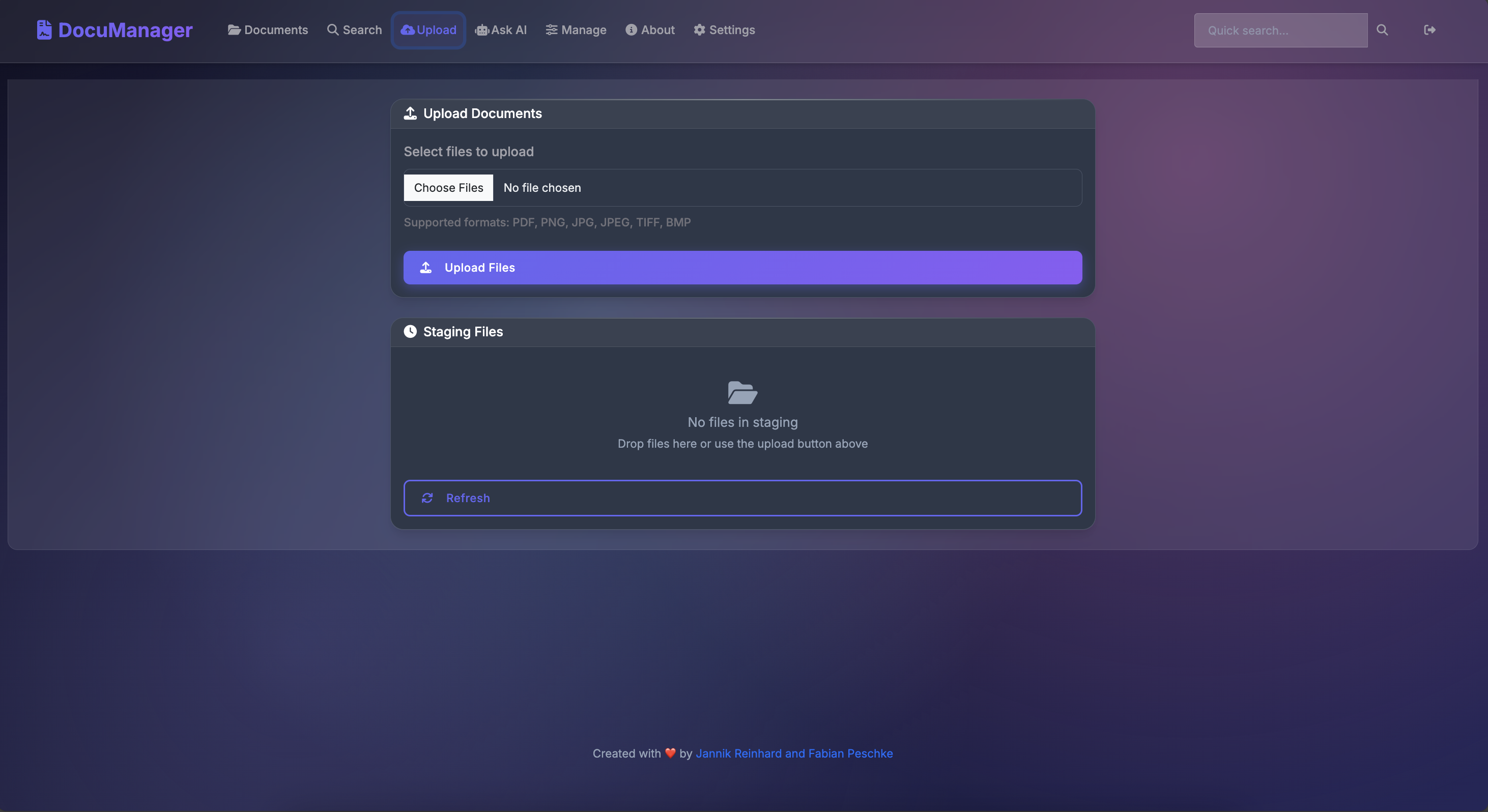 Drag-and-drop interface with automatic text extraction and AI tagging
Smart Tags & Organization
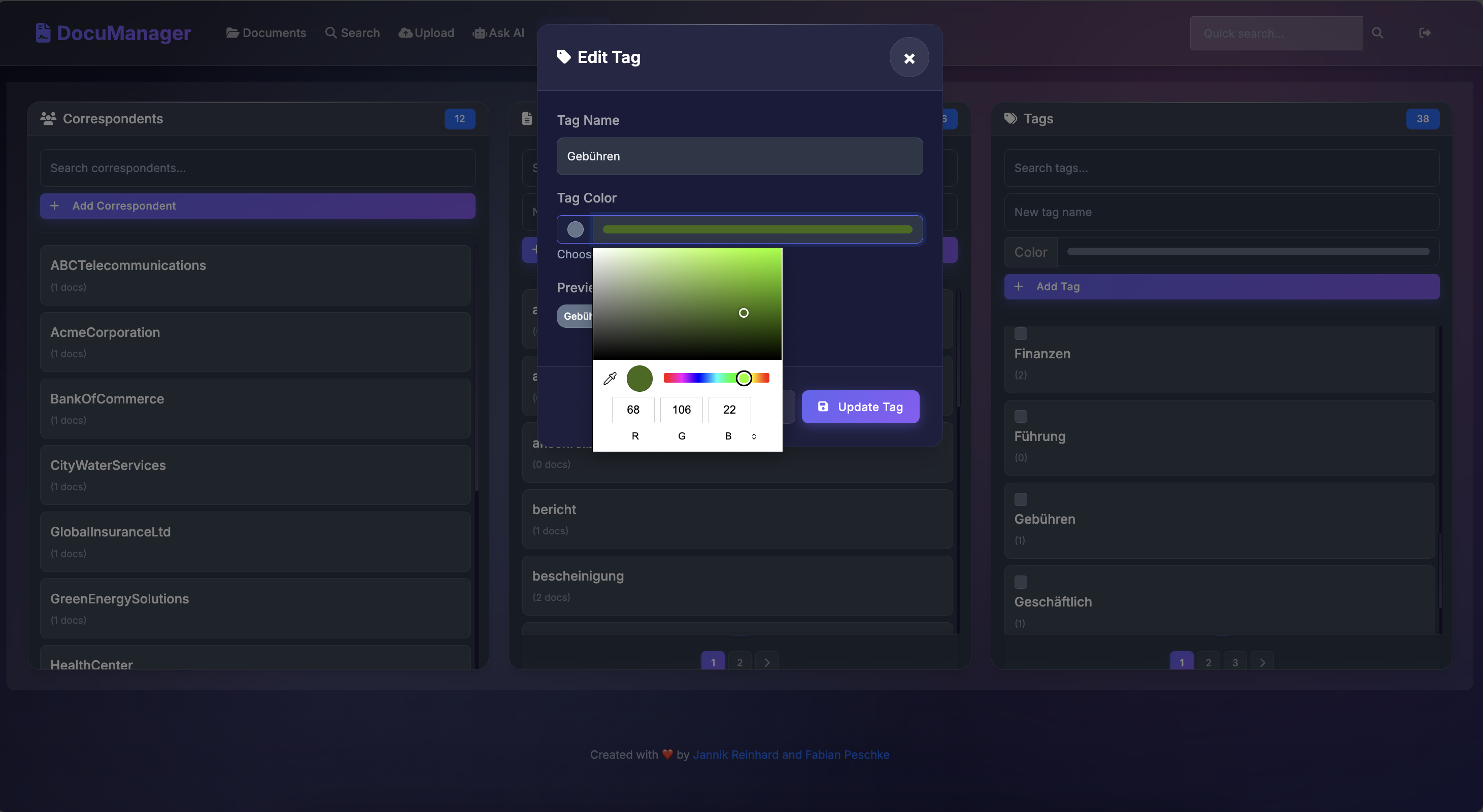 AI auto-generates correspondents, document types, and tags - fully customizable with color coding
Document Viewer
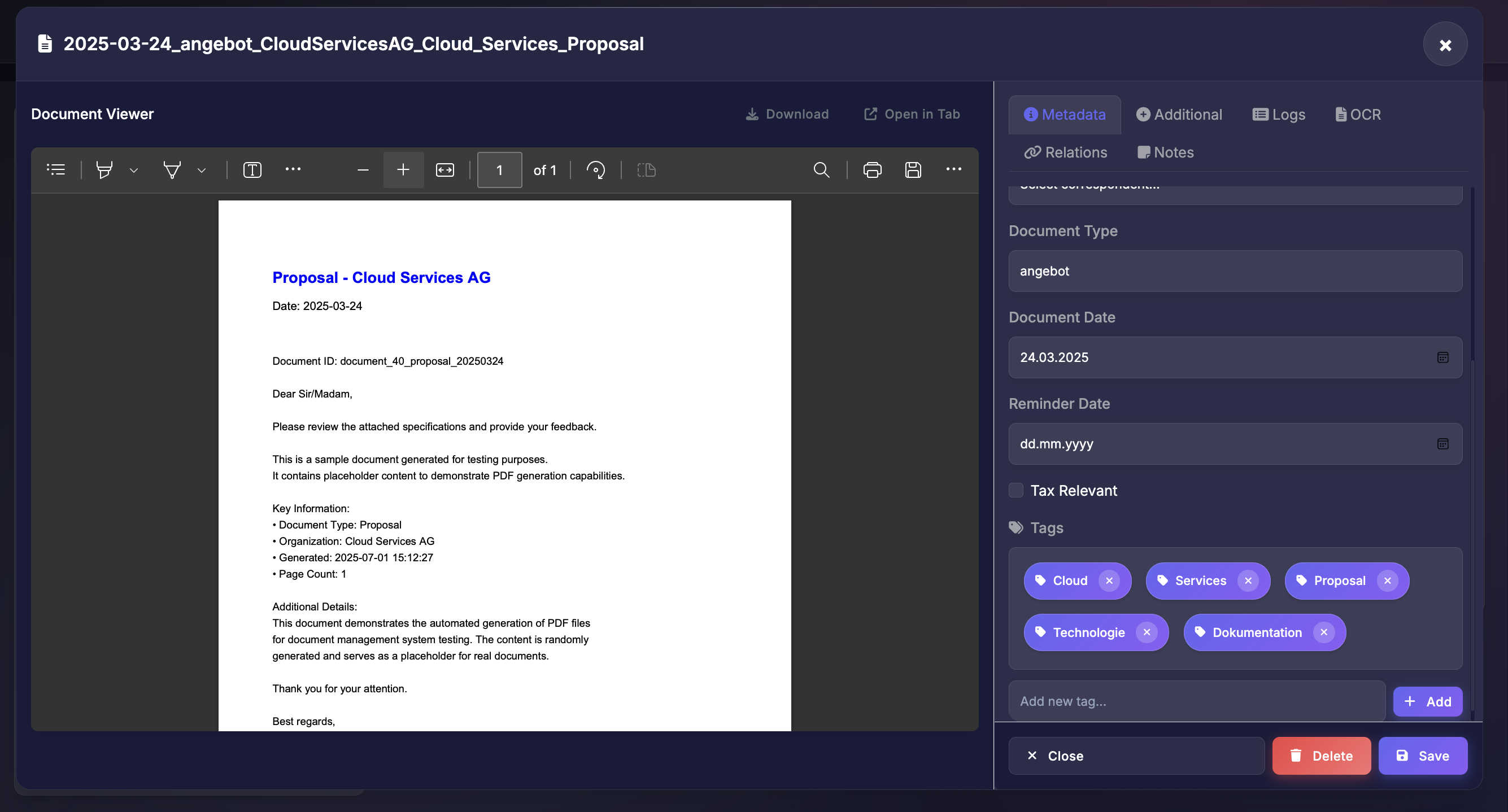 Built-in document viewer with search highlighting and annotations
User Management
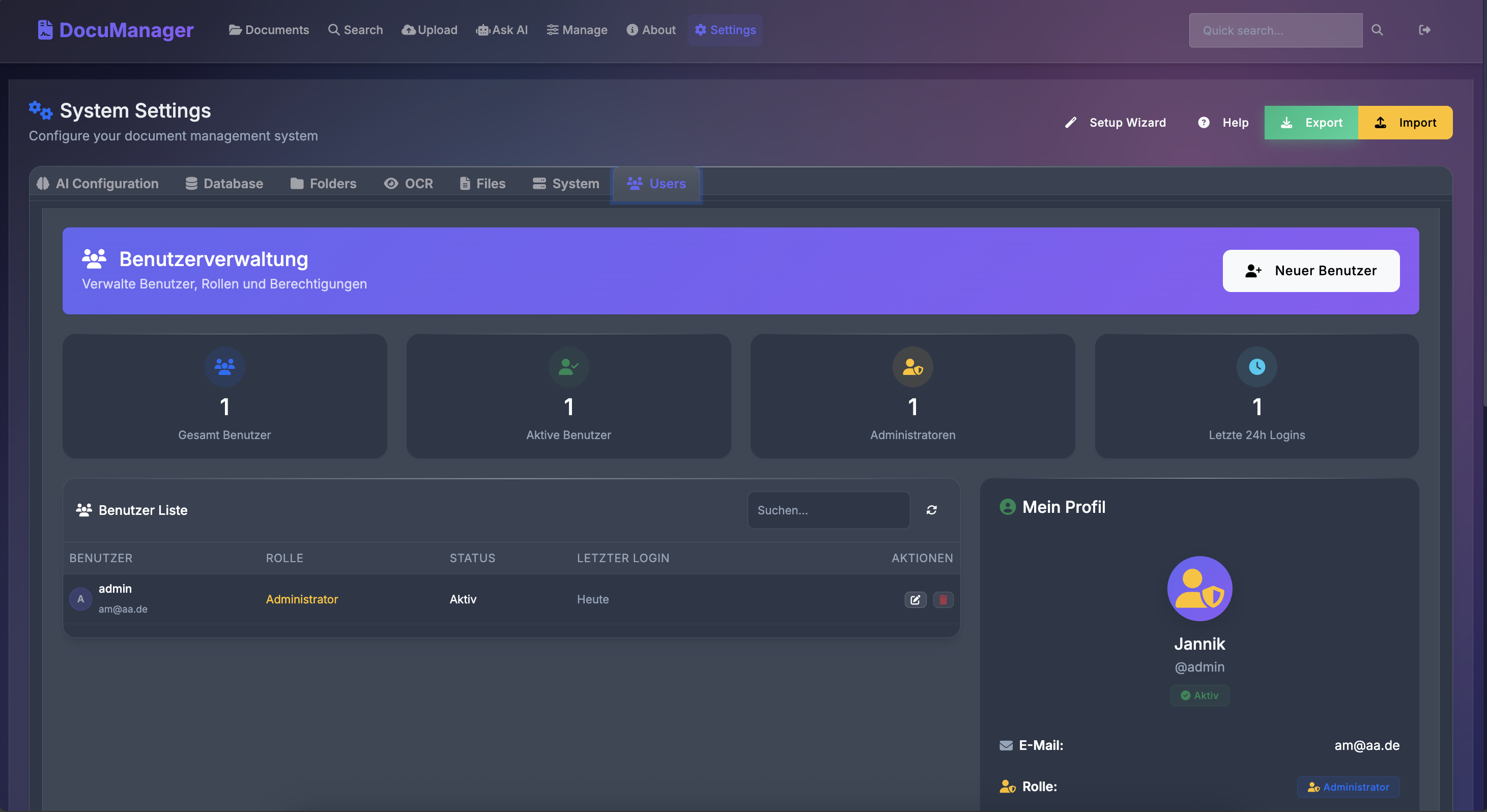 Enterprise-grade user and permission management
Settings & Configuration
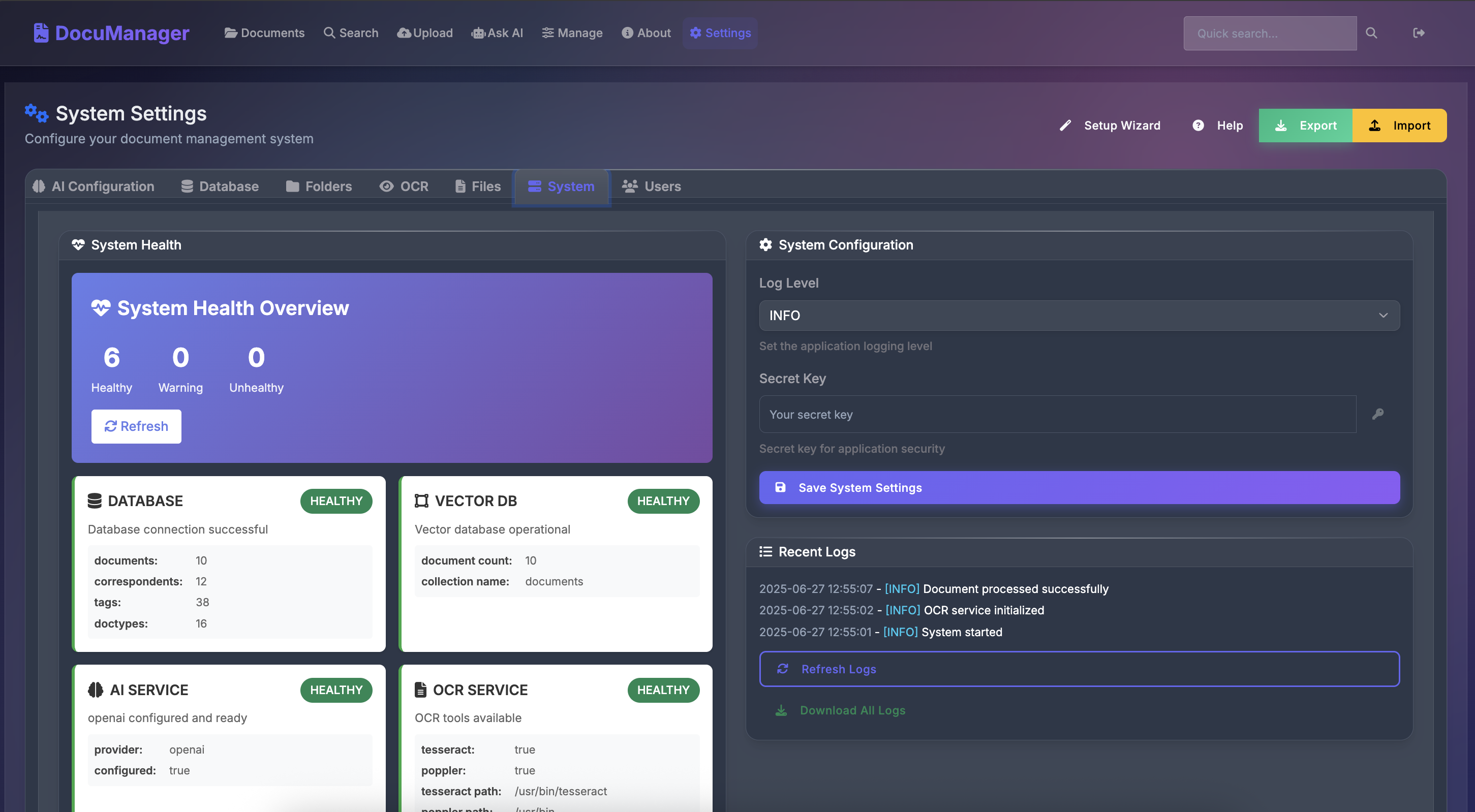 Easy configuration of AI providers and system settings
🚀 Quick Start
Getting Started in 3 Minutes
The beauty of open source? You can have this running on your machine right now:
Prerequisites
- Docker installed and running
- 4GB+ RAM recommended
- 10GB+ free disk space
🐳 Using Docker (Recommended)
# Clone the repository
git clone https://github.com/JayRHa/DocumentManager.git
cd DocumentManager
Run the setup script
./setup.sh prod
Or manually with Docker
docker build -t documentmanager .
docker run -d \
  --name documentmanager \
  -p 8000:8000 \
  -v $(pwd)/data:/app/data \
  -v $(pwd)/storage:/app/storage \
  documentmanager
The application will be available at http://localhost:8000
Windows Notes
- Use
./setup.ps1instead of./setup.shin PowerShell:
./setup.ps1 build
./setup.ps1 prod- Or run locally without Docker:
python -m venv venv
venv\Scripts\Activate
pip install -r requirements.txt
python cli.py serve- OCR tools on Windows:
winget install tesseract-ocr or choco install tesseract
- Poppler (for PDF OCR): choco install poppler or download binaries and set Settings.poppler_path to the poppler bin folder
🛠️ Using the Setup Script
The setup.sh script provides an easy way to manage your DocumentManager installation:
# Start development environment with hot reload
./setup.sh dev
Start production environment
./setup.sh prod
Build Docker image
./setup.sh build
View logs
./setup.sh logs
Check status
./setup.sh status
Stop all containers
./setup.sh stop
💻 Local Development
# Create virtual environment
python -m venv venv
source venv/bin/activate  # On Windows: venv\Scripts\activate
Install dependencies
pip install -r requirements.txt
Run development server
uvicorn app.main:app --reload --host 0.0.0.0 --port 8000
📋 Initial Setup
- Create Admin Account
http://localhost:8000
- The first user registration automatically becomes admin
- Configure AI Provider
- Start Using
🏗️ Architecture
DocumentManager/
├── app/                    # Backend FastAPI application
│   ├── api/               # REST API endpoints
│   ├── core/              # Core business logic
│   ├── models/            # SQLAlchemy models
│   └── services/          # AI, OCR, and storage services
├── frontend/              # Vanilla JS frontend
├── docker/                # Docker configuration
├── tests/                 # Test suite
└── docs/                  # Documentation
Technology Stack
- Backend: FastAPI, SQLAlchemy, Pydantic
- AI/ML: OpenAI GPT-4, Azure OpenAI, ChromaDB
- OCR: Tesseract (50+ languages)
- Database: SQLite (default), PostgreSQL (production)
- Frontend: Vanilla JavaScript, modern CSS
- Deployment: Docker, Docker Compose
🔧 Configuration
Environment Variables
Create a .env file in the root directory:
# Security - CHANGE IN PRODUCTION!
SECRET_KEY=your-secret-key-here
Database
DATABASE_URL=sqlite:///./data/documents.db
For PostgreSQL: postgresql://user:pass@localhost/dbname
AI Provider
AI_PROVIDER=openai
OPENAIAPIKEY=sk-...
Or for Azure:
AI_PROVIDER=azure
AZUREOPENAIENDPOINT=https://your-resource.openai.azure.com
AZUREOPENAIKEY=your-key
Application Settings
ENVIRONMENT=production
LOG_LEVEL=INFO
MAXUPLOADSIZE=104857600  # 100MB
ALLOWED_EXTENSIONS=pdf,jpg,jpeg,png,txt,doc,docx
Storage
STORAGE_TYPE=local
STORAGE_PATH=/app/data/storage
📚 API Documentation
Interactive API Docs
Once running, access the interactive API documentation at:- Swagger UI:
http://localhost:8000/docs - ReDoc:
http://localhost:8000/redoc
Quick API Examples
import requests
Base URL
BASE_URL = "http://localhost:8000"
1. Authentication
response = requests.post(f"{BASE_URL}/api/auth/login", json={
    "username": "admin",
    "password": "your-password"
})
session = requests.Session()
session.cookies = response.cookies
2. Upload Document
with open("document.pdf", "rb") as f:
    response = session.post(
        f"{BASE_URL}/api/documents/upload",
        files={"file": f},
        data={"title": "Q4 Report", "tags": "finance,quarterly"}
    )
    document_id = response.json()["id"]
3. Semantic Search
response = session.get(f"{BASE_URL}/api/search/semantic", params={
    "query": "What were the Q4 revenue numbers?",
    "limit": 5
})
results = response.json()
4. Ask Questions
response = session.post(f"{BASE_URL}/api/ai/ask", json={
    "question": "Summarize the key findings from Q4 reports",
    "documentids": [documentid]
})
answer = response.json()["answer"]
🌟 Why Open Source?
Your document management system shouldn't be a black box. With DocumentManager you can:
- Audit the code - Know exactly what happens to your documents
- Customize for your needs - Modify anything to fit your workflow
- Self-host everything - Your documents, your rules
- Contribute improvements - Join the community making document management better
🚀 Roadmap
The foundation is solid, but we're just getting started:
- Self-hosted AI models - Run everything locally
- Mobile apps - For on-the-go access and document scanning
- Workflow automation - Documents that route themselves
- Advanced analytics - Insights from your document repository
- Plugin system - Custom integrations for your needs
🤝 Contributing
We love contributions! Please see our Contributing Guide for details.
- Fork the repository
- Create your feature branch (
git checkout -b feature/AmazingFeature) - Commit your changes (
git commit -m 'Add some AmazingFeature') - Push to the branch (
git push origin feature/AmazingFeature) - Open a Pull Request
Development Setup
# Clone your fork
git clone https://github.com/JayRHa/DocumentManager.git
cd DocumentManager
Create branch
git checkout -b feature/your-feature
Install pre-commit hooks
pip install pre-commit
pre-commit install
📄 License
This project is licensed under the MIT License - see the LICENSE file for details.
⭐ Star the repo if you find it useful — it really helps with motivation!
☕ If you want to support the project, you can buy us a coffee


