
A game engine for rapid development across devices, featuring a built-in Web IDE with intuitive toolchain.
Dora SSR (多萝珍奇引擎)

Web IDE · Coding Agent Target-device live game engine |

|
English | 中文





Dora SSR is a game engine for rapid development of games on various devices. It has a built-in easy-to-use Web IDE development tool chain that supports direct game development on mobile phones, open source handhelds and other devices.
Start Here
Tech Overview
|Area|Contents| |-|-| |Development Flow|Web IDE + Coding Agent + browser-connected live game development on the target device| |Language Ecosystem|Lua / TypeScript / TSX / Teal / YueScript / Wa / Rust / C#| |Target Platforms|Android / Windows / Linux / macOS / iOS / HarmonyOS|






Key Features
Developer Experience
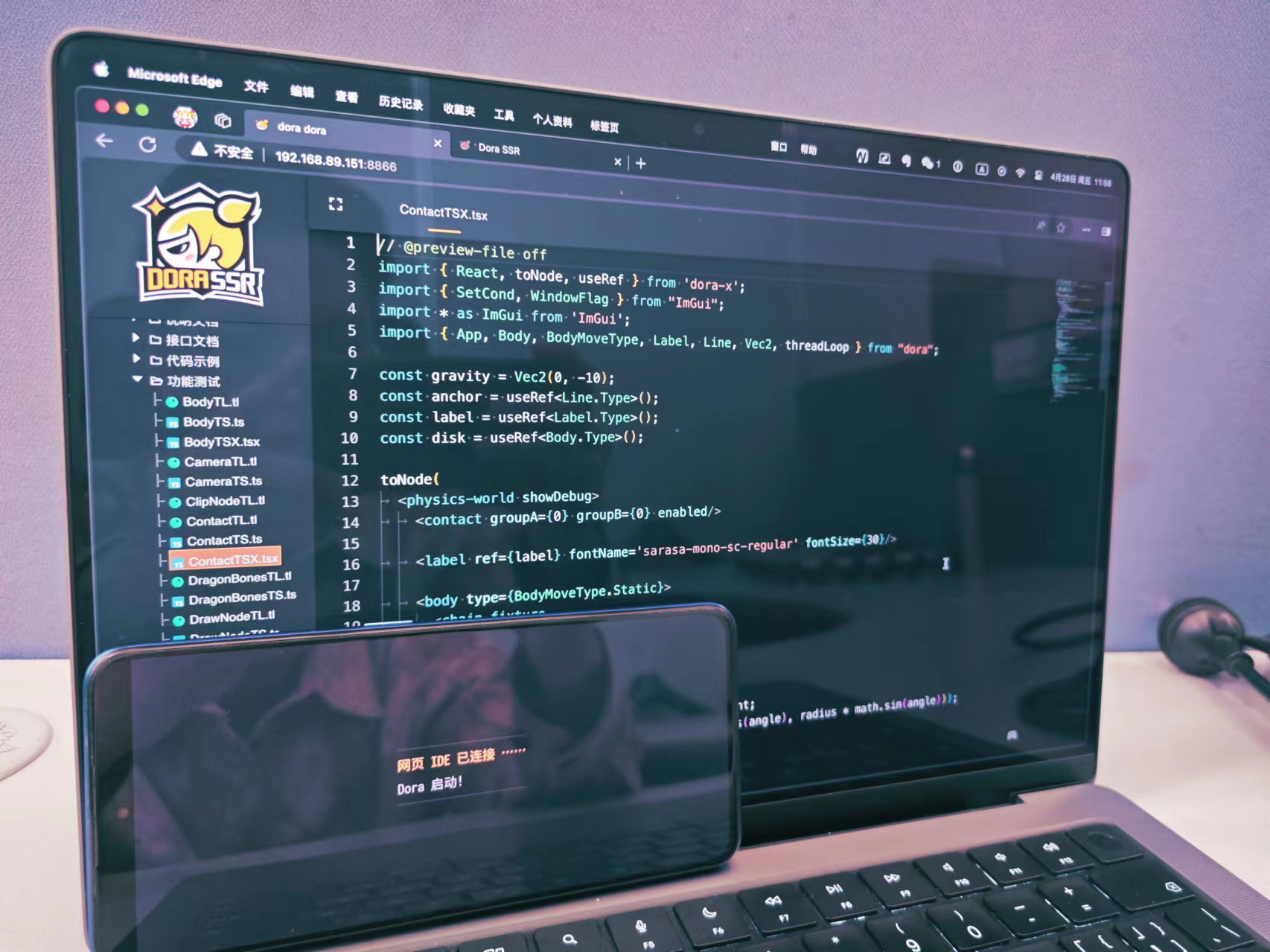
- Web IDE: built-in browser-based workflow with file management, code inspection, completion, highlighting, and jump-to-definition.
- Coding Agent: built-in coding agent that brings LLM AI assisted development into the game engine, using project skills, persistent memory, file search, Dora API lookup, safe file edits, build checks, and sub-agent delegation.
- Live device workflow: run the engine on the target phone or handheld, then connect to the Web IDE from a browser for live development and debugging.
Languages and Extensibility
- Lua: upgraded Lua bindings with support for inheriting and extending low-level C++ objects.
- TypeScript / TSX: supports typed scripting and declarative scene construction through TSTL.
- Teal / YueScript: offers alternative Lua-friendly language styles within the same ecosystem.
- Wa / Rust: supports engine extension through the built-in WASM runtime.
- C#: supports native-style development by calling the engine as a dynamic library.
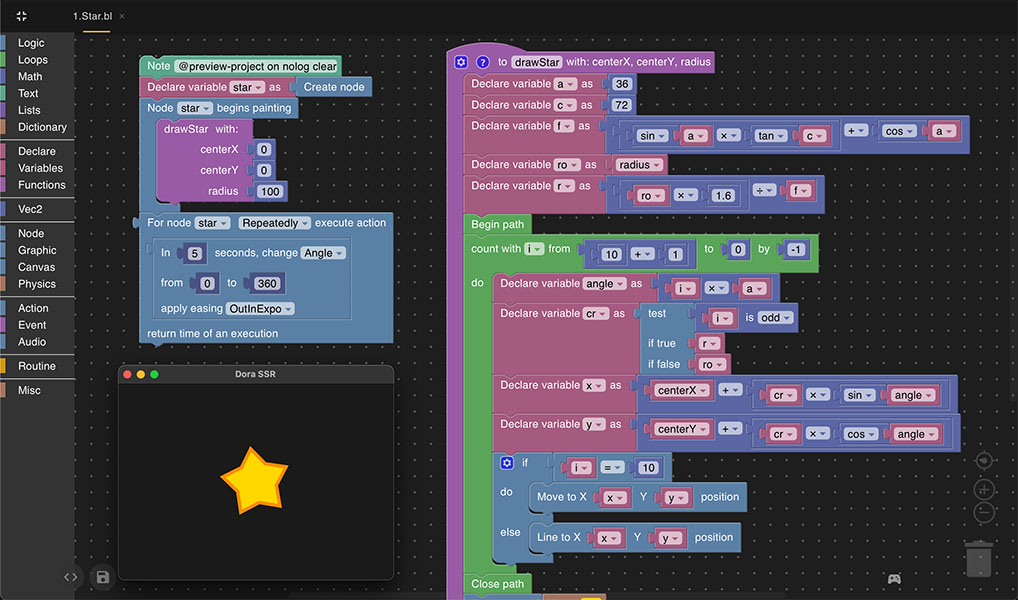
- Blockly: supports Scratch-like visual scripting, ideal for teaching and onboarding beginners.
Runtime and Presentation
- Cross-platform runtime: runs natively on
Android,Windows,Linux,iOS,macOS, andHarmonyOS. - Scene system: manages game objects with a tree-based node model and an easy-to-use ECS module.
- Async processing: supports asynchronous file IO, asset loading, and related tasks.
- 2D animation and physics: supports Spine2D, DragonBones, built-in skeletal animation, and PlayRho 2D physics.
- Video and audio: supports H.264 playback plus multi-format audio, 3D spatial sound, attenuation, and Doppler effects.
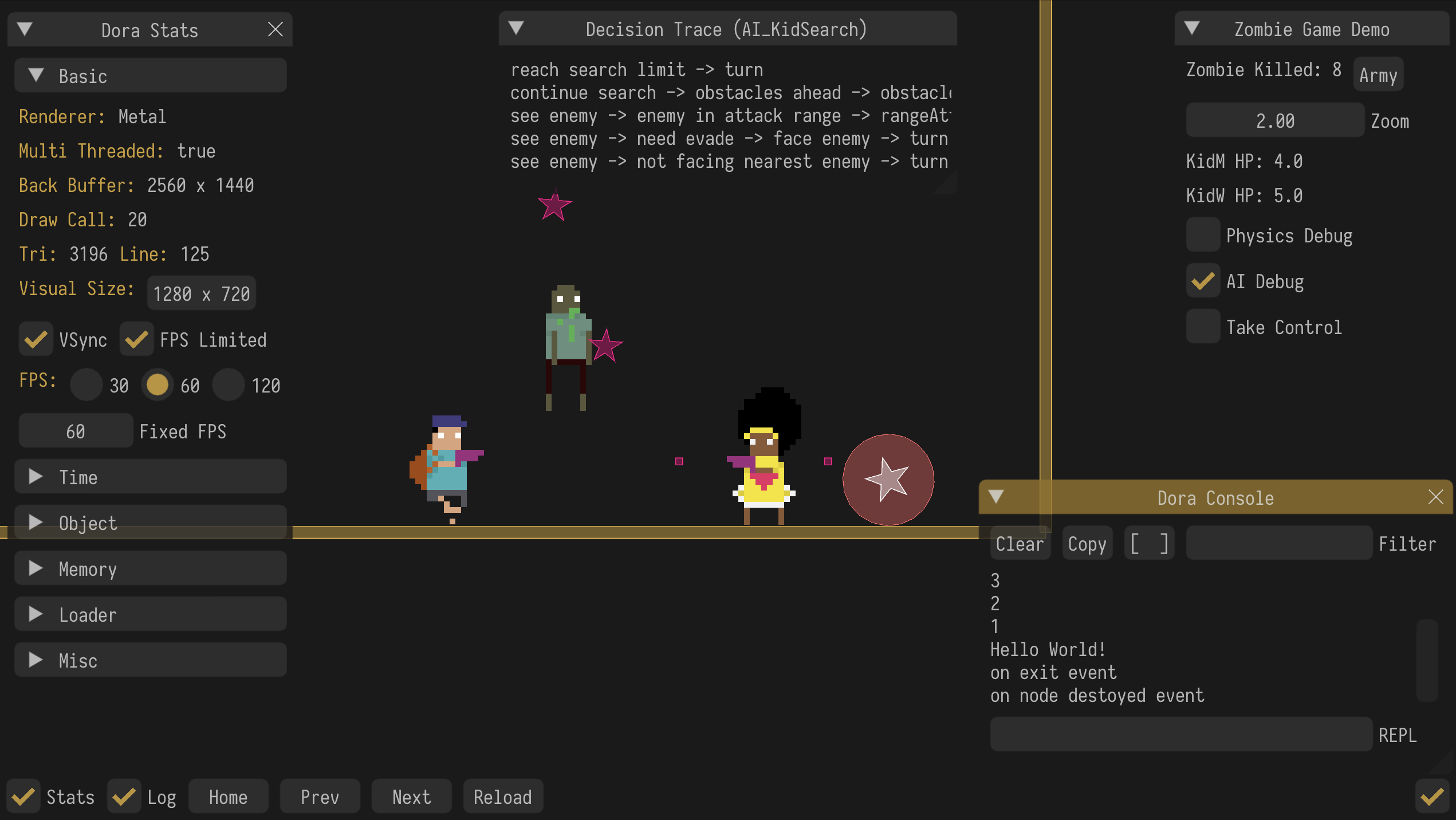
- Graphics runtime: supports cross-platform shader runtime compilation, plus Effekseer effects, NanoVG vector graphics, ImGui tooling UI, and TrueType font rendering.
- Game patterns: includes core logic and AI support for 2D platformer development.
Content and Tooling
- Data and configuration: supports asynchronous SQLite access and Excel-to-database workflows.
- Animation Editor: built-in Web IDE tool for creating and editing 2D model animation resources with visual tree editing, key frames, clips, playback, and transform tools.
- Scene and narrative tools: supports CSS Flex layout, Tiled TMX maps, and Yarn Spinner story scripting.
- Creative extensions: includes a machine learning gameplay framework and open art resources plus the "Luv Sense Digital" IP.

Start Building
- Feature examples: use Dora-Example to learn individual APIs and engine features.
- Full projects: use Dora-Demo to see how real projects organize assets, scripts, and gameplay logic.
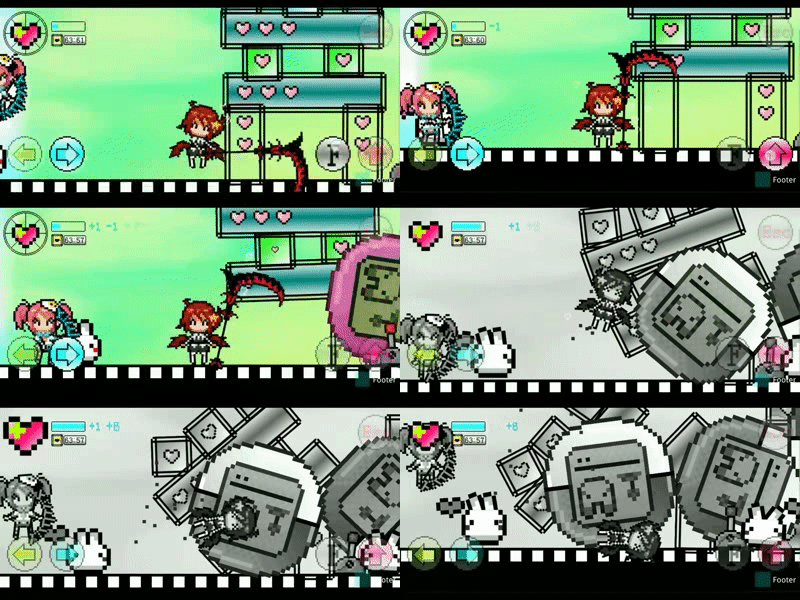
Featured Projects
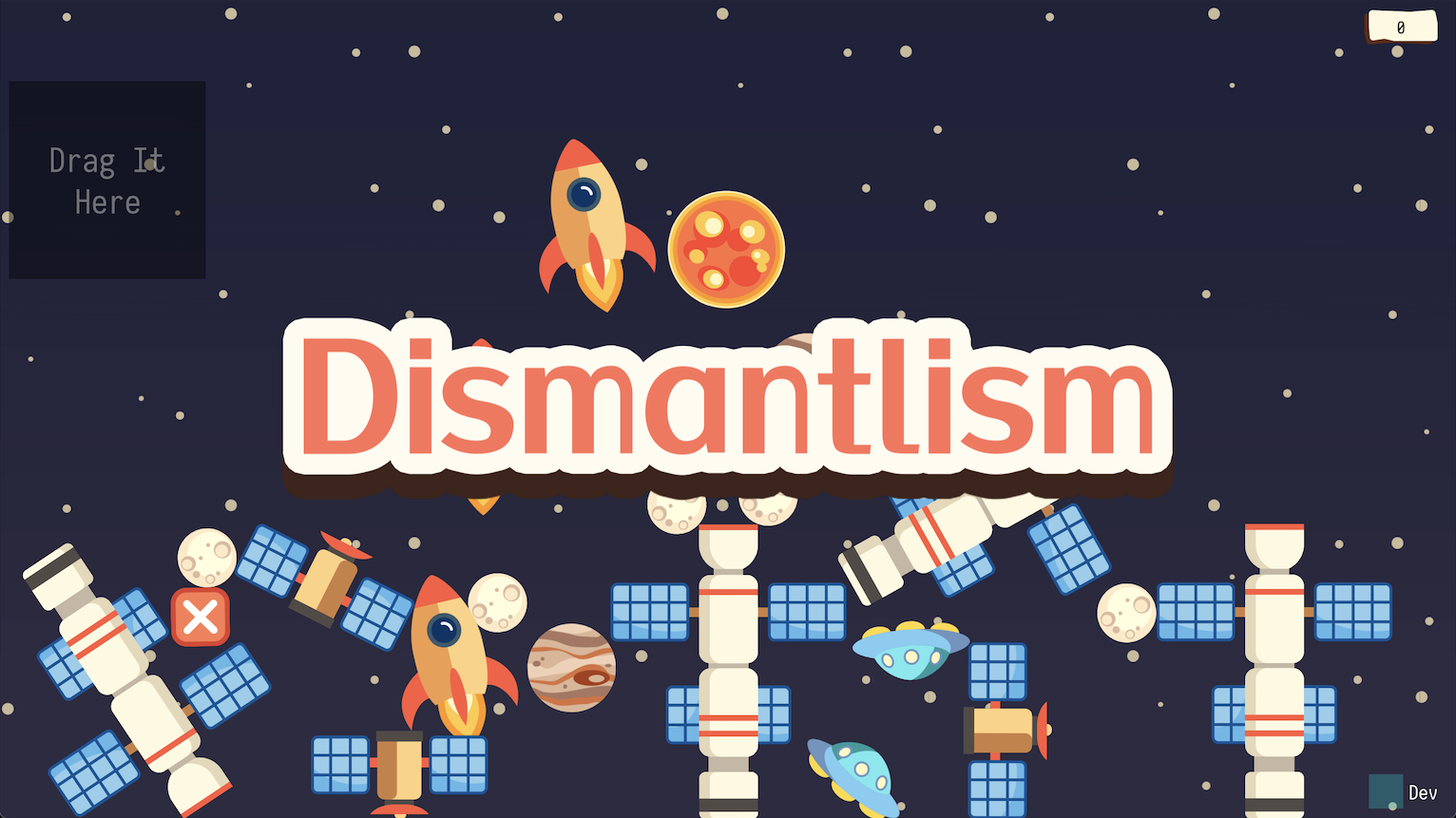
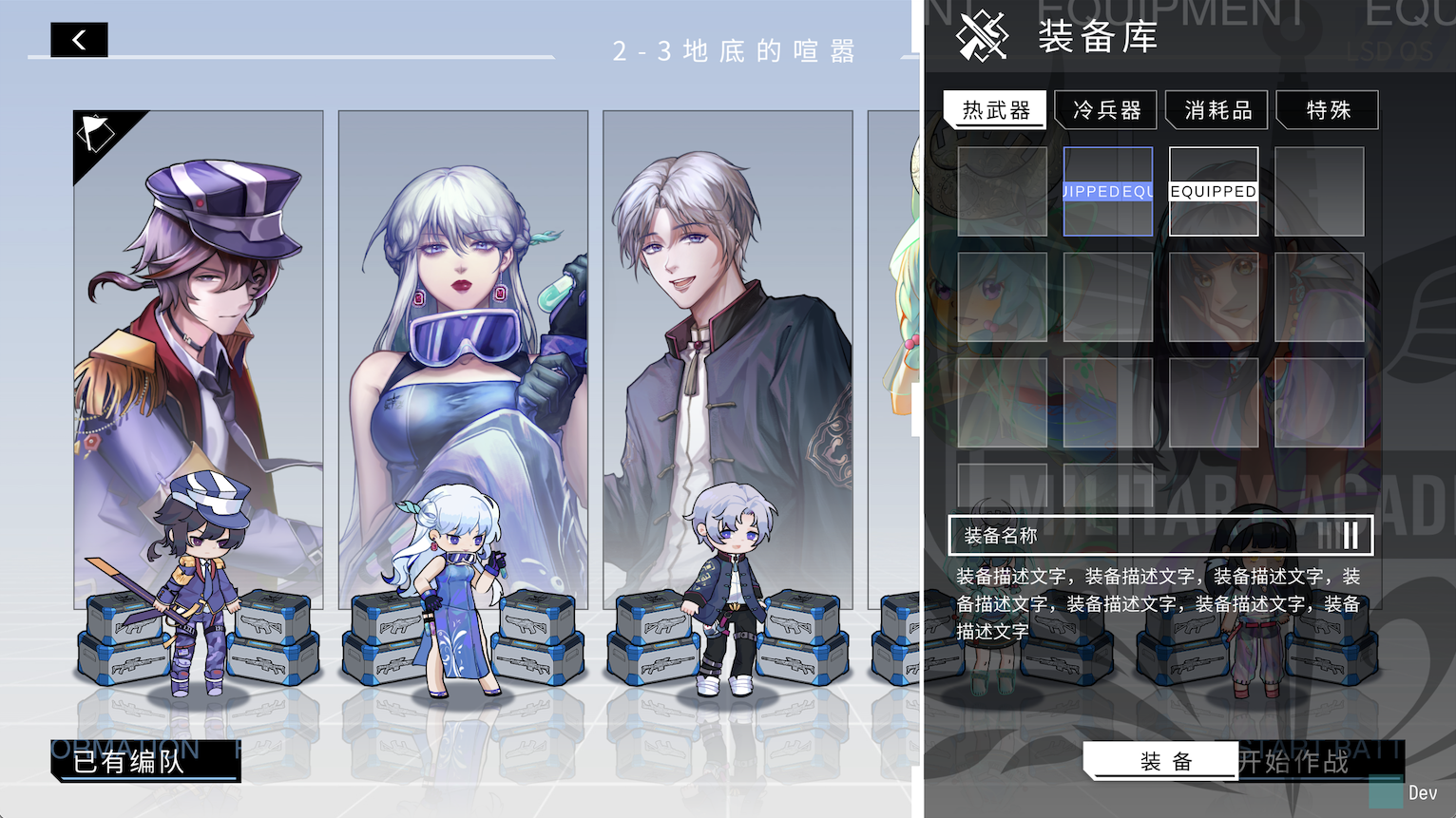
Installation
Android
- Get: install the APK on the target device.
- Run: launch the app and open the displayed address from a browser on a PC, tablet, or another device on the same LAN.
- Start: enter the Web IDE and begin development.
Windows
- Dependency: install the X86 Visual C++ Redistributable for Visual Studio 2022 from the Microsoft website.
- Get: download and extract the release.
- Run: launch the app and open the displayed address in a browser.
- Start: enter the Web IDE and begin development.
macOS
brew install --cask ippclub/tap/dora-ssr- Run: launch the app and open the displayed address in a browser.
- Start: enter the Web IDE and begin development.
Linux
- Get: install from the matching package source.
sudo add-apt-repository ppa:ippclub/dora-ssr
	sudo apt update
sudo apt install dora-ssrsudo apt-key adv --keyserver hkp://keyserver.ubuntu.com:80 --recv-keys 9C7705BF
sudo add-apt-repository -S "deb https://ppa.launchpadcontent.net/ippclub/dora-ssr/ubuntu jammy main"
sudo apt update
sudo apt install dora-ssr- Run: launch the app and open the displayed address in a browser.
- Start: enter the Web IDE and begin development.
Linux Package Source
- Ubuntu Jammy:
sudo add-apt-repository ppa:ippclub/dora-ssr
sudo apt update
sudo apt install dora-ssr- Debian Bookworm:
sudo apt-key adv --keyserver hkp://keyserver.ubuntu.com:80 --recv-keys 9C7705BF
	sudo add-apt-repository -S "deb https://ppa.launchpadcontent.net/ippclub/dora-ssr/ubuntu jammy main"
	sudo apt update
sudo apt install dora-ssrBuild Game Engine
- For building Dora SSR from source, see the official guide.
Quick Start
- Step One: Create a new project
Workspace on the left side of the Dora Dora editor.
- Click on the menu item New and choose to create a new folder.
- Step Two: Write game code
init.
- Write Hello World code:
- Lua
local _ENV = Dora
local sprite = Sprite("Image/logo.png") sprite:once(function()   for i = 3, 1, -1 do     print(i)     sleep(1)   end   print("Hello World")   sprite:perform(Sequence(     Scale(0.1, 1, 0.5),     Scale(0.5, 0.5, 1, Ease.OutBack)   )) end)
- Teal
local sleep <const> = require("sleep")
local Ease <const> = require("Ease")
local Scale <const> = require("Scale")
local Sequence <const> = require("Sequence")
local Sprite <const> = require("Sprite")
local sprite = Sprite("Image/logo.png") if not sprite is nil then   sprite:once(function()     for i = 3, 1, -1 do       print(i)       sleep(1)     end     print("Hello World")     sprite:perform(Sequence(       Scale(0.1, 1, 0.5),       Scale(0.5, 0.5, 1, Ease.OutBack)     ))   end) end
- YueScript
_ENV = Dora
with Sprite "Image/logo.png"    \once ->      for i = 3, 1, -1        print i        sleep 1      print "Hello World!"      \perform Sequence(        Scale 0.1, 1, 0.5        Scale 0.5, 0.5, 1, Ease.OutBack      )
- TypeScript
import { Sprite, Ease, Scale, Sequence, sleep } from 'Dora';
const sprite = Sprite("Image/logo.png"); if (sprite) {   sprite.once(() => {     for (let i of $range(3, 1, -1)) {       print(i);       sleep(1);     }     print("Hello World");     sprite.perform(Sequence(       Scale(0.1, 1, 0.5),       Scale(0.5, 0.5, 1, Ease.OutBack)     ))   }); }
- TSX
toNode() for one-shot scene construction, or createRoot() with signal() when a TSX tree should update by diffing changed data. Take the tutorials here.
import { React, toNode } from 'DoraX';
import { Ease } from 'Dora';
toNode(   <sprite file='Image/logo.png'>     <sequence>       <event name="Count" param="3"/>       <delay time={1}/>       <event name="Count" param="2"/>       <delay time={1}/>       <event name="Count" param="1"/>       <delay time={1}/>       <scale time={0.1} start={1} stop={0.5}/>       <scale time={0.5} start={0.5} stop={1} easing={Ease.OutBack}/>     </sequence>   </sprite> )?.slot("Count", (_, param) => print(param));
import { React, createRoot, signal } from 'DoraX';
import { Director } from 'Dora';
const count = signal(0); const root = createRoot(Director.entry);
root.render(() => (   <label f fontSize={30}>     Count: {count.value}   </label> ));
count.value += 1;
- Wa
import "dora"
func init {   sprite := dora.NewSpriteWithFile("Image/logo.png")   sprite.RunActionDef(     dora.ActionDefSequence(&[]dora.ActionDef{       dora.ActionDefEvent("Count", "3"),       dora.ActionDefDelay(1),       dora.ActionDefEvent("Count", "2"),       dora.ActionDefDelay(1),       dora.ActionDefEvent("Count", "1"),       dora.ActionDefDelay(1),       dora.ActionDefScale(0.1, 1, 0.5, dora.EaseLinear),       dora.ActionDefScale(0.5, 0.5, 1, dora.EaseOutBack),     }),     false,   )   sprite.Slot("Count", func(stack: dora.CallStack) {     stack.Pop()     param, _ := stack.PopStr()     dora.Println(param)   }) }
- Rust
init.wasm, upload it to engine to run. View details here.
use dora_ssr::*;
fn main () {   let mut sprite = match Sprite::with_file("Image/logo.png") {     Some(sprite) => sprite,     None => return,   };   let mut sprite_clone = sprite.clone();   sprite.schedule(once(move |mut co| async move {     for i in (1..=3).rev() {       p!("{}", i);       sleep!(co, 1.0);     }     p!("Hello World");     spriteclone.performdef(ActionDef::sequence(&vec![       ActionDef::scale(0.1, 1.0, 0.5, EaseType::Linear),       ActionDef::scale(0.5, 0.5, 1.0, EaseType::OutBack),     ]));   })); }
- Step Three: Run the game
🎮 icon in the lower right corner of the editor, then click the menu item Run. Or press the key combination Ctrl + r.
- Step Four: Publish the game
Download option.
- Wait for the browser to pop up a download prompt for the packaged project file.
For more detailed tutorials, please check official documents.
Documentation
Community
Contribute
Welcome to participate in the development and maintenance of Dora SSR. Please see Contributing Guidelines to learn how to submit Issues and Pull Requests.
Dora SSR Joins the Open Atom Foundation
We are delighted to announce that the Dora SSR project has officially become a donation and incubation project under the Open Atom Foundation. This new stage of development signifies our steadfast commitment to building a more open and collaborative gaming development environment.
About the Open Atom Foundation
The Open Atom Foundation is a non-profit organization dedicated to supporting and promoting the development of open-source technologies. Within this foundation's community, Dora SSR will utilize broader resources and community support to propel the project's development and innovation. For more information, please visit the foundation's official website.

License
Dora SSR uses the MIT License.
[!NOTE]
Please note that Dora SSR integrates the Spine Runtime library, which is a commercial software. The use of Spine Runtime in your projects requires a valid commercial license from Esoteric Software. For more details on obtaining the license, please visit the official Spine website.
Make sure to comply with all licensing requirements when using Spine Runtime in your projects. Alternatively, you can use the integrated open-source DragonBones system as an animation system replacement. If you only need to create simpler animations, you may also explore the Model animation module provided by Dora SSR to see if it meets your needs.


