
Human-detection-and-Tracking
Last updated Jun 24, 2026
873
Stars
301
Forks
5
Issues
0
Stars/day
Attention Score
43
Topics
Language breakdown
Python 91.1%
C++ 8.9%
▸ Files
click to expand
README
Human detection and Tracking

Introduction
In this project we have worked on the problem of human detection,face detection, face recognition and tracking an individual. Our project is capable of detecting a human and its face in a given video and storing Local Binary Pattern Histogram (LBPH) features of the detected faces. LBPH features are the key points extracted from an image which is used to recognize and categorize images. Once a human is detected in video, we have tracked that person assigning him a label. We have used the stored LBPH features of individuals to recognize them in any other videos. After scanning through various videos our program gives output like- person labeled as subject1 is seen in video taken by camera1, subject1 is seen in video by camera2. In this way we have tracked an individual by recognizing him/her in the video taken by multiple cameras. Our whole work is based on the application of machine learning and image processing with the help of openCV._This code is built on opencv 3.1.1, python 3.4 and C++, other versions of opencv are NOT SUPPORTED.Requirements
- opencv [v3.1.1]
- python3
sudo apt-get install python3
- python libraries:
- C++
Approach
- The code follows the steps given below:
- The repository is structured as follows:
main.py : This is the main python file that detects and recognizes humans.
* main.cpp : This is the main C++ file that detects and recognizes humans.
* createfacemodel.py : This python script is used to create model file using the given data in data/ folder
* model.yaml : This file contains trained model for given data. This trained model contains LBPH features of each and every face for given data.
* face_cascades/ : This directory contains sample data for testing our codes. This data is prepared by extracting face images of a praticular person from some videos.
* scripts/ : This directory contains some useful scripts that we used to work on different problems.
* video/ : This directory contains some of the videos that we used to while testing.
Installation
Python
Don't forget to install the necessary libraries described in the install paragraph above.First you need to run the createfacemodel.py file, which uses the images in /data to create a .yaml file
- In the project folder run
python createfacemodel.py- To run the python version of the code you have to put all the input videos in one folder and then provide the path of that folder as command line argument:
python3 main.py -v /path/to/input/videos/python3 main.py -v /videoC++
- To compile the C++ version of the code with openCV the command is:
g++ -ggdb pkg-config --cflags opencv -o basename nameoffile.cpp .cpp nameoffile.cpp pkg-config --libs opencvg++ -ggdb pkg-config --cflags opencv -o basename main.cpp .cpp main.cpp pkg-config --libs opencv- To run the C++ version of the code you have to put all the input videos in one folder and then provide the path of that video as command line argument:
./nameoffile /path/to/input/video_file./main /video/2.mp4- creating your own model file; just follow the steps given below to create your own model file:
subjectx.y.jpg for example for person 1 images should be named as subject01.0.jpg , subject01.1.jpg and so on.
* put all the images of all the persons in a single folder for example you can see data\ folder then run this command given below:
python3 createfacemodel.py -i /path/to/persons_images/
Performance of code
- Since this is a computer vision project it requires a lot of computation power and performance of the code is kind of an issue here.
- The code was tested on two different machines to analyse performace. The input was 30fps 720p video.
Results
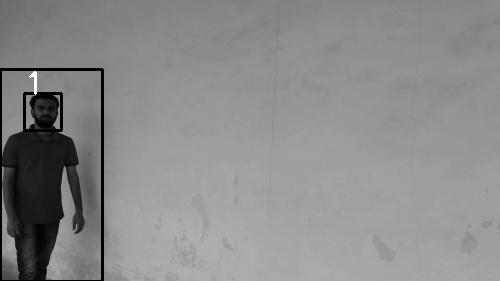
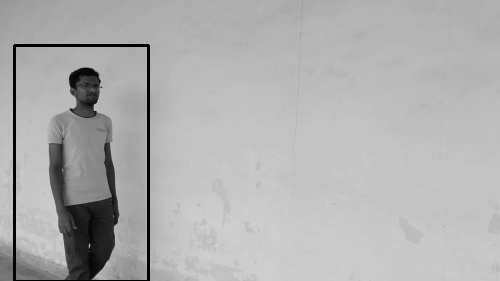
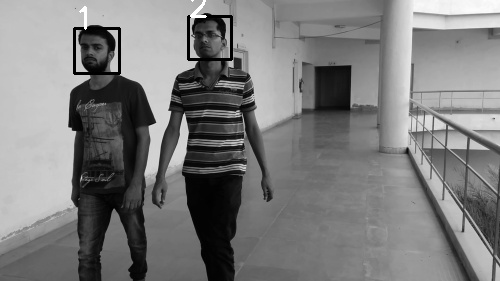
You can find project report here
To do
- improve the performance of the code
- improve the accuracy of the code and reducing the false positive rate.
- improve the face recognition accuracy to over 90 percent
Special Thanks to:
- Jignesh S. Bhatt - Thank you for mentoring this project
- Kamal Awasthi - Helped in testing the code


