
Aesthetic Dotfiles for my Arch Linux rabbit hole 🐇
━━━━━━ ❖ ━━━━━━



HynDuf's dotfiles
[!IMPORTANT]
I have migrated everything to NixOS, so this is no longer maintained and might not work out of the box. See my latest NixOS configs for more up-to-date configurations of the programs.
:pencil: Table of contents
- Overview - Rofi Utils - Fonts - Preinstall - Dependency - Background Wallpaper - Firefox - Obsidian - Polybar - Dunst - Rofi and Eww - Picom - Sxhkd Keybindings - Others:herb: About
Thanks for dropping by!
This is my personal repository for my Arch dotfiles (always WIP)
Here are some information about my setup:
- Window Manager:
bspwm - Compositor:
picom - Terminal:
kitty - Shell:
zsh - Editor:
neovim(nvchad) - Panel:
polybar - Notification Manager:
dunst - Application Launcher:
rofi - File Manager:
ranger
:camera: Showcase
Overview
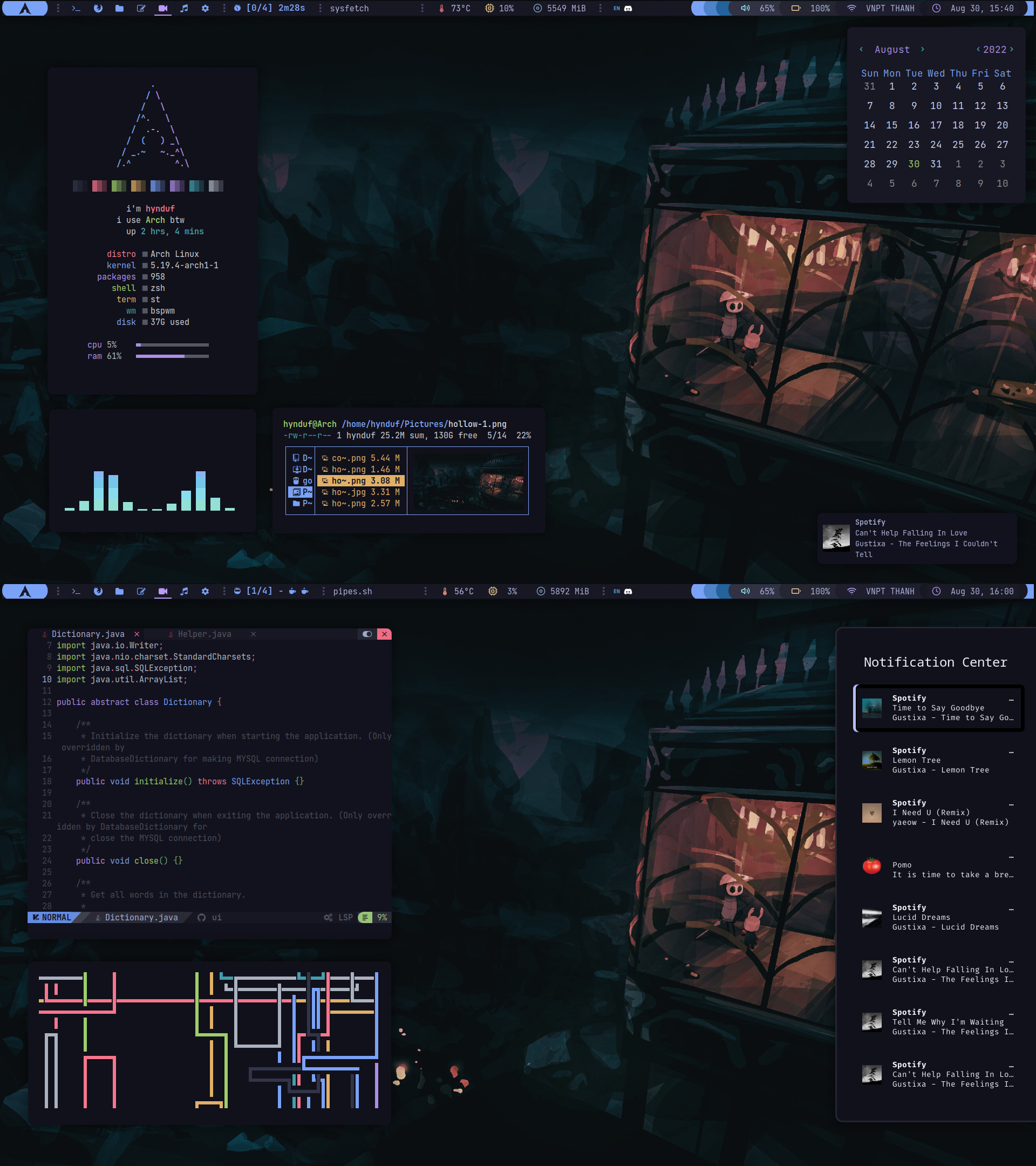
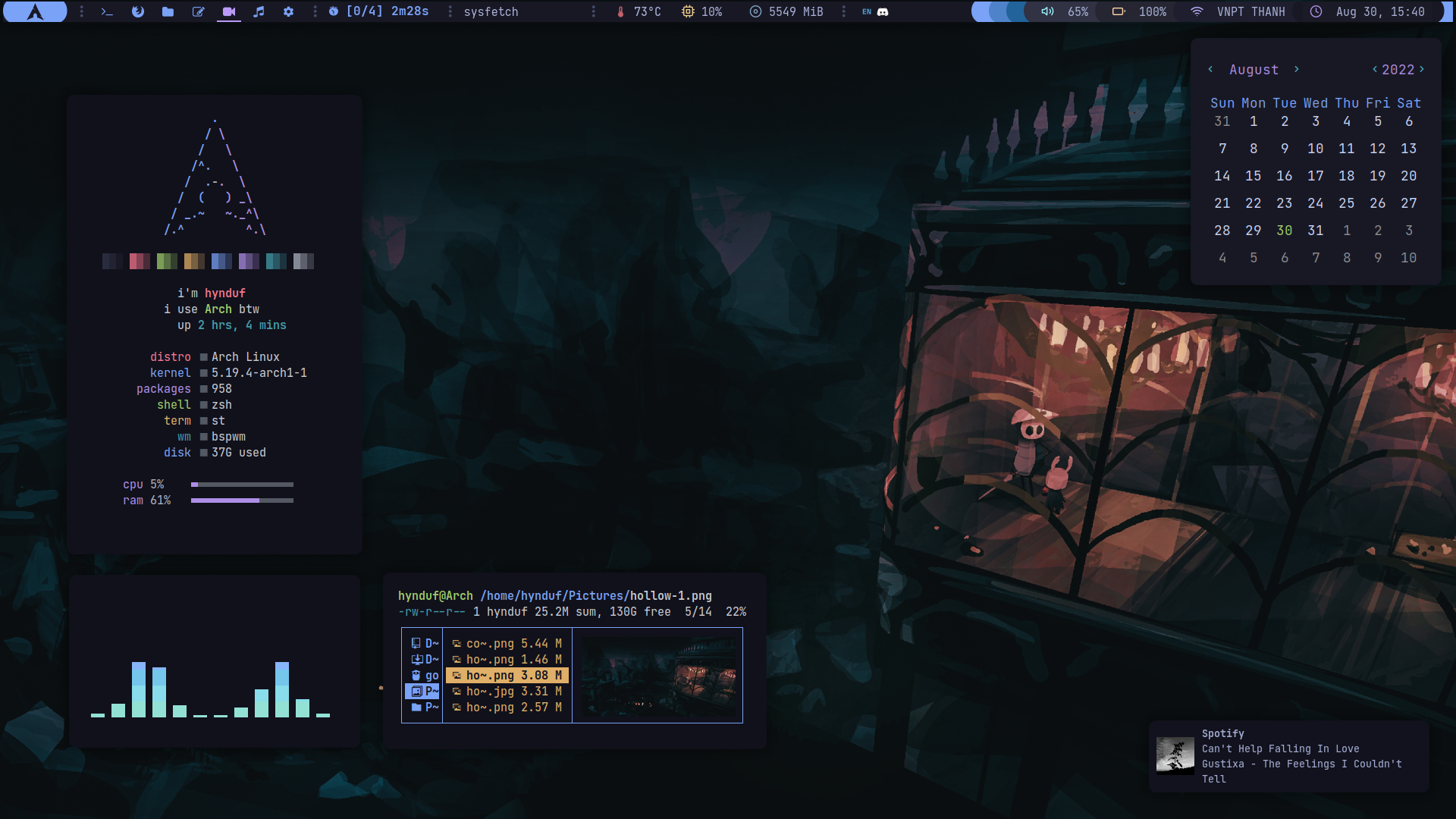
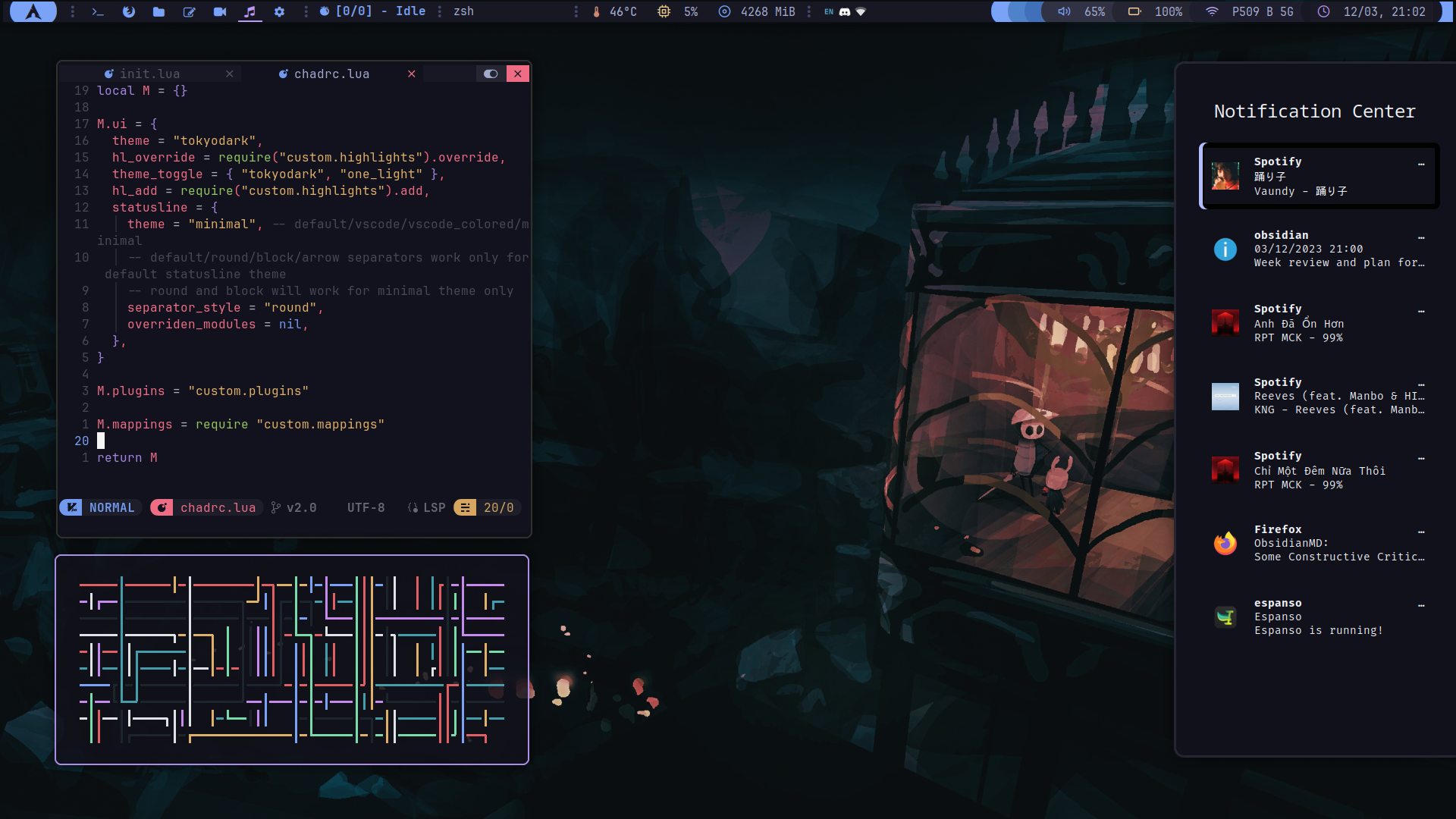
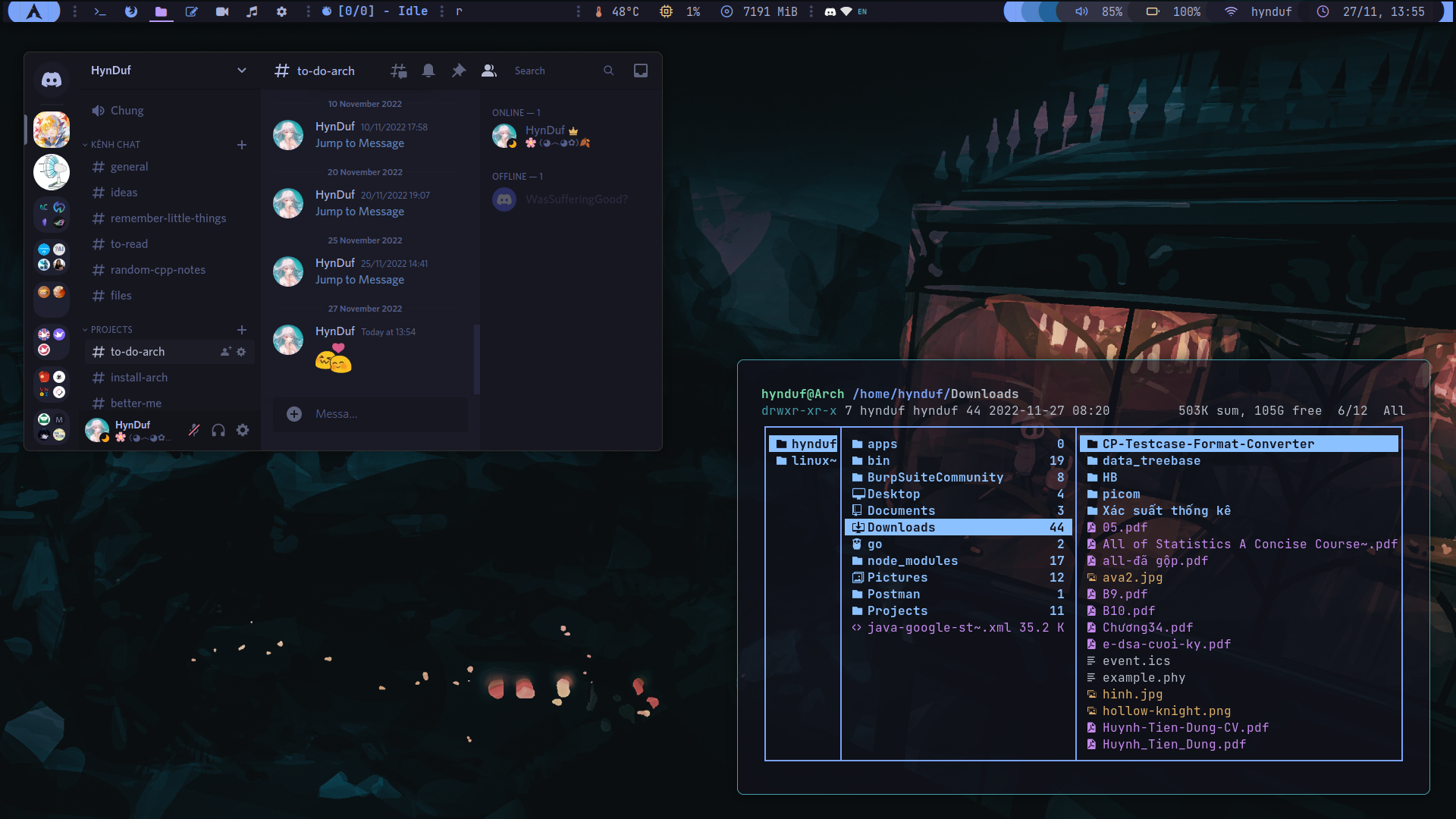
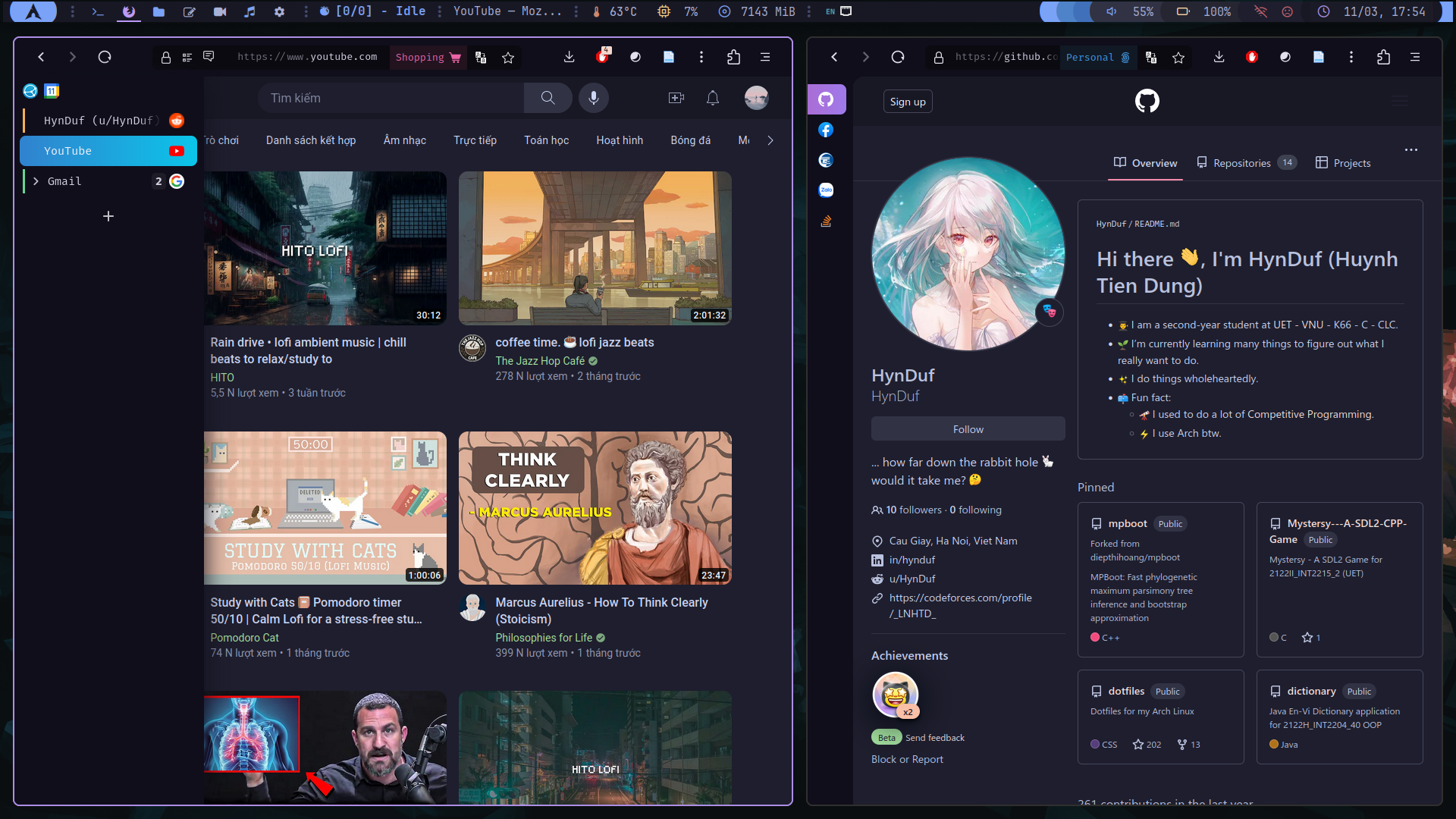
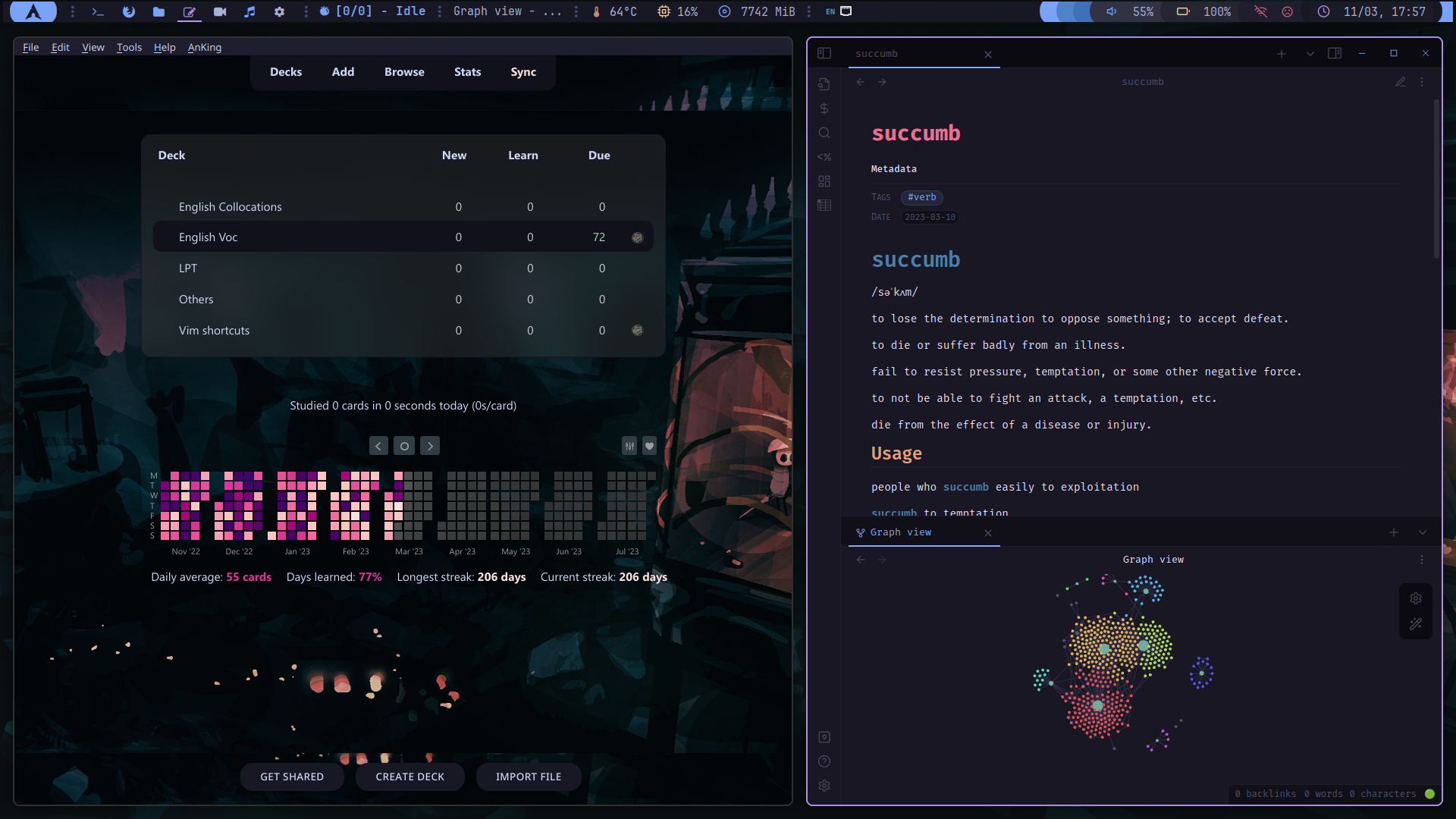
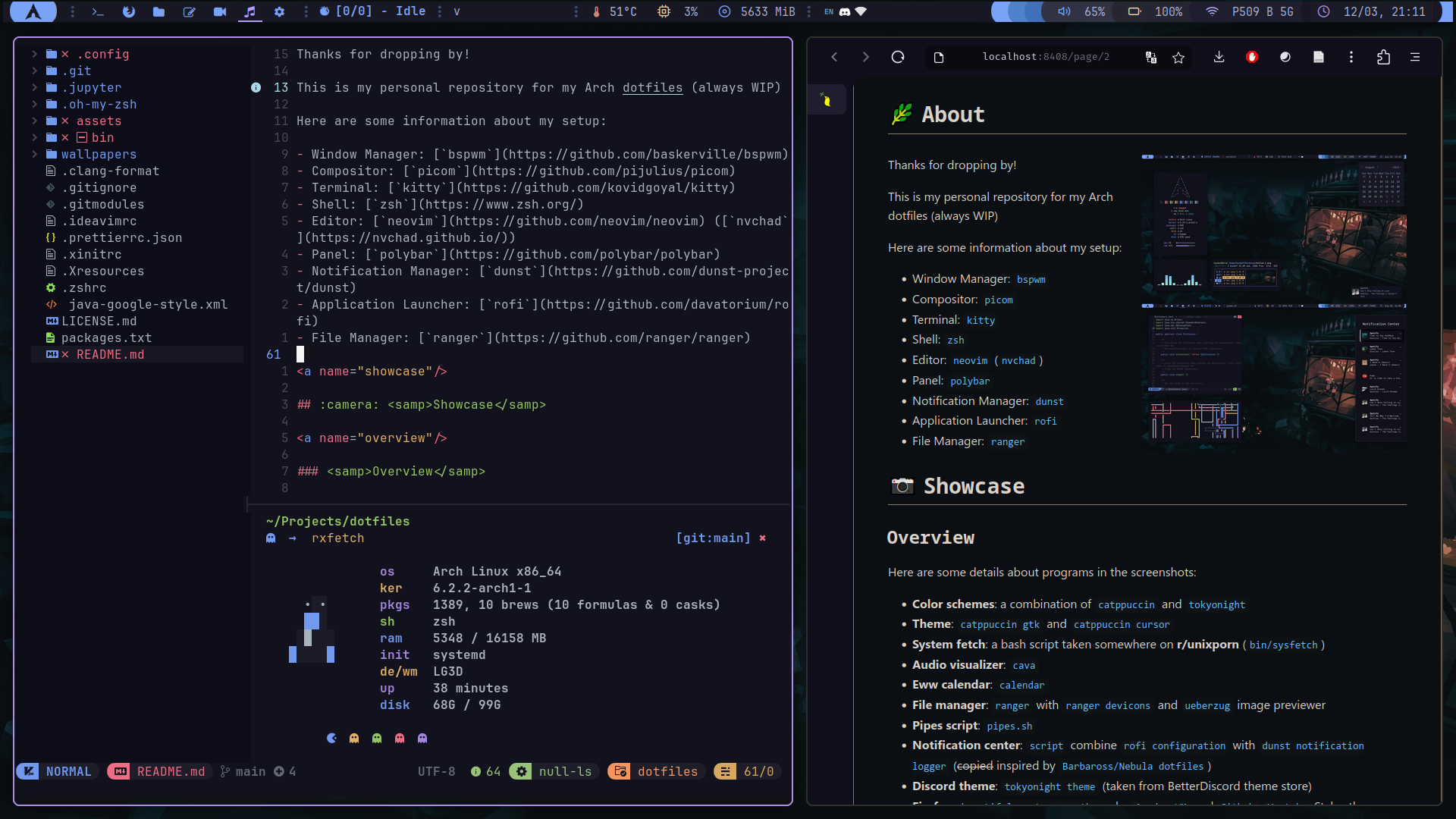
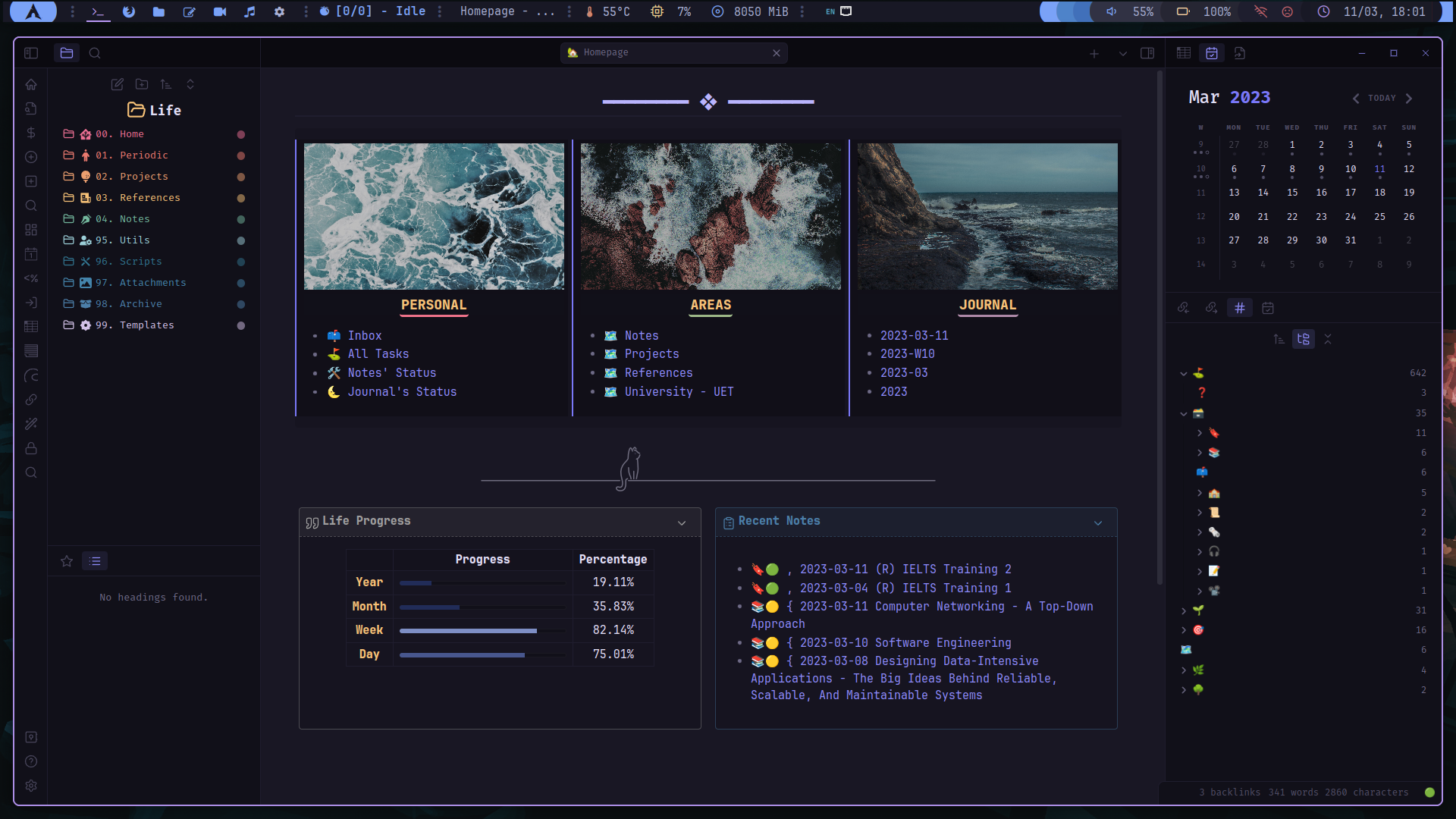
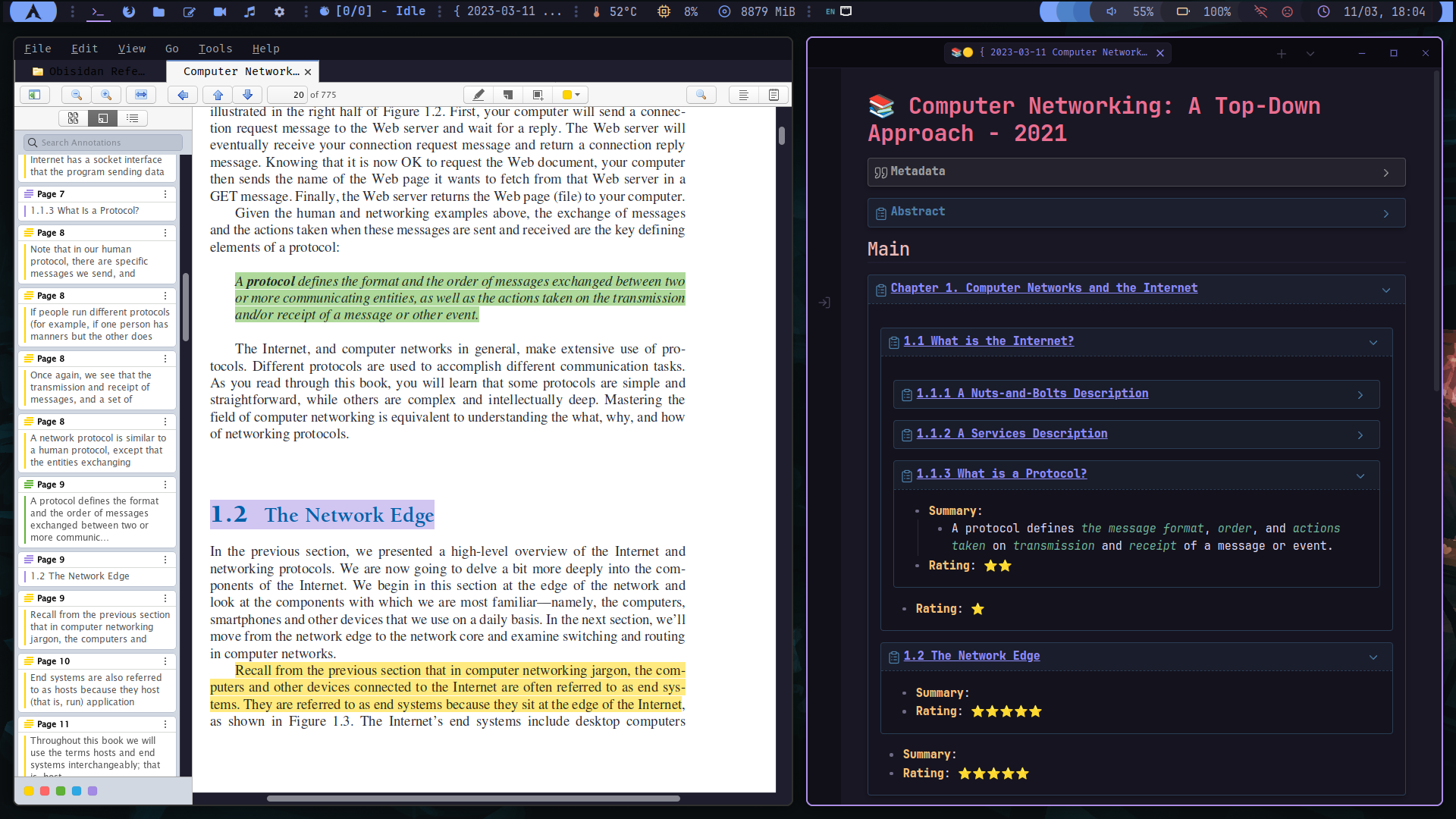
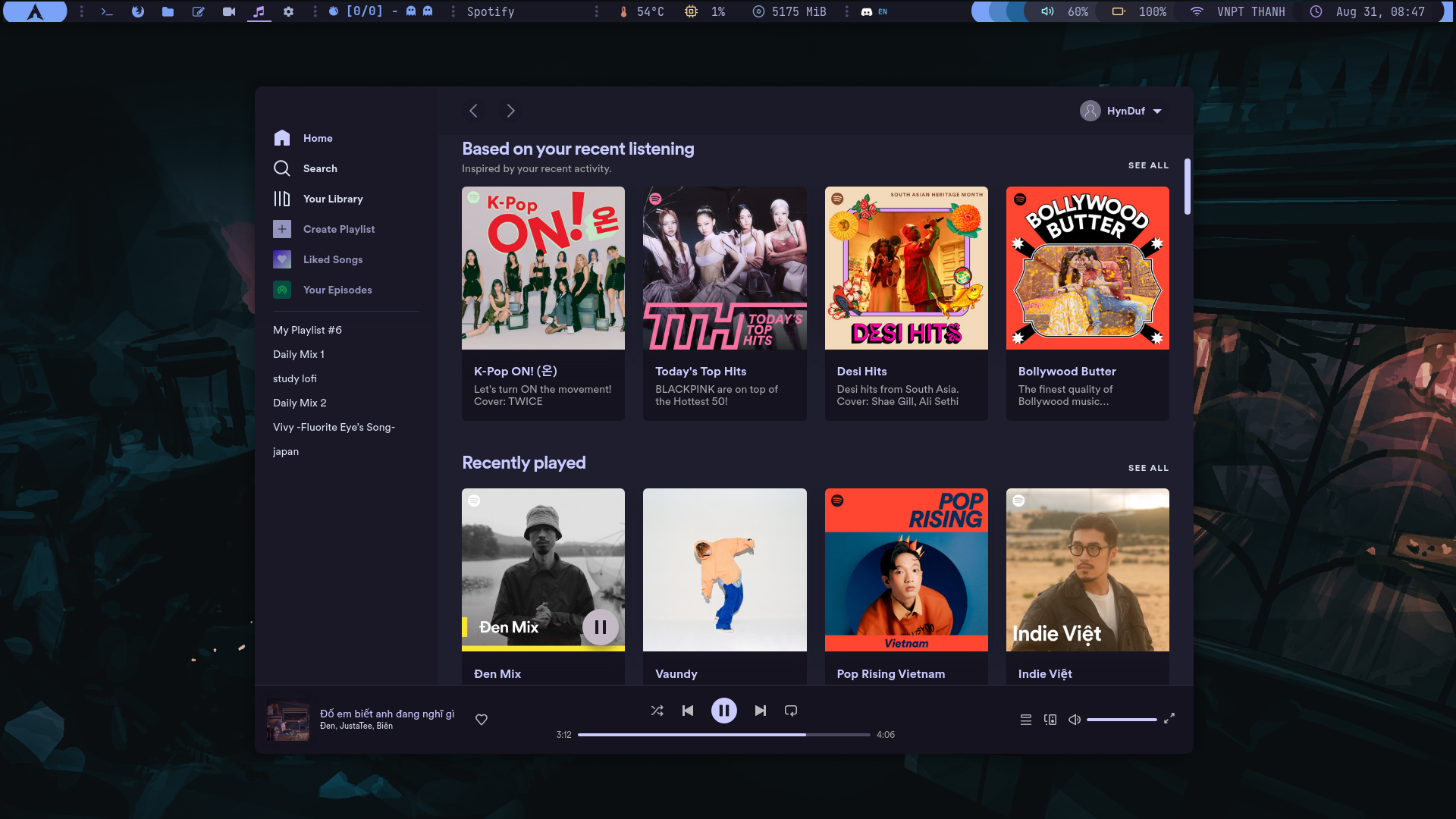
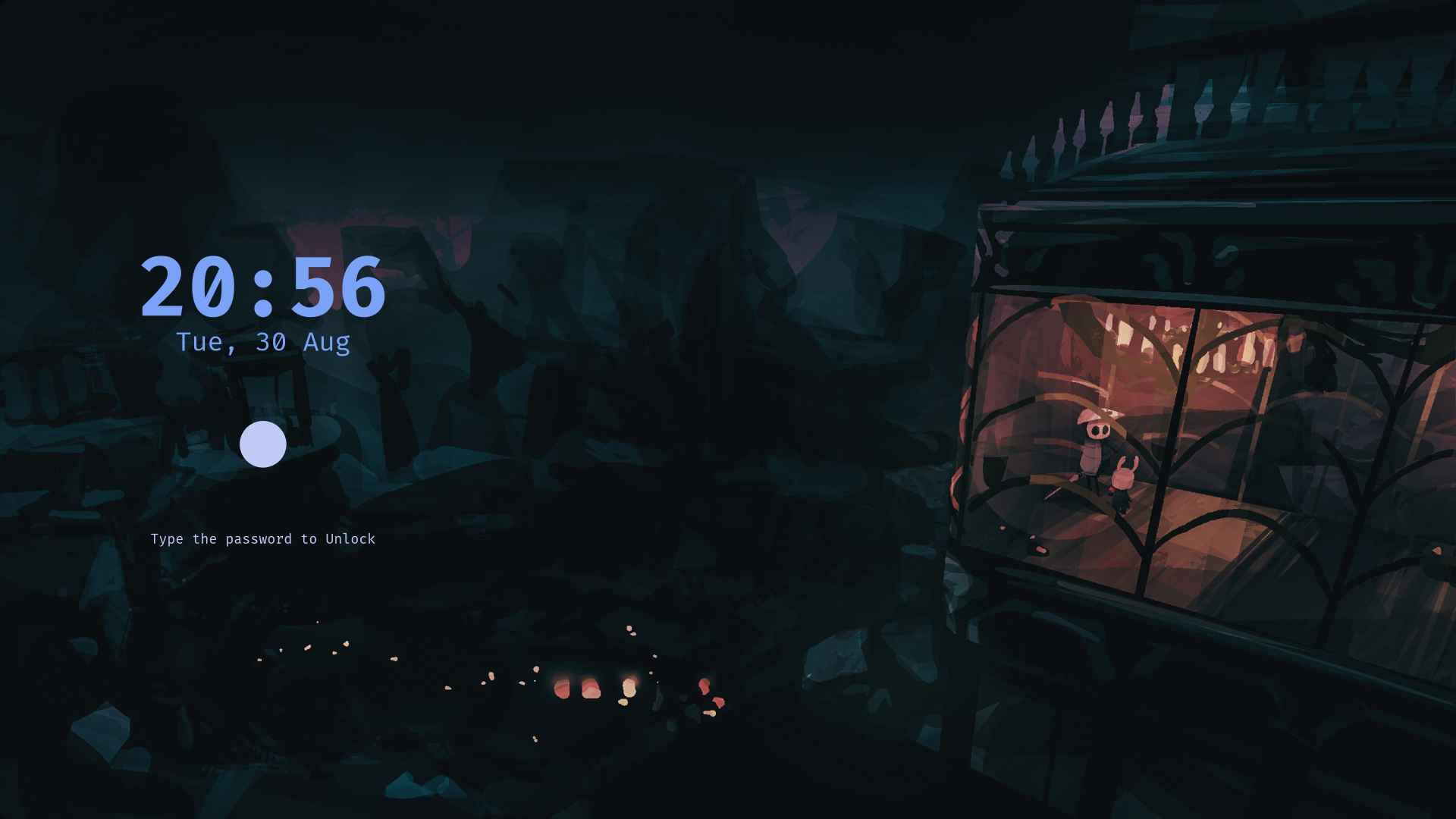
Here are some details about programs in the screenshots:
- Color schemes: a combination of
catppuccinandtokyonight - Theme:
catppuccin gtkandcatppuccin cursor - System fetch: a bash script taken somewhere on r/unixporn (
bin/sysfetch) - Audio visualizer:
cava - Eww calendar:
calendar - File manager:
rangerwithranger deviconsandueberzugimage previewer - Pipes script:
pipes.sh - Notification center:
scriptcombinerofi configurationwithdunst notification logger(copiedinspired byBarbaross/Nebula dotfiles) - Discord theme:
tokyonight theme(taken from BetterDiscord theme store) - Firefox:
beautiful custom css themebyAmadeusWMandGithub,YoutubeStylus theme. - Note-taking:
obsidianwithAnuPpuccintheme (with 40+ plugins). - Flashcards study:
ankiwith Catppuccin theme and some additional plugins - Text editor:
neovimwithnvchad(custom folder) - PDF reader:
zathura with catppuccin theme (and some color configs)
- zotero with additional plugins
- Spotify theme:
spicetifywithcatppuccin theme - Screen lock:
scriptusingi3lock-color
Rofi Utils
These rofi configurations are highly based on adi1090x/rofi (it's not like I just copied it and changed some colors or anything :flushed:)
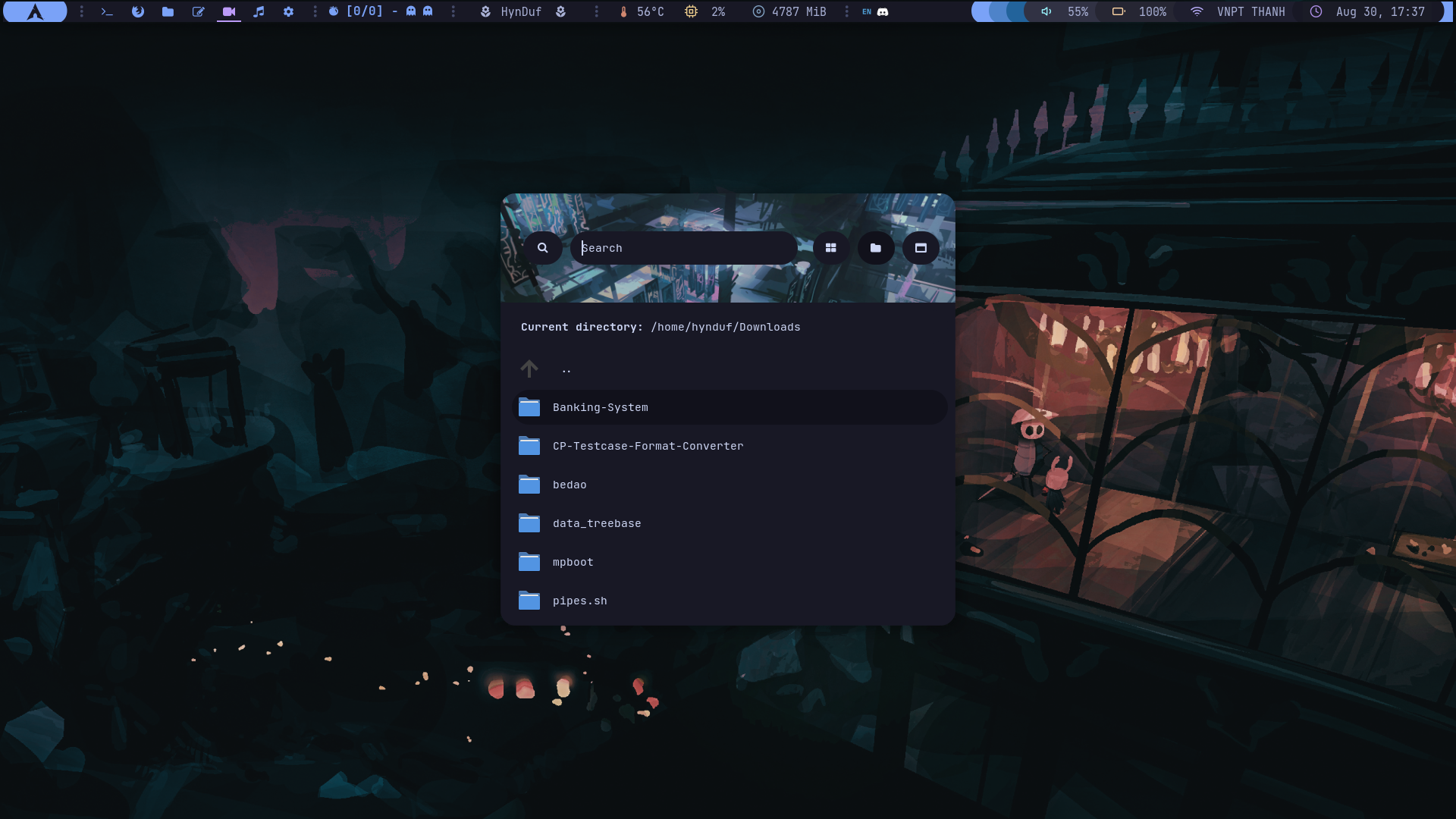
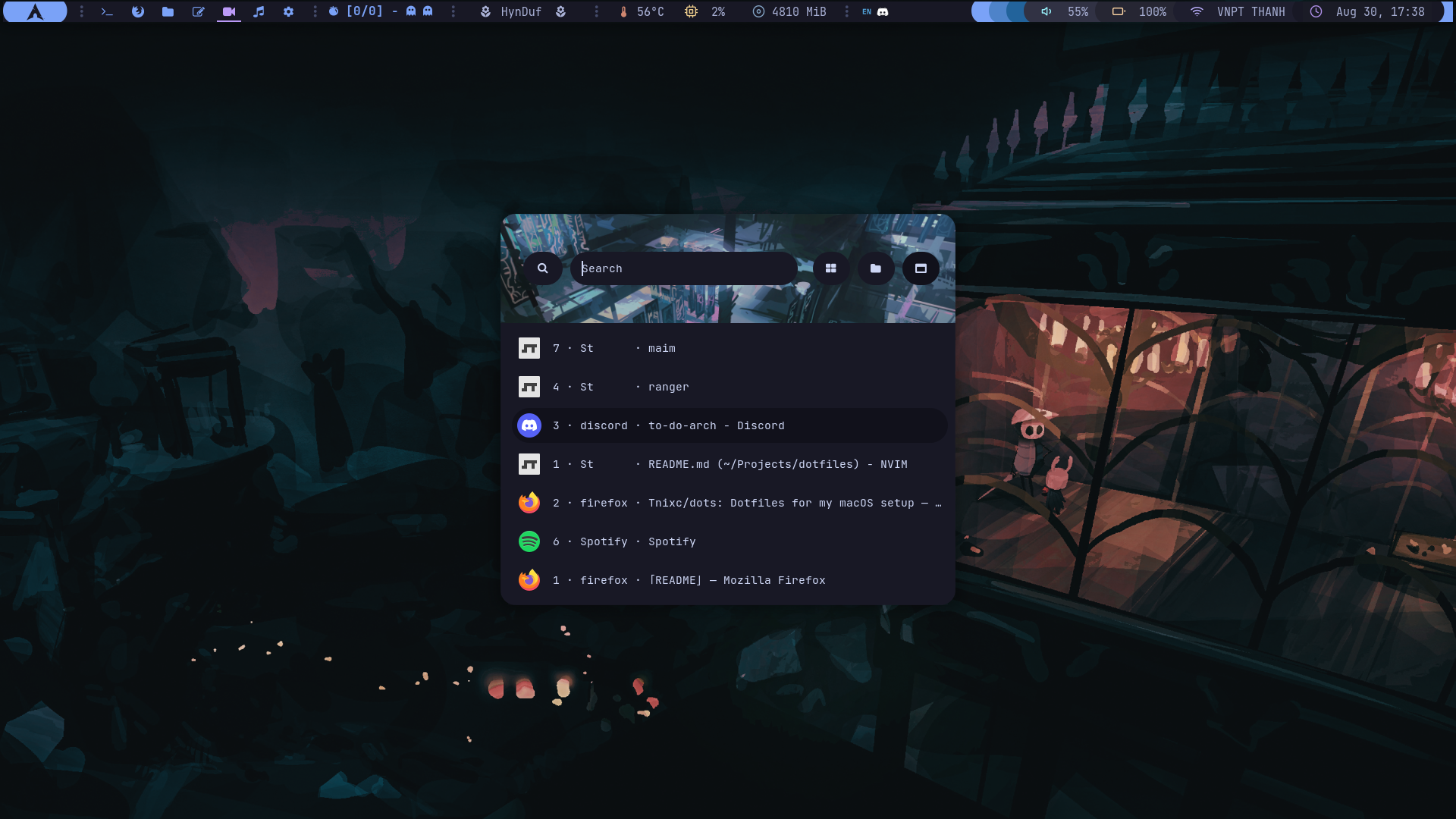
Rofi app launchers, directory menu and windows menu
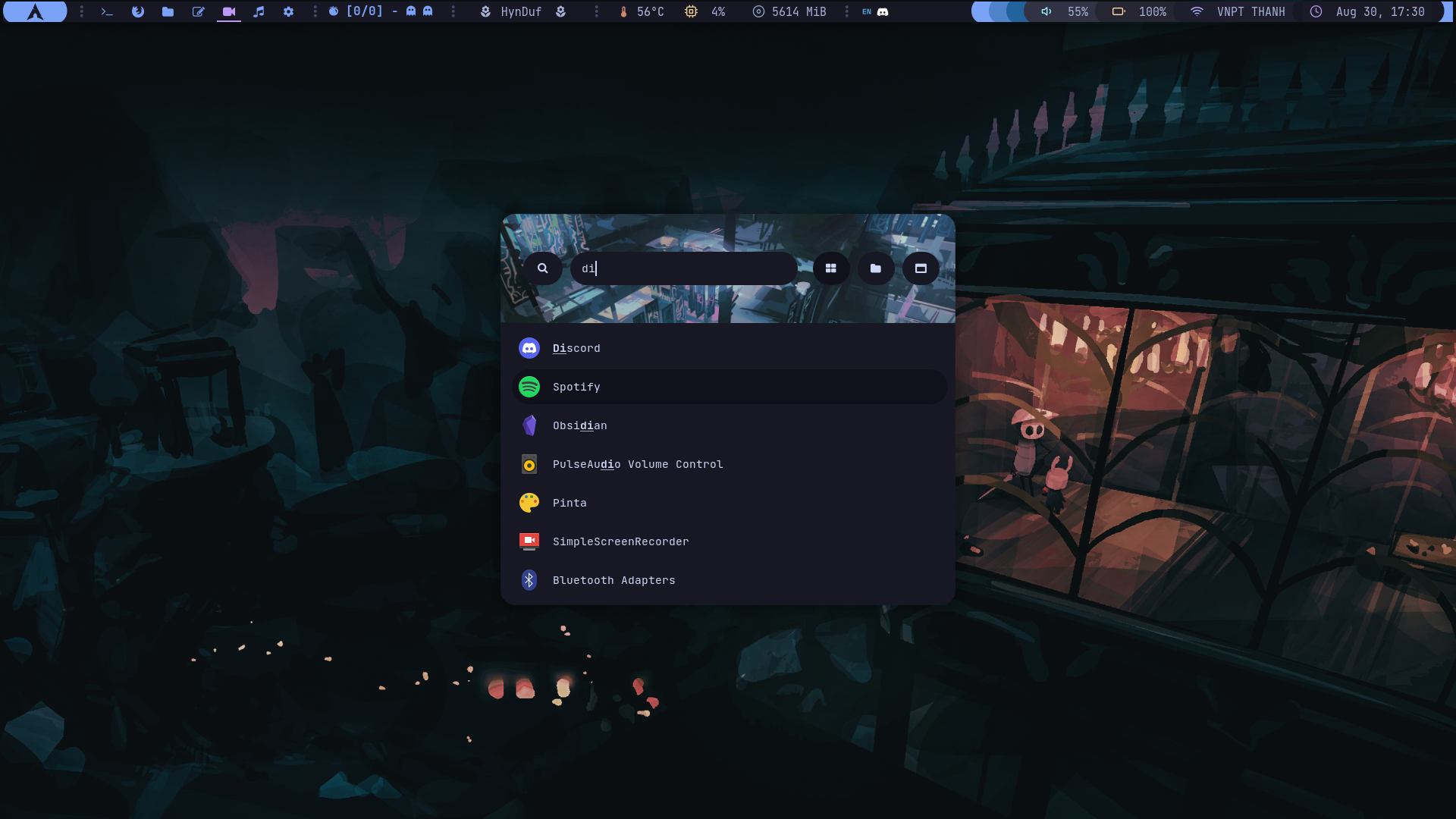
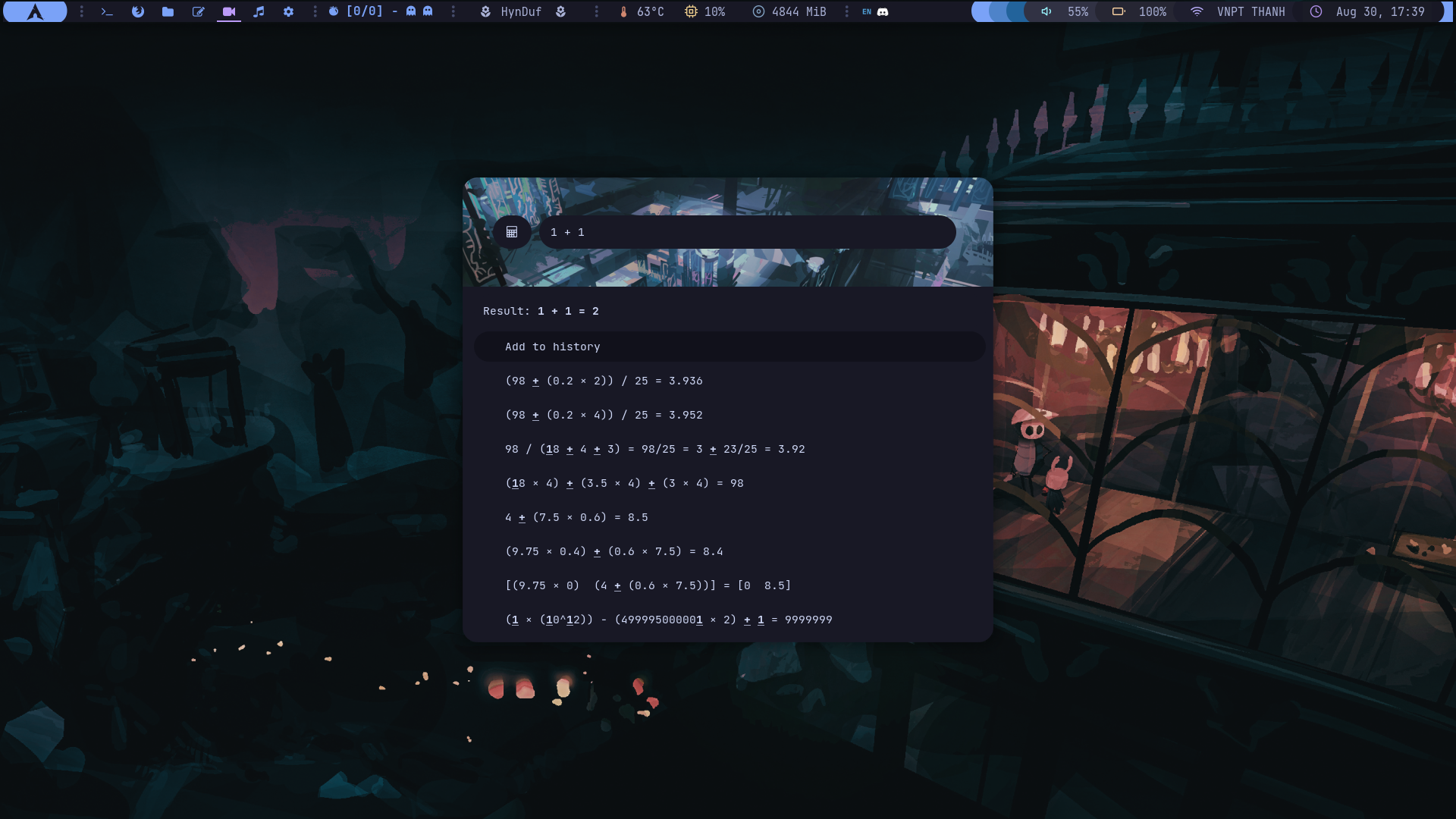
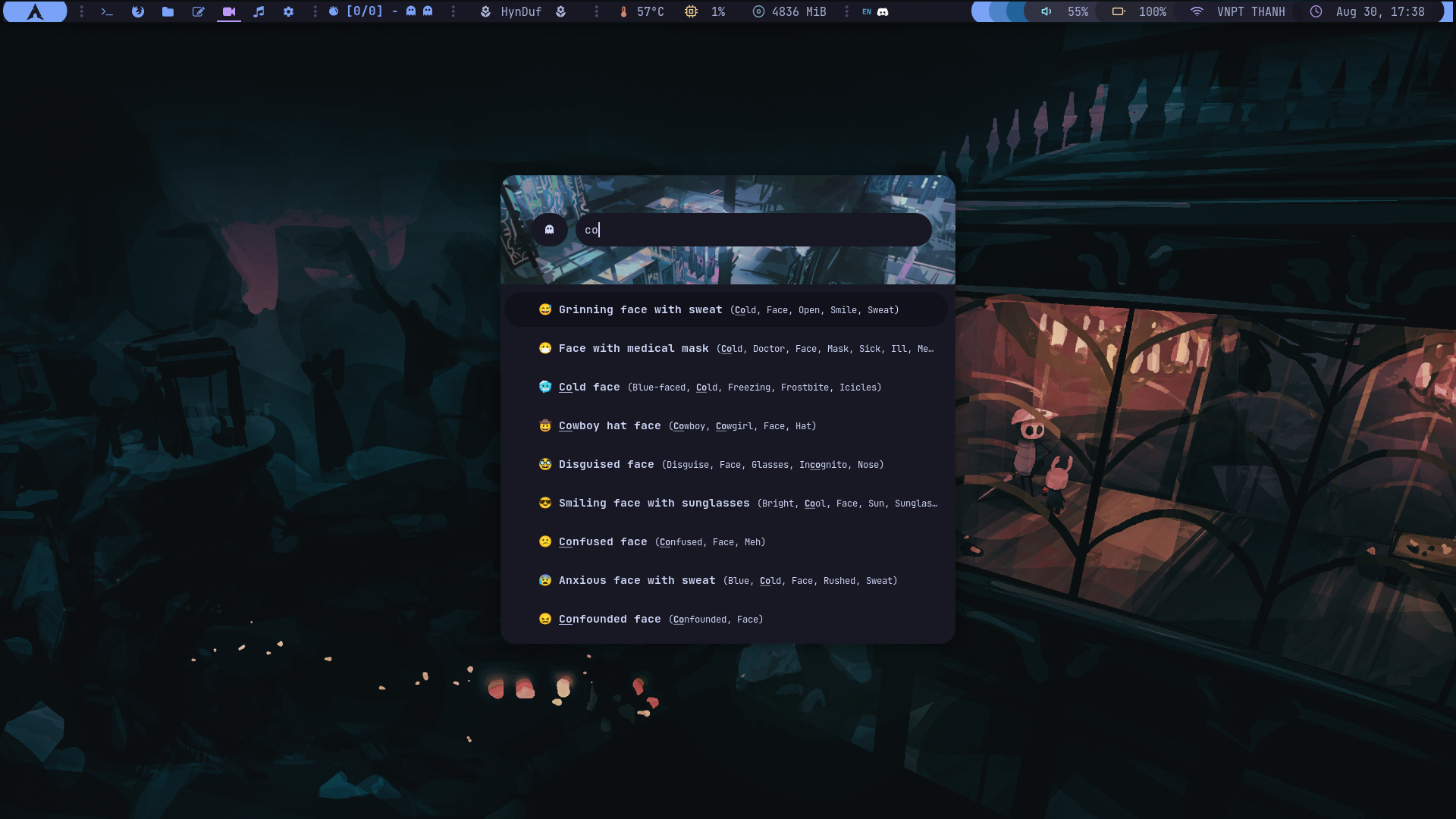
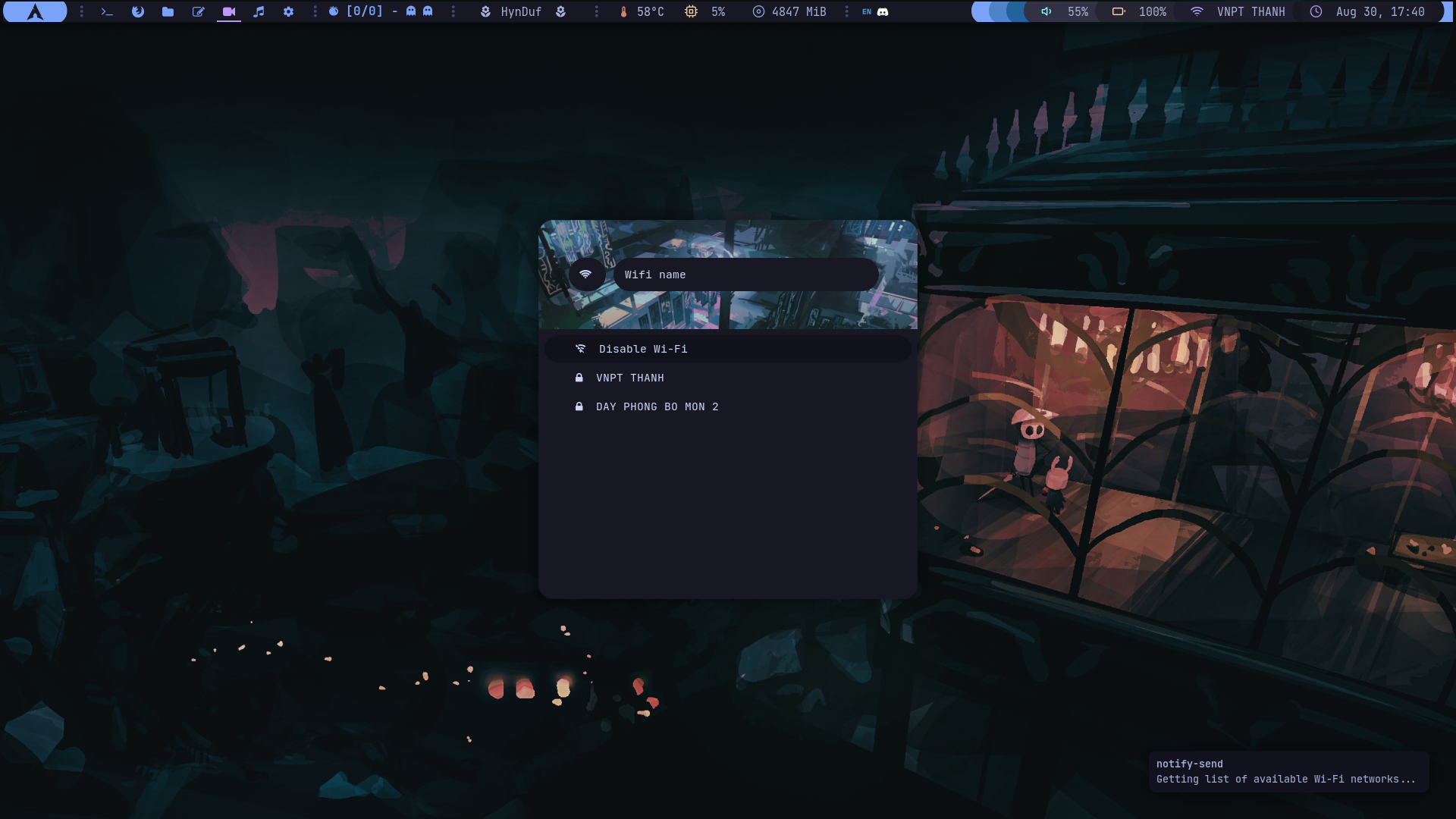
Rofi calculator, emoji selector and wifi menu
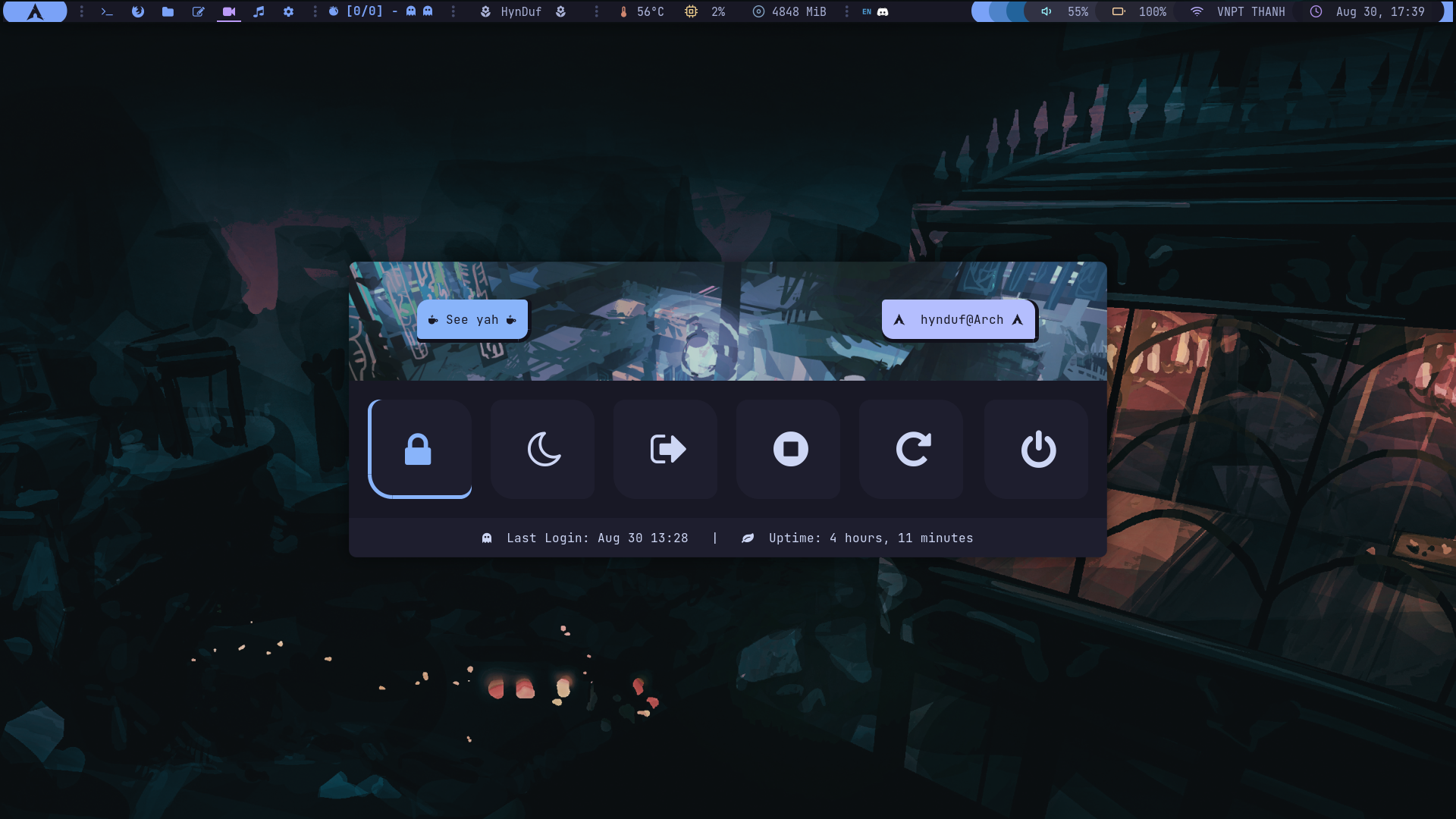
Rofi power menu
Fonts
JetBrainsMono Nerd FontIosevka Nerd FontFiraCode(forlxappearancefont theme)Material Icon and Feathers(for polybar)
:wrench: Set up
:warning: Note: This configuration was made for my Laptop (Arch-based distribution specifically), so some things might not work on yours, in that case, please try if you can fix that up as much as possible, or you can open an issue for help :smile:.
This was made for a 1920x1080 and 75 dpi screen.
Most programs can be installed and used easily by following guides from their own GitHub (I already added as many links as possible). Some other harder ones I'll state below.
Preinstall
Just to be tidy, create a folder for your about-to-download packages as you would want to delete redundant things afterward.
mkdir ~/Downloads
cd ~/Downloads
Clone my dotfiles in advance for later uses (~/Downloads/dotfiles):
git clone https://github.com/HynDuf7/dotfilesLet's set up the necessary scripts. Copy them to yours and grant execute permission (You don't need all the scripts. You can keep only the ones you need):
cp -r ~/Downloads/dotfiles/bin ~/bin
chmod +x ~/bin/*
Add that ~/bin folder to your $PATH as well, in your .bashrc or .zshrc add the following:
export PATH="$HOME/bin:$PATH"After that, source ~/.zshrc (or source ~/.bashrc) to update it though.
Dependency
First, we need yay and git (if you haven't had them):
sudo pacman -S --needed git base-devel
git clone https://aur.archlinux.org/yay.git
cd yay
makepkg -si
Then let's install all the needed packages:
yay -S bspwm brightnessctl dunst eww-git feh i3lock-color nerd-fonts-jetbrains-mono polybar pomo papirus-icon-theme ranger rofi rofi-calc rofi-emoji sxhkd ttf-fira-code ttf-iosevka-nerd ueberzug xdotoolBackground Wallpaper
Copy the wallpapers into your ~/Pictures folder:
cp -r ~/Downloads/dotfiles/wallpapers ~/PicturesWe will use feh to set up the wallpaper. Add the following into your ~/.config/bspwm/bspwmrc (see mine):
feh --bg-fill ~/Pictures/hollow-knight.png &Firefox
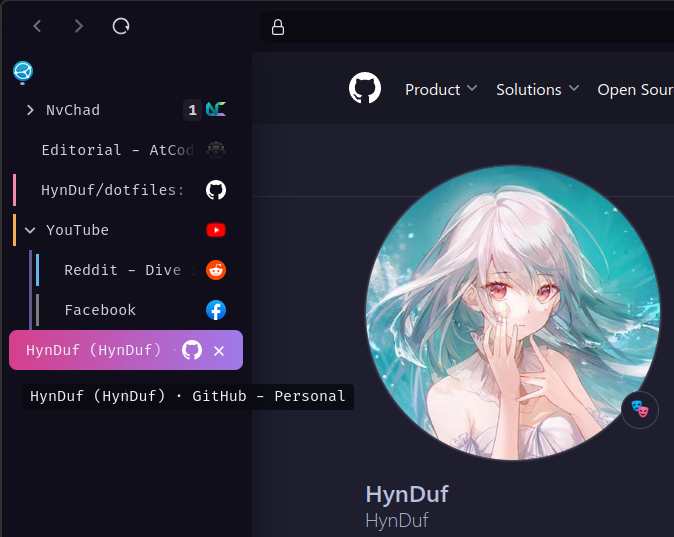
I used the beautiful custom css theme made by AmadeusWM.You can see how to install it on his dotfiles linked above.
My firefox custom chrome folder isn't exactly like his. I have added the shortcut Super + Z to toggle expand the vertical side tab. If you want do the same, see this reddit thread for hints.
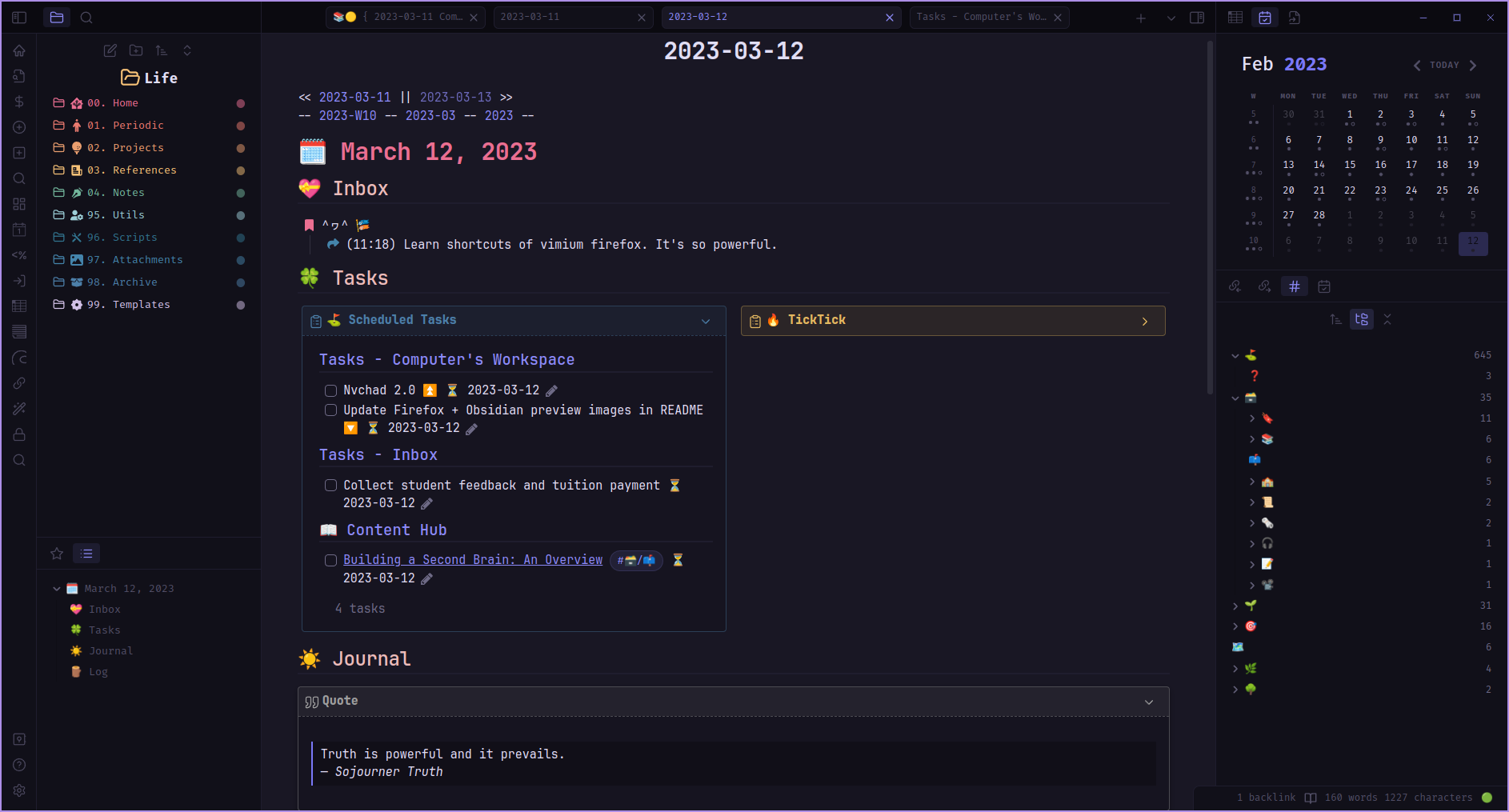
Obsidian
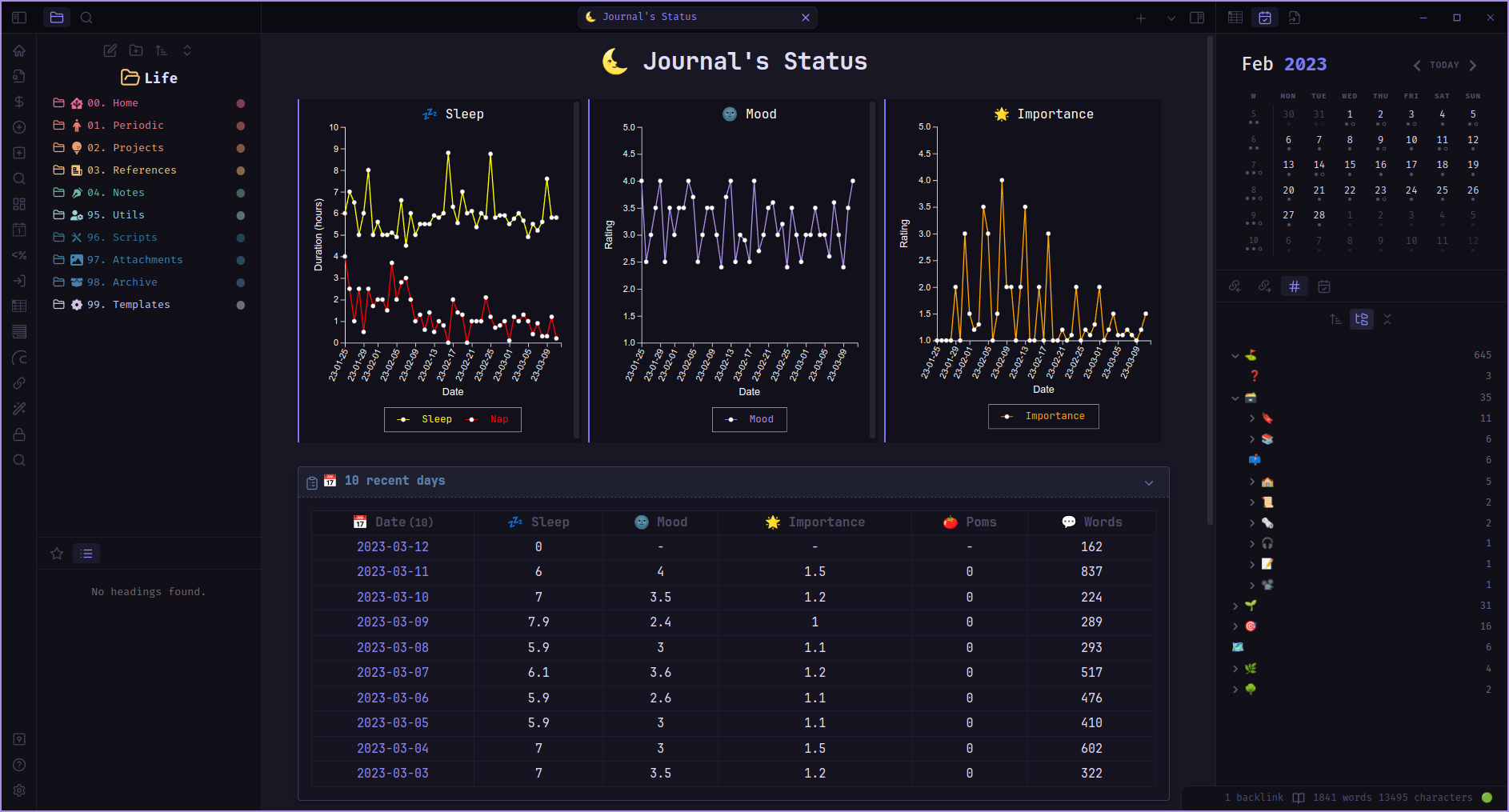
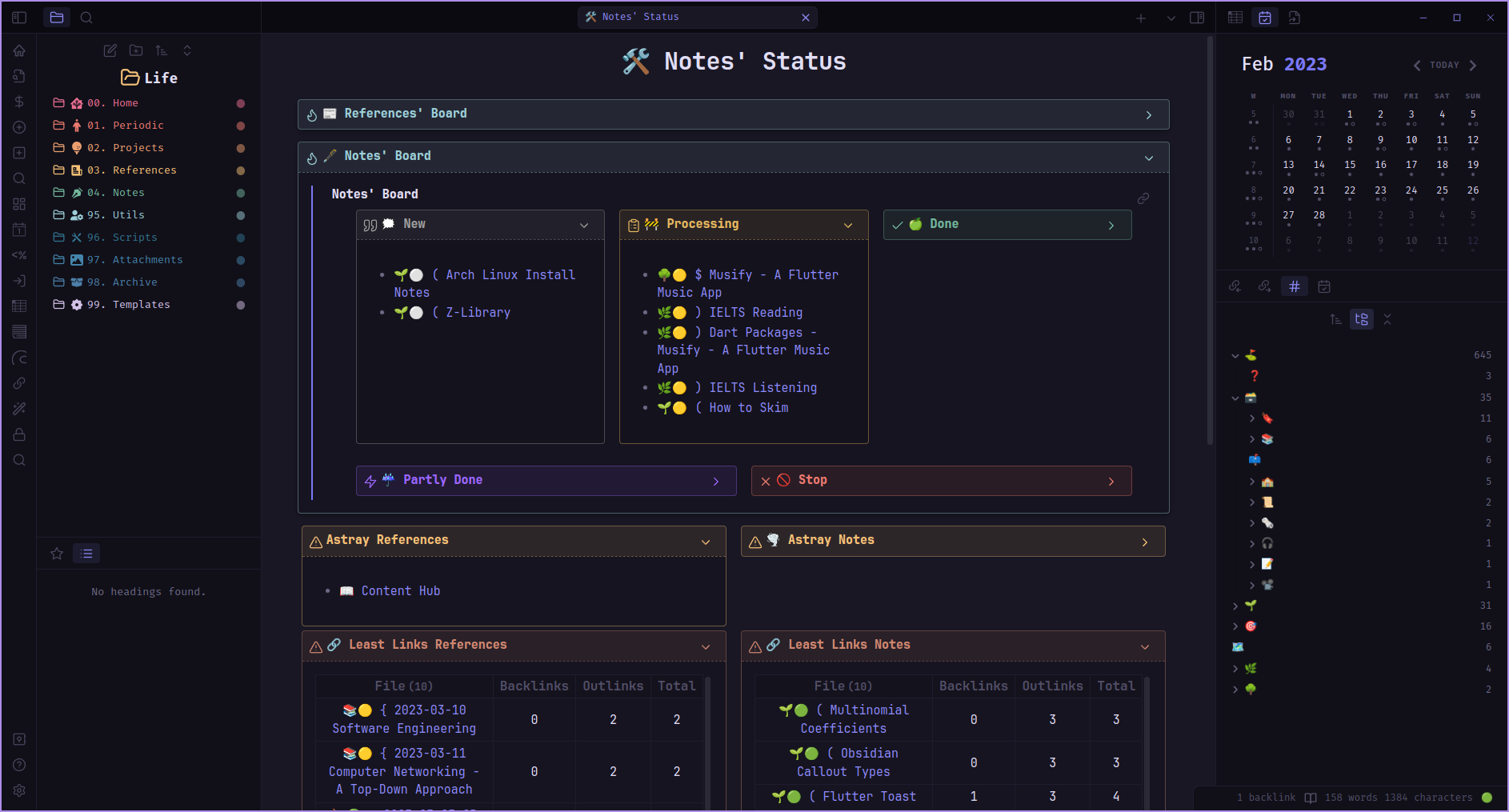
I love Obsidian. It plays an important role in changing my life. I have templates for all kinds of things and it helps me organize my knowledge and life a lot easier.I haven't included any thing about Obsidian here yet. But I will create a repo for my Obsidian workflow soon. Follow me for further details.
Polybar

Firstly, let's install Material Icon and Feathers for our polybar icons.
mkdir ~/.fonts
cd ~/Downloads
git clone https://github.com/Murzchnvok/polybar-collection
cp -r ./polybar-collection/fonts/* ~/.fonts/
fc-cache -fv
Copy my polybar setup into yours:
cp -r ~/Downloads/dotfiles/.config/polybar ~/.config/polybarEnable autostart polybar when starting bspwm:
chmod +x ~/.config/polybar/launch.shThen add this to your ~/.config/bspwm/bspwmrc (see mine)
$HOME/.config/polybar/launch.sh &:warning: Note: My ~/.config/bspwm/bspwmrc file is not for straight copying. There are many things that are personal and unrelated (can cause confusion if you don't understand what they are for). Use it responsibly.
:exclamation: Note: The below section in the polybar is from pomo package which is a pomodoro timer. When running, it would update in the polybar.


There are the network module and battery module that might need to be changed accordingly to your machine. See the polybar wiki link given.
Dunst
Copy my dunst configuration into yours:
cp -r ~/Downloads/dotfiles/.config/dunst ~/.config/dunstAdd dunst startup to your ~/.config/bspwm/bspwmrc (see mine):
dunst -conf $HOME/.config/dunst/dunstrc &Rofi and Eww
Copy my rofi and eww configuration into yours:
cp -r ~/Downloads/dotfiles/.config/rofi ~/.config/rofi
cp -r ~/Downloads/dotfiles/.config/eww ~/.config/eww
In my ~/.config/sxhkd/sxhkdrc file, you can see some related keybindings:
super + c
    rofi -show drun -theme "$HOME/.config/rofi/themes/app-launcher.rasi"
super + alt + z 	~/bin/powermenu
super + shift + c     rofi -show calc -modi calc -theme "$HOME/.config/rofi/themes/calc.rasi"
super + shift + x     ~/bin/noticenter
super + shift + z     ~/bin/wifimenu
super + shift + f     ~/bin/calendar-launcher
super + shift + e     rofi -modi emoji -show emoji -theme "$HOME/.config/rofi/themes/emojimenu.rasi"
From those, you can imply that the command to run the rofi utils are (Bind it to your key mappings or use my sxhkdrc):
- App launcher/Directory menu/Windows menu:
rofi -show drun -theme "$HOME/.config/rofi/themes/app-launcher.rasi"rofi keybindings that you can learn to use to navigate.
- Calculator (remember the package
rofi-calcwe have already downloaded at Dependency):
rofi -show calc -modi calc -theme "$HOME/.config/rofi/themes/calc.rasi"- Emoji selector (package
rofi-emoji):
rofi -modi emoji -show emoji -theme "$HOME/.config/rofi/themes/emojimenu.rasi"- Power menu:
~/bin/powermenu- Notification center:
~/bin/noticenter- Wifi menu:
~/bin/wifimenu- Calendar (This is
ewwwidgets and not rofi):
~/bin/calendar-launcher:exclamation: In case the background image on the input bar doesn't appear, double check that you have done copied all the images to your ~/Pictures folder in Background Wallpaper. All the rofi themes used this background image.
Picom
:exclamation: I have changed to default picom (install through normal yay -S picom) for calmer experience. If you still want fancy animations, please proceed.
This is a picom fork with splendid animations, so we have to build it on our own.
First install all the dependencies required to build the compositor:
yay -S libconfig libev libxdg-basedir pcre pixman xcb-util-image xcb-util-renderutil hicolor-icon-theme libglvnd libx11 libxcb libxext libdbus asciidoc uthashThen let's build it:
cd ~/Downloads
git clone https://github.com/pijulius/picom.git
cd picom/
meson --buildtype=release . build --prefix=/usr -Dwith_docs=true
sudo ninja -C build install
Copy my picom configuration into yours:
cp -r ~/Downloads/dotfiles/.config/picom ~/.config/picomThen enable picom start-up when starting bspwm by adding this to your ~/.config/bspwm/bspwmrc (see mine)
picom &:exclamation: Set your bspwm border to 0 for better experience with this picom fork.
Sxhkd Keybindings
This is some main keybindings in my sxhkdrc keybindings if you happen to use it:
|Action|Keybinding| |---|---| |App launcher|super + c| |Toggle polybar|super + x| |Terminal|super + Return| |Restart bspwm|super + alt + r| |Reload sxhkd|super + Esc| |Close program|super + w| |Quit bspwm|super + alt + q| |Increase/Decrease brightness|super + F10/F11| |Increase/Decrease volume|super + shift + F10/F11|
Others
For other ones please follow the link to the application you want to install and do it on your own. I believe you can do it in no time. Good luck :wink:
:exclamation: In case you are desperately stuck, open an issue. I would consider updating additional guides for the ones you need.
:tada: Credits
README.mdinspired by janleigh/dotfiles and beyond9thousand/dotfiles- siduck for the incredible nvchad and for helping out all the time
- r/unixporn for endless inspiration


