
Upgraded the Finder right-click menu on MacOS to allow for creating new files (text, Word, Excel, etc.)
 (1)-modified.png)
MacNewFile





One of the many things that pissed me off after switching from Windows to Mac was that I couldn't create a new text file or word document off of a right click in Finder (file explorer).
So I made MacNewFile!!
MacNewFile is lightweight and simple. You right click anywhere in Finder (or on your desktop) and you get a menu to create new files!
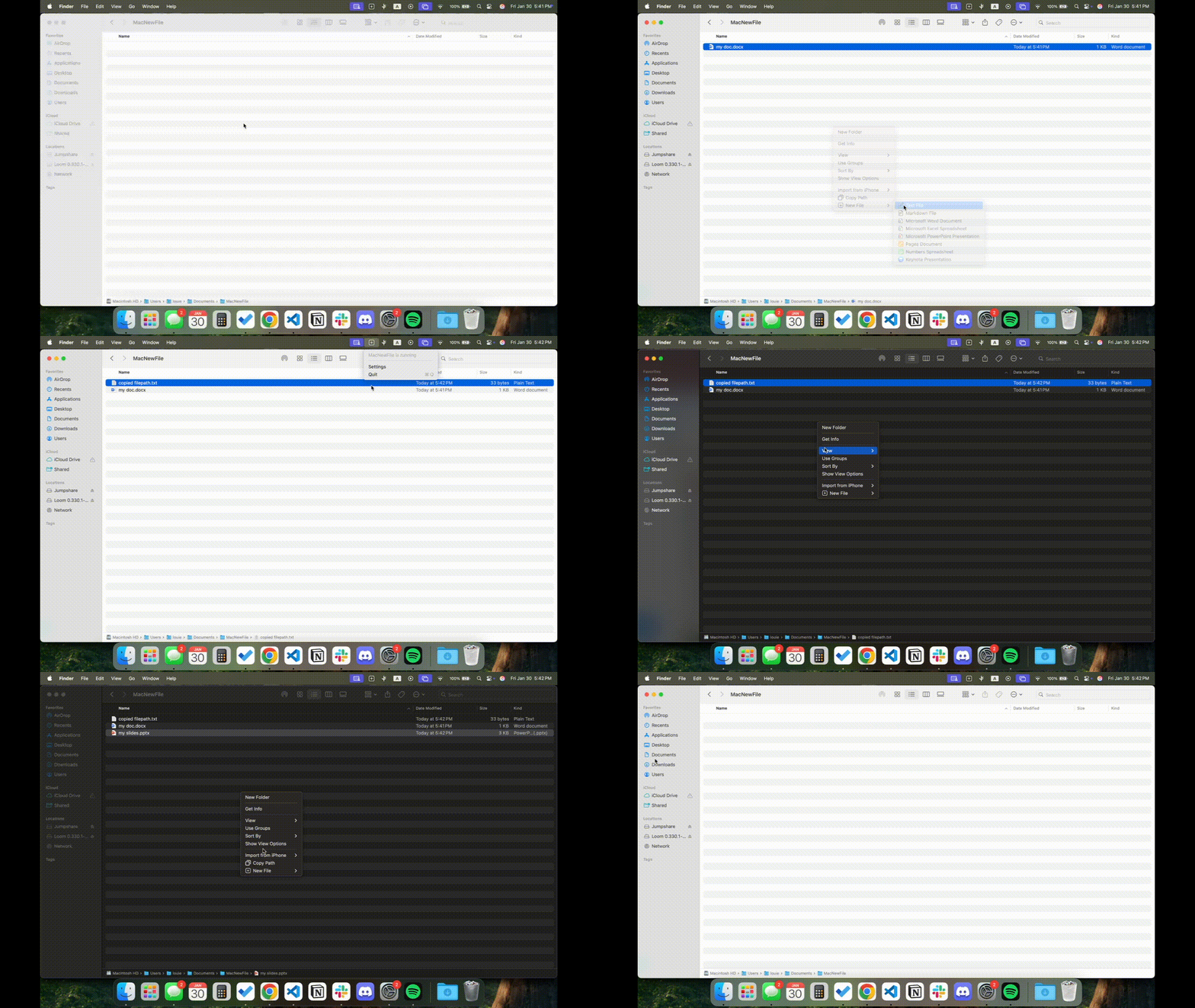
Please note: This only doesn't work on directories inside of your iCloud, since Apple fully removed support for FinderSync in 2019.
Features
- Can create the following apps from the Finder right-click menu:
- Settings menu to customize MacNewFile features (ONLY IN XCODE FORK INSTALL - more info later)
- Can copy the filepath of the current directory
- Can open a new terminal in the current directory
- Light/dark mode compatible
- To disable the app (fully stop running in the background), click the MacNewFile app icon in the top menu bar (plus sign) and click "Quit"
System Settings -> General -> Login & Extensions -> File Providers / File System Extensions and find MacNewFile and turn it off
Added
- Italian Localization
Installation
- [Homebrew (Recommended) [v3.1.1]](#homebrew)
- [Manual Download [v3.1.1]](#manual-download)
- [Manual Download [All Features]](#manual-download-all-features)
If you would like the full version of this app, then click the link to manually download all features, which requires a few extra steps but are not difficult and is the only workaround I can think of.
Homebrew
Install
brew tap GarfieldFluffJr/macnewfile
brew install --cask macnewfile
Update
brew update
brew upgrade --cask macnewfile
Complete uninstall
brew uninstall --cask macnewfile
brew untap GarfieldFluffJr/macnewfileManual Download
Install
- Unzip the folder, delete the zip folder, and move
MacNewFile.appto theApplicationsfolder
- Run
MacNewFile.app
Privacy and Security, scroll all the way to the bottom and click "open anyways"
- Run
MacNewFile.appagain from theApplicationsfolder
Uninstall
Delete the MacNewFile.app file in the Applications folder.
You can delete with AppCleaner which will delete the tiny Finder extension bundles installed (~50KB)
Update
Uninstall the current version and install the new version manually
Manual Download All Features
Install
For all files installed, try to keep them somewhere you remember so it's easy to delete when finished (like Downloads folder)
- Install Xcode
- Fork this repository
- Open Xcode and clone your forked repository and checkout into the
new-versionbranch
- Click
MacNewFile->Signing & Capabilities
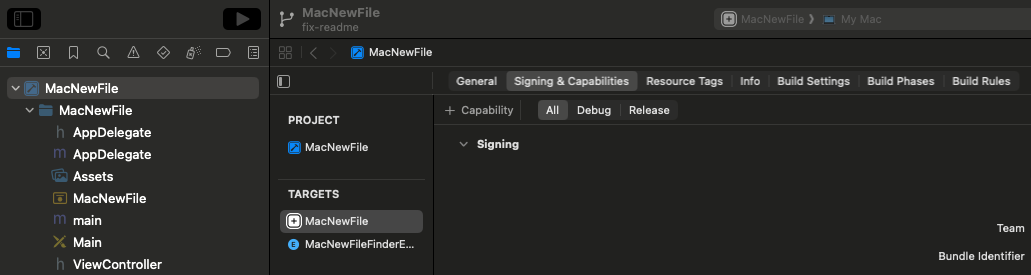
Ensure MacNewFile is selected under Targets
- Change the
Teamfield to your own Apple ID. Change theBundle Identifierfromlouieyinto your own first and last name. Then, underApp Groups, uncheck mine and add your own in the same format, just replacinglouieyinto your own name.
- Everything will work fine if nothing is highlighted red
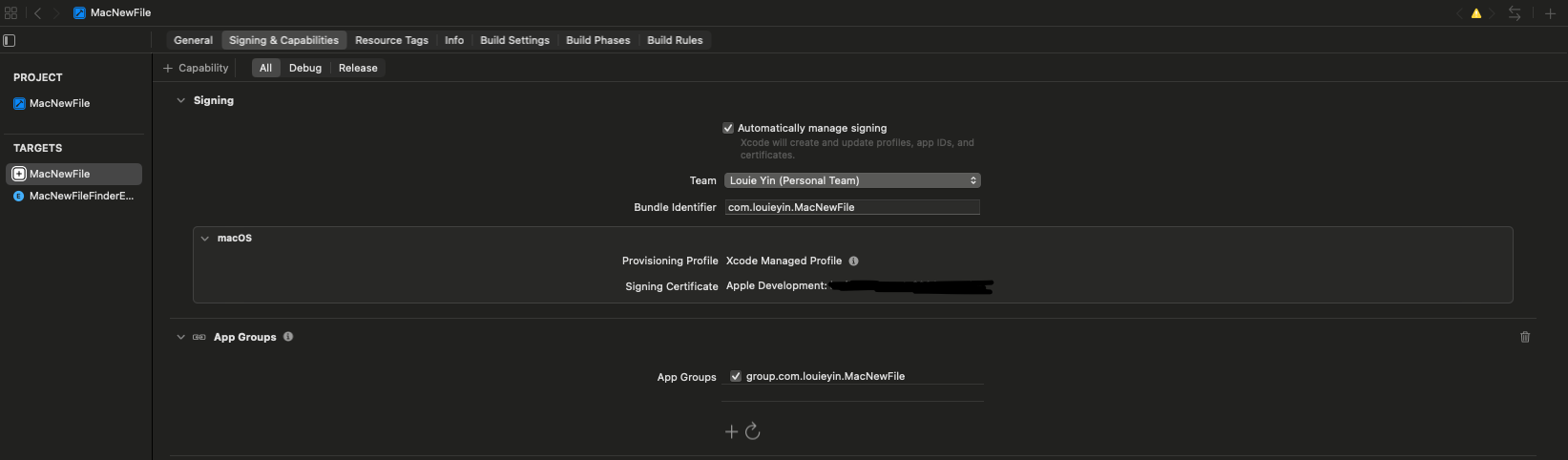
- Change the
TargettoMacNewFileFinderExtensionand repeat the exact same steps with the same names as step 5
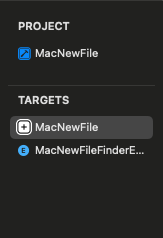
- In
MacNewFile/AppDelegate.m, modify lines11and240to use your name that you used in steps 5 and 6 instead of mine.
- In
MacNewFileFinderExtension/FinderSync.m, modify line10similarly to step 7.
Menu Bar -> Product -> Clean Build Folder(cmd + shift + K)
Menu Bar -> Product -> Build(cmd + B)
- Right click
Products/MacNewFile.appand selectShow in Finder
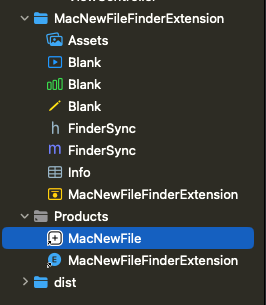
- Move it to the
Applicationsfolder and open it
- Congratulations! You have installed the fully working version of MacNewFile! You can now safely delete Xcode and all other files installed (check your
Recentsfolder or where you saved everything upon installation)
Update
Uninstall the current app in Applications and follow the steps to install the new version again.
Uninstall
Just delete the app in Applications. You may use choose to useAppCleaner to delete any bundles installed (~50KB).
Debugging
- Move app out of quarantine:
xattr -dr com.apple.quarantine /Applications/MacNewFile.app
- Restart Finder:
killall Finder
- Go through Settings Privacy and Security
Contributions and Issues
Do you have a new idea you want to implement? Feel free to contribute!
Fork the repository and make the project your own. Or, if you'd like to contribute to this project, submit a pull request when you're done. See CONTRIBUTING.md for more details.
Or if you'd like to suggest changes, submit a github issue.
You can also reach me by email if you have any questions: louieyin6@gmail.com
My Promise as a Developer
- I don't vibe-code my projects
- This is not malware, everything is pushed to this repo which you can review
- It is very easy to install and delete, I steal no data, or hide anything on your device
- This app does not hide in the background, I tested this with my own MacBook, Activity Monitor shows no activity once the application is quit
System Settings -> General -> Login Items & Extensions -> File Providers / File System Extensions
- I try to be as transparent as possible, and explain why certain security bypasses or unorthodox installation methods are necessary.
- My projects are fully Open Source. I don't make my projects cost any money to my users. MacOS and Apple in general lacks an open source community and I hope to make it better. Despite Apple requiring almost every developer to pay $100 USD per year just to develop (which is outrageous), I will do whatever I can to keep developing and distributing for free and bypass these ridiculous Apple security requirements.
Support
Thanks for making it this far in the readme. If you found this tool particularly useful for you, please consider giving me a star on github, it's free and means a lot to me.
You can also choose to Buy me a Coffee if you really think I made a positive impact on you.
License
GNU GPL v3 License - see LICENSE for details.


