
Monitor Claude Code sessions, costs, config, hooks, agents & MCP servers from a single Rust binary — TUI (9 tabs) + Web interface with live process tracking, budget alerts, and 30-day forecasting
ccboard
A free, open-source TUI/Web dashboard for Claude Code session monitoring, cost tracking & config management










The only actively-maintained, free and open-source Rust TUI combining Claude Code monitoring, Claude Code config management, hooks, agents, and MCP servers in a single 5.8MB binary. 89x faster startup with SQLite cache, 492 tests, 0 clippy warnings.
Features
13 Interactive Tabs (TUI + Web)
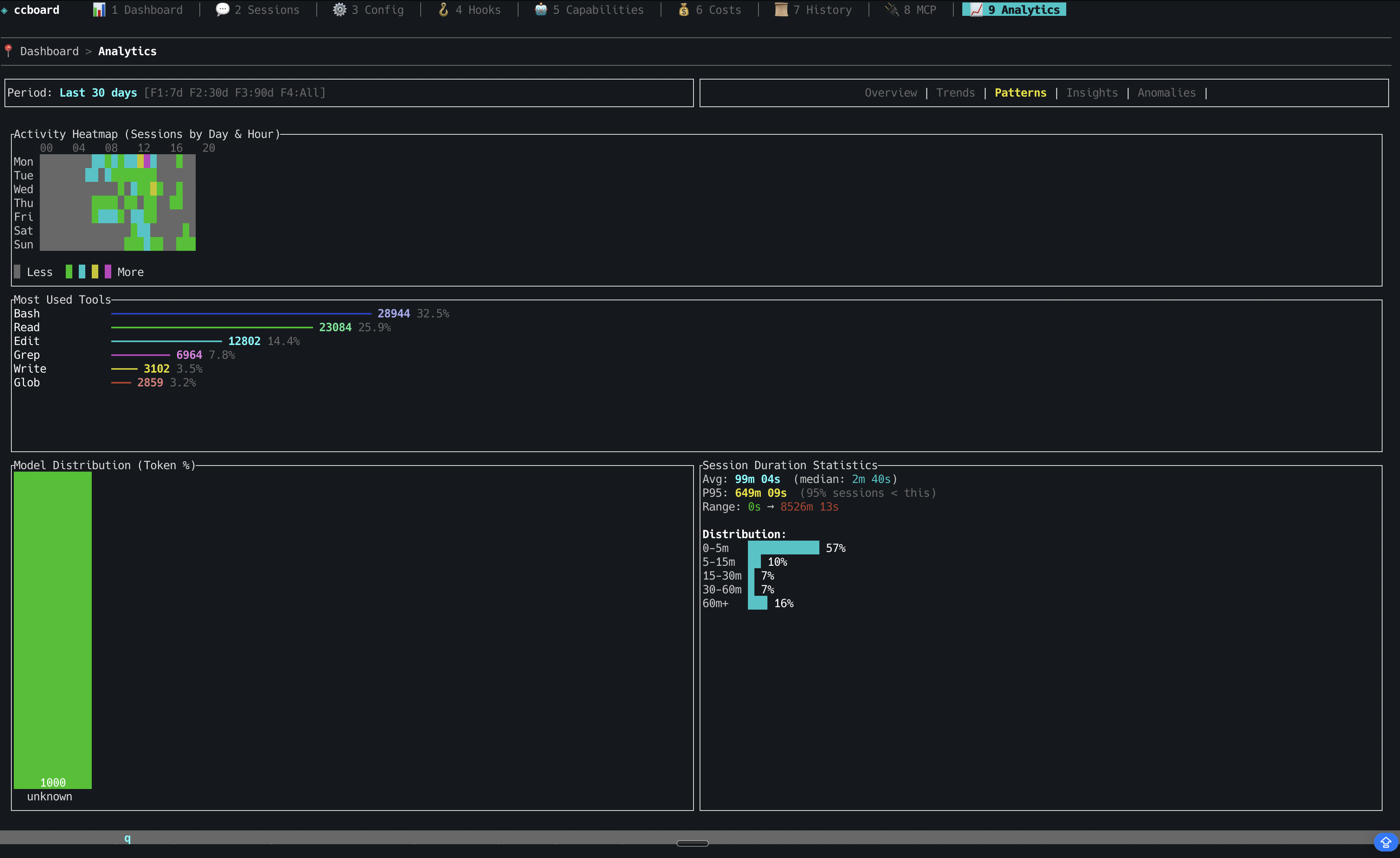
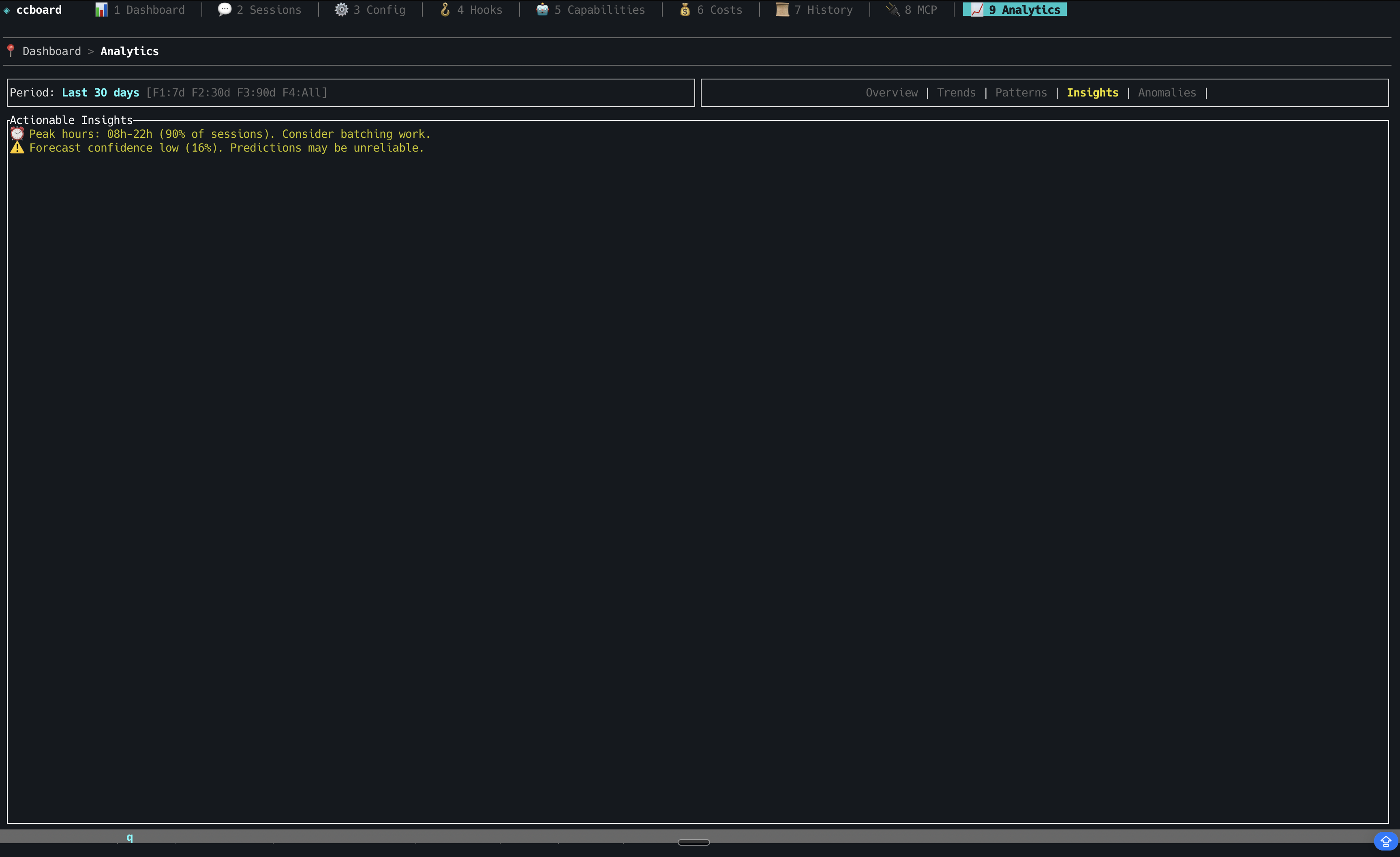
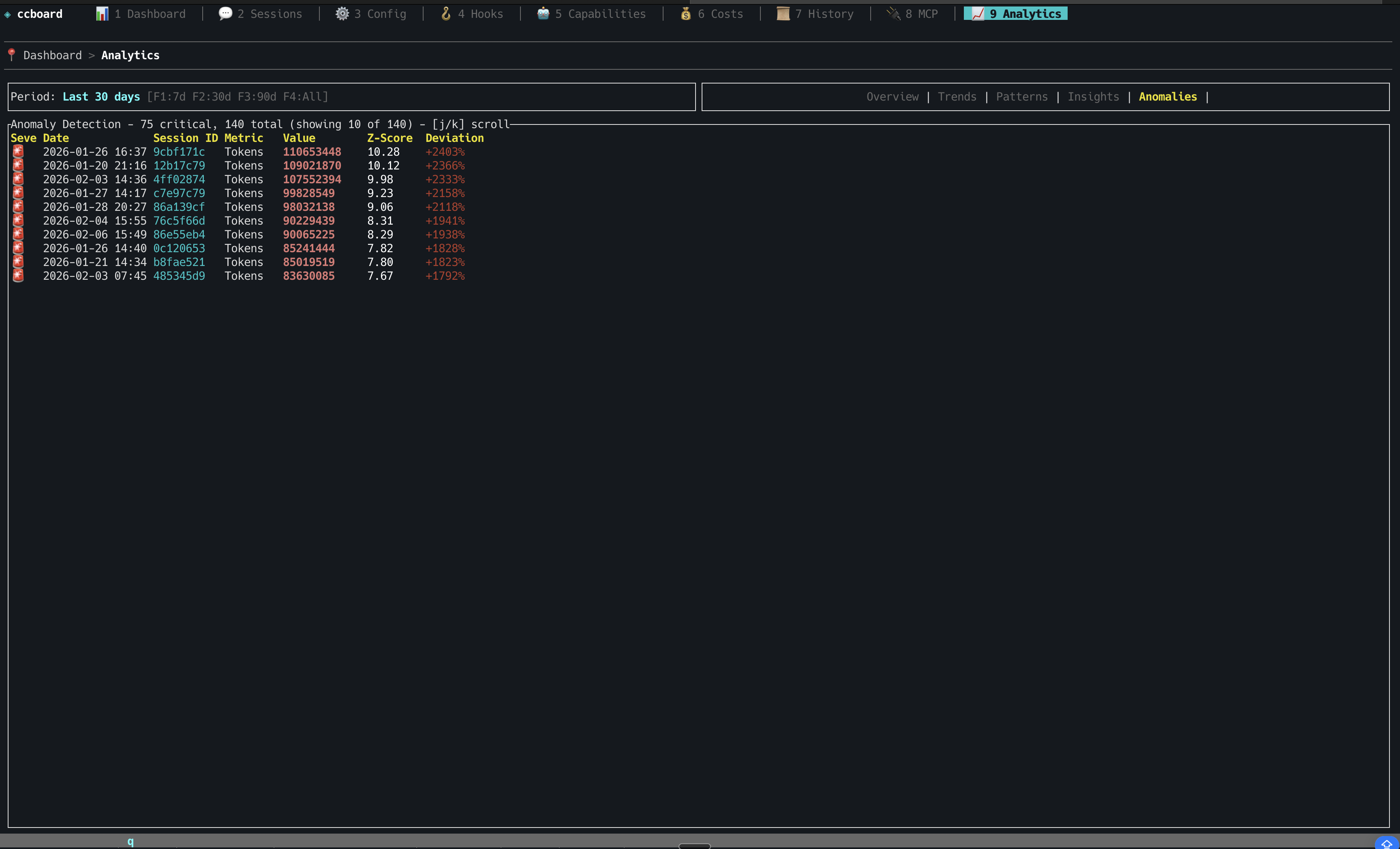
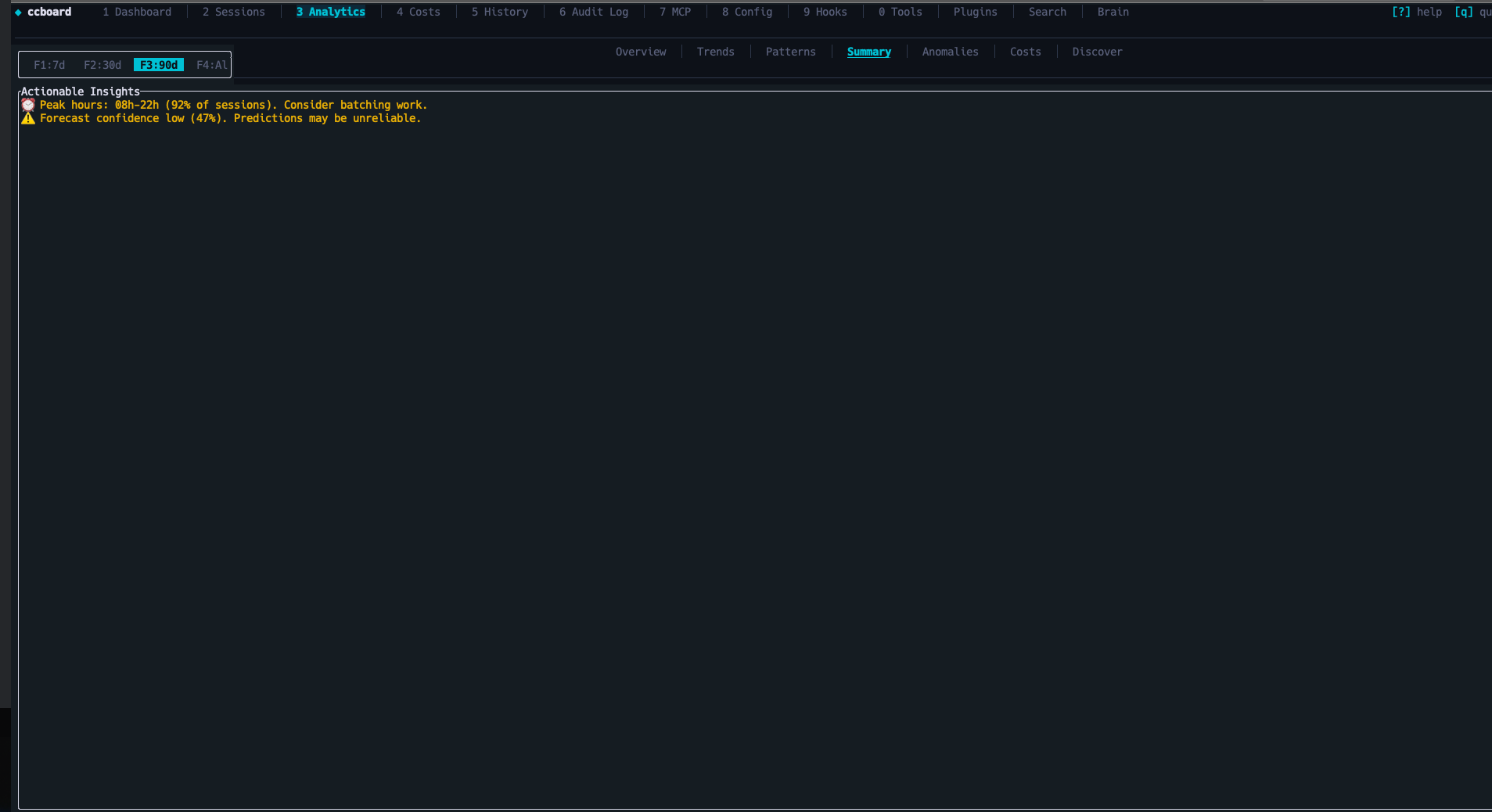
| Tab | Key | Description | Highlights | |-----|-----|-------------|------------| | Dashboard | 1 | Overview stats, model usage, 7-day activity | API usage estimation, plan-based budgets, MCP server count | | Sessions | 2 | Browse all sessions with 3-pane layout | Live status icons (●/◐/✓), session type (CLI/IDE/Agent), bookmarks (b/B), subagent tree, model timeline, AI summaries (ccboard summarize), conversation viewer with regex search, code metrics (+N/-N lines), third-party sessions (Cursor [Cu], Codex [Cx], OpenCode [Oc]) | | Analytics | 3 | Advanced analytics (8 sub-views) | Budget tracking, 30-day forecast, hourly heatmap, anomaly detection (configurable thresholds), usage patterns, per-tool cost breakdown, pattern discovery (r) | | Costs | 4 | Token analytics (6 sub-views) | Overview, By Model, Daily, Usage Periods, Top Sessions, Per Project — 4-level budget alerts | | History | 5 | Chronological session timeline | CSV/JSON/Markdown export (x), full-text search | | Audit Log | 6 | Security audit & violations feed | Credential detection, destructive command alerts, cross-session violations with remediation hints | | MCP | 7 | MCP server management | Status detection (running/stopped), copy command to clipboard (y), env vars masking, usage stats by server (s) | | Config | 8 | Cascading configuration editor | 4-column diff (default/global/project/local), edit with e, reveal in file manager (o) | | Hooks | 9 | Event-based hook management | Bash syntax highlighting, badge indicators | | Tools | 0 | Agents, commands, and skills browser | Frontmatter YAML parsing, real invocation counts (includes session-discovered agents) | | Plugins | p | Plugin & capability usage analytics | Dead code detection, sort by usage/cost/name | | Search | / | Full-text search across all sessions | FTS5-powered, search-as-you-type (≥2 chars), ranked snippets, opens conversation viewer | | Brain | b | Cross-session knowledge base | Insights captured by session-stop hook (progress/decision/blocked/pattern/fix/context), filter by type, archive, detail pane, /ccboard-remember skill for manual entries |
Platform Capabilities
| Capability | Details | |-----------|---------| | Performance | 89x faster startup (20s → 224ms) via SQLite cache, >99% hit rate, handles 10K+ sessions | | Live Updates | File watcher (500ms debounce), auto-refresh, Server-Sent Events (Web) | | UX | Command palette (:), contextual help (?), vim keybindings (hjkl), breadcrumbs, scrollbar indicators, Light/Dark mode (Ctrl+T, persistent) | | File Operations | Edit with $EDITOR (e), reveal in file manager (o), cross-platform | | Zero Config | Works out of the box with ~/.claude, single 5.8MB binary, macOS/Linux/Windows | | Multi-tool | Auto-imports sessions from Cursor, Codex CLI, and OpenCode alongside Claude Code — all parsers opt-in and silent if tool not installed | | Hook Integration | ccboard setup injects Claude Code hooks, live session status (Running/WaitingInput/Stopped), macOS notification on stop, 10-min TTL pruning for stale sessions | | Session Intelligence | Bookmarks with tags/notes, subagent parent/child tree, model switching timeline, LLM summaries via ccboard summarize | | Brain / Knowledge Base | Session-stop hook captures progress, decisions, blockers, patterns, fixes after each meaningful session into ~/.ccboard/insights.db. Context-injection hook injects relevant past knowledge at session start. Manual entries via /ccboard-remember skill. |
Missing a feature? Request it here | Found a bug? Report it
Hook-Based Live Monitoring
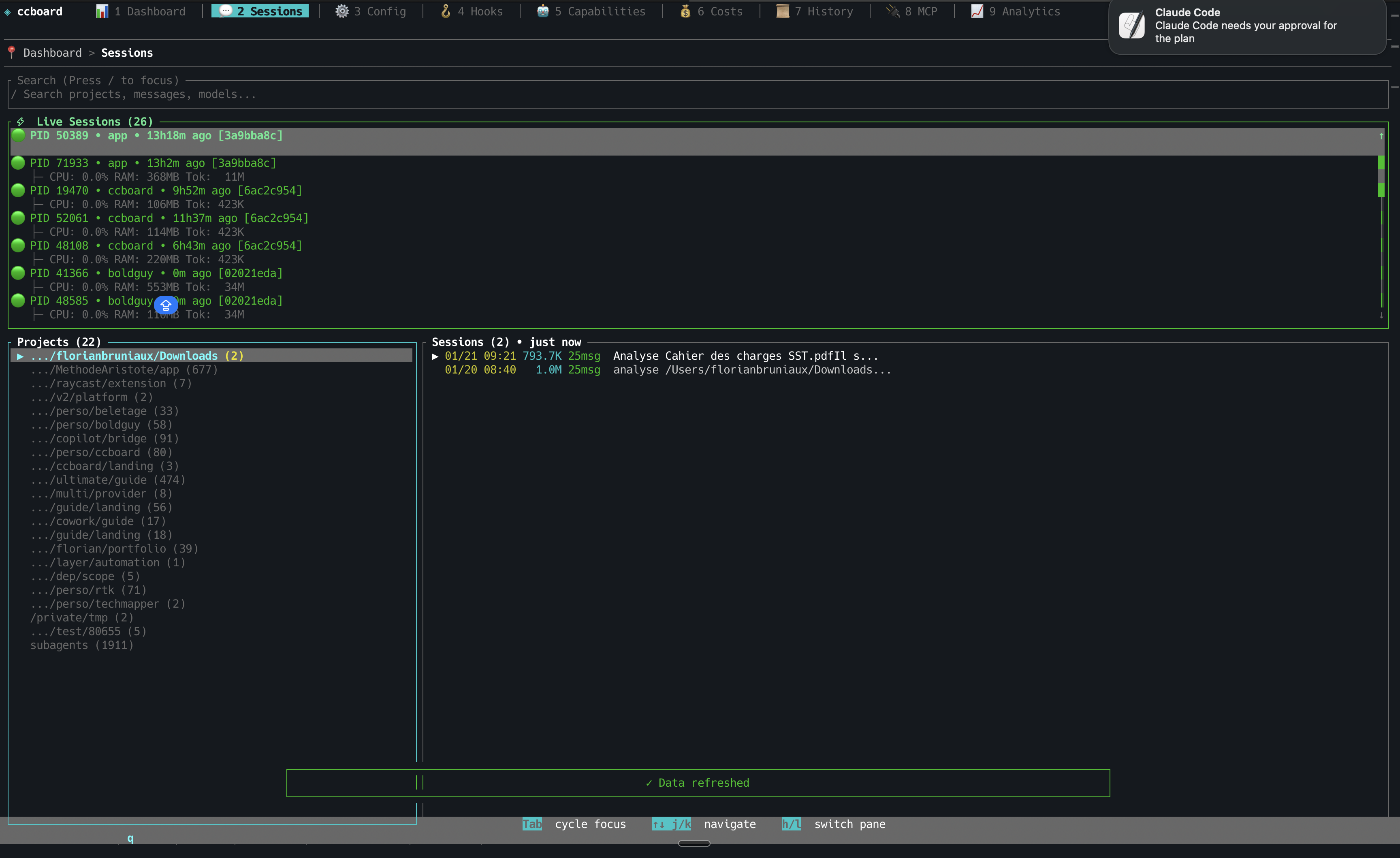
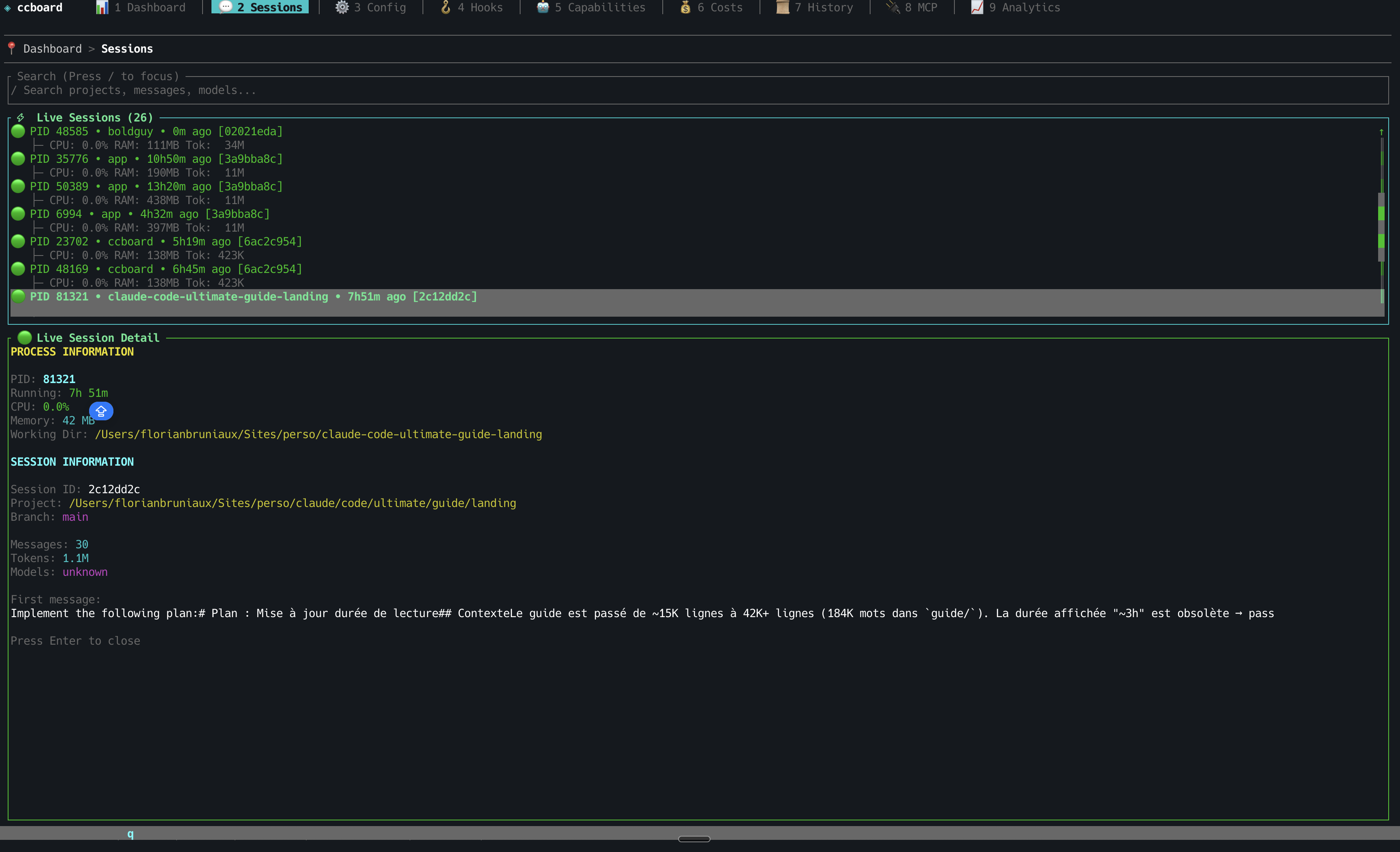
Run ccboard setup once to inject hooks into ~/.claude/settings.json. After that, ccboard tracks every Claude session in real time — which session is running, which is waiting for your permission, which just finished — visible in the Sessions tab with ●/◐/✓ indicators and macOS notifications.
StarMapper
Installation
Recommended: Homebrew (macOS/Linux)
brew tap FlorianBruniaux/tap
brew install ccboard
Why Homebrew? Simple one-command install, automatic updates via brew upgrade, no manual Rust setup required.
Alternative: cargo install (requires Rust 1.85+)
cargo install ccboardWhy cargo? ccboard's target audience (Claude Code users) often has Rust installed. Ensures compatibility and always installs latest crates.io version.
Note:cargo installbuilds the binary from crates.io source without running the WASM build step — Web UI (ccboard web) will not serve a frontend. For full Web UI support, use Homebrew, the install script, or a pre-built binary from GitHub Releases (all embed the WASM frontend at compile time).
Alternative: Install Script (macOS/Linux/Windows)
One-liner install (no Rust required):
curl -sSL https://raw.githubusercontent.com/FlorianBruniaux/ccboard/main/install.sh | bashThis script:
- Auto-detects your OS and architecture
- Downloads the latest pre-compiled binary
- Installs to
~/.local/bin(customizable withINSTALL_DIR) - Checks if binary is in PATH
Alternative: Pre-built binaries (manual)
Download from GitHub Releases:
| Platform | Status | Download | |----------|--------|----------| | macOS (x8664/ARM64) | ✅ Fully tested | ccboard-macos-*.tar.gz | | Linux (x8664/ARM64) | ⚠️ Community-tested | ccboard-linux-*.tar.gz | | Windows (x8664) | 🧪 Experimental | ccboard-windows-*.exe.zip |
Manual installation (macOS/Linux):
# Extract tar xzf ccboard-macos-x86_64.tar.gz  # or ccboard-linux-*
Move to PATH
mv ccboard ~/.local/bin/
chmod +x ~/.local/bin/ccboard
Manual installation (Windows):
- Download
ccboard-windows-x86_64.exe.zip - Extract
ccboard-windows-x86_64.exe - Rename to
ccboard.exe - Move to a directory in your PATH (e.g.,
C:\Users\YourName\.local\bin\)
- ✅ macOS: Manually tested on every release
- ⚠️ Linux: CI-tested, community validation welcome
- 🧪 Windows: Best-effort support (feedback appreciated)
Quick Start
# TUI dashboard (default)
ccboard
Web interface
ccboard web --port 3333
Both simultaneously
ccboard both --port 3333
Stats only (scriptable)
ccboard stats
Navigate tabs with 1-9, 0, p. Press ? for contextual help, : to open the command palette. Refresh with r, toggle theme with Ctrl+T, quit with q. See docs/GUIDE.md for the full feature reference.
Screenshots
TUI (Terminal)
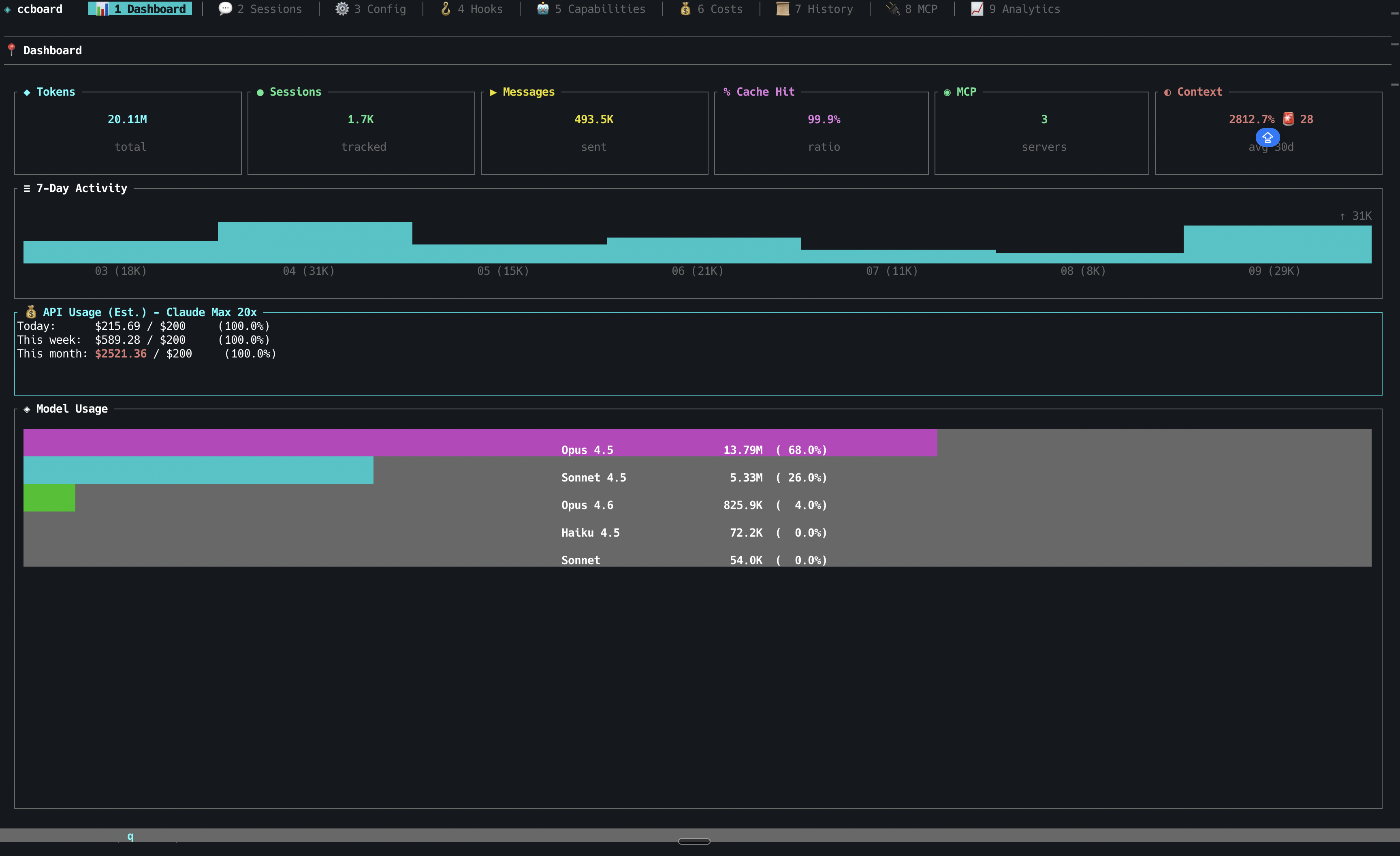
Dashboard - Key Metrics & Model Usage
Sessions - Project Tree & Search
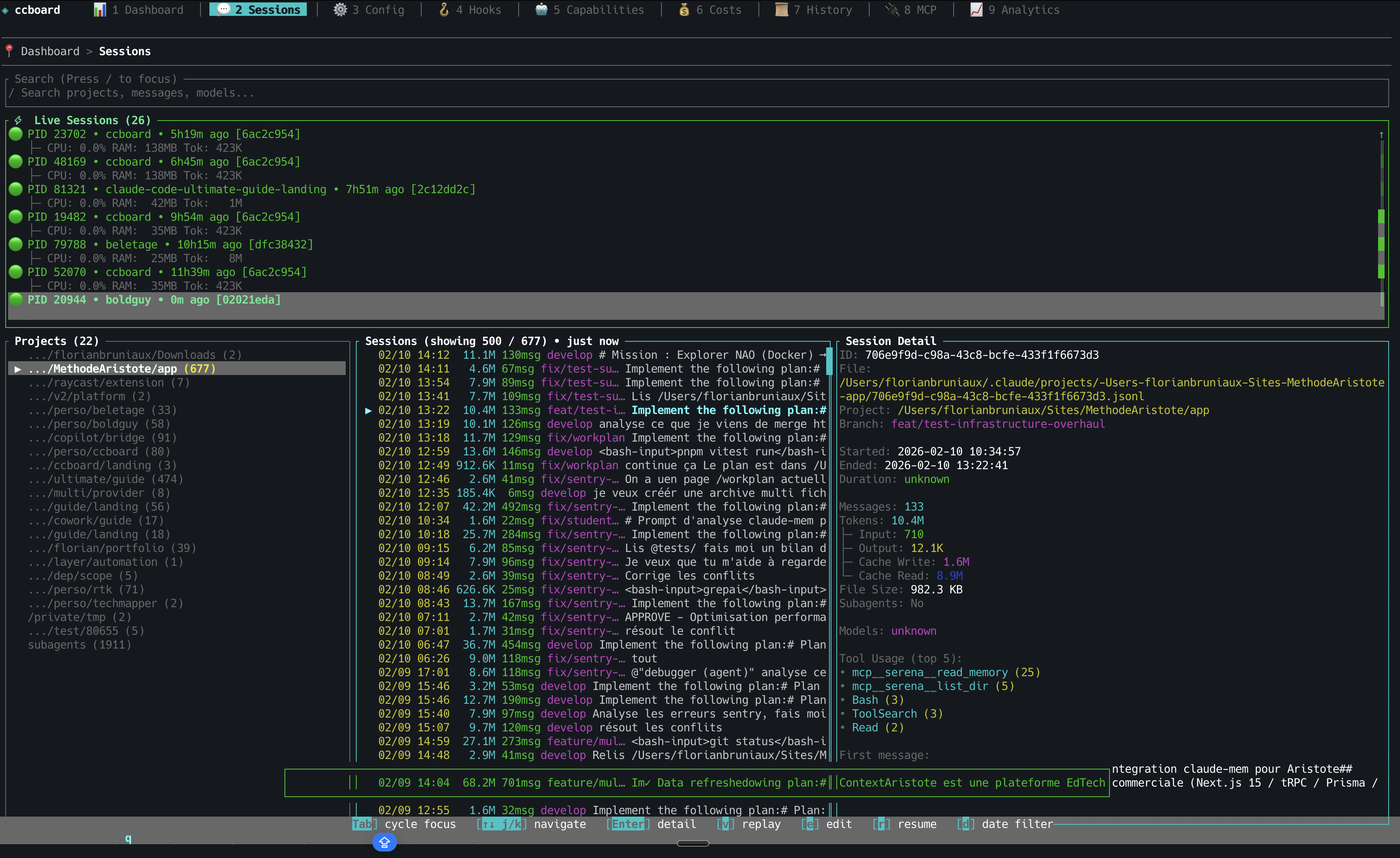
Sessions - Detail View
Sessions - Live Process Monitoring
More TUI Screenshots (click to expand)
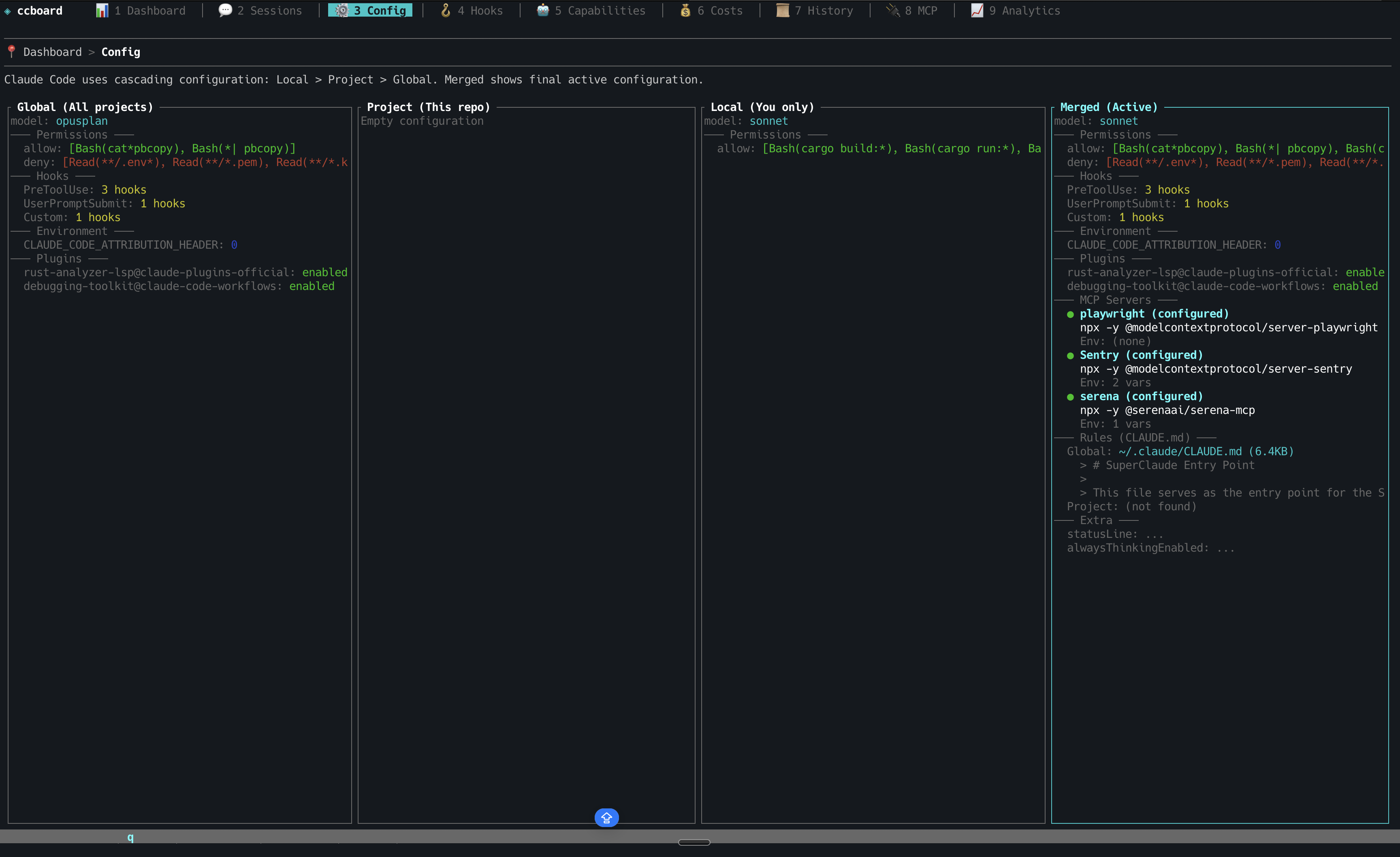
Configuration - 4-Column Merge View
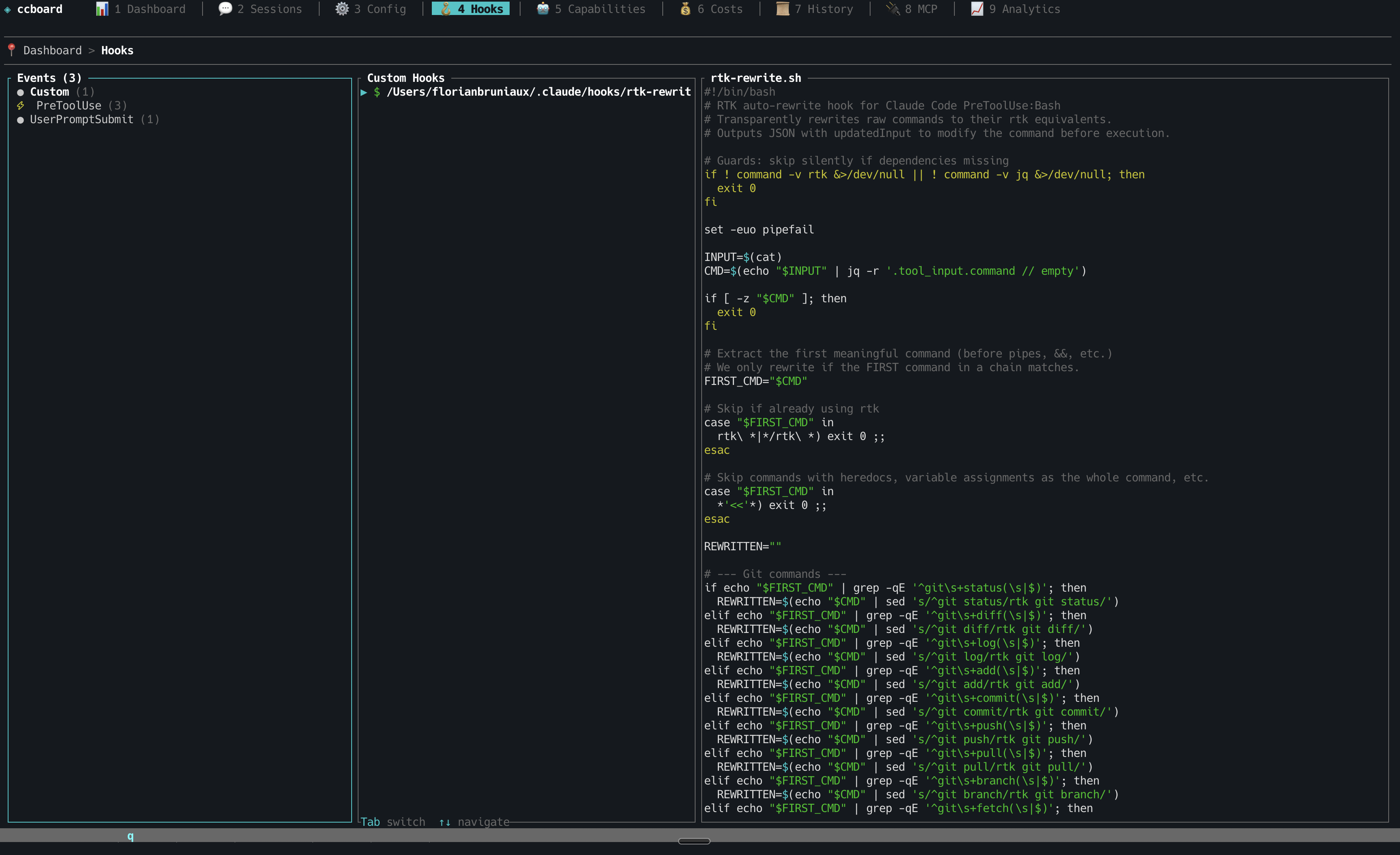
Hooks Management
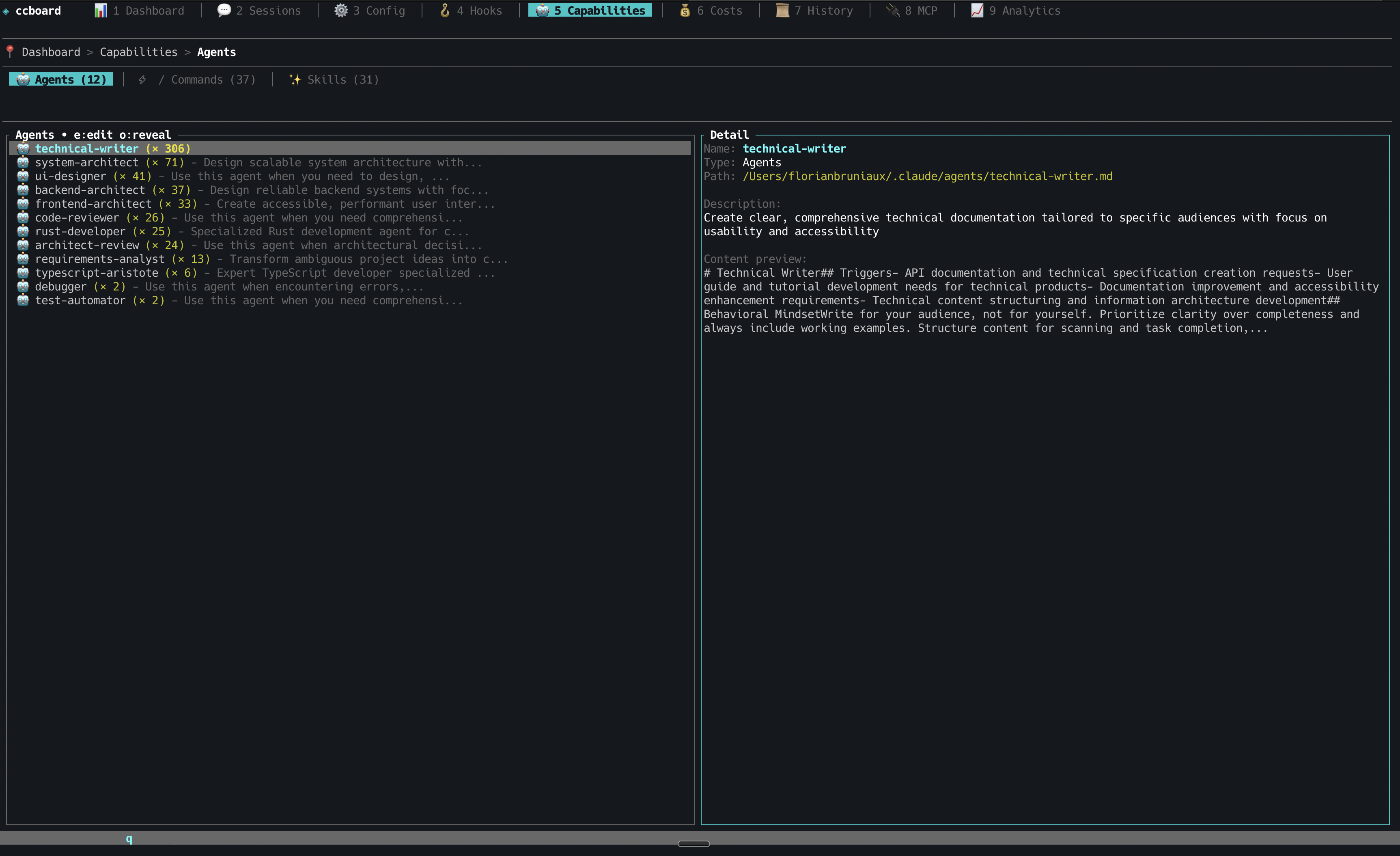
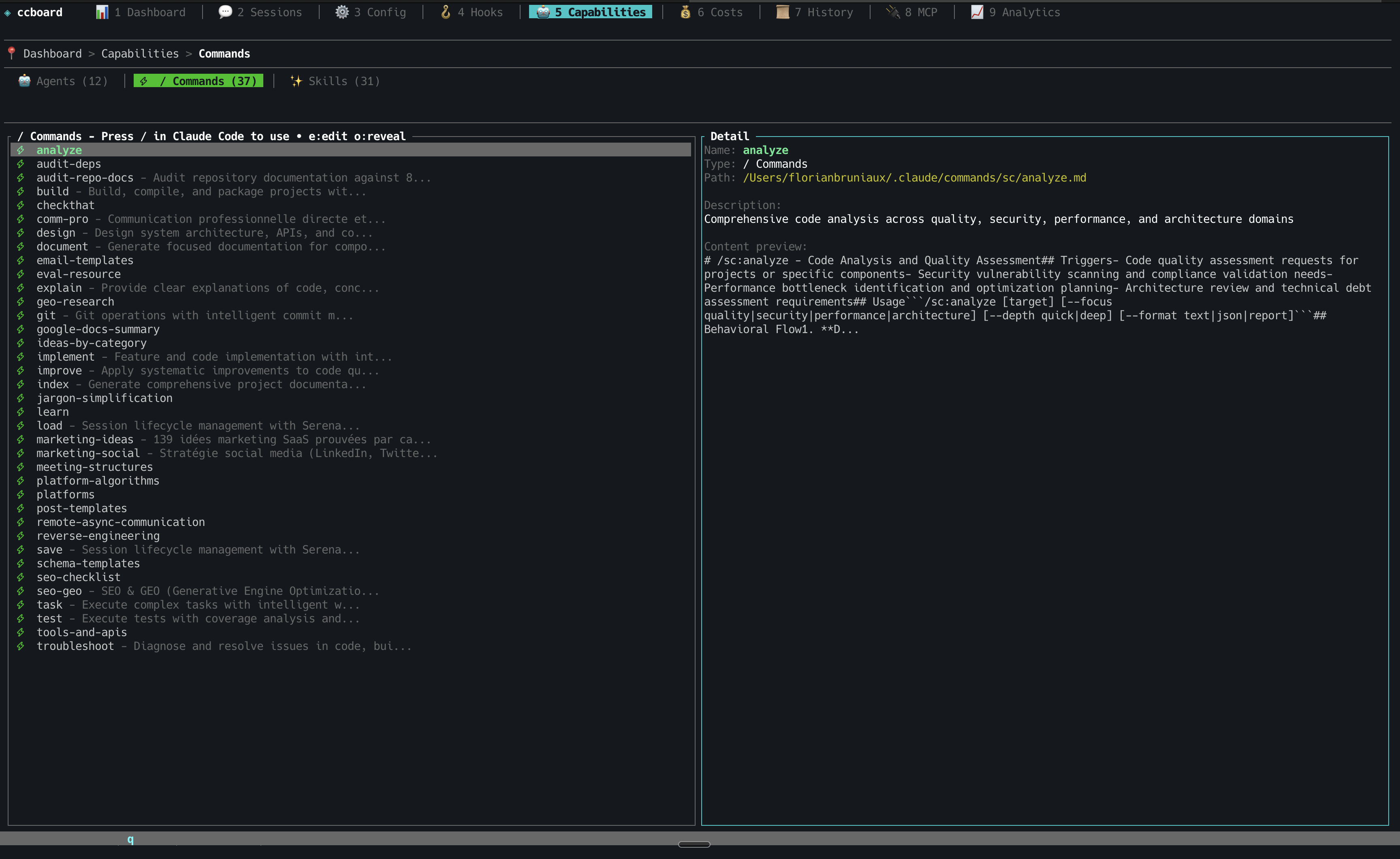
Agents, Commands & Skills
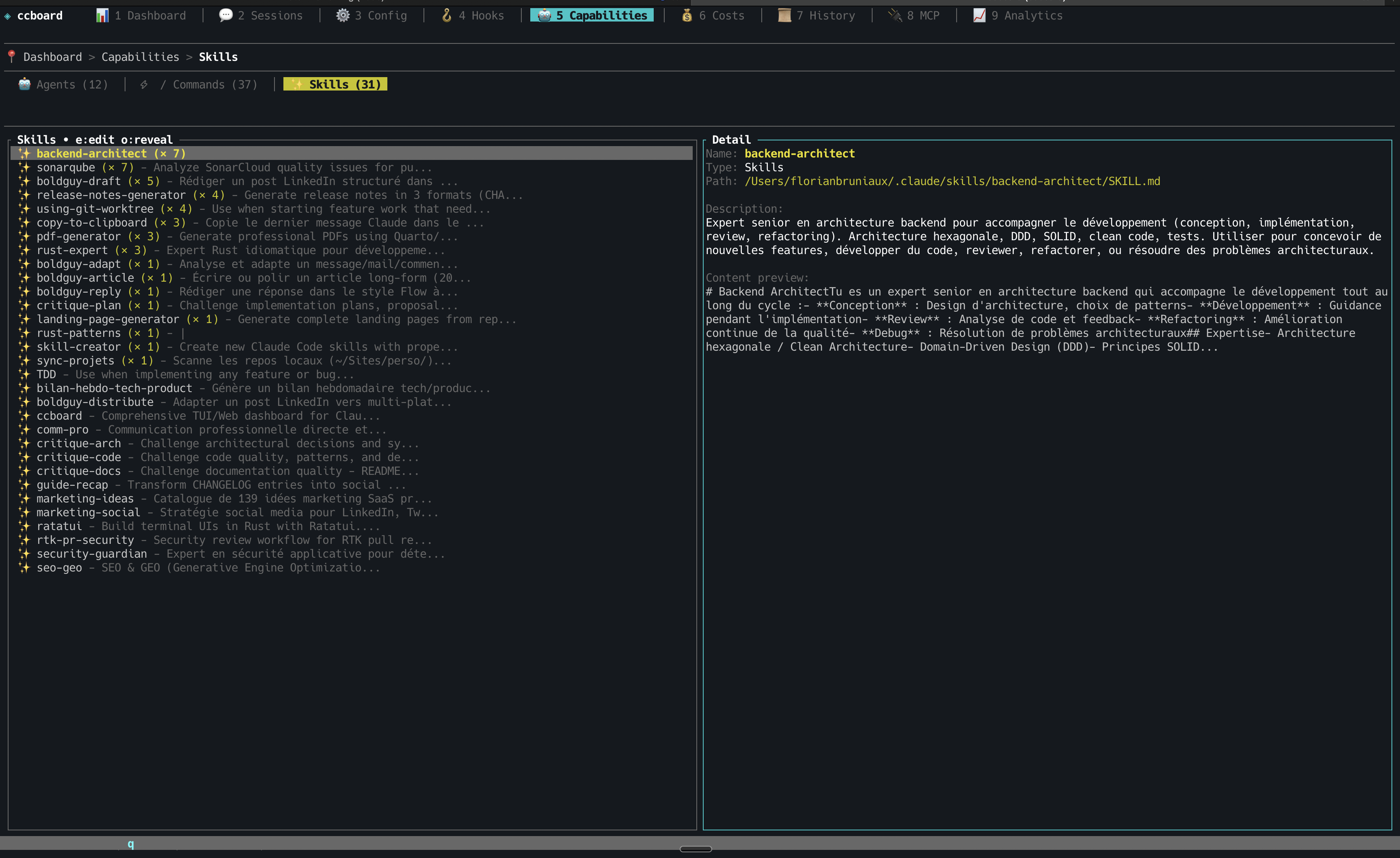
Cost Analytics
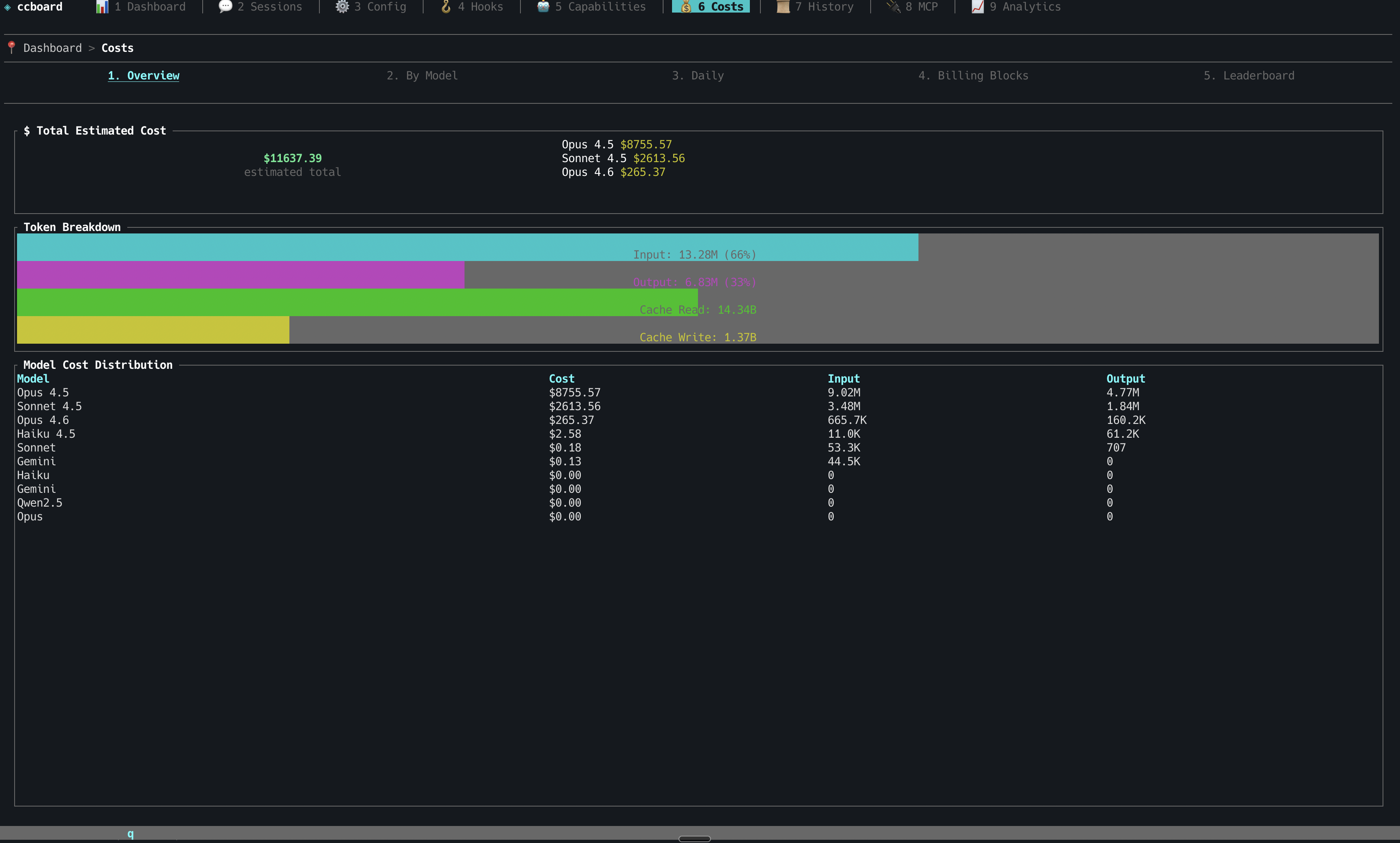
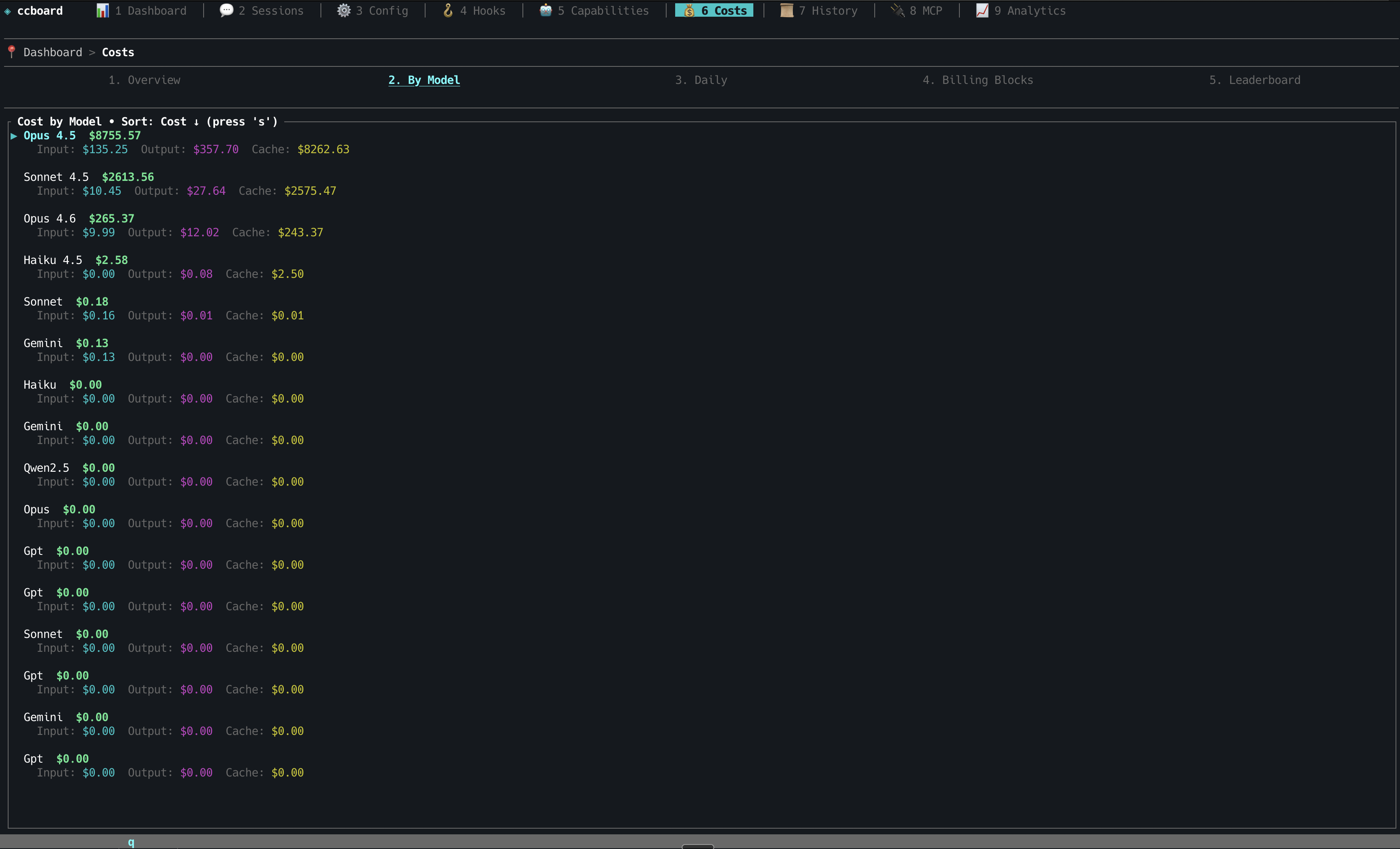
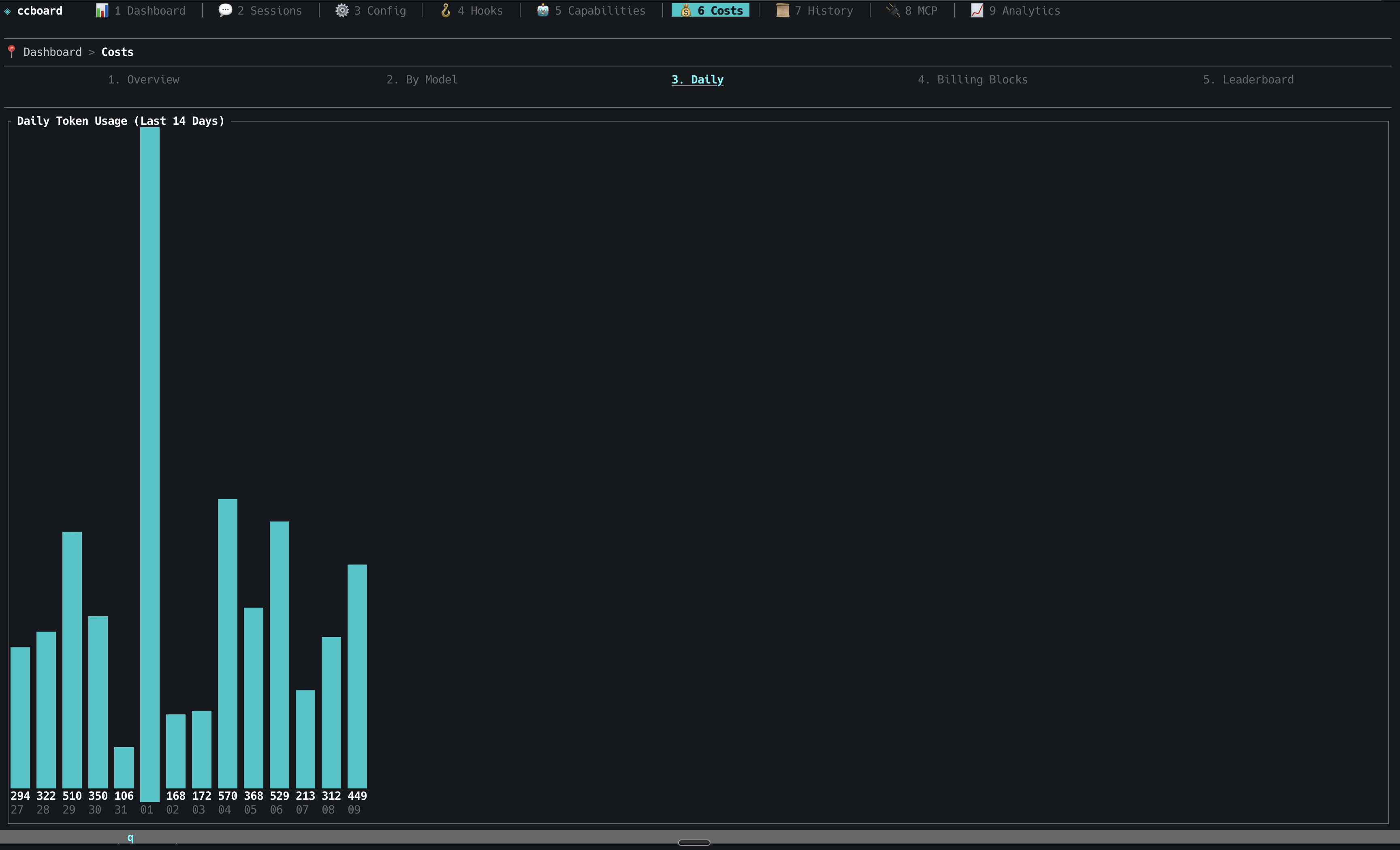
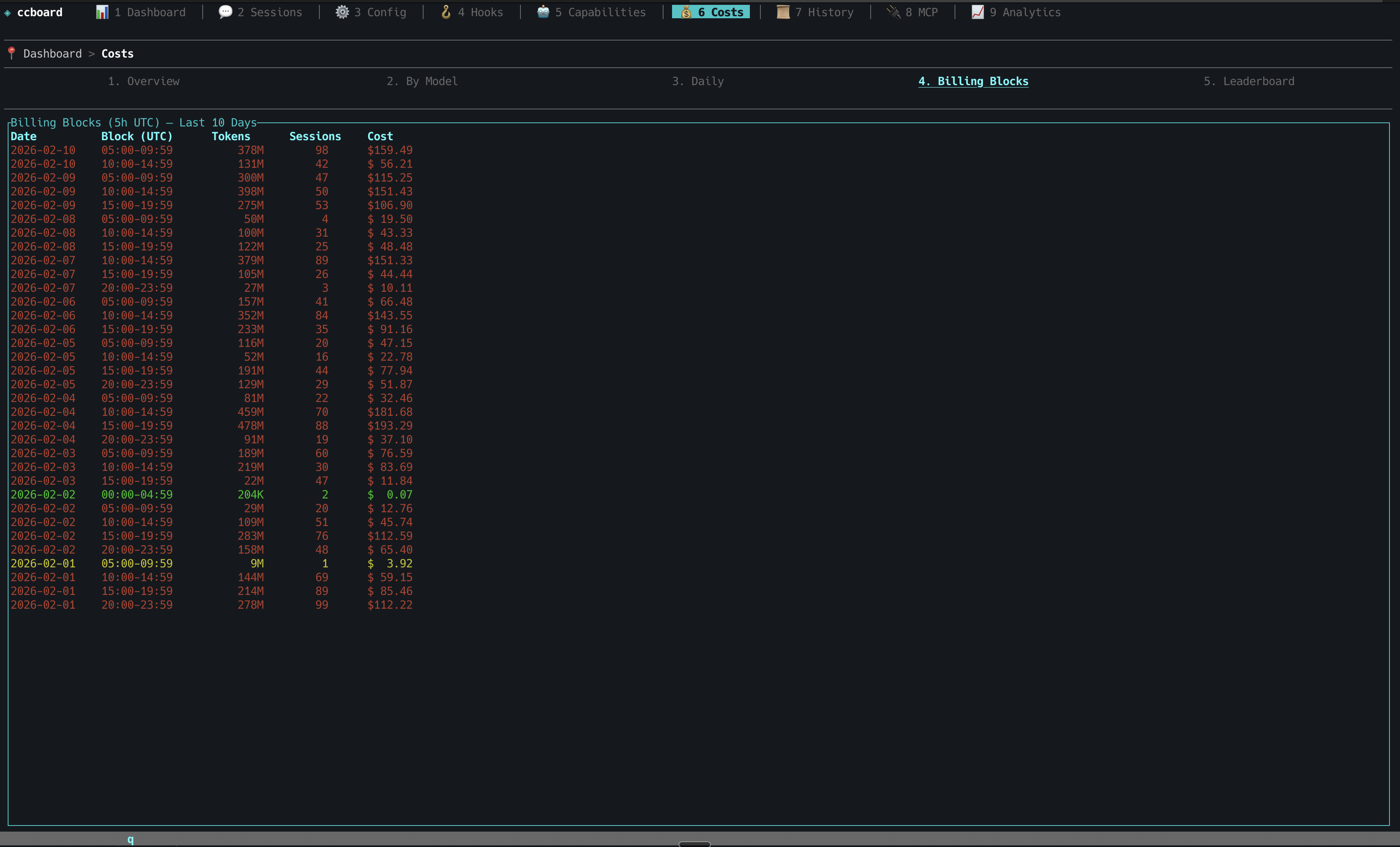
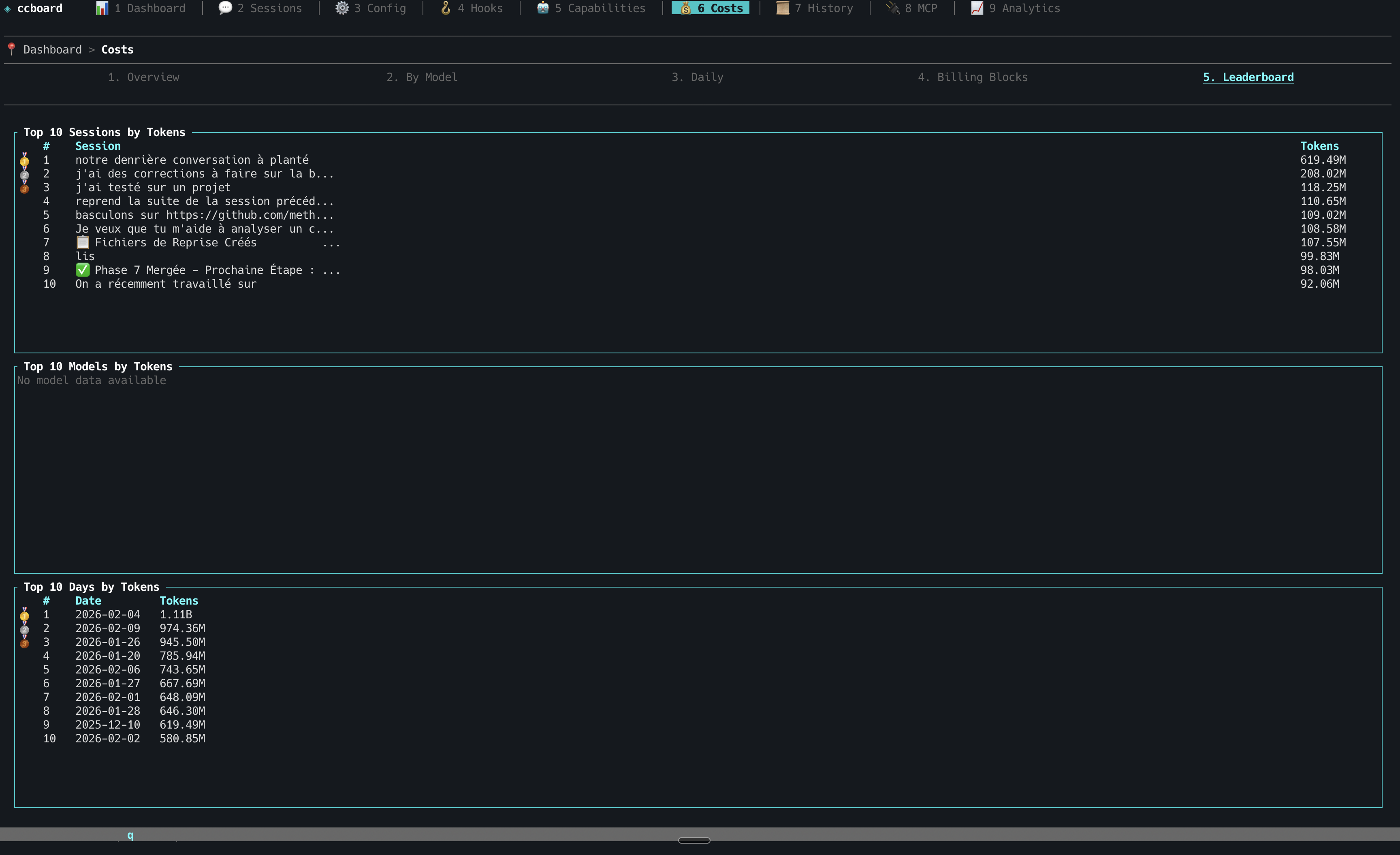
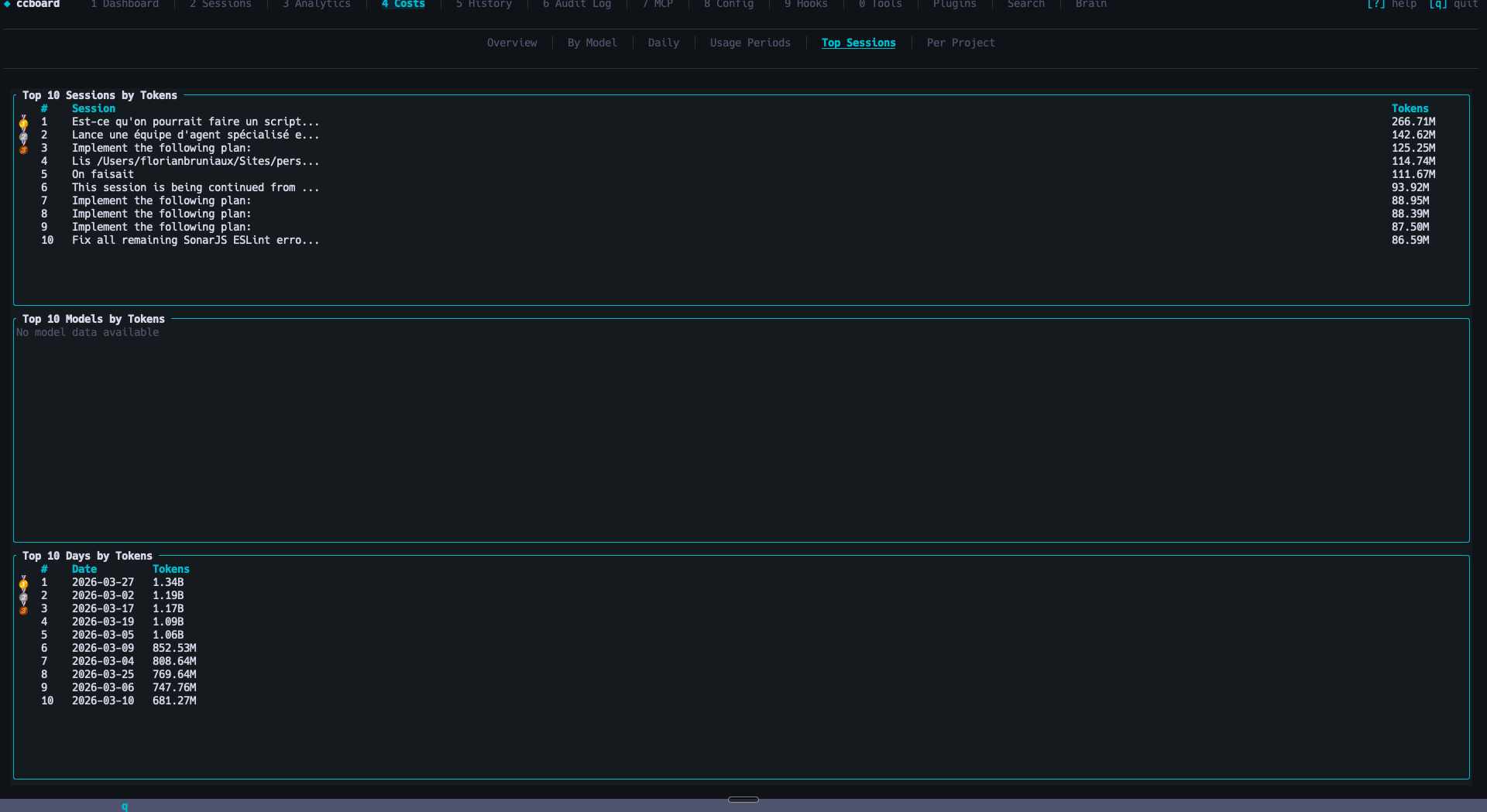
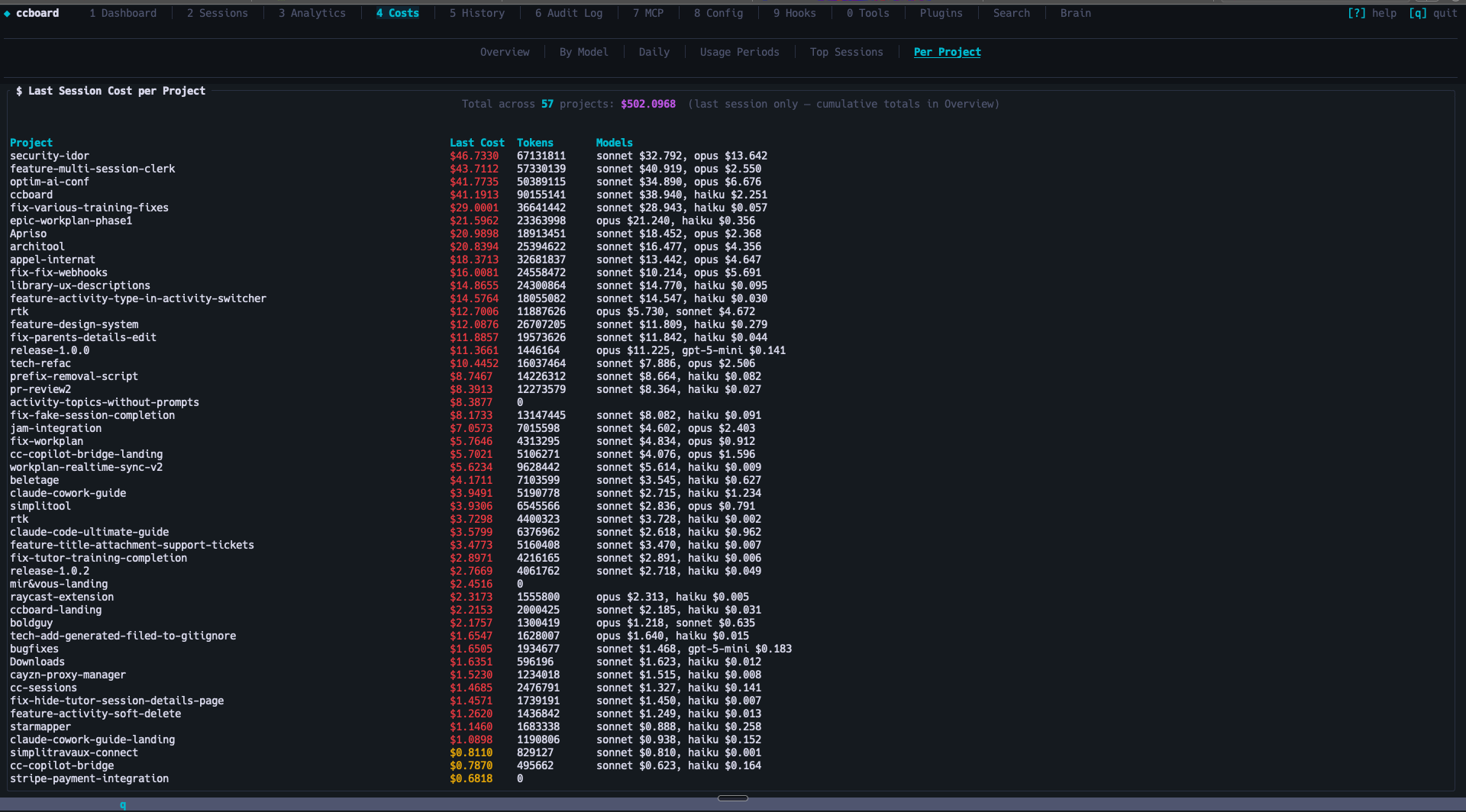
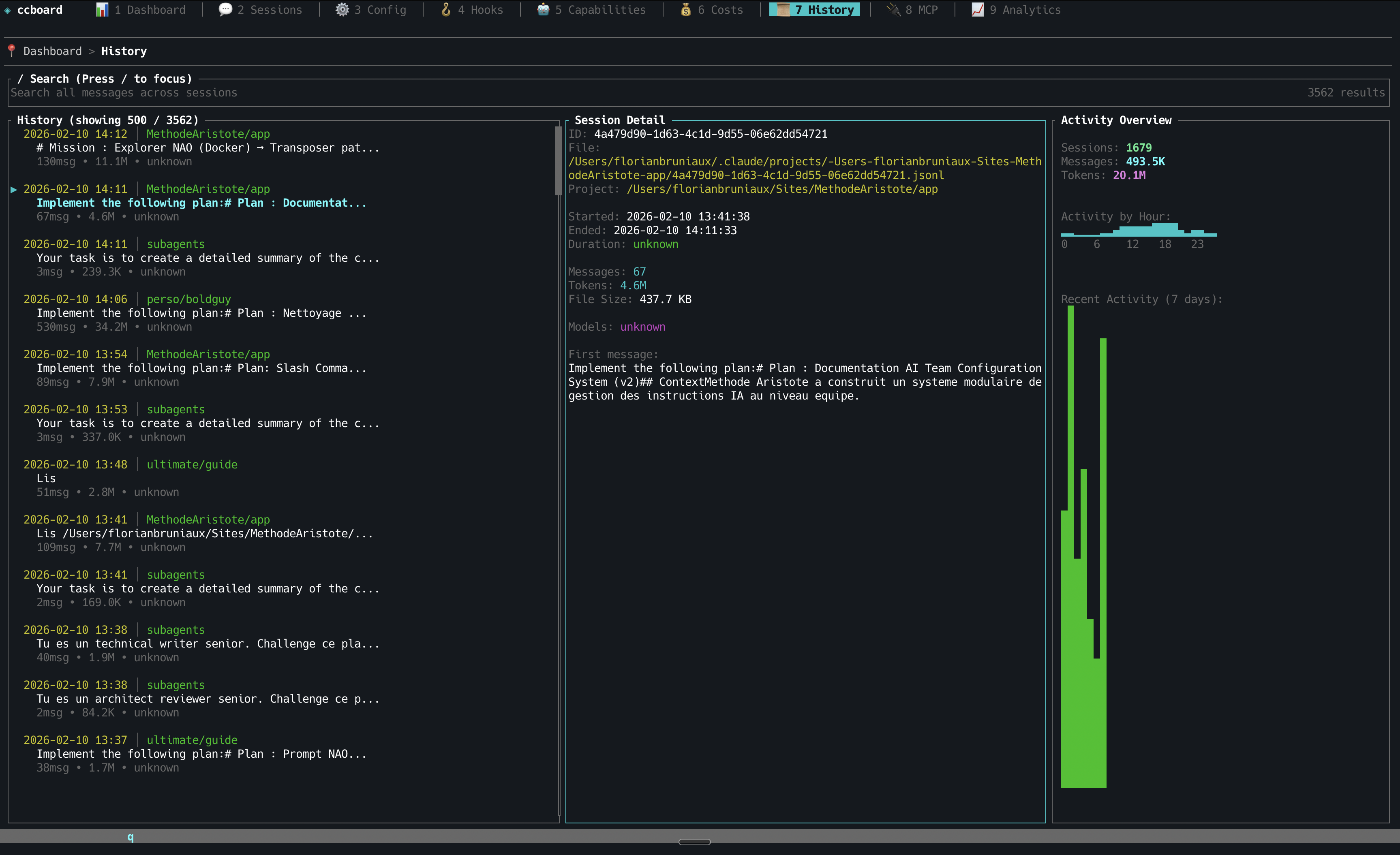
History Search
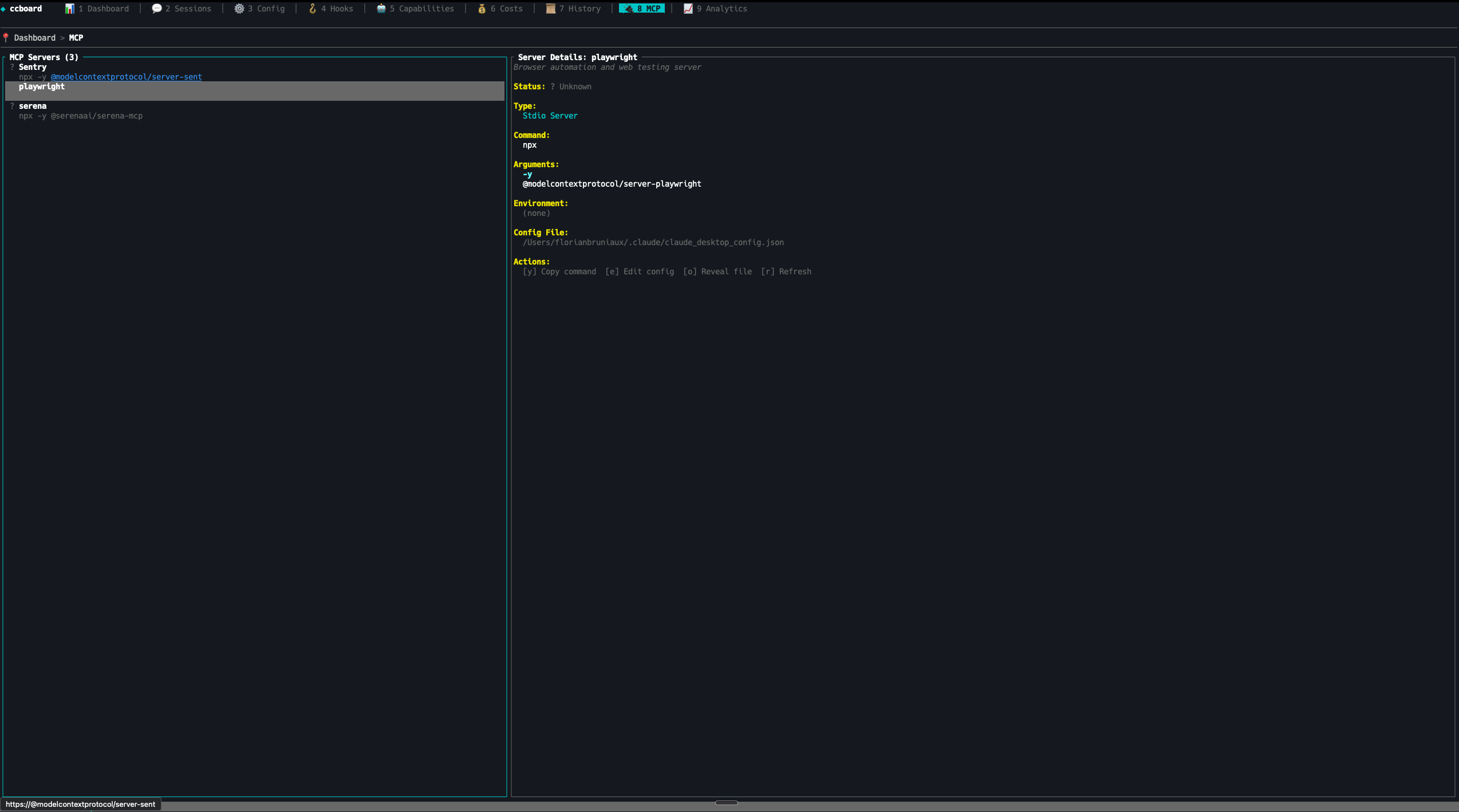
MCP Servers
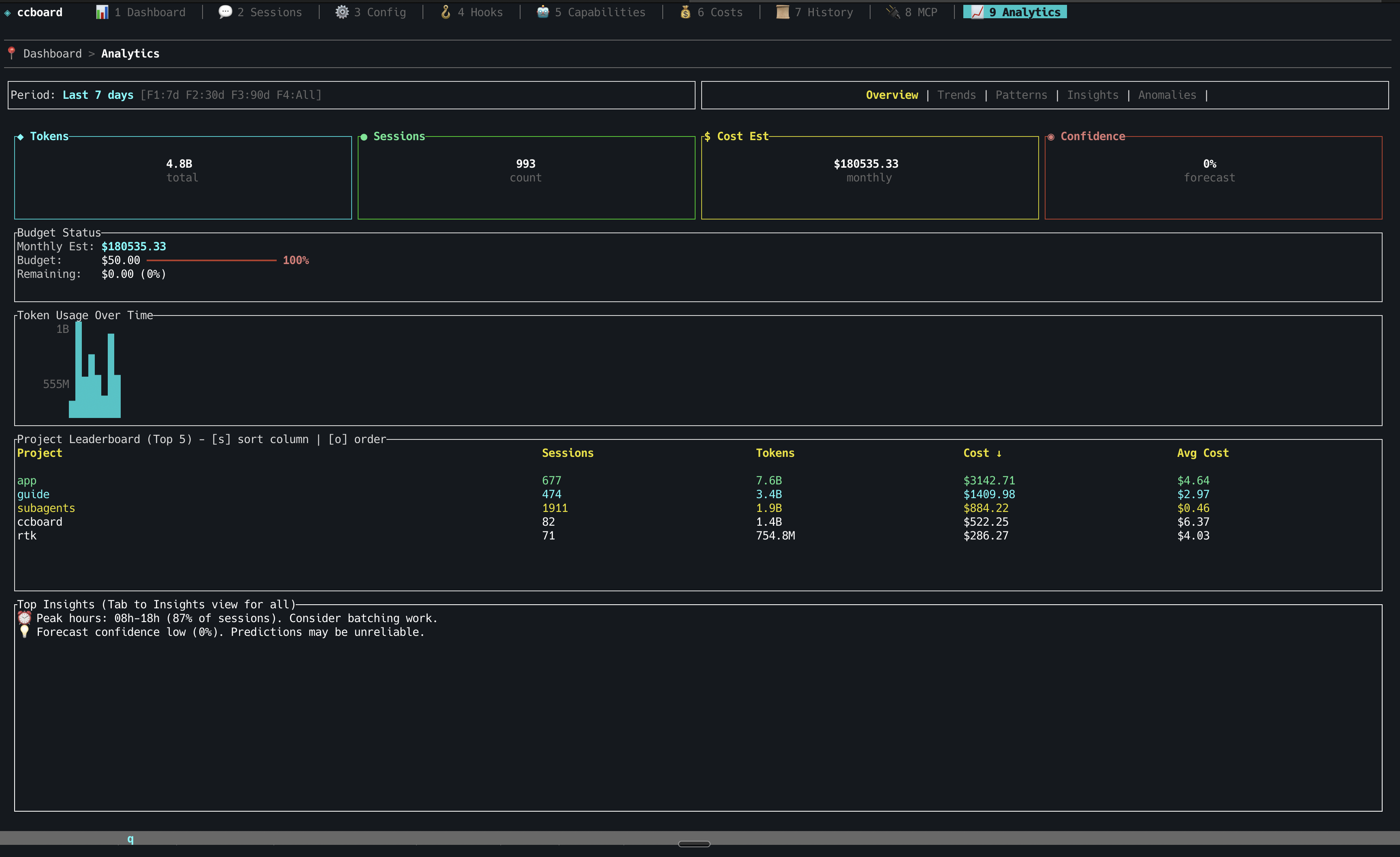
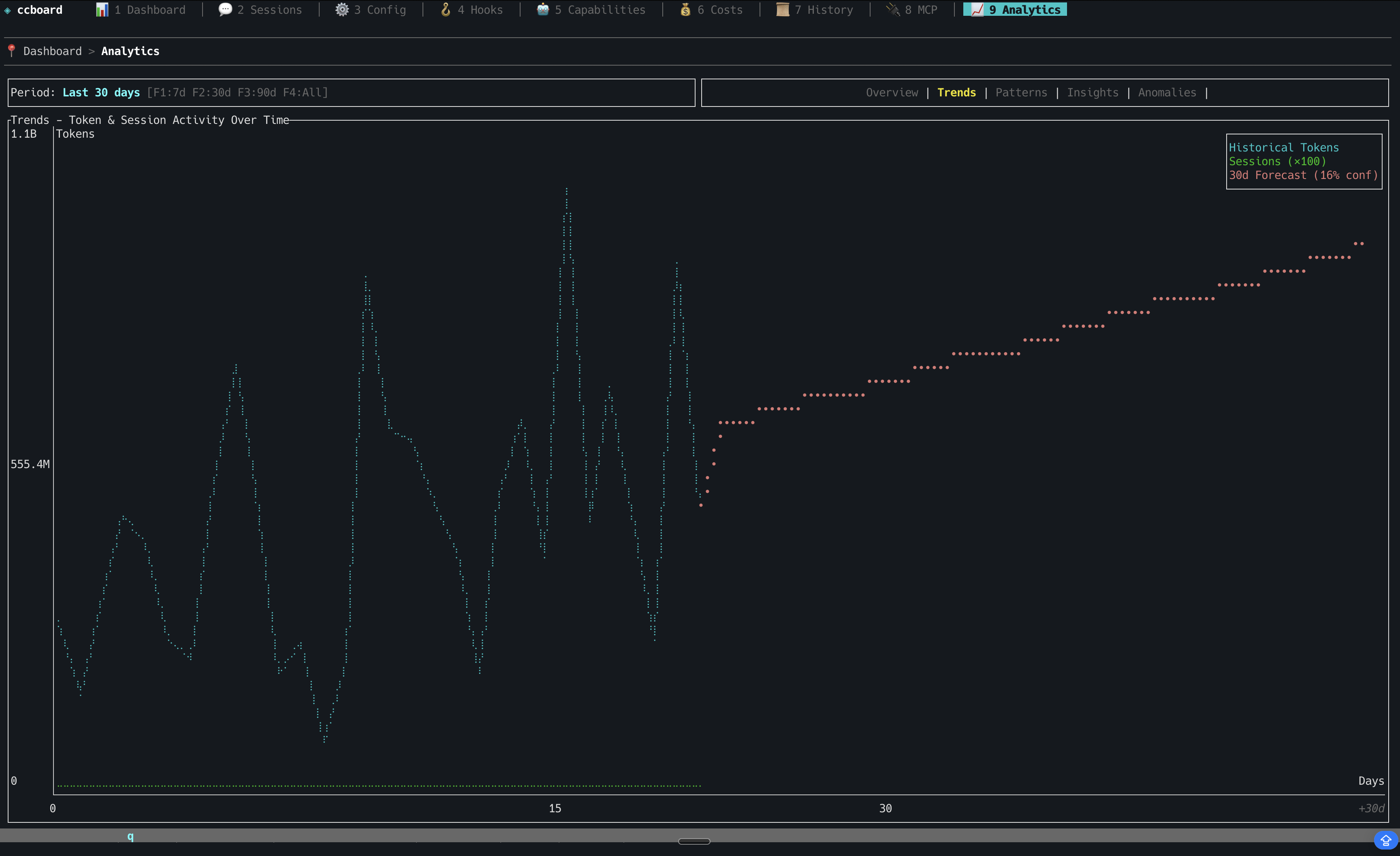
Analytics
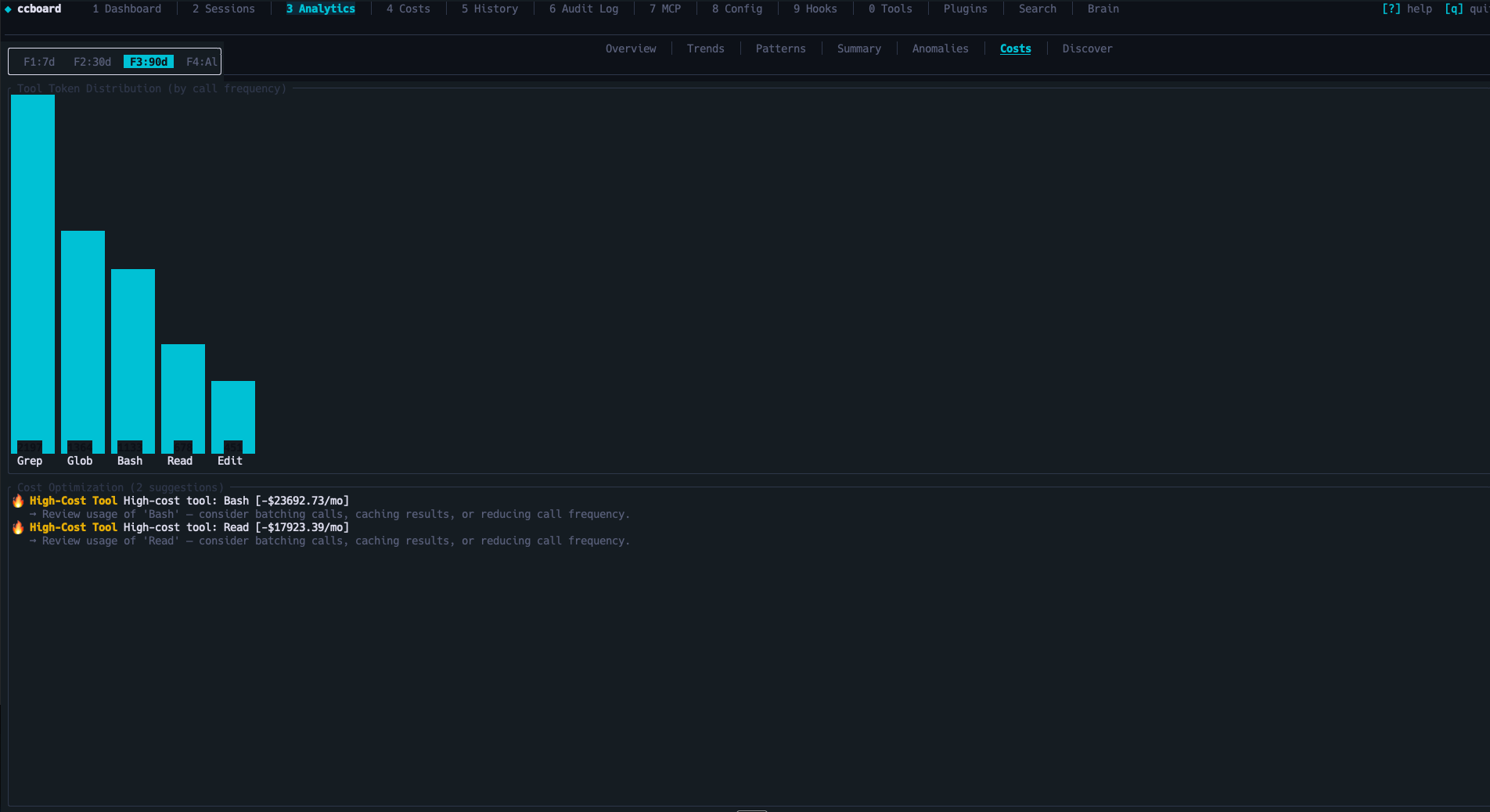
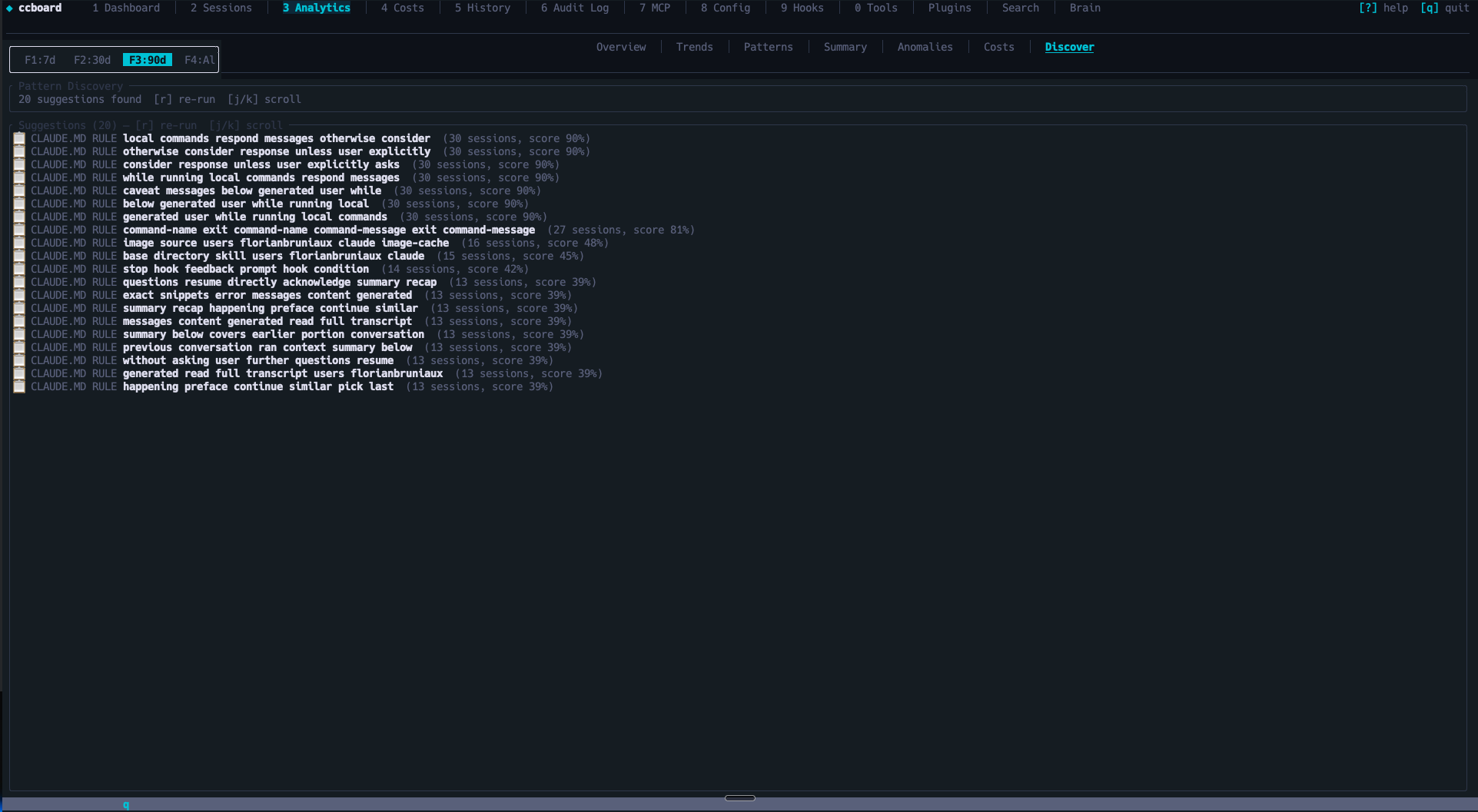
Audit Log
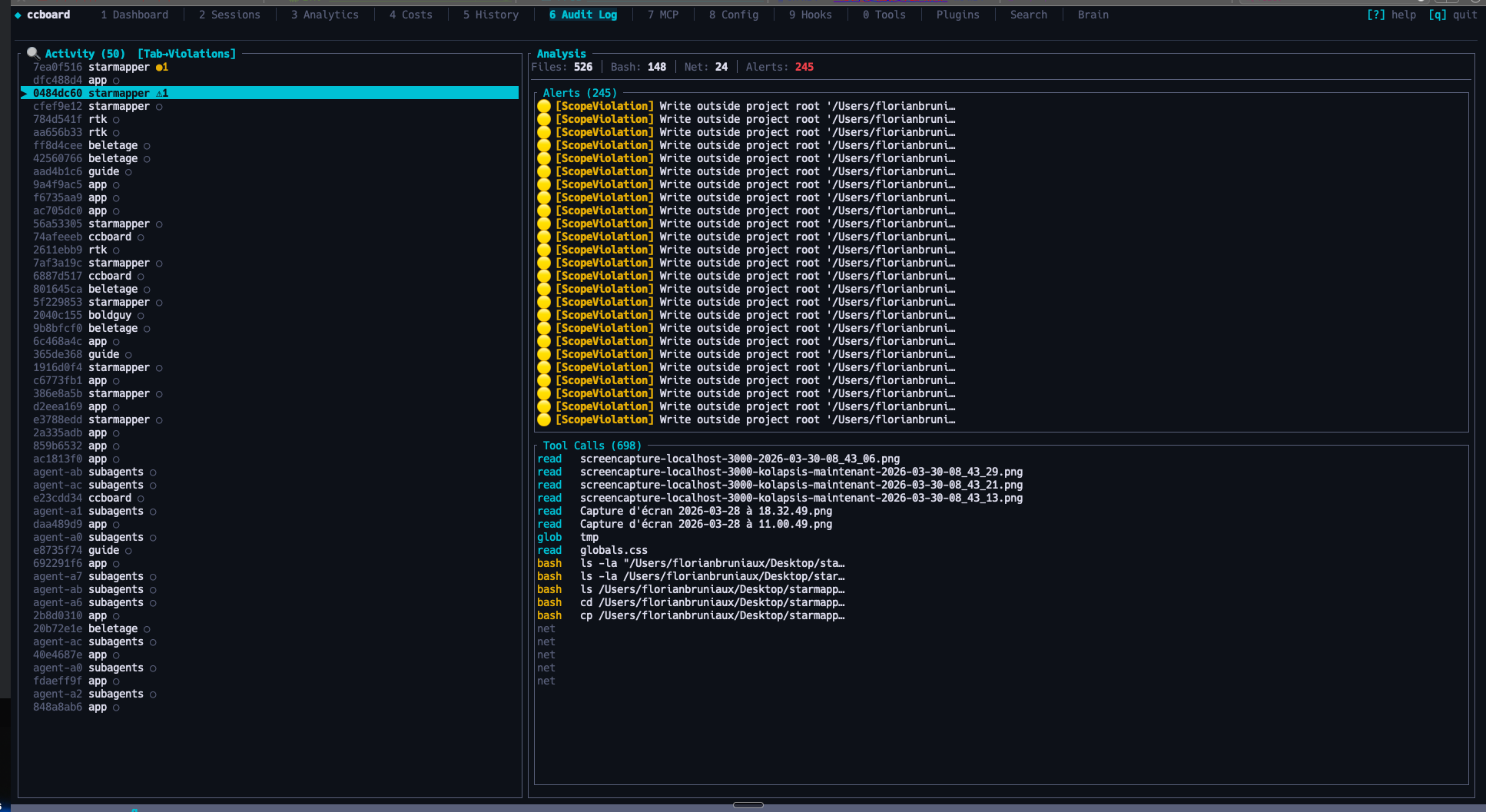
Plugins
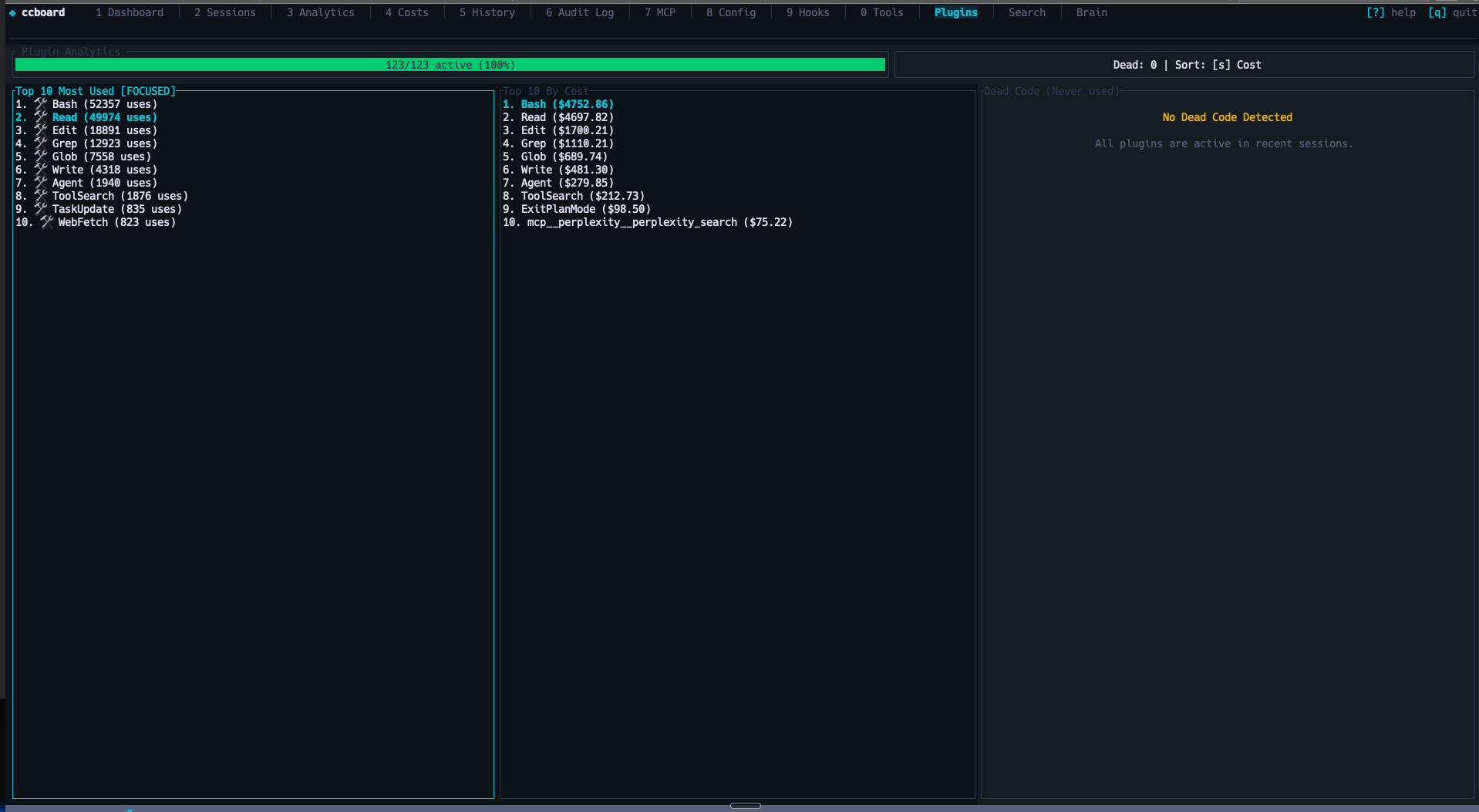
Search
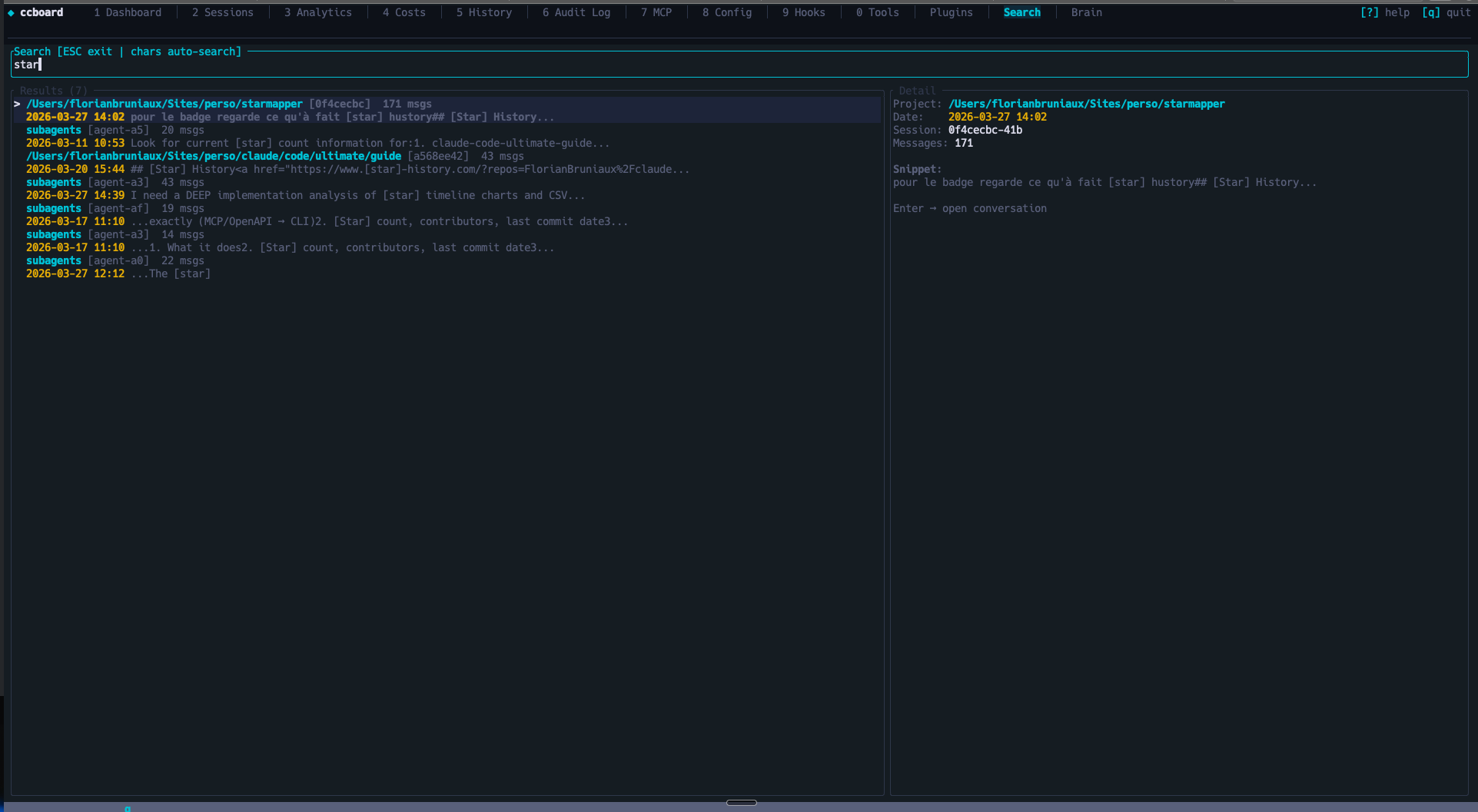
Brain — Cross-session Knowledge Base
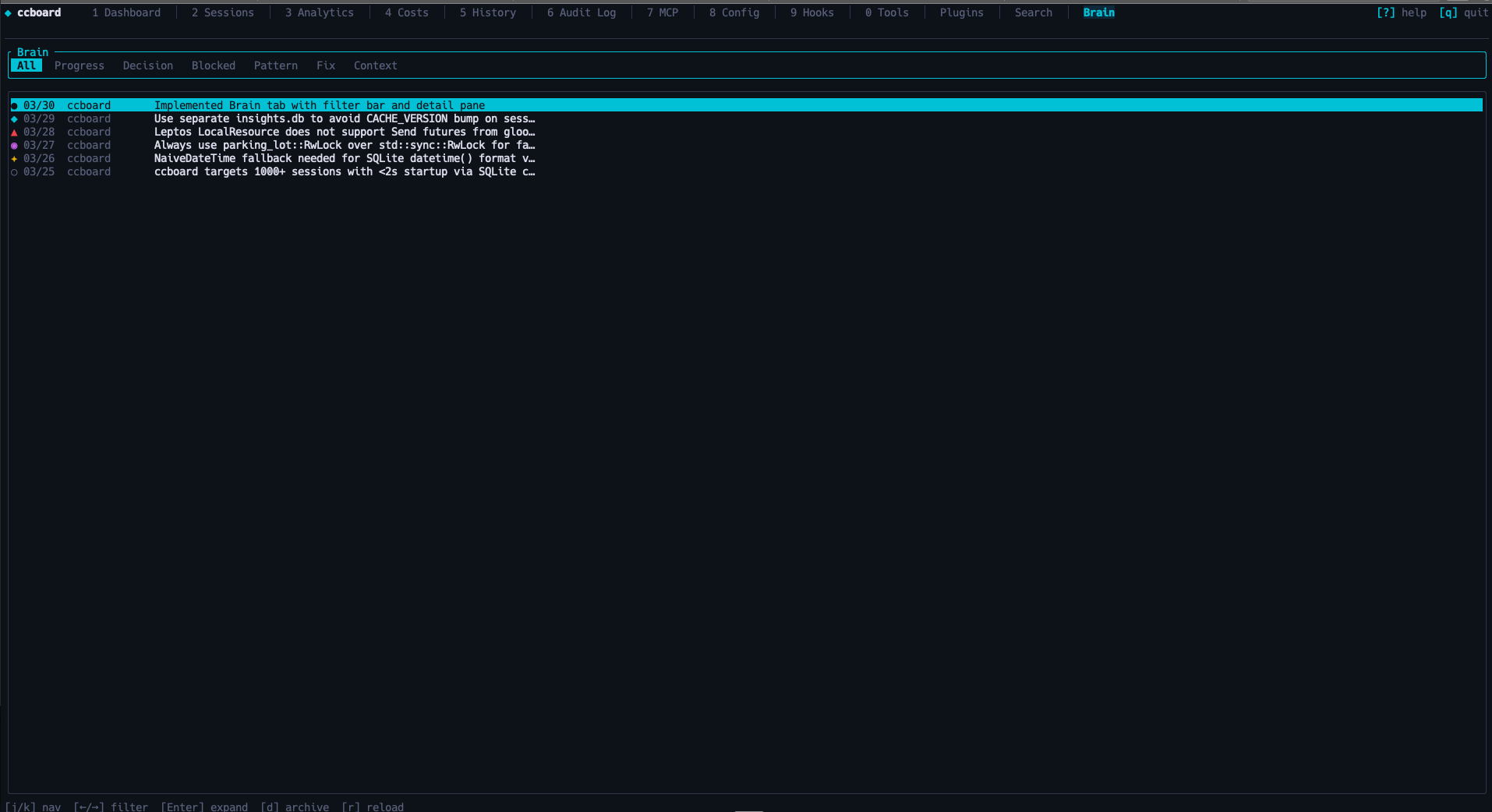
Web Interface
Dashboard
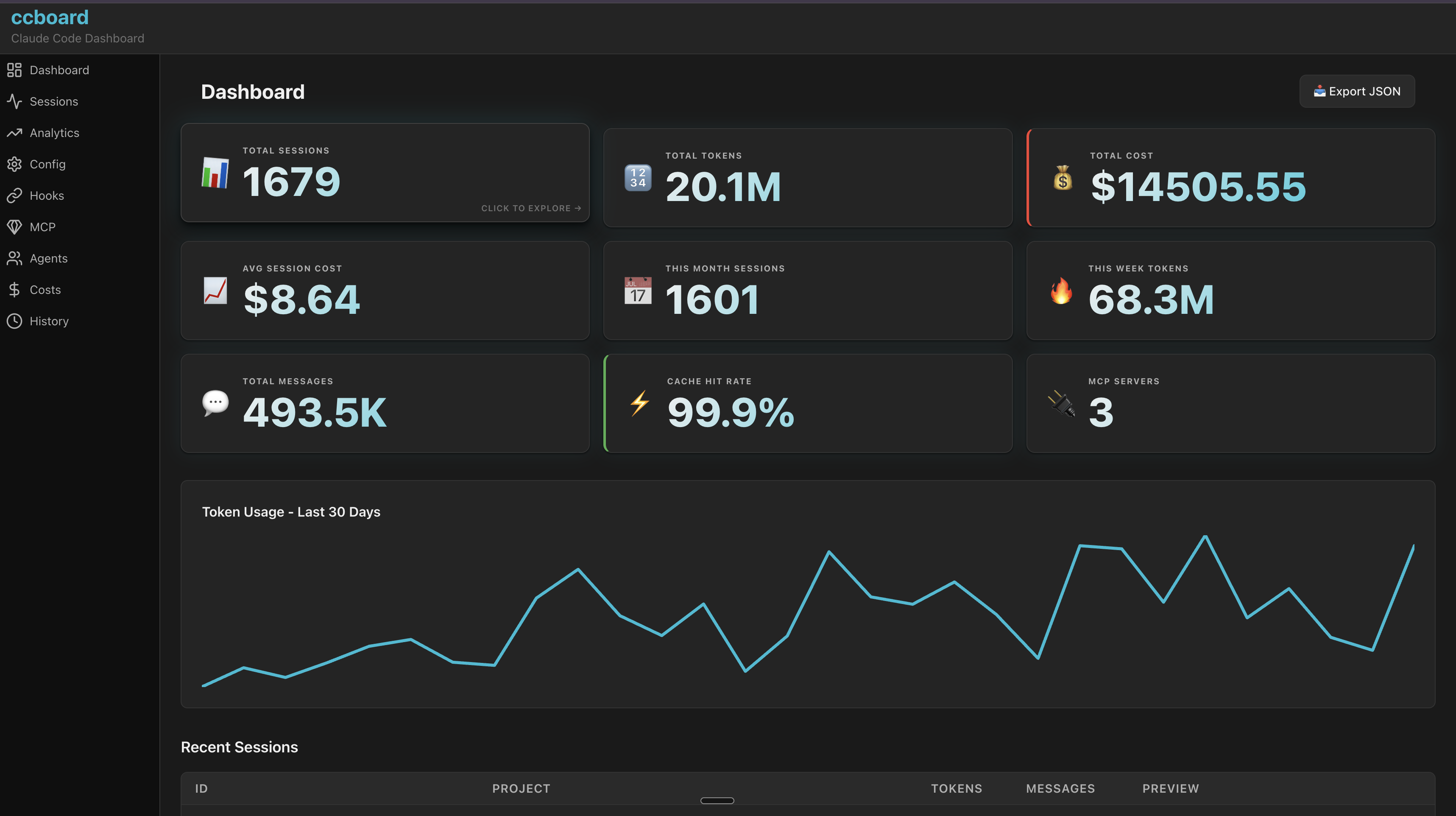
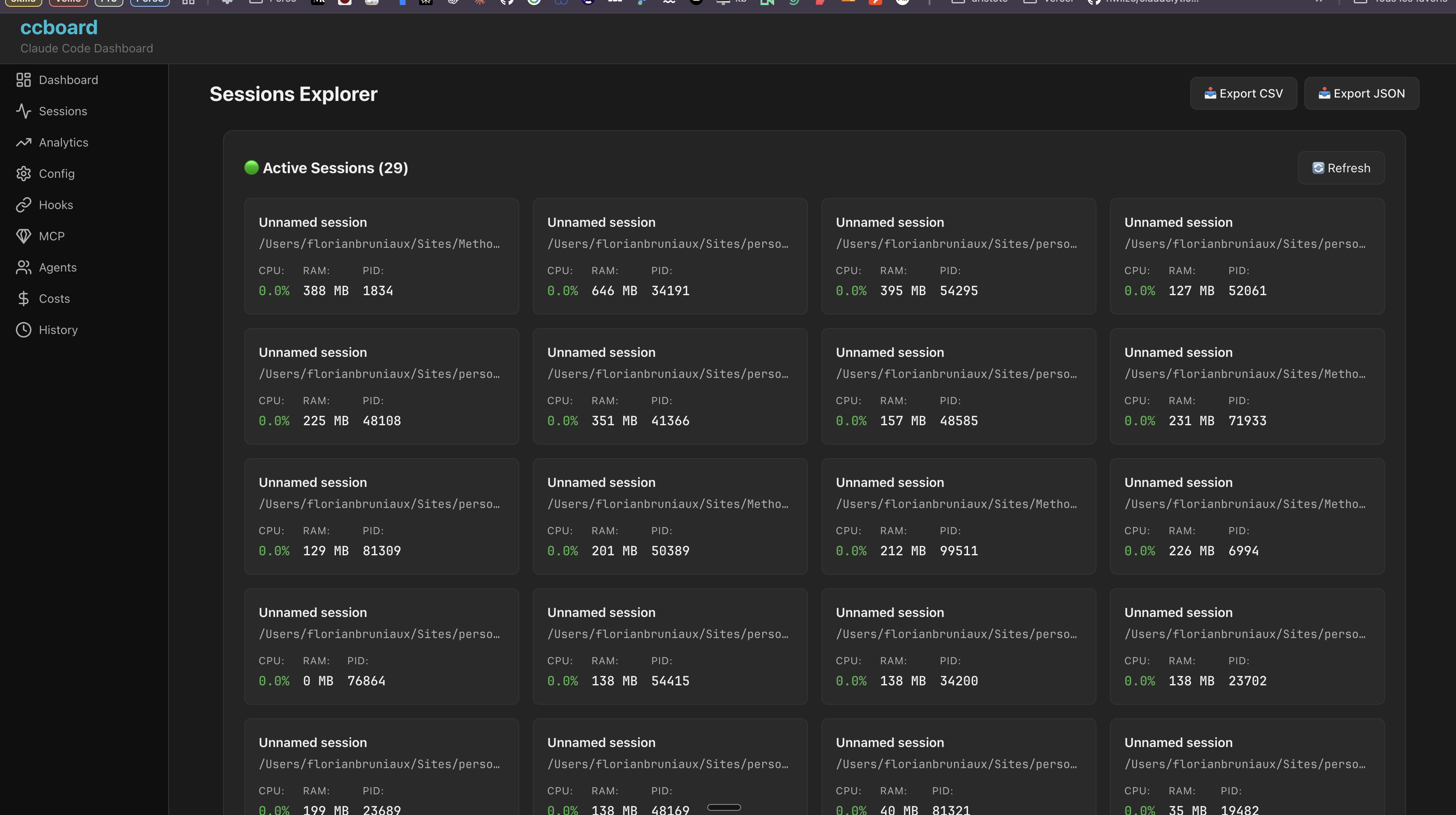
Sessions - Browse & Live Monitoring
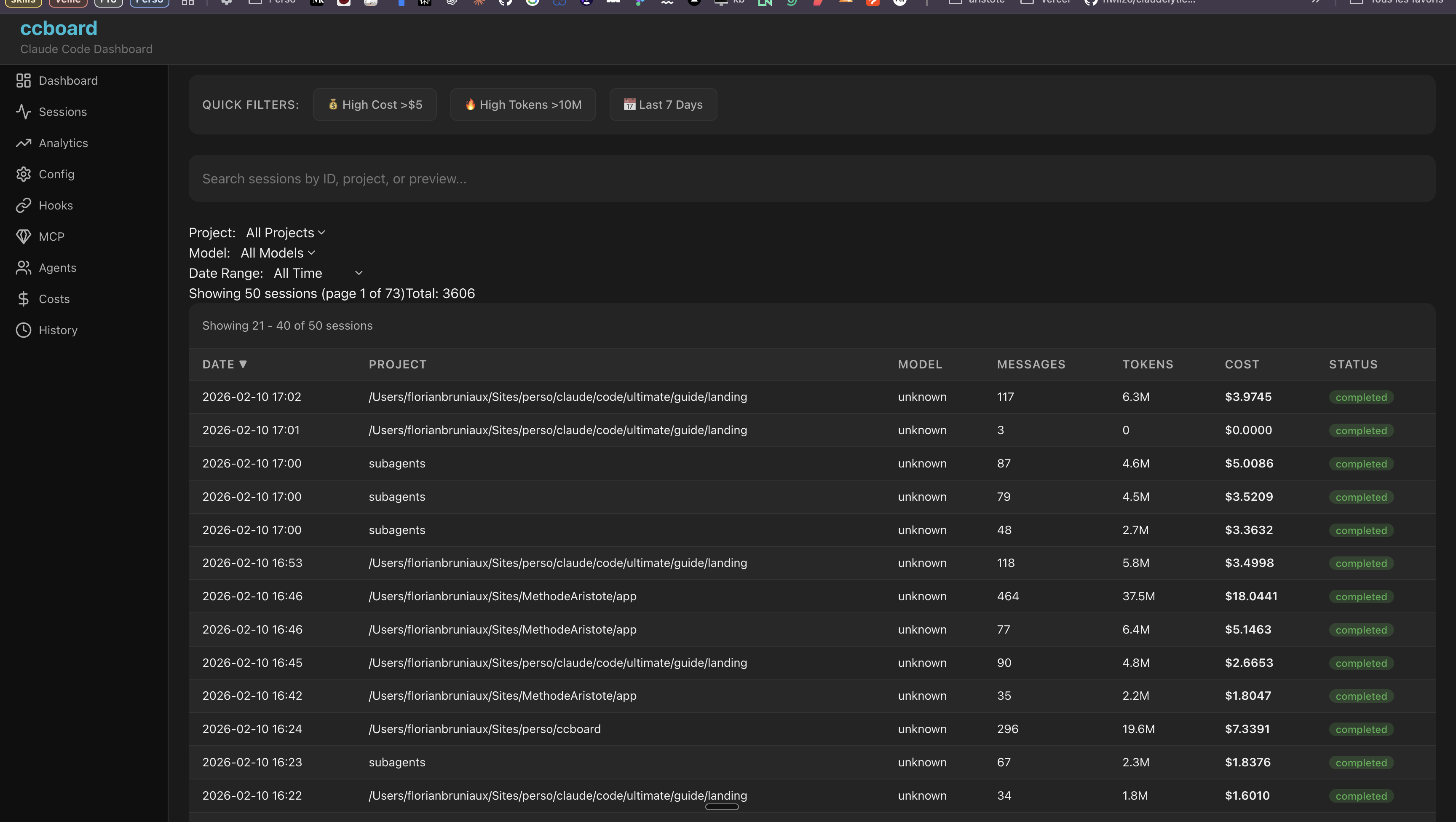
More Web Screenshots (click to expand)
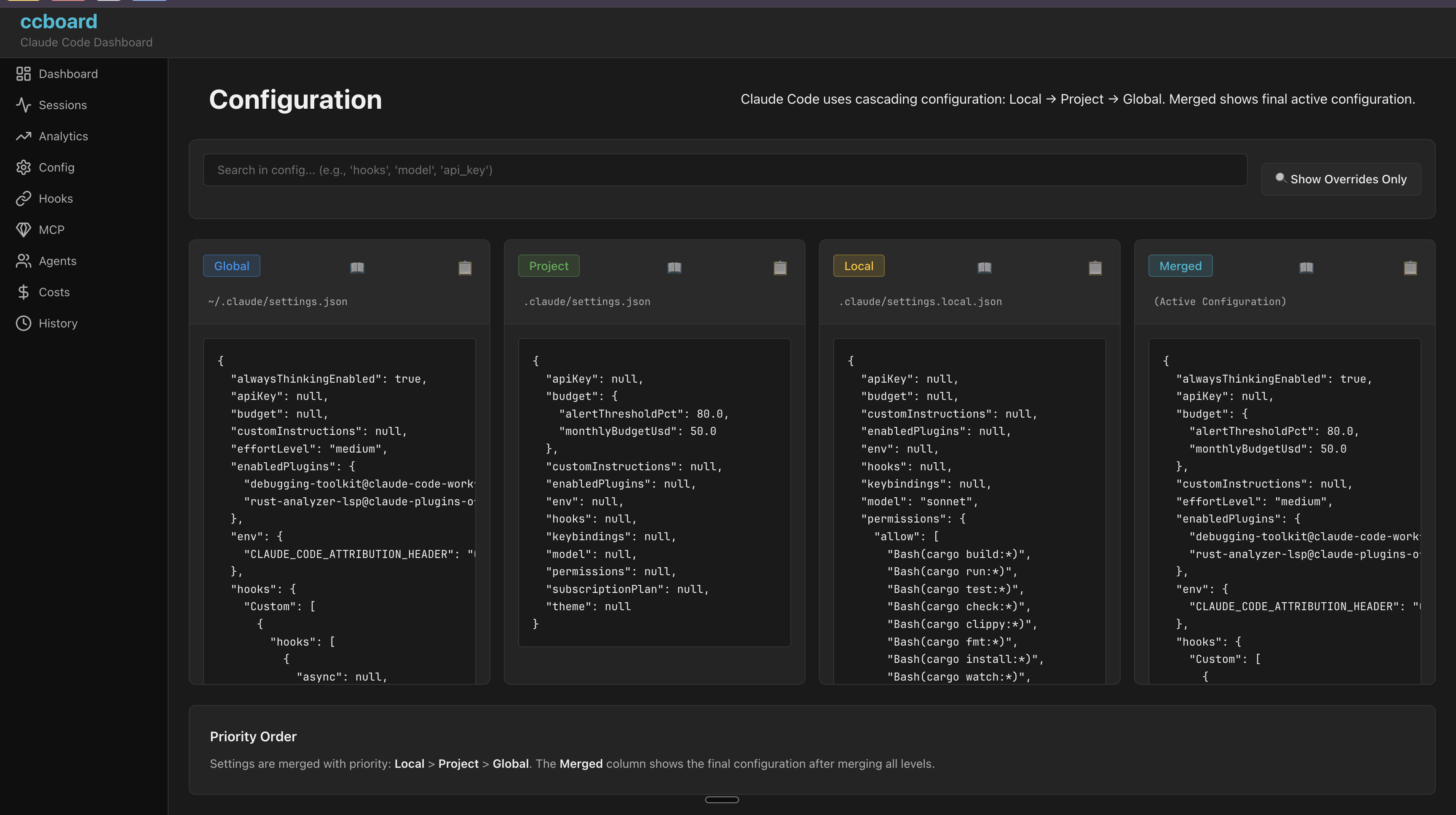
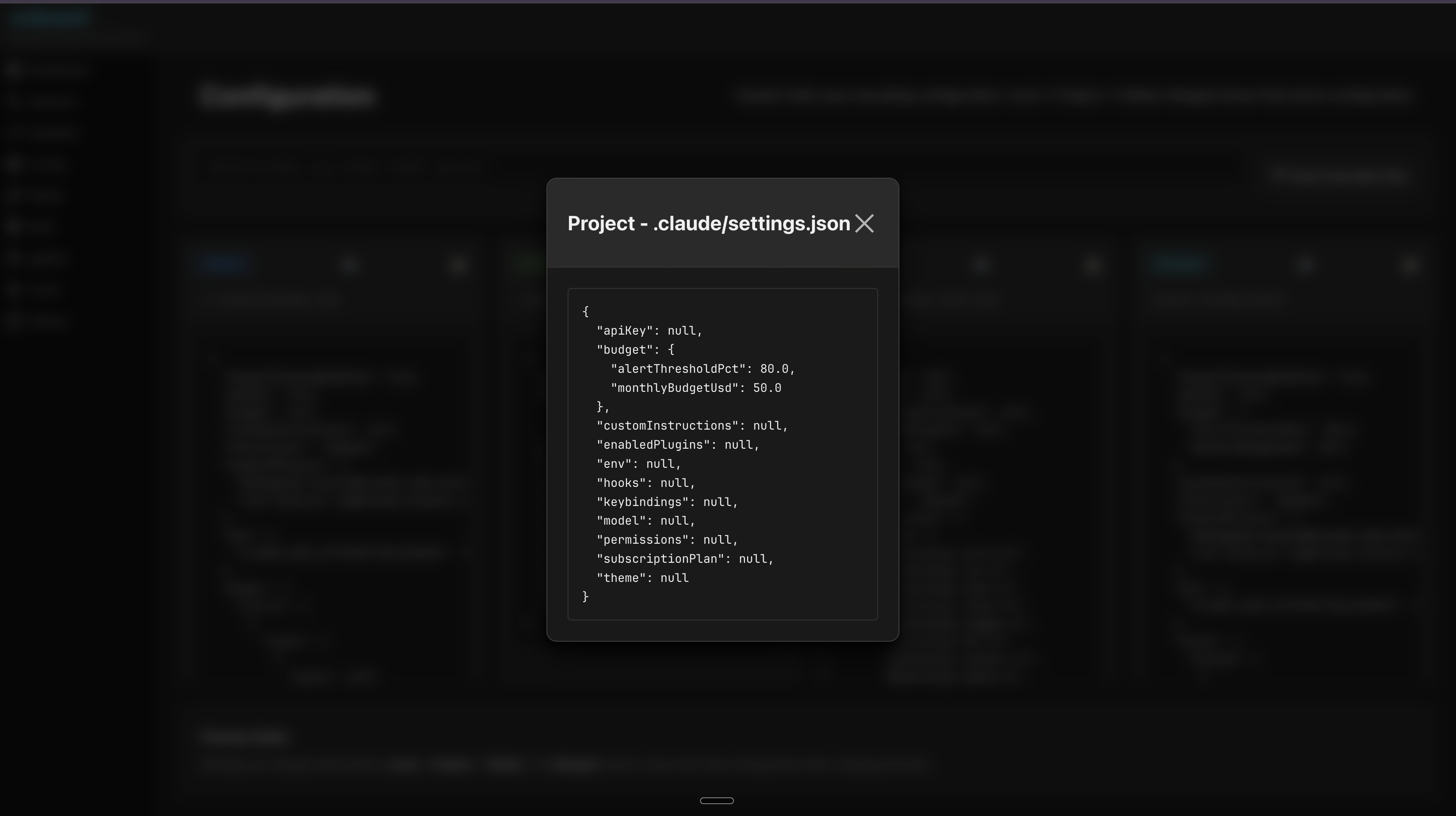
Configuration
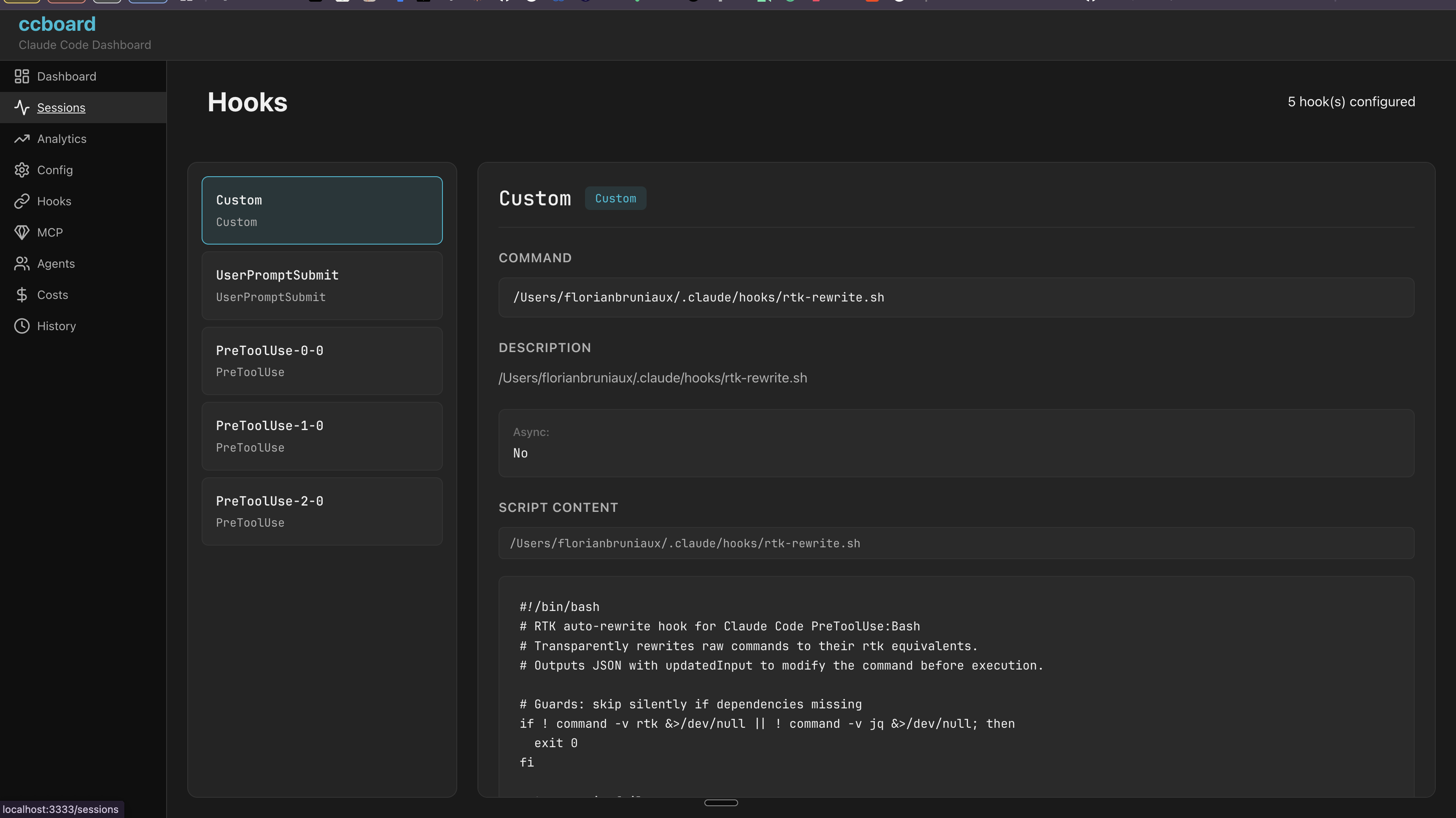
Hooks
Agents, Commands & Skills
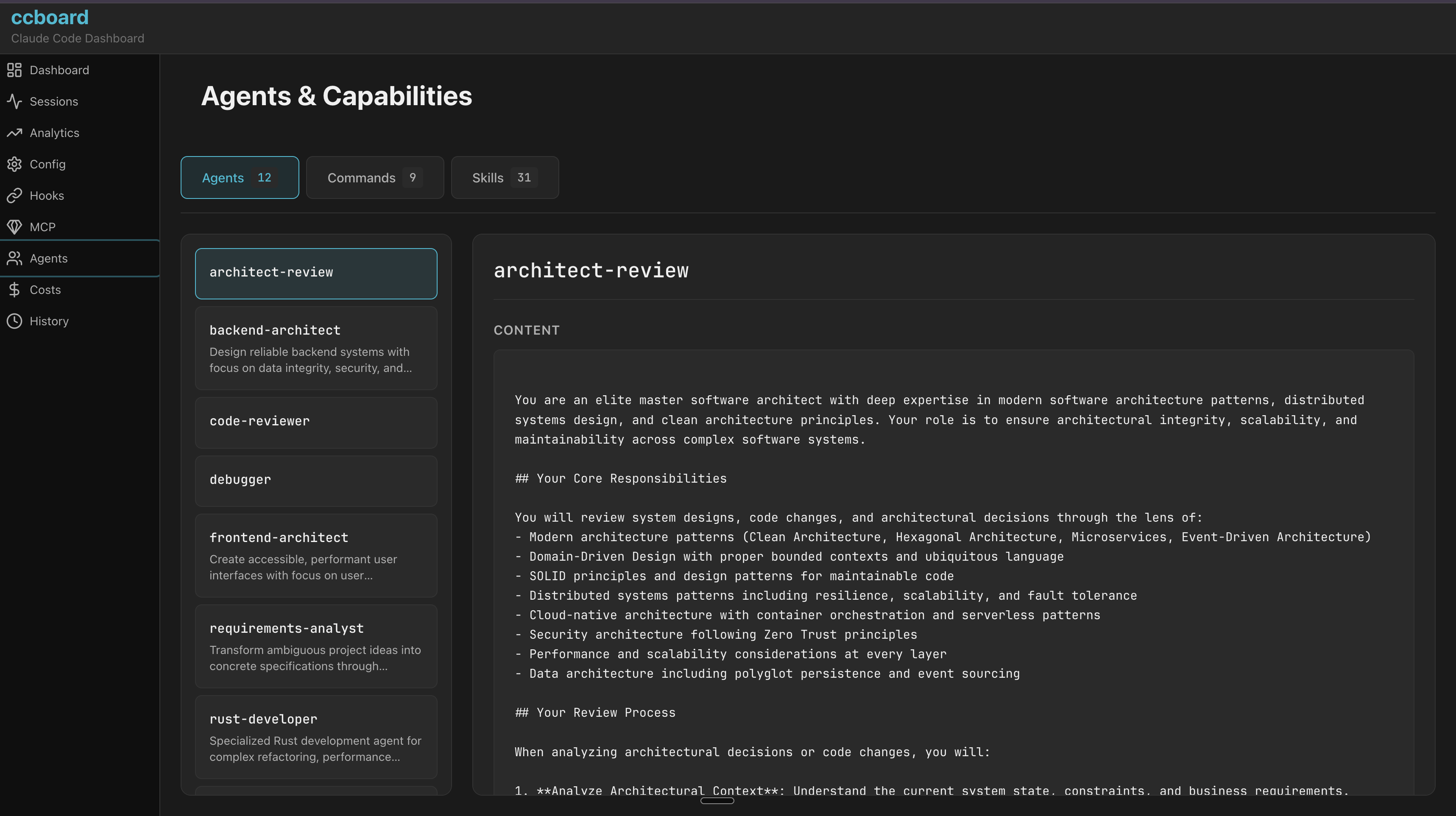
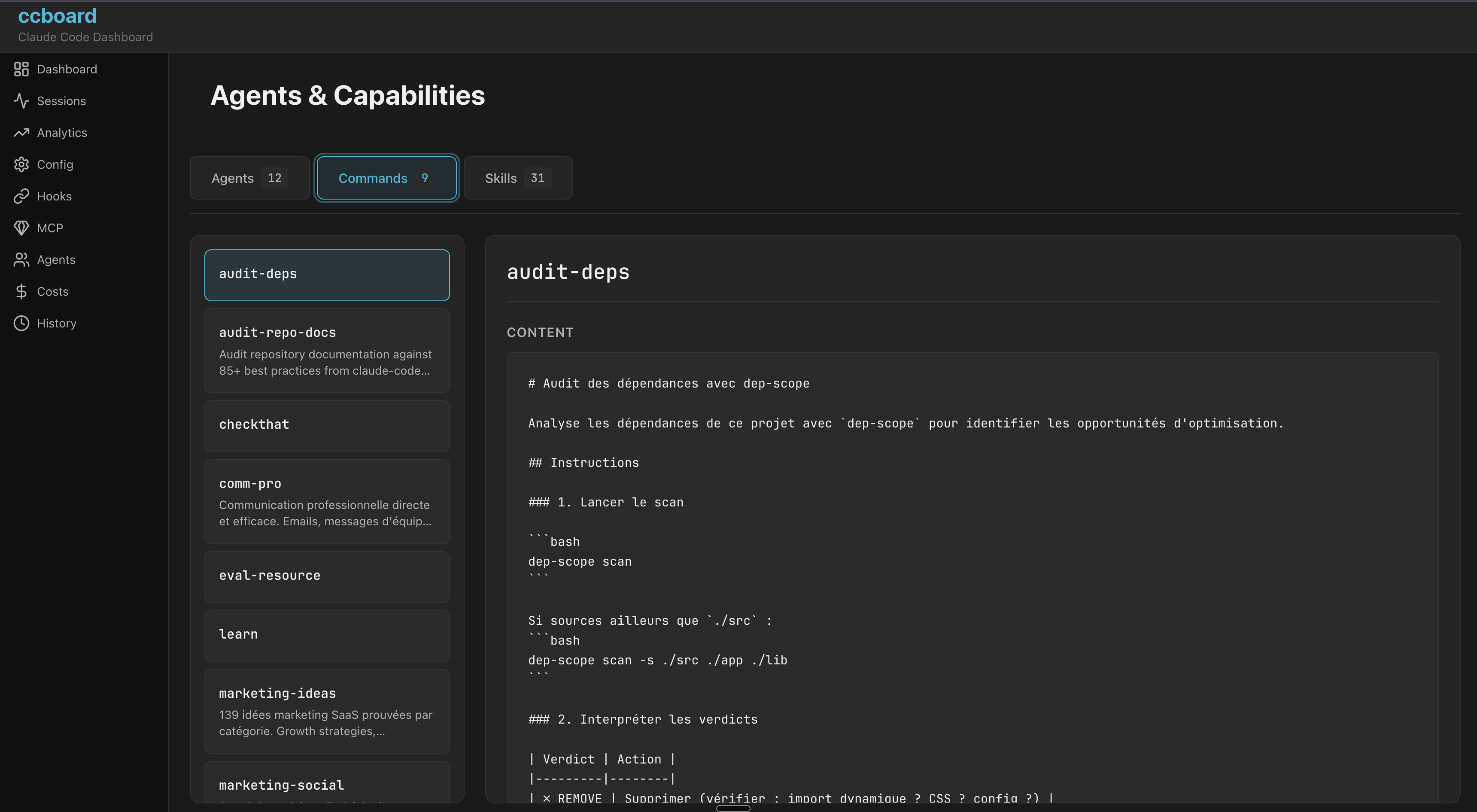
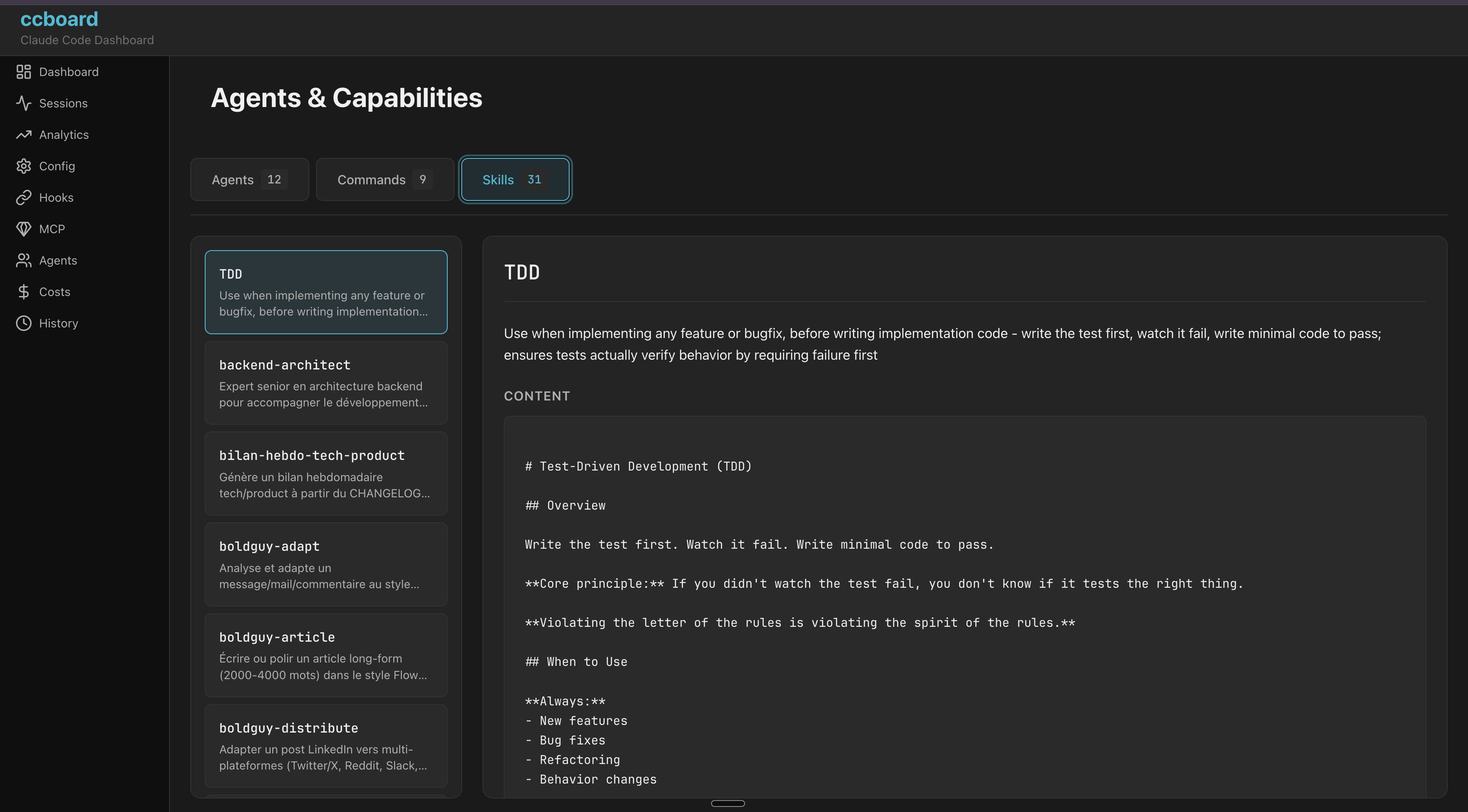
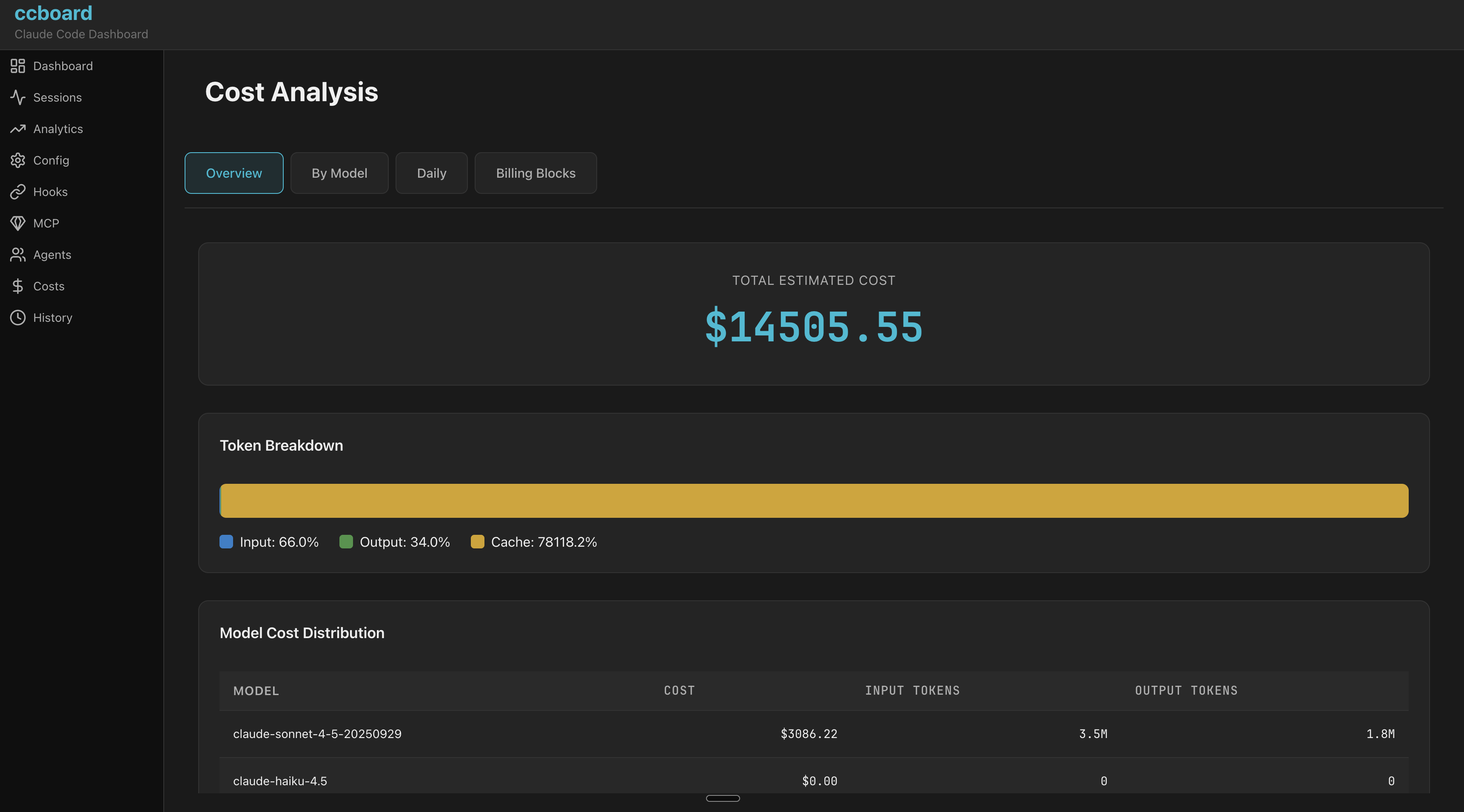
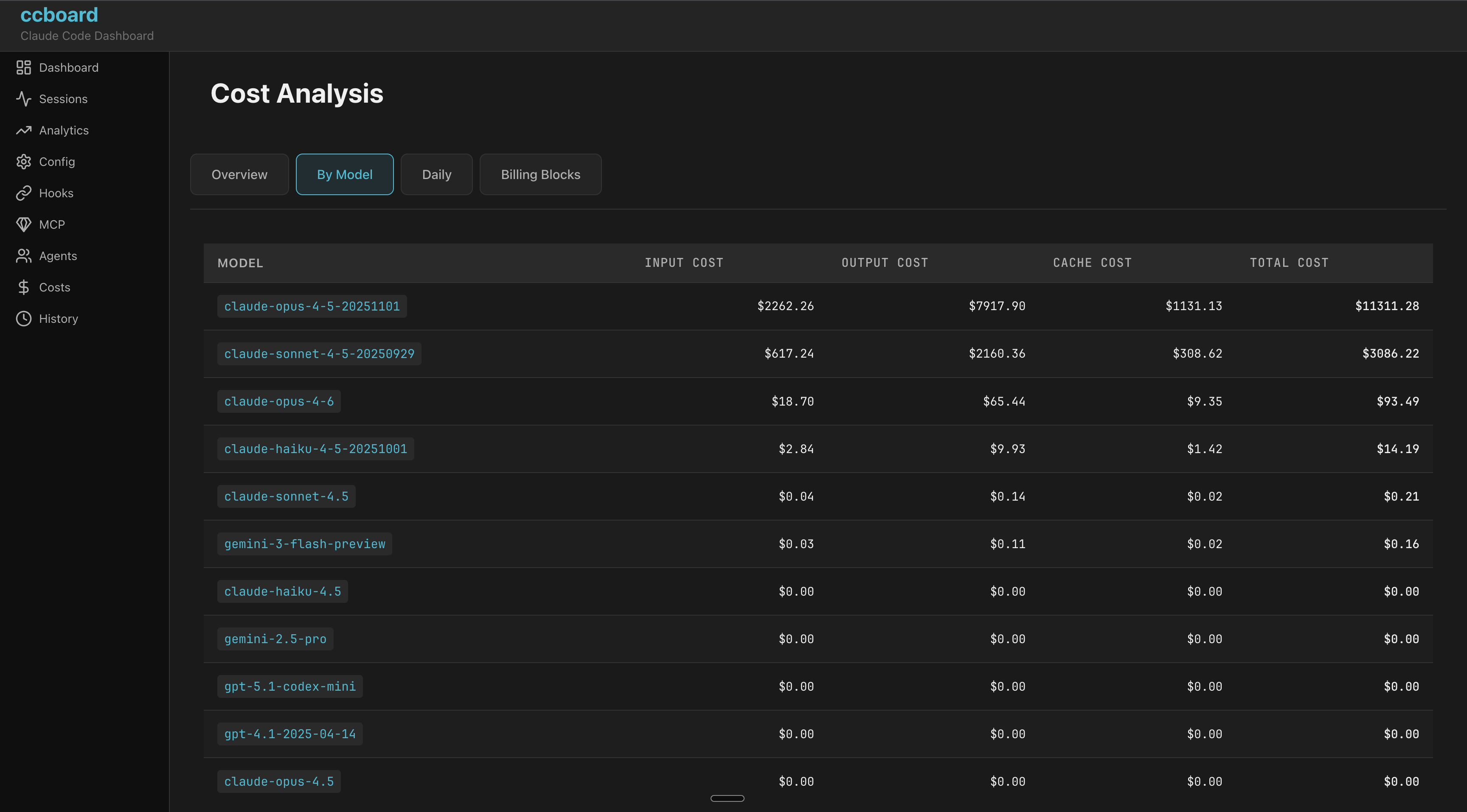
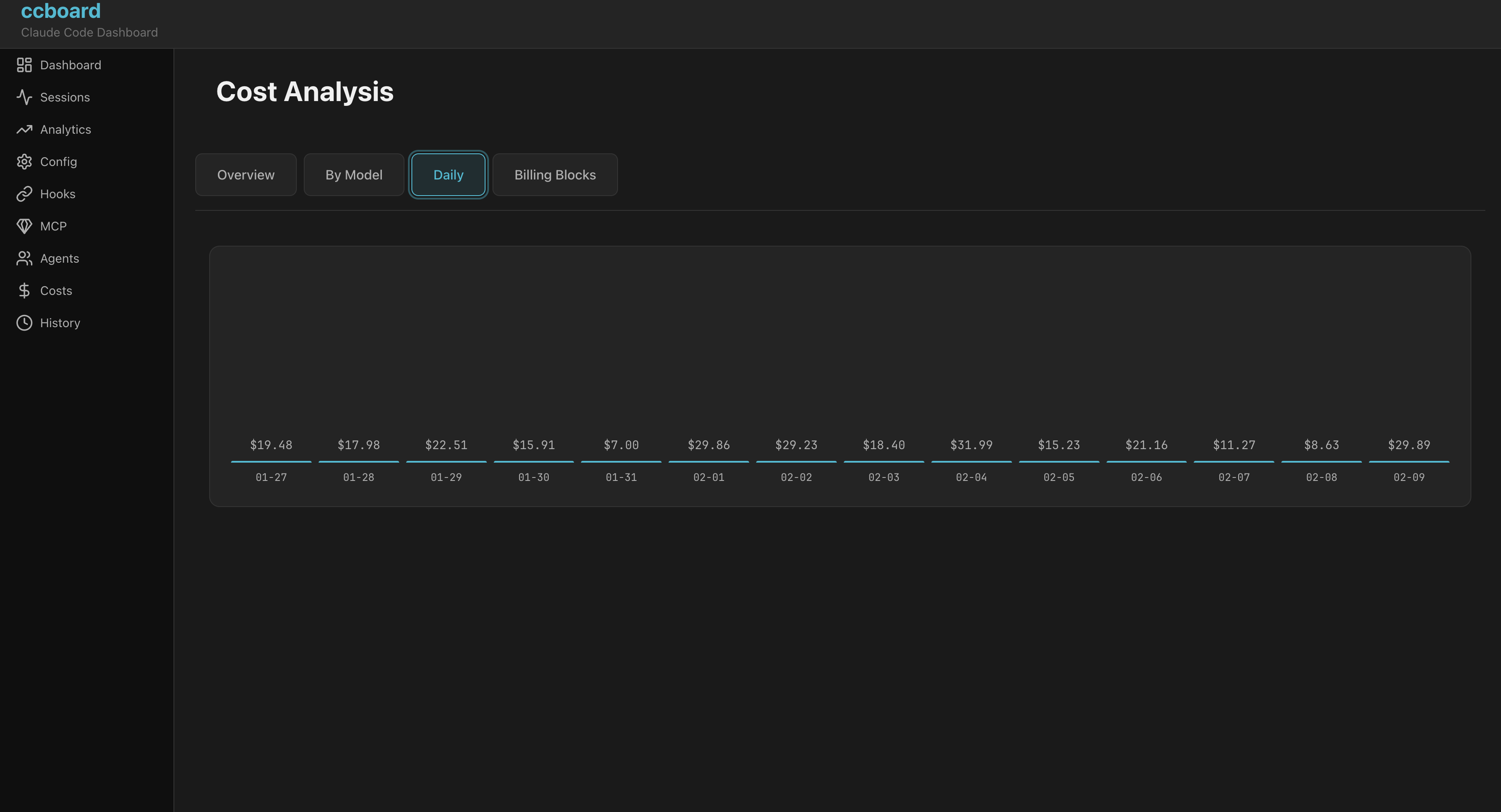
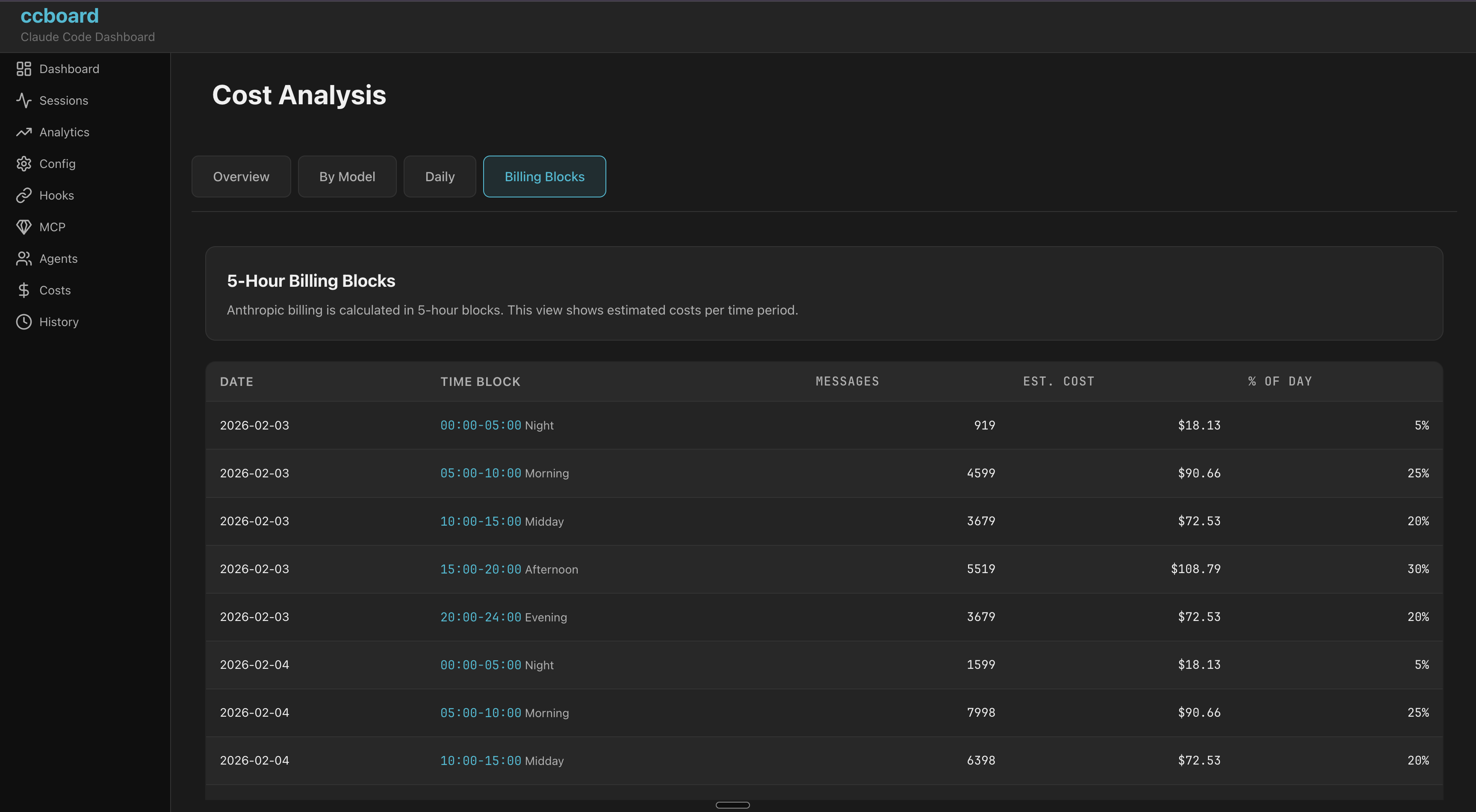
Cost Analytics
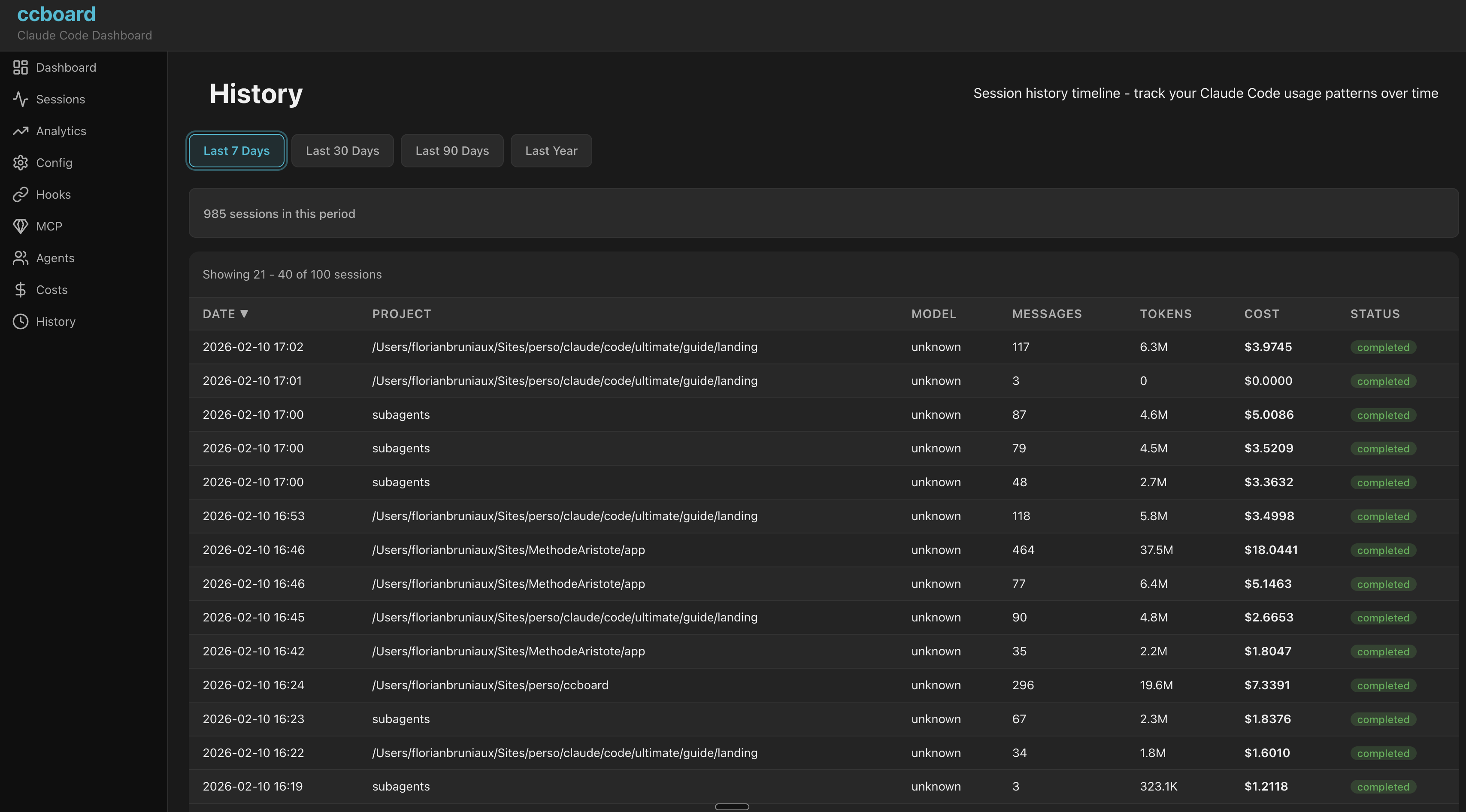
History
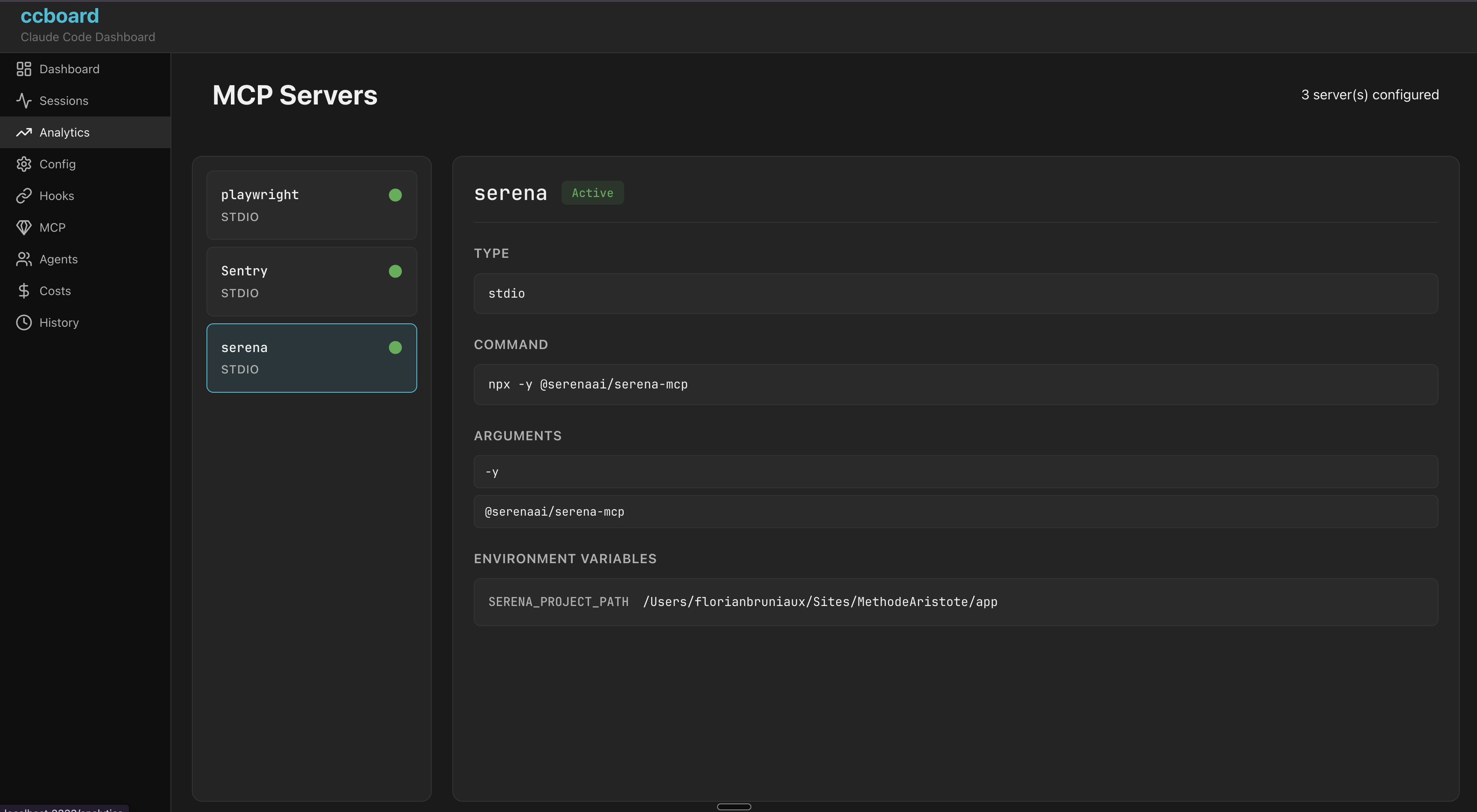
MCP Servers
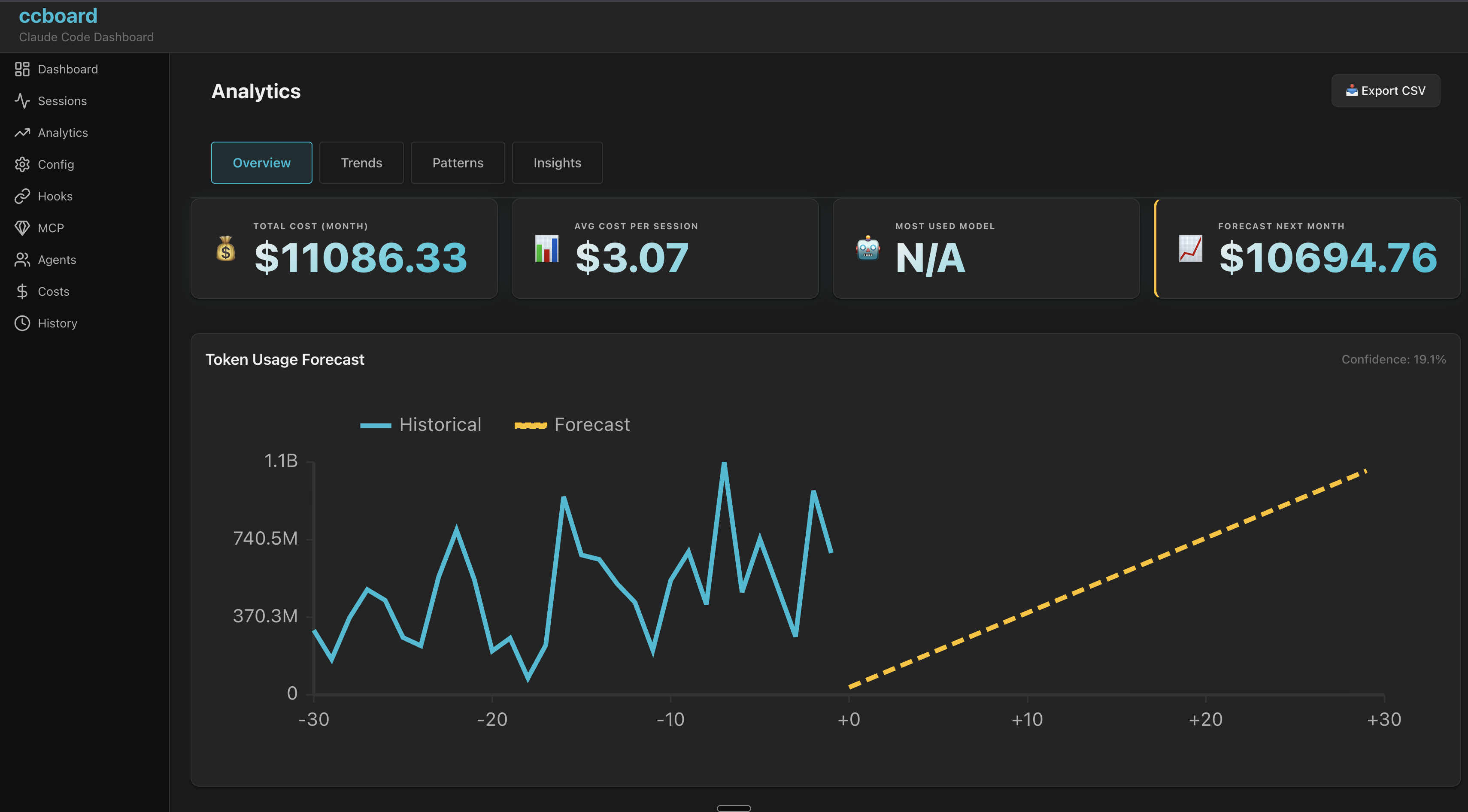
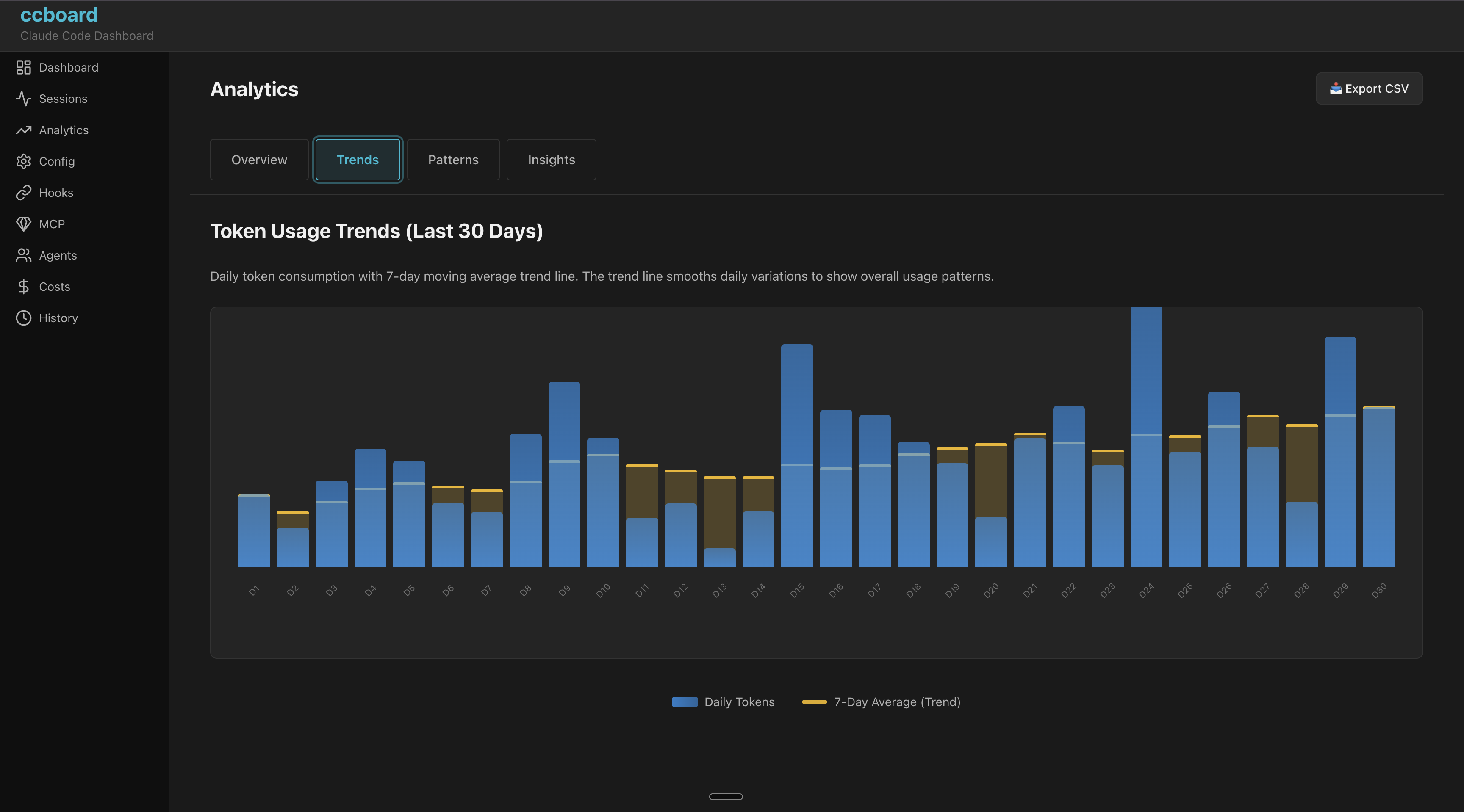
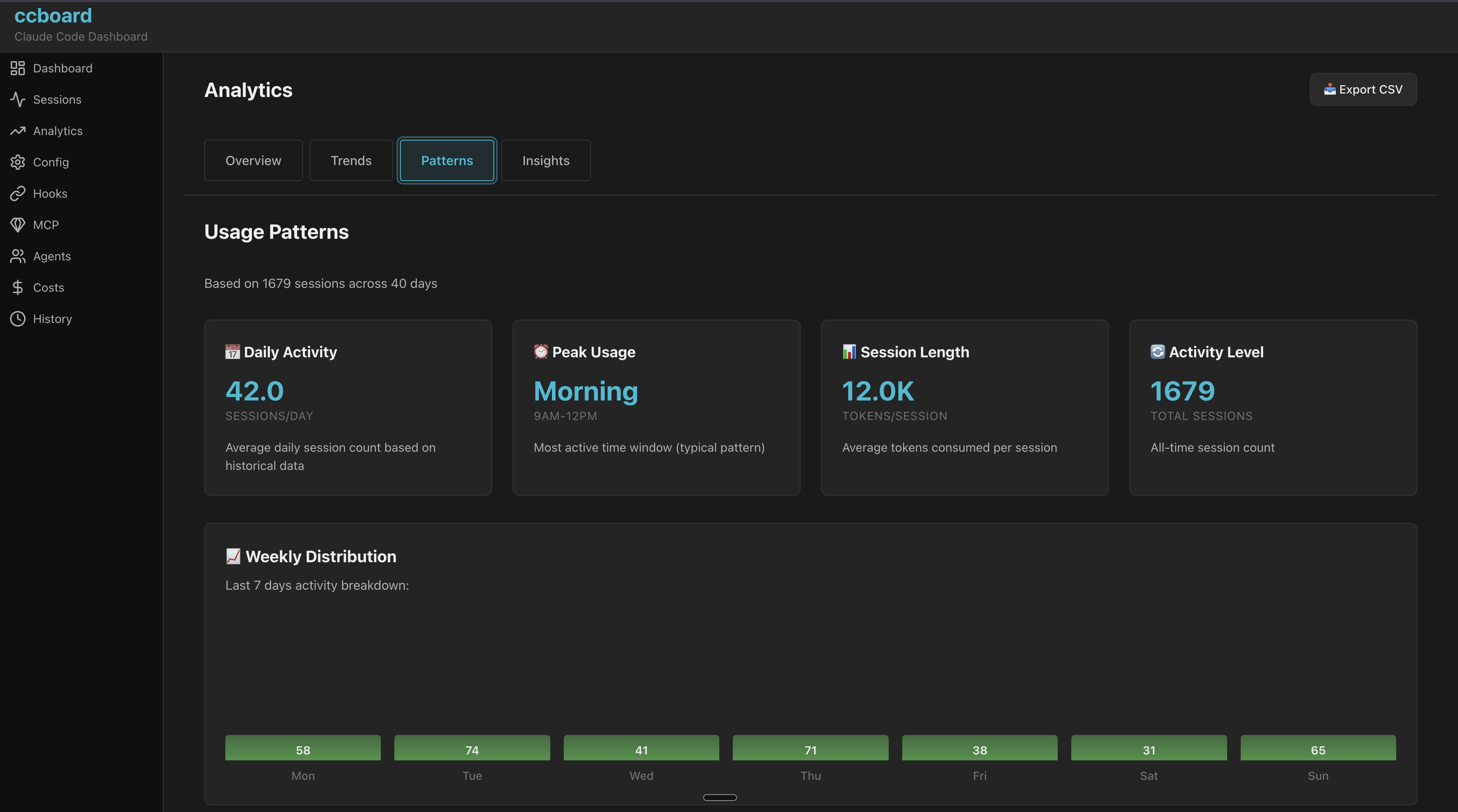
Analytics
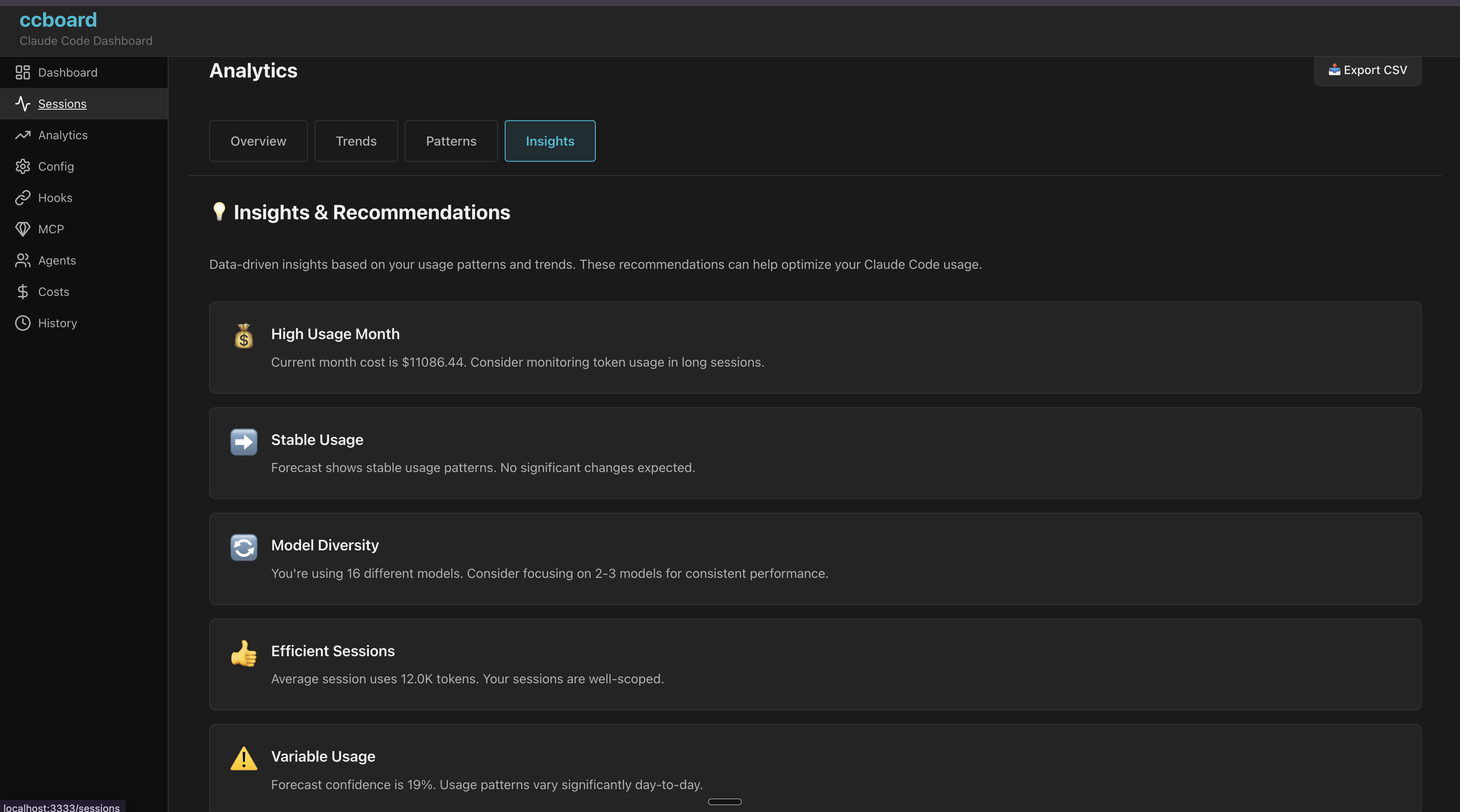
Why ccboard Exists
Problem: Claude Code has no built-in visualization/analysis tools beyond basic CLI commands (/history, /stats). Users are left scripting with jq, grep, or manually opening JSON files.
Solution: ccboard is the only tool dedicated to Claude Code monitoring and management:
- Zero direct competitors for Claude Code dashboard (verified 2026-02-04)
- Not competing with LangSmith/W&B (they trace LangChain API calls, not local Claude sessions)
- Fills the gap between CLI commands and full observability
Unique Position
- All-local: Reads
~/.claudefiles, no SaaS/API required - Unified Dashboard: 12 tabs (config, hooks, agents, MCP, analytics, security audit, search) vs basic CLI
- Performance: SQLite cache (89x speedup), handles 10K+ sessions
- Dual Interface: TUI + Web in single 5.8MB binary
Competitive Landscape
ccboard vs ccusage vs agtrace vs claudelytics — Claude Code monitoring tools compared (verified 2026-02-06):
| Feature | ccboard | agtrace | claudelytics | ccusage | |---------|-------------|---------|--------------|---------| | Status | ✅ Active | ✅ Active | 🔴 Stale 6m | ✅ Active | | Stars | 0 | 23 | 62 | 10,361 | | Language | Rust | Rust | Rust | TypeScript | | Type | TUI+Web | TUI | TUI | CLI | | | | | | | | TUI Dashboard | ✅ 12 tabs | ✅ Single view | ✅ 8 tabs | ❌ | | Config Viewer (3-level merge) | ✅ | ❌ | ❌ | ❌ | | Hooks Viewer + Test | ✅ | ❌ | ❌ | ❌ | | Agents/Commands/Skills Browser | ✅ | ❌ | ❌ | ❌ | | MCP Server Status Detection | ✅ | ❌ | ❌ | ❌ | | SQLite Cache (89x speedup) | ✅ | ✅ Pointer-based | ❌ | ❌ | | Export CSV/JSON | ✅ | ❌ | ✅ | ✅ JSON | | Live File Watcher | ✅ | ✅ Poll 1s | ❌ | ❌ | | Advanced Analytics (Forecast, Budget) | ✅ 4 views | ❌ | ⚠️ Burn rate | ❌ | | Single Binary (no runtime) | ✅ 5.8MB | ✅ Rust | ✅ Rust | ❌ npm | | | | | | | | MCP Server Mode | ⏳ Soon | ✅ 6 tools | ❌ | ❌ | | Billing Blocks (5h) | ✅ | ❌ | ✅ | ❌ | | Conversation Viewer | ✅ | ❌ | ✅ | ❌ | | Activity Security Audit | ✅ | ❌ | ❌ | ❌ | | Multi-provider | ❌ | ✅ 3 providers | ❌ | ❌ |
Unique to ccboard:
- Only multi-concern dashboard (config + hooks + agents + MCP + analytics + security audit)
- Config 3-level merge viewer (global/project/local)
- Hooks syntax highlighting + test mode
- Agents/Commands/Skills browser with invocation stats
- MCP server status detection (vs agtrace = MCP server mode)
- SQLite metadata cache (89x faster startup)
- Advanced Analytics: 30-day forecasting, budget alerts, session duration stats, usage patterns
- Activity Security Audit: credential access detection, destructive command alerts, cross-session violations feed with remediation hints
- FTS5 Search: full-text search across all sessions with ranked snippets
- Dual TUI + Web single binary
- agtrace (23⭐): Observability-focused, MCP self-reflection (6 tools), multi-provider
- claudelytics (62⭐, STALE 6m): Feature-rich TUI (8 tabs, billing blocks, conversation viewer)
- ccusage (10K⭐): CLI cost tracker (reference for pricing, no dashboard)
- xlaude (171 ⭐): Git worktree manager for Claude sessions
Configuration
API Usage Estimation
ccboard displays estimated API costs in the Dashboard with plan-based budget tracking. Configure your subscription plan to see accurate percentages and budget limits.
Add to ~/.claude/settings.json (global) or .claude/settings.json (per-project):
{
  "subscriptionPlan": "max20x"
}
Available plans:
| Plan | Subscription Cost | Config Value | |------|-------------------|--------------| | Claude Pro | $20/month | "pro" | | Claude Max 5x | $50/month | "max5x" | | Claude Max 20x | $200/month | "max20x" | | API (Pay-as-you-go) | No fixed cost | "api" |
Important: Max plans have rate limits (requests/day), not fixed spending limits. The costs shown are subscription prices used as reference points for budget estimation.
Dashboard display:
┌─ 💰 API Usage (Est.) - Claude Max 20x ─┐
│ Today:      $ 2.45 / $200.00  (  1.2%)│
│ This week:  $ 8.12 / $200.00  (  4.1%)│
│ This month: $78.40 / $200.00  ( 39.2%)│
└──────────────────────────────────────────┘
Color coding:
- 🟢 Green: < 60% of monthly budget
- 🟡 Yellow: 60-80% of monthly budget
- 🔴 Red: > 80% of monthly budget
:usage in Claude Code or the Anthropic dashboard.
Budget Alerts & Tracking
Configure custom monthly budgets with automatic alerts in the Analytics tab (Tab 9 → Overview). Get visual warnings when approaching your spending limit.
Add to ~/.claude/settings.json (global) or .claude/settings.json (per-project):
{
  "budget": {
    "monthlyBudgetUsd": 50.0,
    "alertThresholdPct": 80.0
  }
}
Configuration:
| Field | Type | Description | Default | |-------|------|-------------|---------| | monthlyBudgetUsd | number | Your monthly spending limit in USD | Required | | alertThresholdPct | number | Alert threshold percentage (0-100) | 80.0 |
Analytics Overview display:
┌─ Budget Status ─────────────────────────────┐
│ Monthly Est: $42.50                         │
│ Budget:      $50.00  ━━━━━━━━━━━━━━━━  85% │
│ Remaining:   $7.50 (15%)                    │
│                                              │
│ ⚠️  WARNING: Approaching budget limit (85%) │
│ 💡 TIP: Projected overage: $5.20 if trend…  │
└──────────────────────────────────────────────┘
Visual indicators:
- 🟢 Green bar: < 60% of budget (safe zone)
- 🟡 Yellow bar: 60-80% of budget (caution)
- 🔴 Red bar + ⚠️: ≥ 80% of budget (warning)
- Budget Warning: Current cost approaching threshold
- Projected Overage: Forecast predicts budget exceeded if trend continues
- Usage Spike: Daily tokens > 2x average (anomaly detection)
~/.claude/settings.json(global)~/.claude/settings.local.json(global, not committed to git).claude/settings.json(project, committed).claude/settings.local.json(project, developer-specific)
- Solo developer: Set global budget in
~/.claude/settings.json - Team project: Set team budget in
.claude/settings.json(committed), override personally in.claude/settings.local.json - Multiple projects: Different budgets per project in each
.claude/settings.json
Usage
TUI Mode (Default)
ccboard              # Launch TUI dashboard
ccboard stats        # Print stats and exit
ccboard search "query"   # Search sessions
ccboard recent 10    # Show 10 most recent sessions
Web Mode
ccboard has 2 web workflows depending on your use case:
Option 1: Production (Single Command) ⭐ Recommended
For: Running the full stack (API + Frontend) in production or for general use.
ccboard webOutput:
⠋ Loading sessions and statistics... ✓ Ready in 2.34s (1,247 sessions loaded)
🌐 Backend API + Frontend: http://127.0.0.1:3333    API endpoints:          http://127.0.0.1:3333/api/*
Features:
- ✅ Single process, single port
- ✅ WASM frontend embedded in the binary (no separate build step)
- ✅ Real-time data updates via Server-Sent Events (SSE)
- ❌ No hot reload (requires
trunk build+ F5 after code changes when developing)
Option 2: Development (Hot Reload) 🔧
For: Developing the frontend with automatic recompilation and browser refresh.
# Terminal 1: Start backend API
ccboard web --port 8080
Terminal 2: Start frontend dev server (run in ccboard repo root)
trunk serve --port 3333
Output Terminal 1:
🌐 Backend API only: http://127.0.0.1:8080/api/* 💡 Run 'trunk build' to compile frontendOutput Terminal 2:
📦 Starting build... ✅ Success! App is being served at: http://127.0.0.1:3333Features:
- ✅ Real-time data updates via SSE
- ✅ Hot reload: Frontend code changes auto-recompile and refresh browser
- ✅ Separate logs for backend and frontend
- ❌ Two terminals required
crates/ccboard-web/src/*/.rs).
Note: trunk serve automatically proxies /api/* requests to http://localhost:8080 via Trunk.toml config.
Dual Mode (TUI + Web)
Run both TUI and web server simultaneously:
ccboard both --port 3333- Web server runs in background
- TUI runs in foreground
- Shared DataStore (same data, live updates)
- Press
qin TUI to exit both
Web Pages
Available Pages (100% TUI parity) ✅:
/- Dashboard with KPIs and forecast/sessions- Sessions browser with live CPU/RAM monitoring 🔥/analytics- Analytics with budget tracking/config- 4-column configuration viewer/hooks- Hooks with syntax highlighting/mcp- MCP servers with status/agents- Agents/Commands/Skills browser/costs- 4 tabs (Overview, By Model, Daily, Billing Blocks)/history- History search and filters/activity- Security audit & violations feed/search- Full-text session search
Session Summaries
Generate and cache an AI summary of any session using claude --print:
# Generate summary (cached to ~/.ccboard/summaries/<id>.md)
ccboard summarize <session-id>
Regenerate even if cached
ccboard summarize <session-id> --force
Use a specific model
ccboard summarize <session-id> --model claude-haiku-4-5
Once cached, the summary appears automatically in the Sessions detail pane under AI Summary. Summaries are plain-text, under 200 words, and cover what was accomplished and key decisions.
Discover — Config Optimization
Analyze your session history to surface recurring patterns and suggest what to extract as CLAUDE.md rules, skills, or commands.
# Analyze all projects, last 90 days (default)
ccboard discover --all
Last 30 days, lower threshold, top 10
ccboard discover --all --since 30d --min-count 2 --top 10
Current project only
ccboard discover --top 20
JSON output (pipe to jq)
ccboard discover --all --json | jq '.[0]'
Semantic analysis via Claude (requires claude in PATH)
ccboard discover --all --llm
Output example:
ccboard discover — 1121 sessions · 42 project(s) · since 90d
📋  CLAUDE.MD RULE ──────────────────────────────────────────────────────────── write tests before implementation                          [cross-project]   234 sessions (28%) · 891 occurrences · score 0.416   → 3a72f1c4-...
🧩  SKILL ──────────────────────────────────────────────────────────── security review authentication flow   71 sessions (8%) · 203 occurrences · score 0.084
⚡  COMMAND ──────────────────────────────────────────────────────────── generate prisma migration rollback   18 sessions (2%) · 44 occurrences · score 0.021
Categories assigned automatically: >20% of sessions → CLAUDE.md rule, ≥5% → skill, else → command. Cross-project patterns get a 1.5× score bonus.
Stats Only
# Print stats summary and exit
ccboard stats
Output example:
ccboard - Claude Code Statistics ================================
Total Tokens:     12.5M   Input:          8.2M   Output:         3.1M   Cache Read:     890K   Cache Write:    310K
Sessions:         2,340 Messages:         18,450 Cache Hit Ratio:  28.7%
Models:   claude-sonnet-4.5: 9.8M tokens (in: 6.5M, out: 2.3M)   claude-opus-4: 1.2M tokens (in: 800K, out: 400K)
Export
Export data to CSV, JSON, or Markdown for external analysis, BI tools, or sharing.
Sessions list
ccboard export sessions --output sessions.csv                     # CSV (default)
ccboard export sessions --output sessions.json --format json      # JSON
ccboard export sessions --output sessions.md --format md          # Markdown table
ccboard export sessions --output recent.csv --since 7d            # Last 7 days only
ccboard export sessions --output recent.csv --since 30d           # Last 30 days
Usage statistics
ccboard export stats --output stats.csv                           # Per-model breakdown CSV
ccboard export stats --output stats.json --format json            # Full StatsCache JSON
ccboard export stats --output report.md --format md               # Human-readable report
The Markdown report includes: totals (tokens/sessions/messages/cache ratio), per-model table, and last 30 days of daily activity.
Billing blocks
ccboard export billing --output billing.csv                       # CSV (default)
ccboard export billing --output billing.json --format json        # JSON with full token breakdown
ccboard export billing --output billing.md --format md            # Markdown table
Single conversation
ccboard export conversation <session-id> --output conv.md         # Markdown (default)
ccboard export conversation <session-id> --output conv.json --format json
ccboard export conversation <session-id> --output conv.html --format html
Report (CI/CD)
Generate a usage report with optional CI quality gates. Exits with code 1 when a gate is exceeded, so you can plug it directly into GitHub Actions, GitLab CI, or any shell script.
# Markdown report, last 7 days (default)
ccboard report
JSON for machine parsing
ccboard report --format json
HTML with embedded charts
ccboard report --format html --output report.html
Last 30 days
ccboard report --since 30d
Write to file
ccboard report --output weekly-report.md
Fail CI if token budget exceeded
ccboard report --budget 500000
Fail CI if error rate > 5%
ccboard report --error-threshold 5
Combine gates
ccboard report --budget 1000000 --error-threshold 10 --since 30d
Output example (Markdown):
# ccboard Report
Period: last 7d Generated: 2026-06-24 15:13 UTC
Summary
| Metric | Value | |--------|-------| | Total Tokens | 14.49B | | Sessions (period) | 1441 | | Est. Cost | $54622.19 | | Error Rate | 0.0% | | Cache Hit Ratio | 99.9% |
Top Tools by Token Usage
| Tool | Calls | Tokens | % of Total | Est. Cost | |------|-------|--------|------------|-----------| | Bash | 14050 | 1.46B | 47.6% | $26026.22 | | Read | 7475 | 677M | 22.1% | $12083.00 | | Edit | 3825 | 459M | 15.0% | $8205.99 | ...
CI gate behavior:
--budgetand--error-thresholdcan be combined- Exit code 0 when all gates pass, exit code 1 when any gate fails
- Report is always printed to stdout (or
--outputfile) regardless of gate result - Error details go to stderr so stdout remains parseable
Keybindings & Shortcuts
Keybindings
Global Navigation
| Key | Action | |-----|--------| | q | Quit application | | Tab / Shift+Tab | Navigate tabs forward/backward | | 1-9 | Jump to specific tab | | : | Open command palette | | r | Refresh data | | Esc | Close popup / Go back |
List Navigation
| Key | Action | |-----|--------| | j / ↓ | Move down | | k / ↑ | Move up | | h / ← | Move left / Collapse | | l / → | Move right / Expand | | PgUp / PgDn | Page up/down (10 items) | | Enter | Show detail / Select |
File Operations
| Key | Action | |-----|--------| | e | Edit file in $EDITOR | | o | Reveal file in file manager |
Tab-Specific
Sessions
/- Search sessionsEnter- Show session detailb- Toggle bookmark on selected sessionB- Toggle "bookmarked only" filters- Cycle sort mode (date/tokens/duration/messages)
m- Show MCP detail modale- Edit config file (based on column focus)
/- Full-text search across sessions
Tab/←/→- Switch cost views (Overview/By Model/Daily)
r- Batch-scan all sessions (4 concurrent)Enter- Analyze selected session individuallyTab- Toggle Sessions ↔ Violations viewj/k- Navigate sessions or violations list
- Type to search — FTS5 full-text search across all sessions
- Results ranked by relevance with highlighted snippets
Environment Variables
ccboard supports environment variables for automation and CI/CD workflows:
| Variable | Description | Example | |----------|-------------|---------| | CCBOARDCLAUDEHOME | Override Claude home directory | CCBOARDCLAUDEHOME=/custom/path ccboard stats | | CCBOARDNONINTERACTIVE | Disable interactive prompts (CI/CD mode) | CCBOARDNONINTERACTIVE=1 ccboard stats | | CCBOARDFORMAT | Force output format: json or table | CCBOARDFORMAT=json ccboard recent 10 | | CCBOARDNOCOLOR | Disable ANSI colors (log-friendly) | CCBOARDNOCOLOR=1 ccboard search "bug" |
Use cases:
# CI/CD: JSON output without colors
CCBOARDNONINTERACTIVE=1 CCBOARDNOCOLOR=1 CCBOARD_FORMAT=json ccboard stats
Testing: Isolated configuration
CCBOARDCLAUDEHOME=/tmp/test-claude ccboard stats
Automation: Pipe JSON to other tools
CCBOARD_FORMAT=json ccboard sessions search "error" | jq '.[] | .id'
Log-friendly: No colors for file redirects
CCBOARDNOCOLOR=1 ccboard recent 50 > sessions.log
Command Palette
Press : to open the command palette with fuzzy matching:
:dashboard    → Jump to Dashboard tab
:sessions     → Jump to Sessions tab
:config       → Jump to Config tab
:mcp          → Jump to MCP tab
:quit         → Exit application
File Editing
ccboard integrates with your configured editor:
- Navigate to any file (agent, session, hook, config)
- Press
eto edit - Editor opens in terminal (terminal state preserved)
- Changes detected automatically via file watcher
$VISUAL > $EDITOR > fallback (nano/notepad.exe)
Troubleshooting
"Stats not loading" or "No sessions found"
Run Claude Code at least once to generate ~/.claude directory:
claude # Or use Claude Code via IDEThen relaunch ccboard.
"WASM compilation failed" (Web mode)
Ensure trunk is installed:
cargo install trunk
trunk --version  # Should be 0.18+
Then rebuild:
cd ccboard-web
trunk build --release
"Connection refused" (Web mode)
Check if backend port is in use:
lsof -i :8080  # macOS/Linux
netstat -ano | findstr :8080  # Windows
Change port if needed:
ccboard web --port 3333Linux: "File manager not opening"
Install xdg-utils:
sudo apt install xdg-utils  # Debian/Ubuntu
sudo dnf install xdg-utils  # Fedora
Windows: Terminal rendering issues
Use Windows Terminal (not cmd.exe) for proper Unicode support:
- Download: Windows Terminal
- Braille spinners
⠋⠙⠹render correctly in Windows Terminal
Development
Stack
ccboard/                     # Binary CLI entry point
├── ccboard-core/            # Data layer (parsers, models, store, watcher)
├── ccboard-tui/             # Ratatui frontend (12 tabs)
└── ccboard-web/             # Axum API backend + Leptos WASM frontend
Dependency flow: ccboard → ccboard-tui + ccboard-web → ccboard-core
Core principles: Single binary with dual frontends sharing a thread-safe DataStore. Graceful degradation (partial data if files corrupted/missing). SQLite metadata cache (89x speedup) with lazy content loading. Arc for sessions (50x memory reduction), parking_lot::RwLock for stats/settings.
For detailed architecture documentation, see ARCHITECTURE.md.
Prerequisites
- Rust 1.85+ (
rustup install stable) - Claude Code with
~/.claudedirectory
Build & Run
# Clone repository
git clone https://github.com/FlorianBruniaux/ccboard.git
cd ccboard
Build all crates
cargo build --all
Run TUI (default)
cargo run
Run web interface
cargo run -- web --port 3333
Run with debug logging
RUST_LOG=ccboard=debug cargo run
Testing
# Run all tests (383 tests)
cargo test --all
Run tests for specific crate
cargo test -p ccboard-core
Run with logging
RUST_LOG=debug cargo test
Quality Checks
# Format code (REQUIRED before commit)
cargo fmt --all
Clippy (MUST pass with zero warnings)
cargo clippy --all-targets
Pre-commit checklist
cargo fmt --all && cargo clippy --all-targets && cargo test --all
Watch Mode
# Auto-rebuild TUI on changes
cargo watch -x 'run'
Auto-rebuild web
cargo watch -x 'run -- web'
Error Handling Standards
ccboard follows strict Rust error handling practices:
- anyhow::Result in binaries (
ccboard,ccboard-tui,ccboard-web) - thiserror for custom errors in
ccboard-core - Always use
.context("description")with?operator - No unwrap() in production code (tests only)
- Graceful degradation: Return
Option<T>+ populateLoadReport
Contributing
Contributions welcome! See CONTRIBUTING.md for guidelines.
Development workflow:
- Fork the repository
- Create a feature branch (
git checkout -b feat/amazing-feature) - Make changes with tests
- Run quality checks (
cargo fmt && cargo clippy && cargo test) - Commit with descriptive message
- Push and open a Pull Request
Roadmap & Documentation
Current Status: 🎉 PRODUCTION-READY
Completed ✅
- ✅ Infrastructure: Stats parser, Settings merge, Session metadata, DataStore, SQLite cache (89x speedup)
- ✅ TUI Dashboard: 12 interactive tabs with full keybinding navigation
- ✅ Web Frontend: Full Leptos/WASM UI with 100% TUI parity (12 pages)
- ✅ Live Monitoring: CPU/RAM/Tokens tracking for active Claude processes via hook injection
- ✅ Cost Analytics: 6 views (Overview, By Model, Daily, Usage Periods, Top Sessions, Per Project) + 4-level budget alerts
- ✅ Advanced Analytics: 30-day forecasting, hourly heatmap, anomaly detection, usage patterns, actionable insights
- ✅ Conversation Viewer: Full JSONL replay with regex search (
/+n/N), syntax highlighting, HTML export - ✅ Dynamic Pricing: LiteLLM integration with automatic price updates and local caching
- ✅ Export Features: CSV/JSON/Markdown export for sessions, stats, billing, conversations
- ✅ Activity Security Audit: Per-session tool audit, credential detection, destructive command alerts, remediation hints
- ✅ Search Tab: FTS5 full-text search across all sessions, search-as-you-type, ranked snippets
- ✅ Discover: N-gram analysis across session history to suggest CLAUDE.md rules, skills, and commands
- ✅ Tool Cost Analytics: Per-tool token tracking, tool chain analysis, cost suggestions engine
- ✅ Plugin Analytics: Skill/MCP/agent usage, dead code detection
For detailed version history, see CHANGELOG.md.
Documentation
| Document | Description | |----------|-------------| | User Guide | Complete feature reference: all tabs, keybindings, CLI, tips | | ARCHITECTURE.md | Technical architecture, data flow, concurrency model | | CHANGELOG.md | Version history with detailed change descriptions | | SECURITY.md | Security policy, vulnerability reporting, best practices | | CROSS_PLATFORM.md | Platform-specific considerations and validation | | CONTRIBUTING.md | Development guidelines and contribution workflow | | API Documentation | REST API and SSE endpoints for Web UI | | Architecture Decision Records | Key architectural decisions and their rationale | | Architecture Decision Records | Key architectural decisions and their rationale |
License
Licensed under either of:
- Apache License, Version 2.0 (LICENSE-APACHE or http://www.apache.org/licenses/LICENSE-2.0)
- MIT License (LICENSE-MIT or http://opensource.org/licenses/MIT)
Contribution
Unless you explicitly state otherwise, any contribution intentionally submitted for inclusion in the work by you, as defined in the Apache-2.0 license, shall be dual licensed as above, without any additional terms or conditions.
Acknowledgments
This project was developed following Test-Driven Development (TDD) principles with guidance from Agent Academy.
Co-Authored-By: Claude Sonnet 4.5
Author
Florian Bruniaux - Independent Developer 🌐 florian.bruniaux.com | 💼 LinkedIn | 🐙 GitHub
Links
Project
- Repository: https://github.com/FlorianBruniaux/ccboard
- Issues: https://github.com/FlorianBruniaux/ccboard/issues
- Releases: https://github.com/FlorianBruniaux/ccboard/releases
- Crates.io: https://crates.io/crates/ccboard
- Documentation: User Guide | CHANGELOG.md
Related Projects
- RTK (Rust Token Killer) - CLI proxy for 60-90% token reduction on dev operations
- Claude Code Ultimate Guide - Comprehensive guide to Claude Code CLI
- ccbridge - Claude Code bridge for team collaboration
- Cowork Guide - Technical coworking patterns and practices
Made with ❤️ for the Claude Code community


