
High-performance Windows file search + duplicate finder using NTFS USN/MFT, with Android LAN sync. Built with Tauri, Rust, C++, and Kotlin.
OmniSearch
Fast Windows desktop file search built with Tauri v2, Rust, and C++. OmniSearch reads NTFS metadata directly through USN/MFT APIs for quick global search, advanced filters, duplicate cleanup, and keyboard-friendly workflows.
Install · Homepage · FAQ · Commands · Architecture






Search Experience
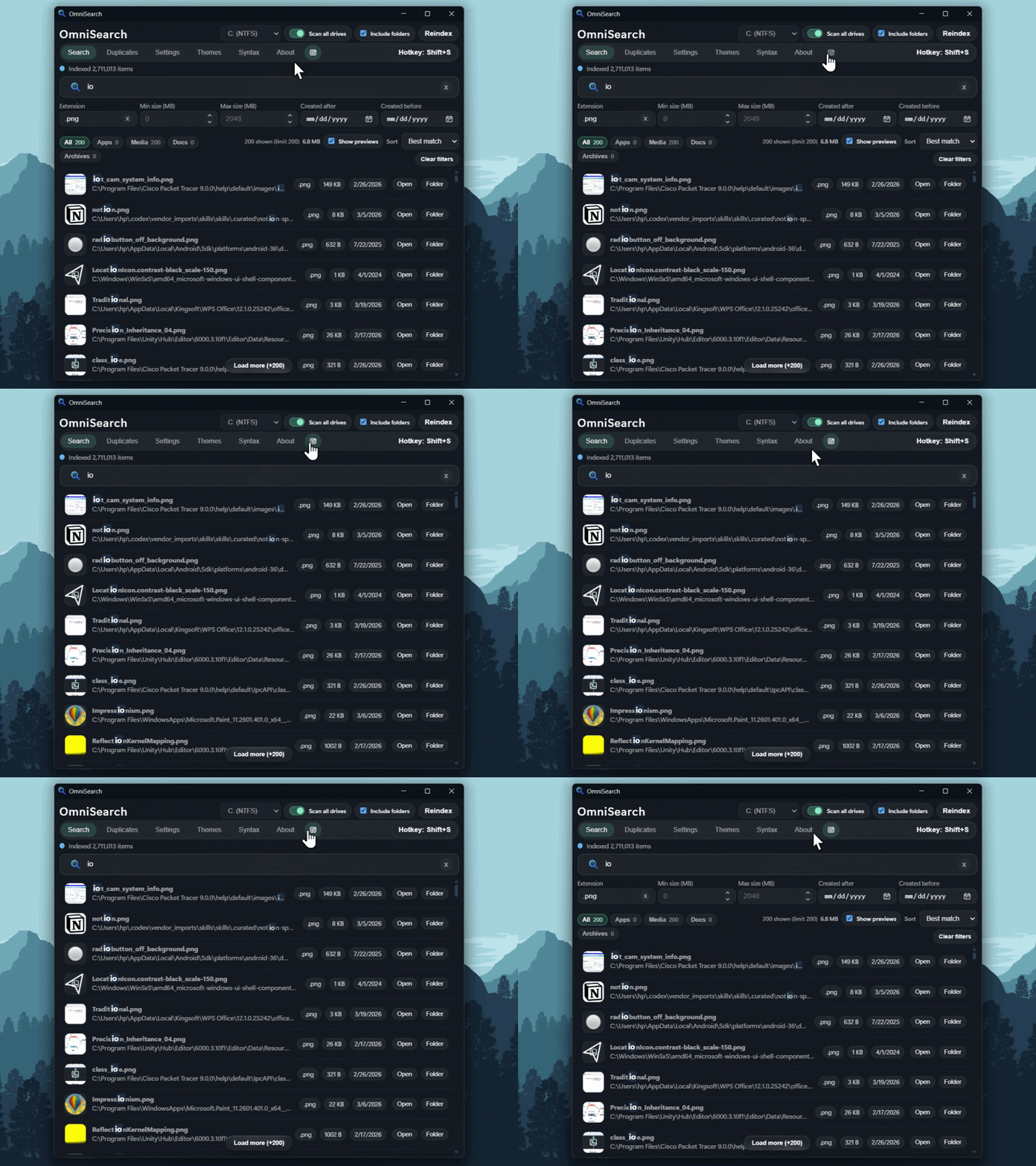
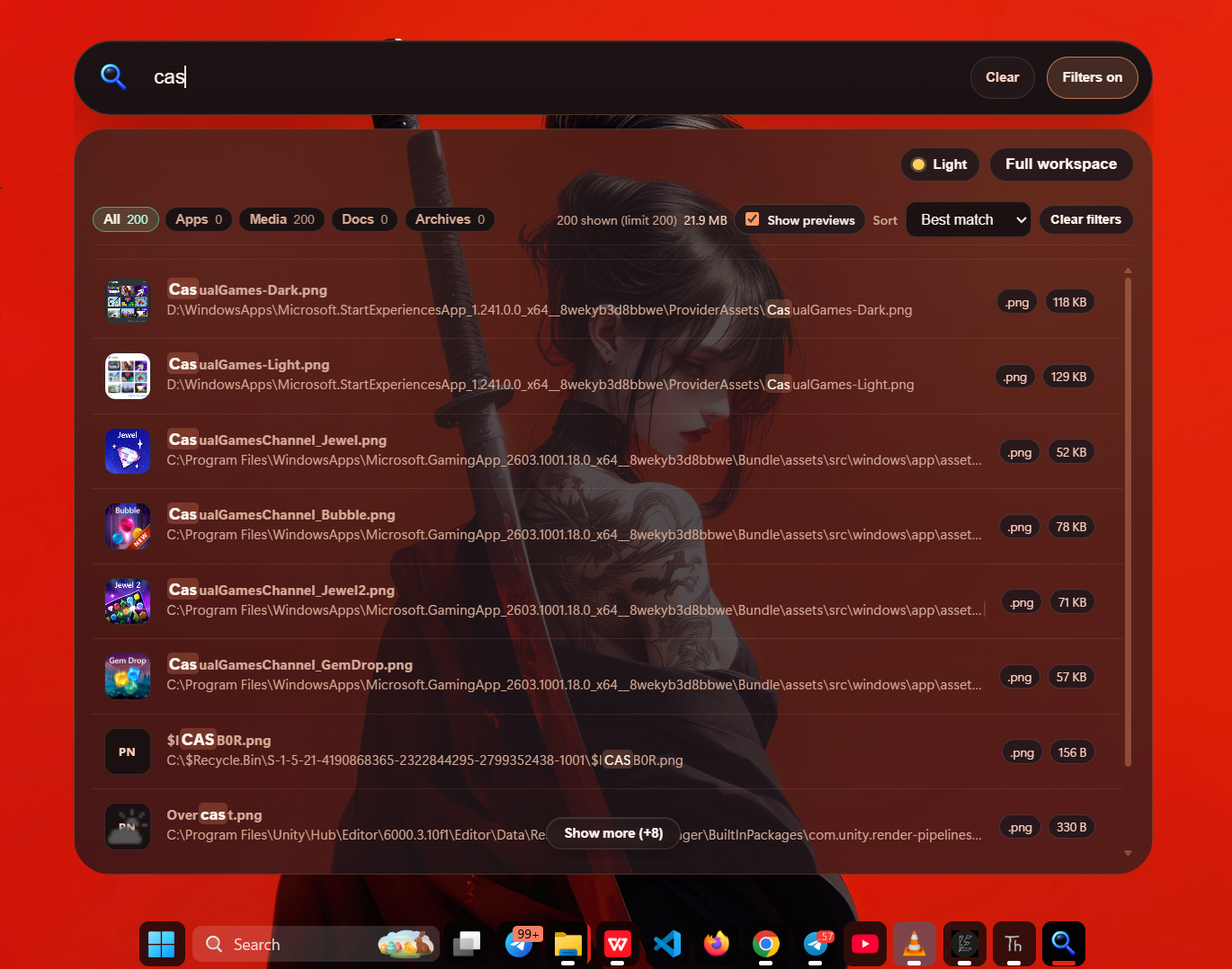
Main search tab with filters, categories, previews, and actions.
──────────── · ────────────
Quick Window
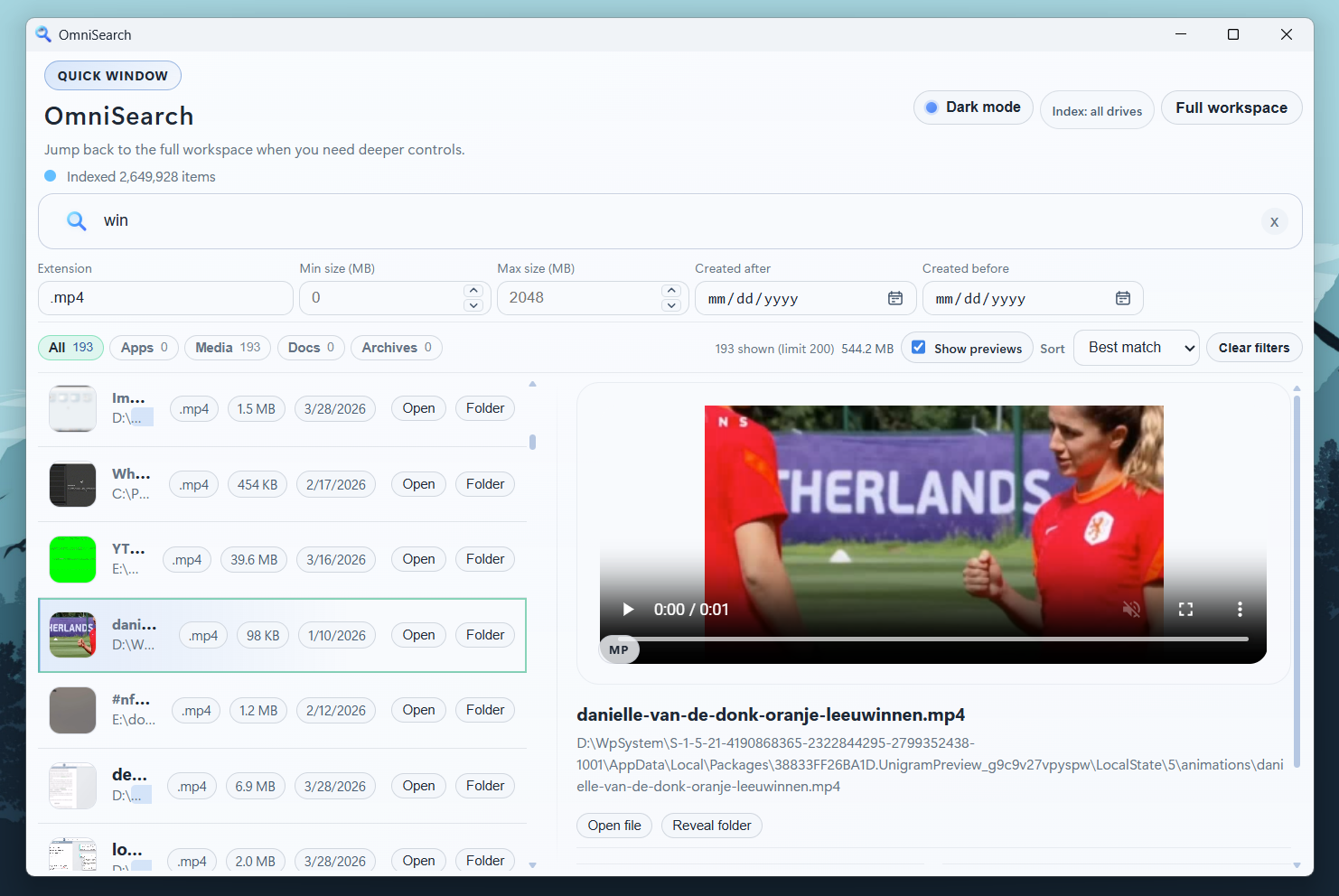
Quick-search view with instant filters, keyboard-first flow, and a dedicated preview panel.
──────────── · ────────────
Advanced Features
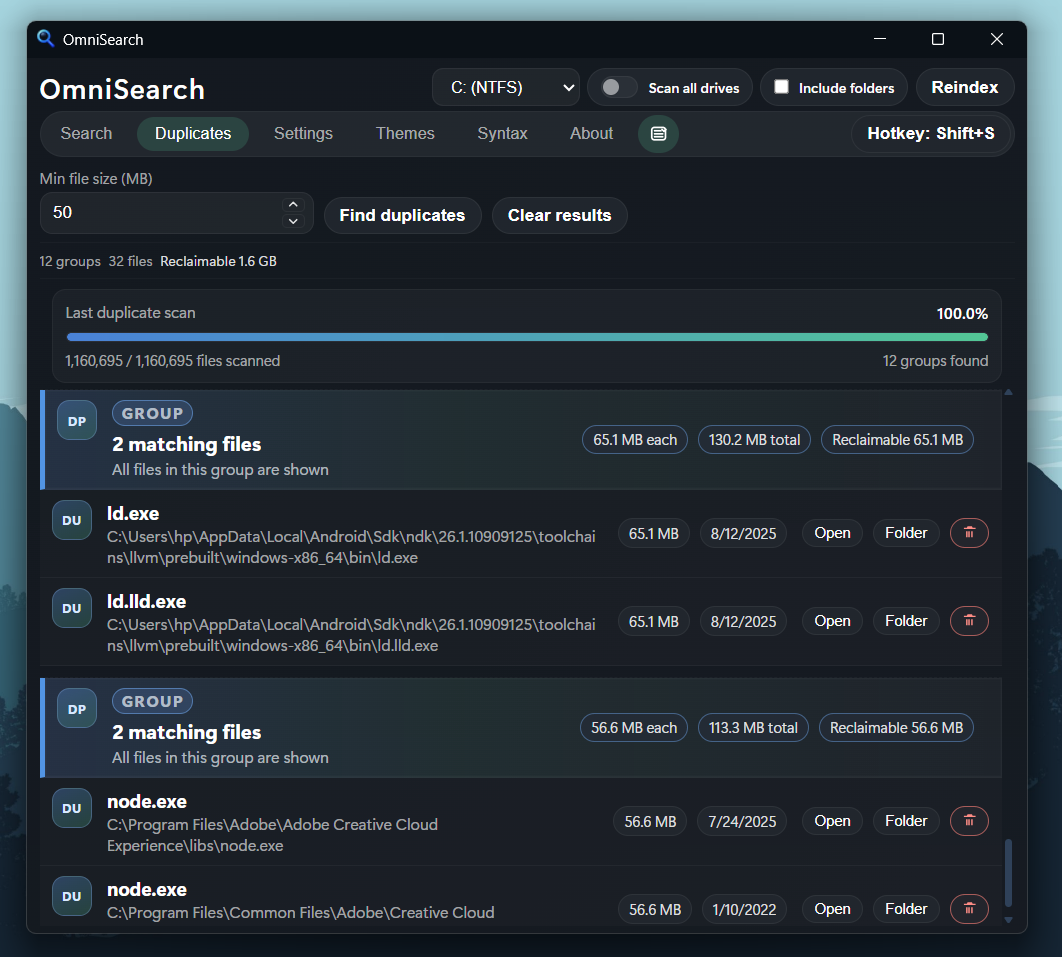
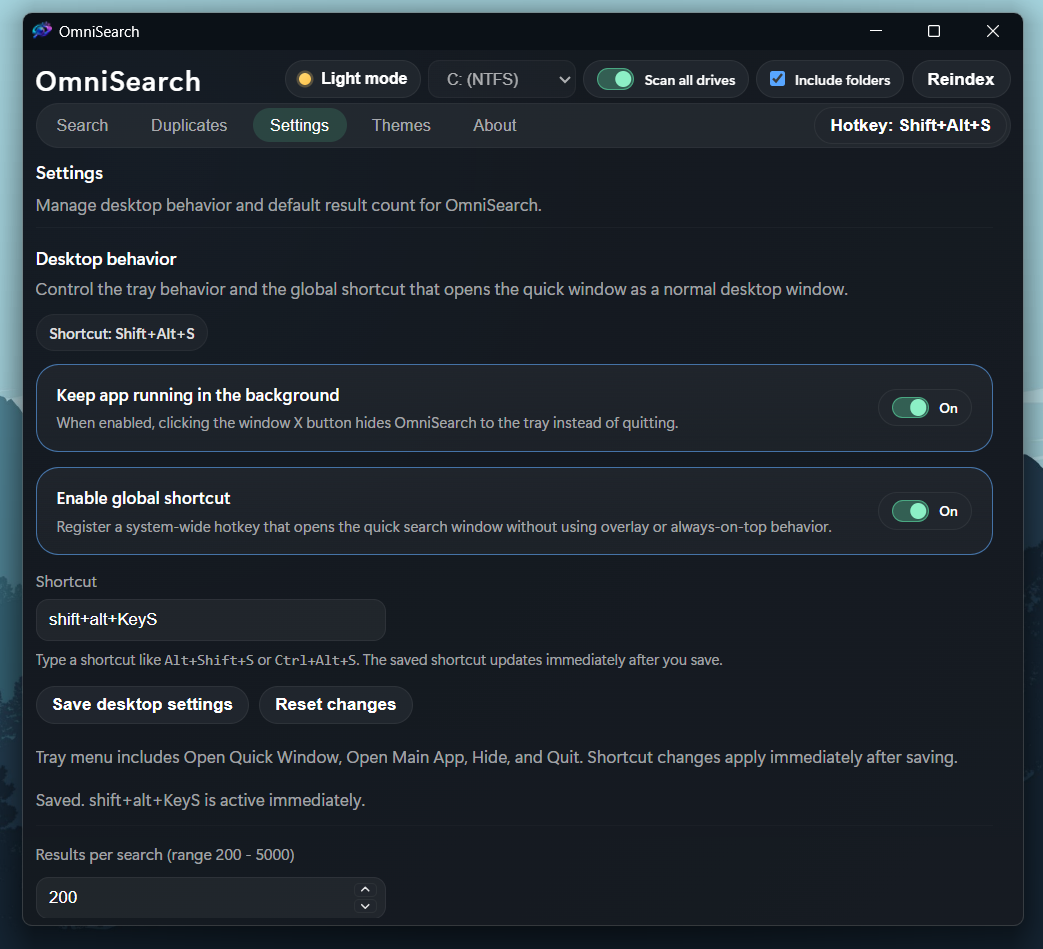
Duplicate Finder identifies identical files and shows reclaimable space, alongside advanced drive scope and indexing controls.
| Microsoft Store Version Features Only |

|
Preview Microsoft Store extras
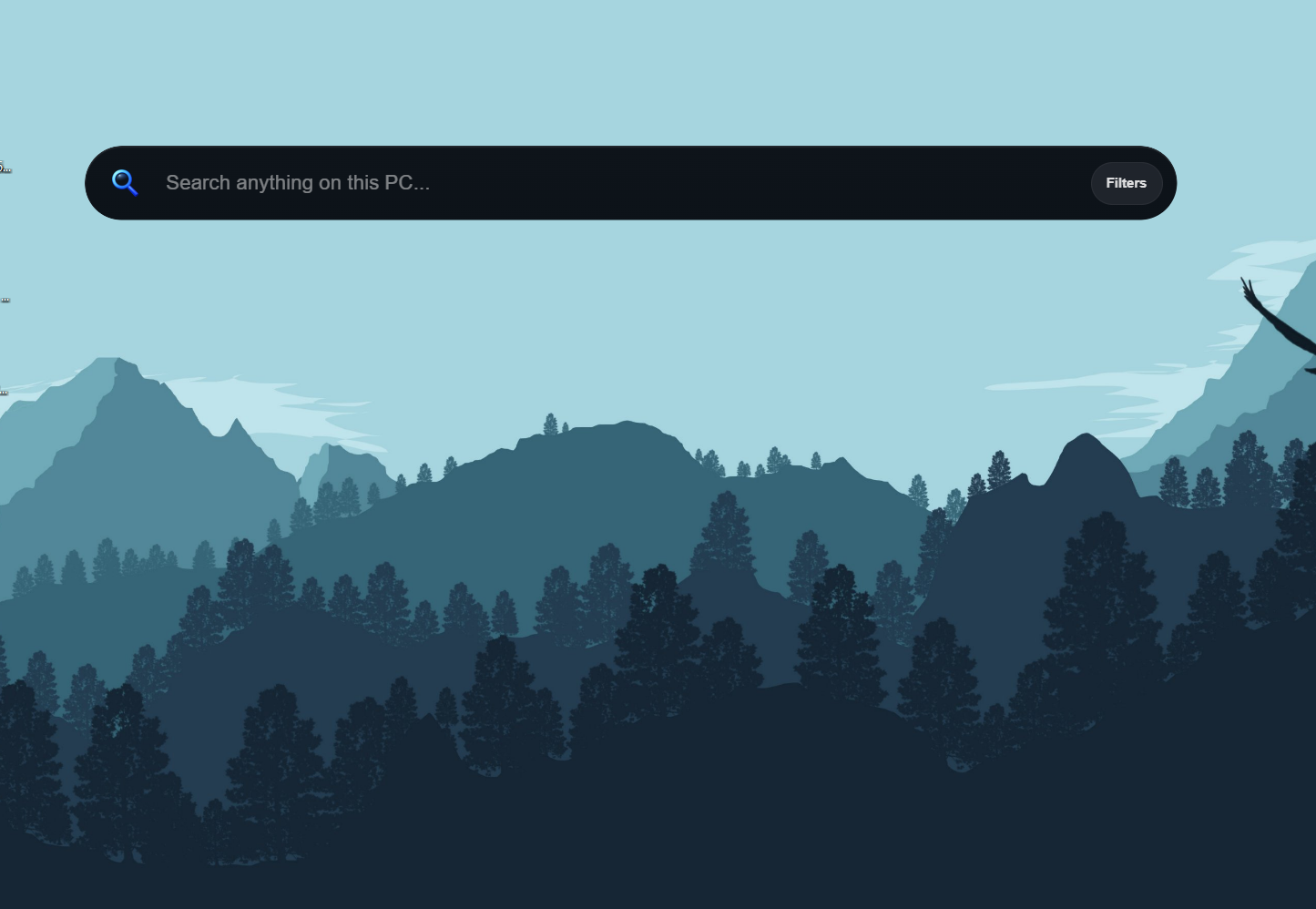
custom background images for the app and a compact search bar mode.
Features
- Native Windows indexing engine in C++ using
DeviceIoControl+ USN/MFT enumeration. - Live incremental index updates via USN journal watcher after initial scan.
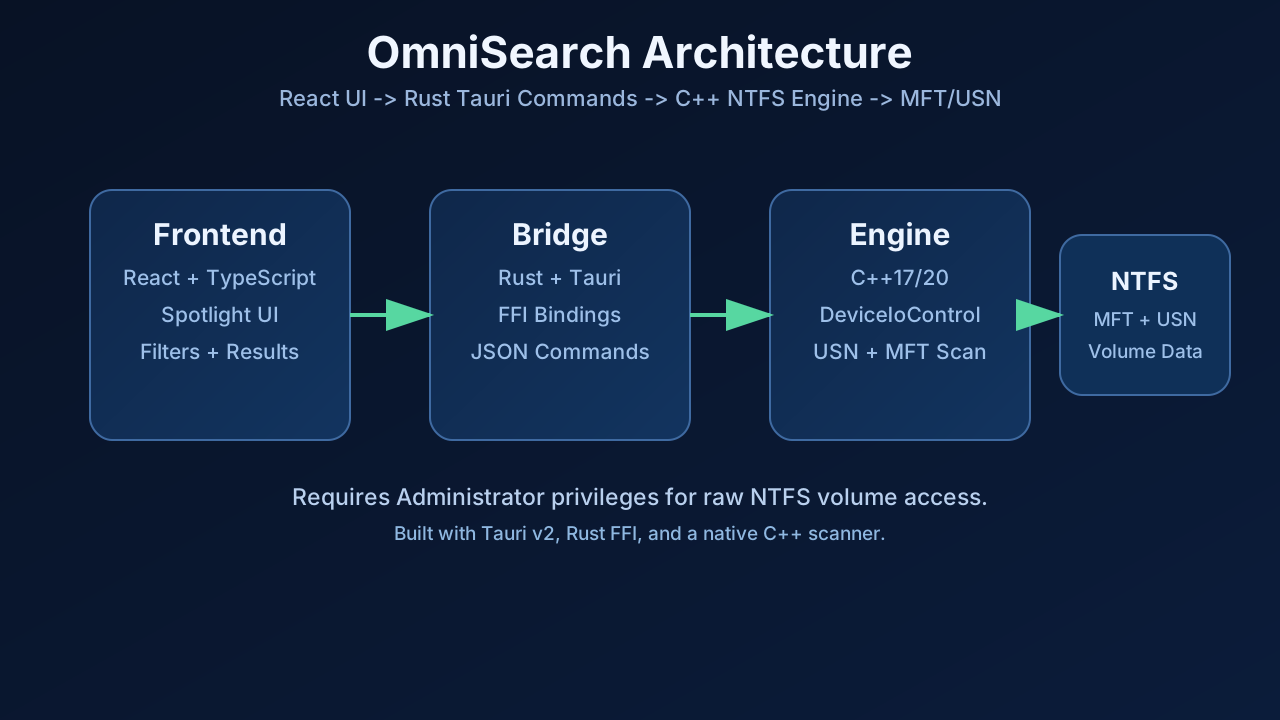
- Rust FFI bridge exposing Tauri commands for indexing, searching, duplicates, drive listing, and file actions.
- Fast search UI with advanced filters: extension, file size range, created date range, clear buttons, and a compact layout toggle.
- Inline search syntax with
ext:plus text content operators likecontent:,ansicontent:,utf8content:,utf16content:, andutf16becontent:. - Hybrid search flow that keeps normal path/name lookups fast and only scans file contents from disk when you explicitly use content syntax.
- Duplicate finder with multithreaded hashing and grouped results (plus reclaimable size).
- Duplicate scan controls: live progress %, scanned/total counters, groups found, and cancel support.
- Drive picker with NTFS detection and volume access checks.
- Optional search scope toggle to scan all NTFS drives instead of only the selected drive.
- Optional
Include foldersindexing mode so folder paths can appear in search results. - Advanced settings panel for configurable default search limit (persisted locally).
- Optional installed app search with real app icons, direct app launching, and integration into Recent activity.
- Recent activity remembers both searches and opened items, with pinning support to keep important entries at the top.
- Incremental
Load moreresults flow that expands by your configured default limit step. - Result tools: open file, reveal in folder, previews (image/video/pdf), Quick Look with the Space key, sort modes, and category tabs.
- Quick Window mode for compact search, fast hotkey access, a draggable results/preview splitter, and a dedicated selected-result preview surface.
- Search result context actions: open path, copy path, copy filename, copy full filename, rename, and delete.
- Optional Recycle Bin delete flow for both duplicate cleanup and standard search results.
- Native drag-out support so files can be dragged directly from result rows into Explorer or other apps.
- Theme gallery with multiple presets across dark and light mode, including Slate Glass, Win Slate, Metro, Aurora, Nordic Ink, Ember, Cedar, and Solar Sand.
- Desktop behavior settings for tray mode, background running, and configurable global shortcut handling.
- Full workspace / Quick Window switching from the tray menu, hotkey, and in-app controls.
- Light/dark theme toggle and dedicated Search / Duplicates / Settings / Themes / About tabs.
- Search syntax reference tab plus the standalone Content Search Guide for examples and operator details.
- Android companion app source in
android/for local Wi-Fi search, previews, pinning, and approved file actions from your phone. - Installer targets via Tauri bundle (MSI and NSIS).
- Windows manifest requests Administrator privileges (
requireAdministrator) for raw volume access.
Tech Stack
- Frontend: React 19, TypeScript, Vite
- Desktop shell: Tauri v2
- Bridge: Rust (
tauri,serde,cc) - Native engine: C++ (Win32 API, NTFS USN/MFT)
- Android companion: Kotlin, Jetpack Compose, Room, OkHttp
- Installer: WiX/MSI and NSIS via Tauri bundle
Repository Structure
omni-search/
├── src/                         # React & TypeScript UI
│   ├── App.tsx                  # Main Search Interface
│   ├── App.css                  # Custom Styling
│   └── main.tsx                 # Frontend Entry Point
├── public/                      # Static Assets
│   └── app-icon.png             # Frontend Favicon
├── src-tauri/                   # 🦀 Tauri (Rust) Backend
│   ├── cpp/                     # ⚙️ C++ High-Speed Engine
│   │   └── scanner.cpp          # Native NTFS Scanner (MFT Access)
│   ├── src/                     # Rust Source Code
│   │   ├── lib.rs               # FFI Bindings & Tauri Commands
│   │   └── main.rs              # App Entry & Lifecycle
│   ├── build.rs                 # C++ Compilation Script
│   ├── windows-app-manifest.xml # 🛡️ Admin Privileges (For Volume Access)
│   ├── tauri.conf.json          # Application Configuration
│   └── icons/                   # System App Icons
├── docs/                        # Documentation
│   └── images/                  # Architecture & Screenshots
├── index.html                   # HTML Entry Point
├── package.json                 # Node.js Dependencies
├── README.md                    # Project Documentation
└── CONTENTSEARCHGUIDE.md      # Guide for Content Search Implementation
How It Works
- React UI calls Tauri commands using
@tauri-apps/api. - Rust command layer forwards calls to C++ through
extern "C"FFI. - C++ scanner reads NTFS metadata via USN/MFT (
DeviceIoControl) and builds in-memory index state. - Live USN watcher applies file changes after initial indexing to keep search current.
- Search and duplicate results are serialized to JSON and returned to the UI.
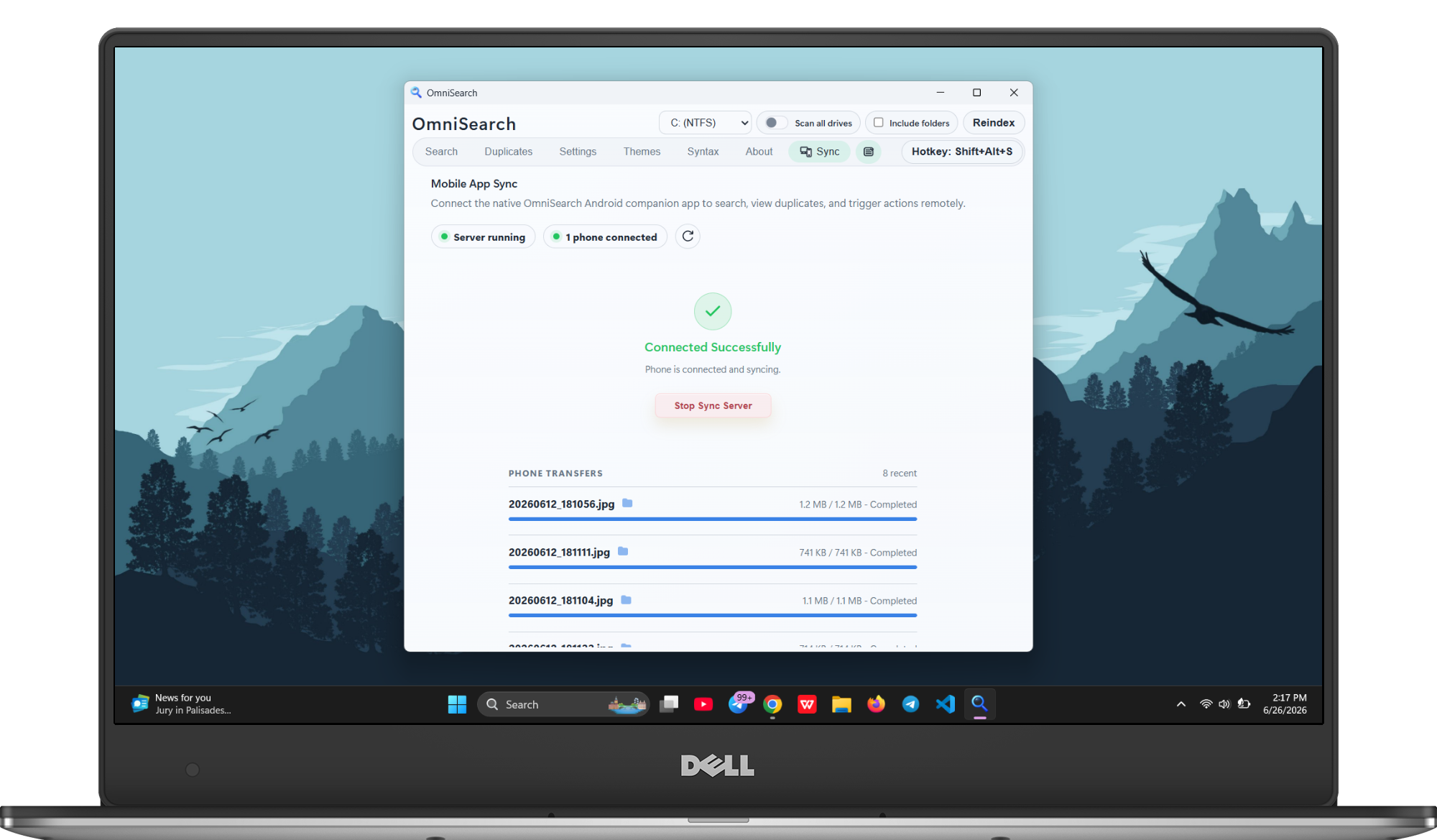
- Optional Android sync runs as a local-network companion client after desktop approval.
OmniSearch Android Companion
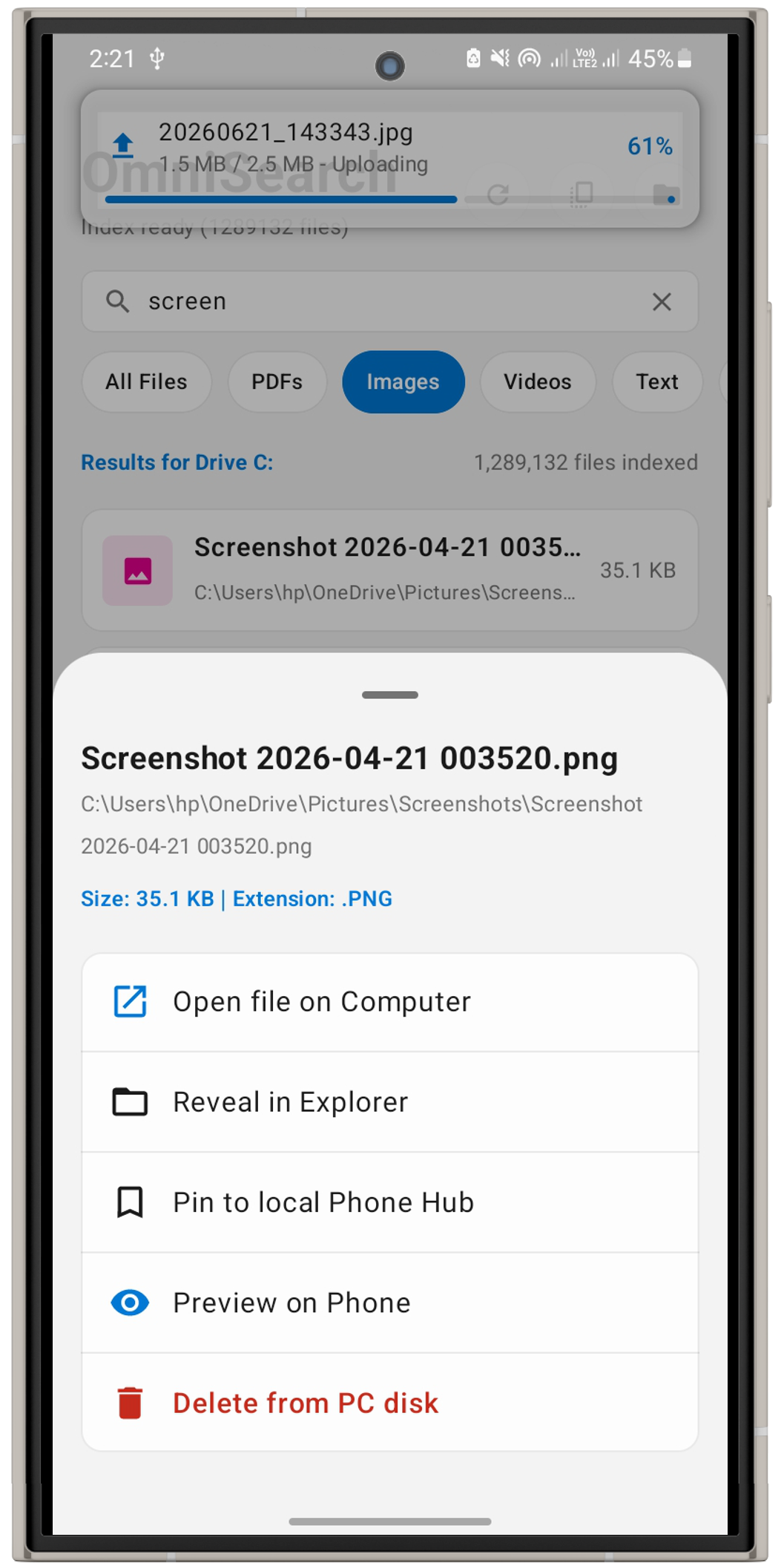
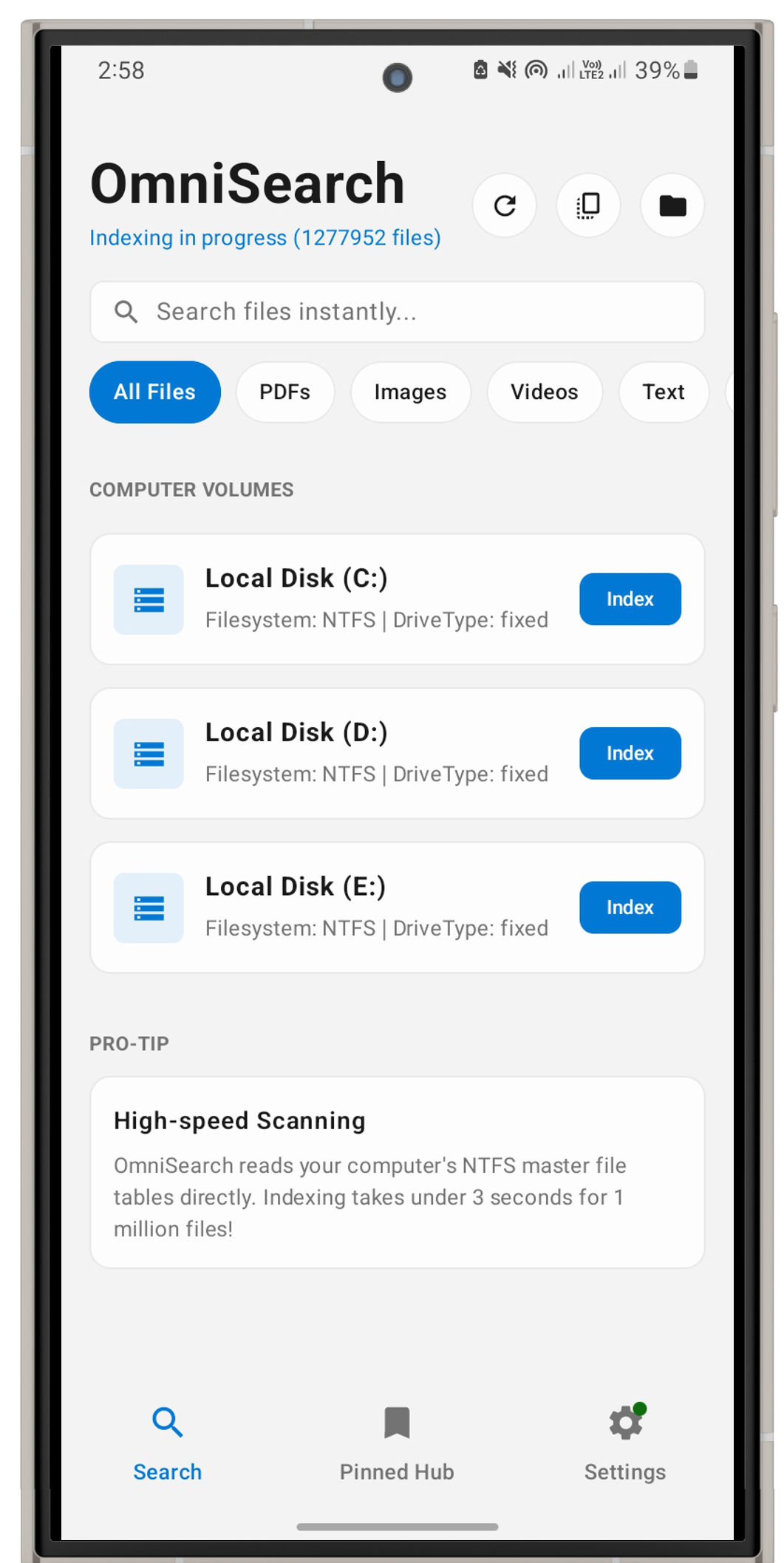
OmniSearch now includes a native Android companion application (android/) designed to control and sync with your desktop over your local Wi-Fi network.
Connection & Sync Features
- Local Discovery & Pairing: Pairing is initiated by scanning a QR code displayed in the desktop app's Sync tab, transferring the local IP address, port, and session token.
- Connection Security: All connections operate purely on the local network (LAN) and require explicit manual authorization on the desktop application before any file data is exposed.
- Synchronized Capabilities:
Secure Android Sync: Android sync uses local-networkwss://connections, desktop approval, and QR-code certificate pinning. Seeandroid/README.mdfor the full security model.
Main Commands (Tauri)
startindexing,indexstatussearch_filesfindduplicategroups,duplicatescanstatus,cancelduplicatescanlist_drivesopenfile,revealinfolder,deletepath,rename_pathstartnativefile_dragopenfullwindowcommand,openquickwindowcommandgetdesktopsettings,updatedesktopsettingssyncwindowtheme_commandopenexternalurlloadpreviewdata_urllistinstalledapps,launchinstalledapp,revealinstalledappstartsyncservercommand,stopsyncservercommand,getsyncserverstatuscommand
Requirements
- Windows 10/11 (NTFS volume)
- Node.js 20+ and npm
- Rust stable toolchain (
x86_64-pc-windows-msvc) - Visual Studio 2022 C++ Build Tools (
Desktop development with C++) - WebView2 Runtime (normally preinstalled on Windows 11)
- Android Studio + JDK 17 if you want to build the Android companion app.
Quick Start (Development)
cd e:\omni-search
npm install
cd src-tauri
cargo check
cd ..
npm run tauri dev
Important:
- The app needs Administrator privileges to read
\\.\C:for USN/MFT data. - If indexing fails with "Unable to open volume", run the app elevated or use the packaged build with UAC prompt.
cd android
.\gradlew.bat assembleDebug
Build Installers (Distribution)
Build MSI:
cd e:\omni-search
npx tauri build -b msi
Output path:
src-tauri/target/release/bundle/msi/omni-search<version>x64_en-US.msi
npx tauri build -b nsisOutput path:
src-tauri/target/release/bundle/nsis/
Customize App Icon / Branding
Generate all required Tauri icons from one square source image:
npx tauri icon .\path\to\your-logo-1024.png --output .\src-tauri\iconsUpdate visible app metadata in src-tauri/tauri.conf.json:
productNameapp.windows[0].title
Troubleshooting
Unable to open volume:
fsutil fsinfo volumeinfo C:.
cl.exe not found:
- App still shows old icon:
cargo clean, rebuild, and restart Explorer (Windows icon cache).
Sponsors
| | Free code signing on Windows provided by SignPath.io,certficate by SignPath Foundation |
|------------------------------------------------------------|-----------------------------------------------------------------------------------------------------------------------------------------------|
| Free code signing on Windows provided by SignPath.io,certficate by SignPath Foundation |
|------------------------------------------------------------|-----------------------------------------------------------------------------------------------------------------------------------------------|
Contributing
- Fork the repo.
- Create a feature branch.
- Run checks (
cargo check,npm run build). - Open a PR with test notes and benchmark notes if scanner logic changed.
Star History


