
Dim, a media manager fueled by dark forces.
Dim
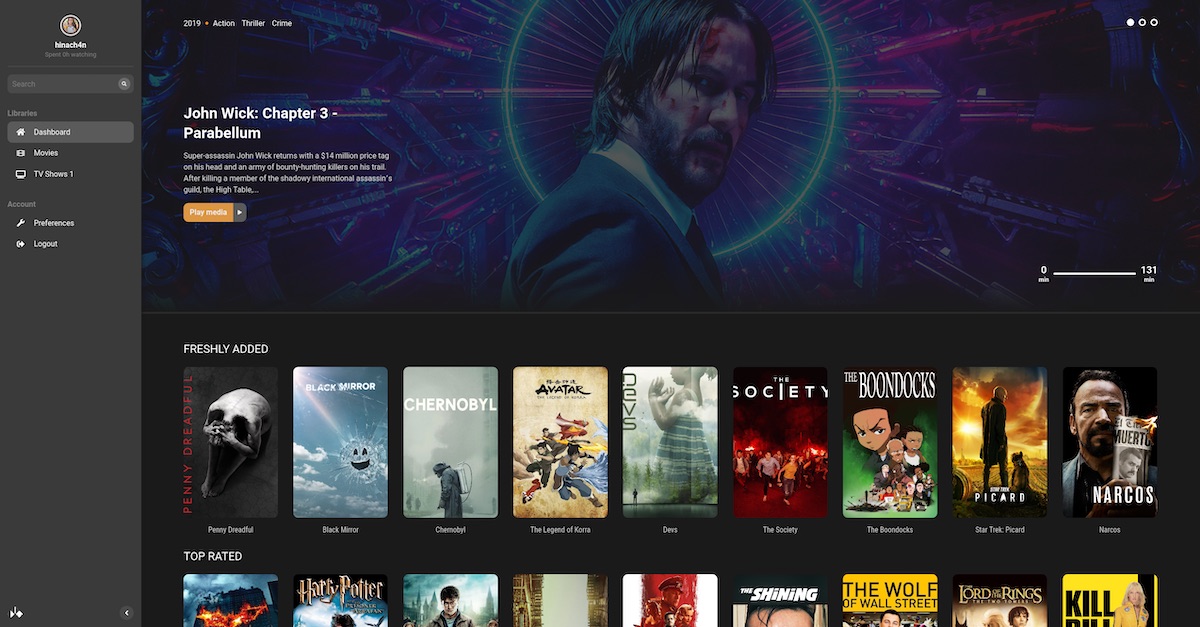

Dim is a self-hosted media manager. With minimal setup, Dim will organize and beautify your media collections, letting you access and play them anytime from anywhere.
Running from binaries
Dependencies
- libva2
- libva-drm2
- libharfbuzz
- libfontconfig
- libfribidi
- libtheora
- libvorbis
- libvorbisenc
- libtheora0
- Unpack with
unzip ./release-linux.zip && tar -xvzf ./release.tar.gz - Run
cd release && ./dim - Then you can access the Dim web UI through your browser with
http://0.0.0.0:8000(assuming it's running locally.)
Running with docker
The following command runs dim on port 8000, storing configuration in $HOME/.config/dim. You may change that path if you'd like to store configuration somewhere else. You can mount as many directories containing media as you like by repeating the -v HOSTPATH:CONTAINERPATH option. In this example, the path /media on the host is made available at the same path inside the Docker container. This name "media" is arbitrary and you can choose whatever you like.
docker run -d -p 8000:8000/tcp -v $HOME/.config/dim:/opt/dim/config -v /media:/media:ro ghcr.io/dusk-labs/dim:devghcr.io/dusk-labs/dim:master
To use hardware acceleration, mount the relevant device:
docker run -d -p 8000:8000/tcp -v $HOME/.config/dim:/opt/dim/config -v /media:/media:ro --device=/dev/dri/renderD128 ghcr.io/dusk-labs/dim:devRefer to docker-compose-template.yaml to run dim using Docker Compose.
Running from source
Dependencies
To run from source, you'll first need to install the following dependencies on your system:
- sqlite
- cargo
- rustc (nightly)
- yarn, npm
- libssl-dev
- libva2 (only if you're using Linux)
- libva-dev (only if you're using Linux)
- libva-drm2 (only if you're using Linux)
- ffmpeg
git clone https://github.com/Dusk-Labs/dim
yarn --cwd ui/ && yarn --cwd ui/ build
mkdir utils && ln -nfs $(which ffmpeg) utils/ffmpeg && ln -nfs $(which ffprobe) utils/ffprobe
If you're on Linux, run dim with:
cargo run --features vaapi --releaseOn other platforms where libva isn't available, run dim with:
cargo run --releaseLicense
Dim is licensed under the AGPLv3 license (see LICENSE.md or https://opensource.org/licenses/AGPL-3.0)
Screenshots


