
Vicious Viper Dotfiles
Vicious Viper







A wallpaper-synced Hyprland rice for Arch Linux.
Material You theming · Automated backups · Modular installer · Clean daily workflow.
🖼 Preview · ✨ Features · 🧩 Stack · 📦 Prerequisites · ⚡ Installation · 📂 Layout · 🚩 Flags · ⌨️ Keybinds · 🎨 Theming · 🌐 Zen · 🔄 Updating · 🔧 Troubleshoot
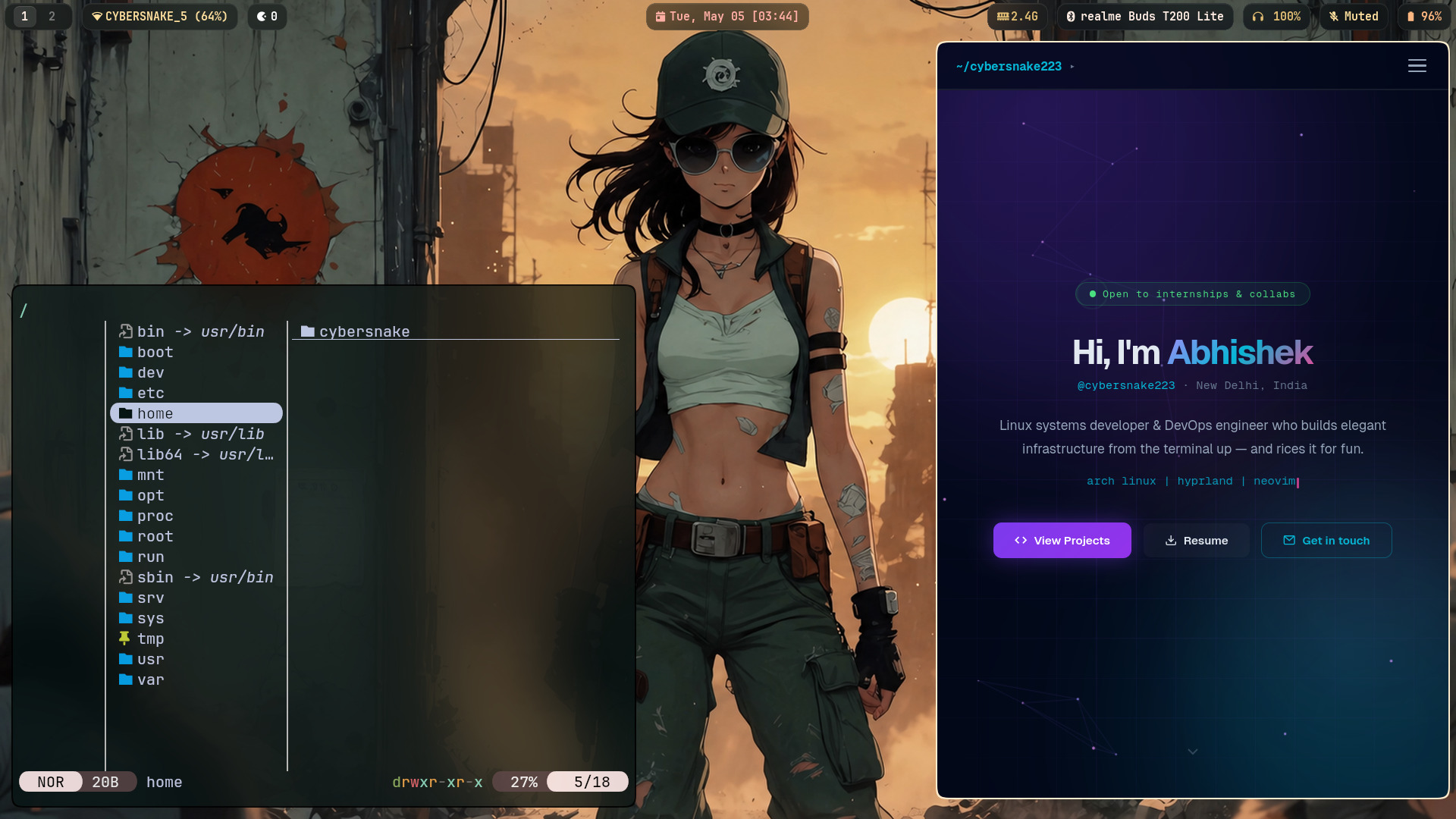
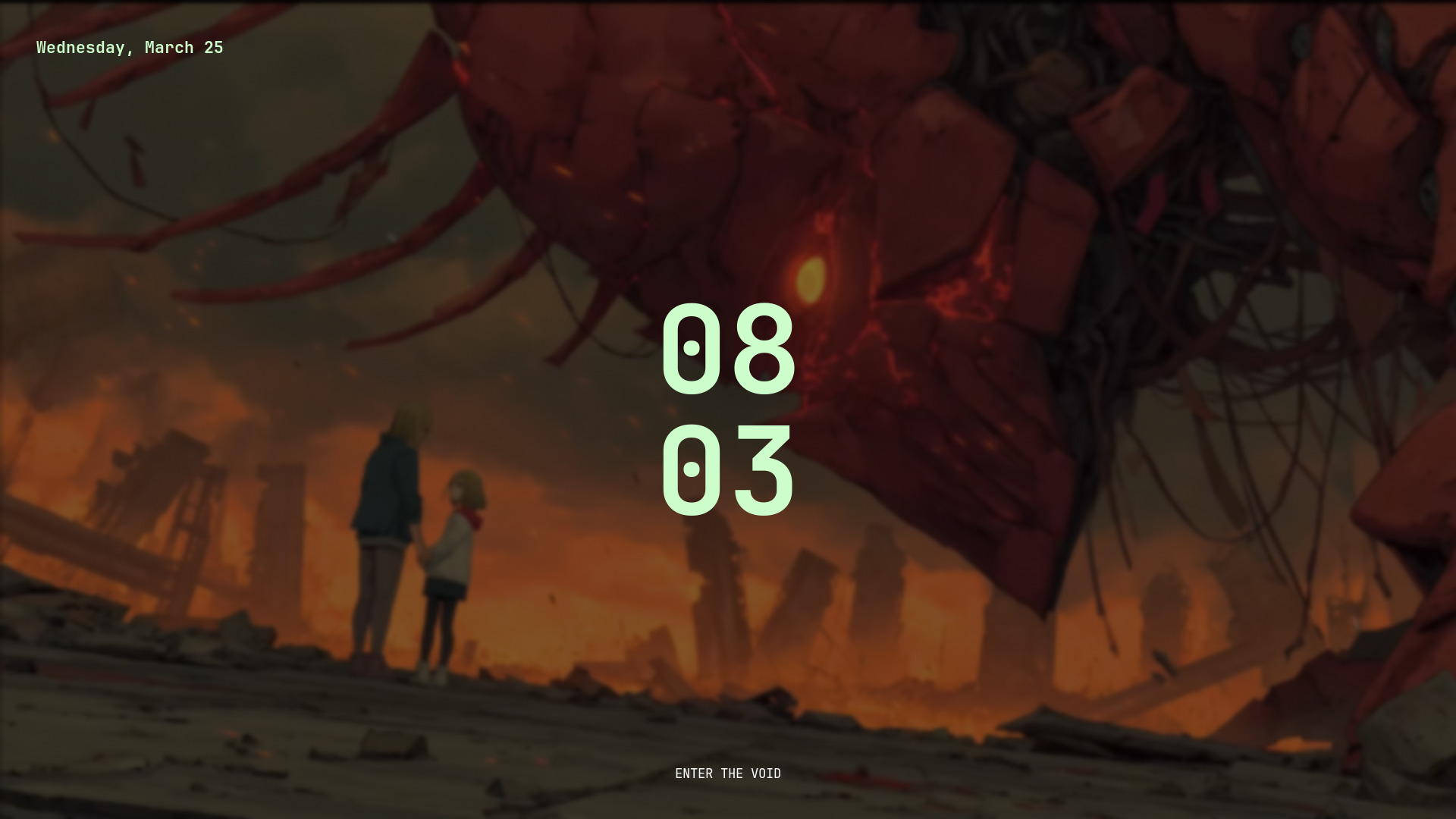
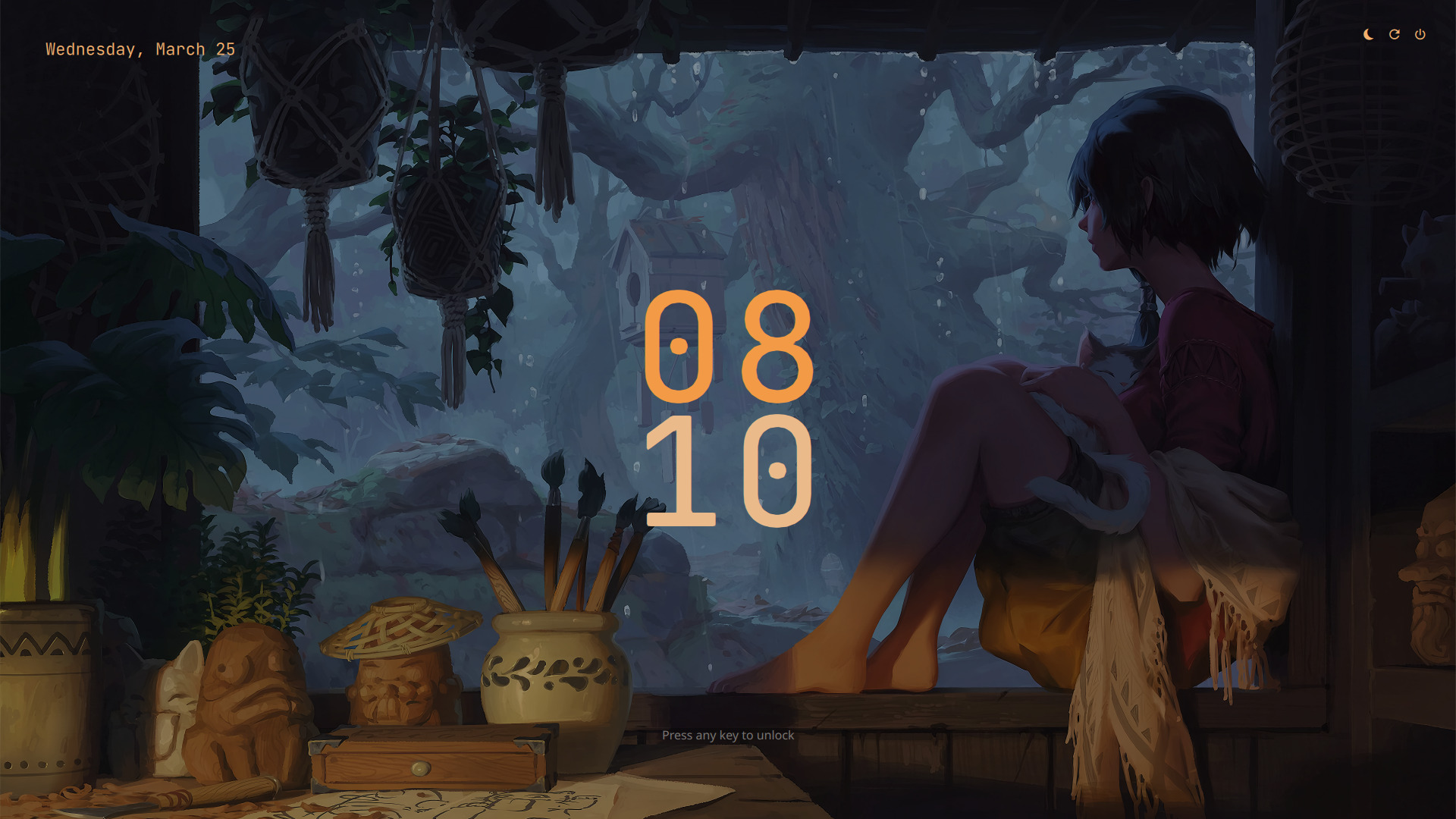
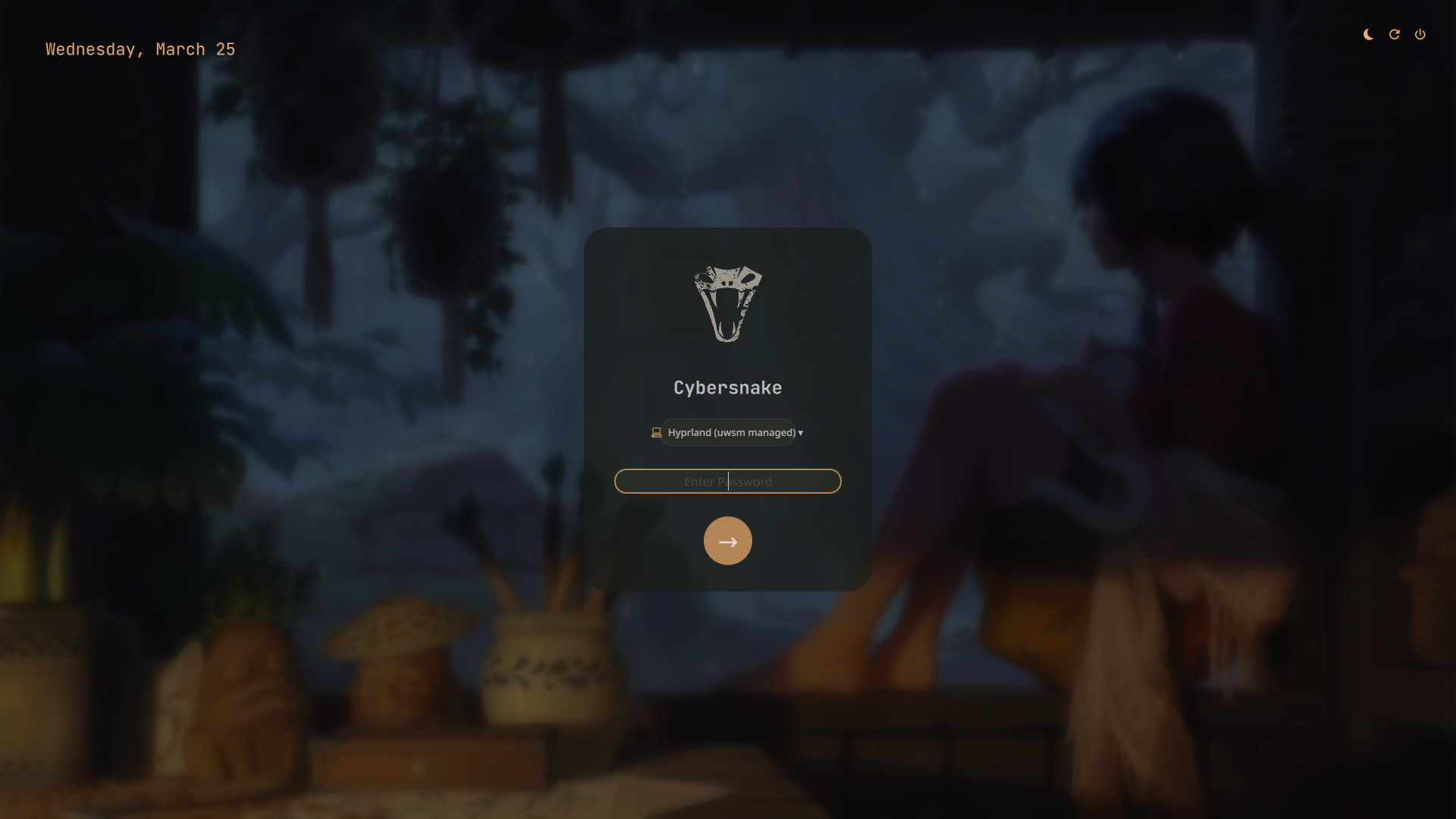
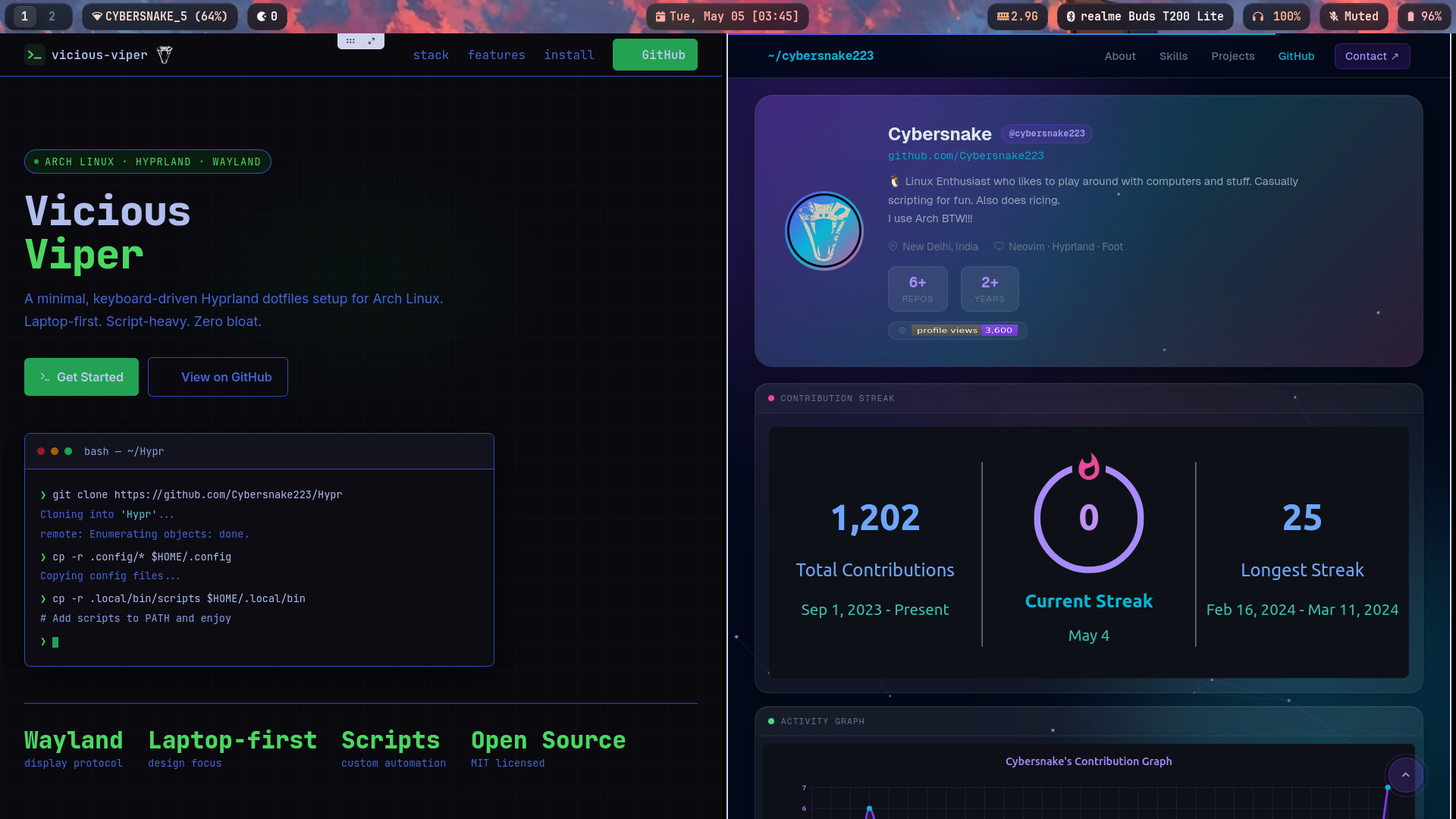
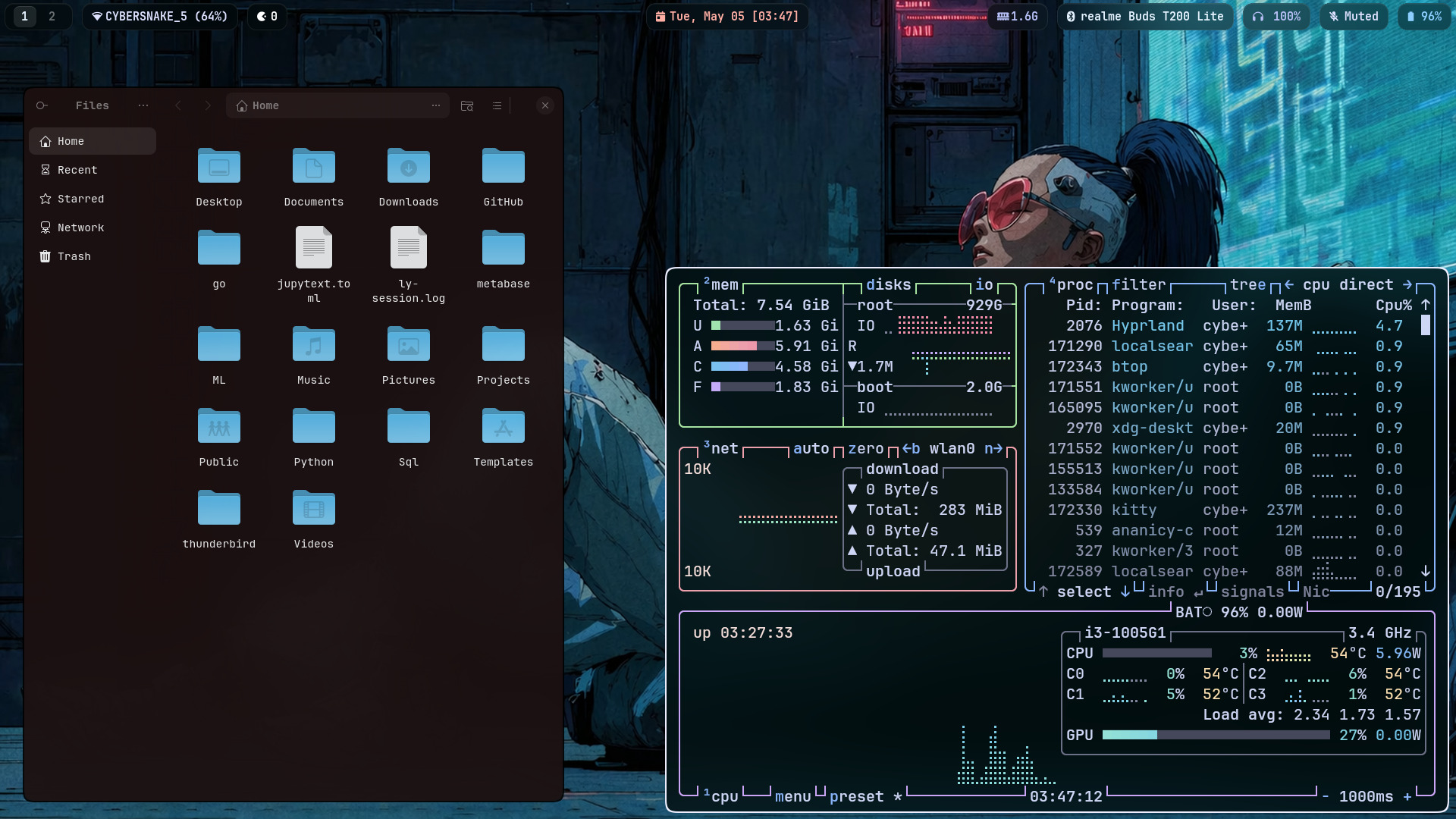
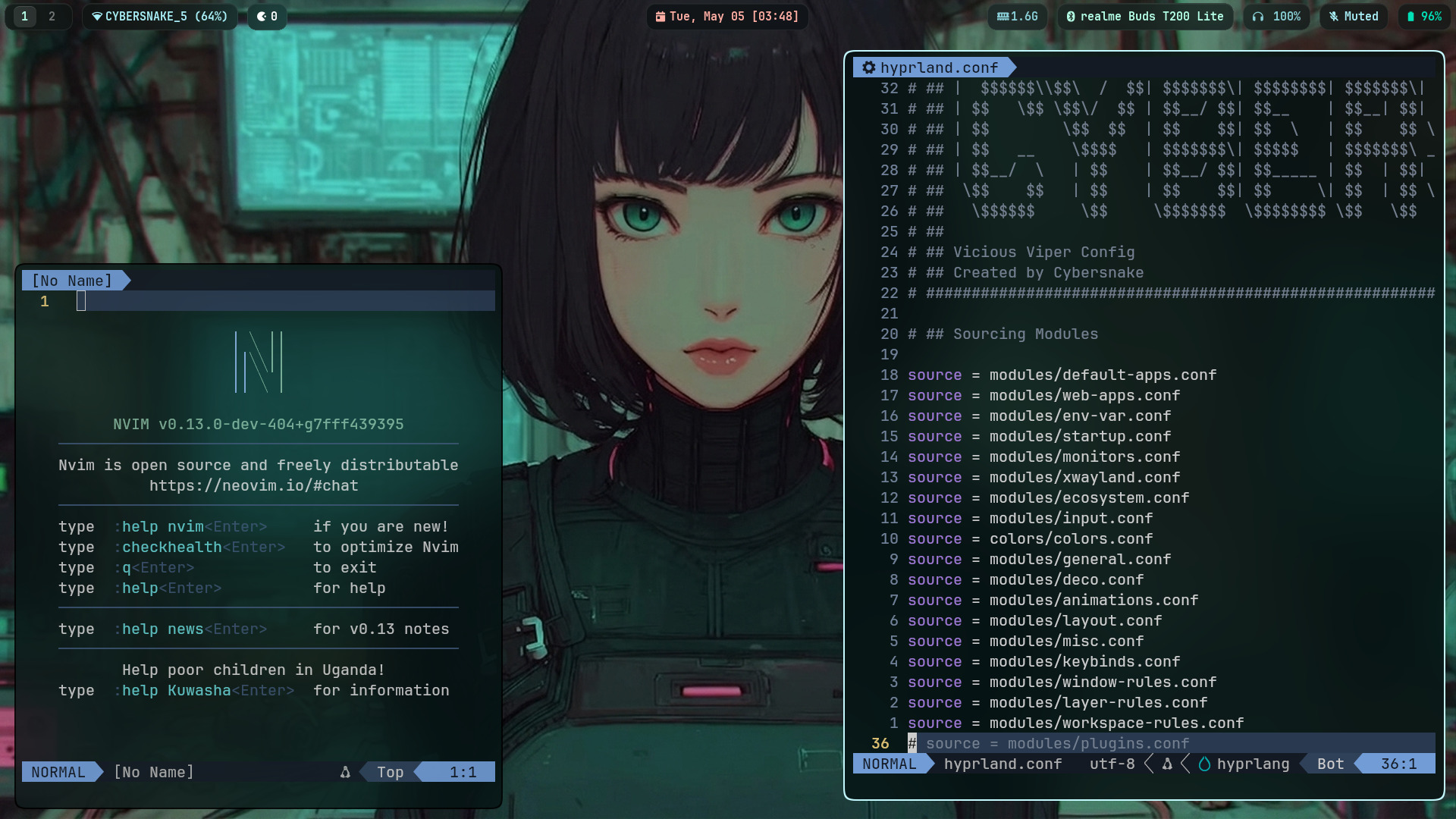
🖼 Preview
 |
 |
 |
 |
 |
 |
 |
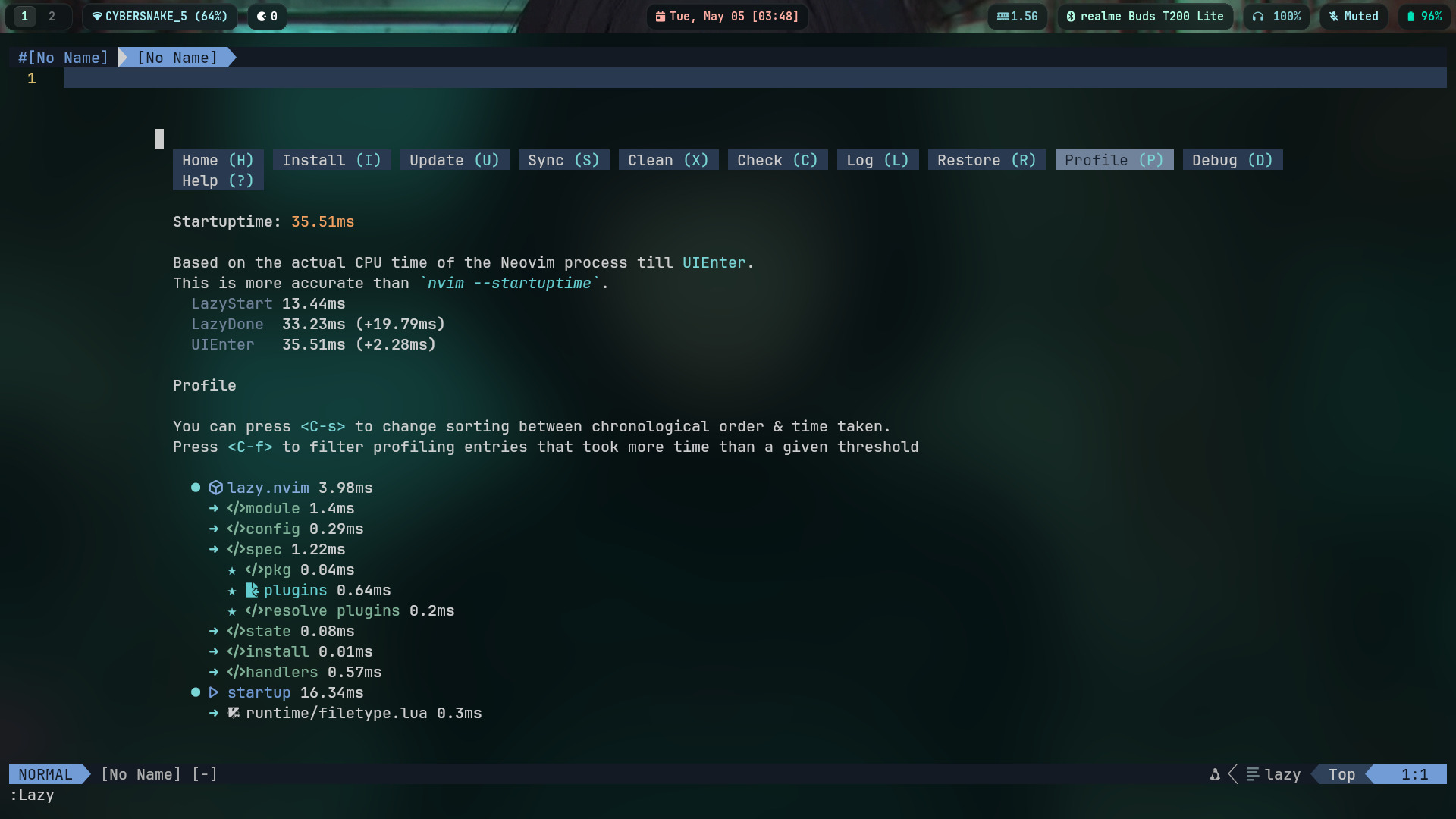 |
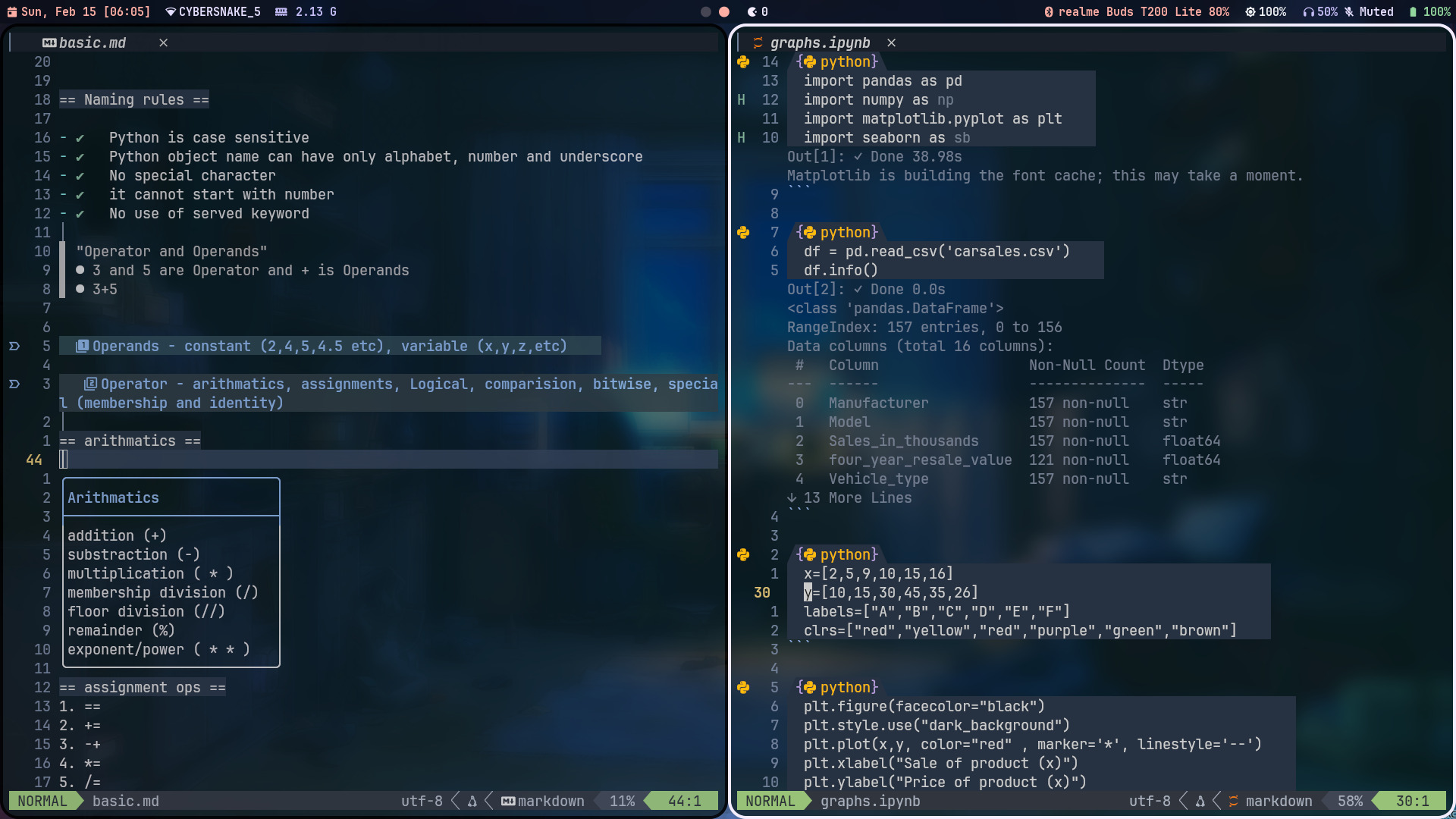 |
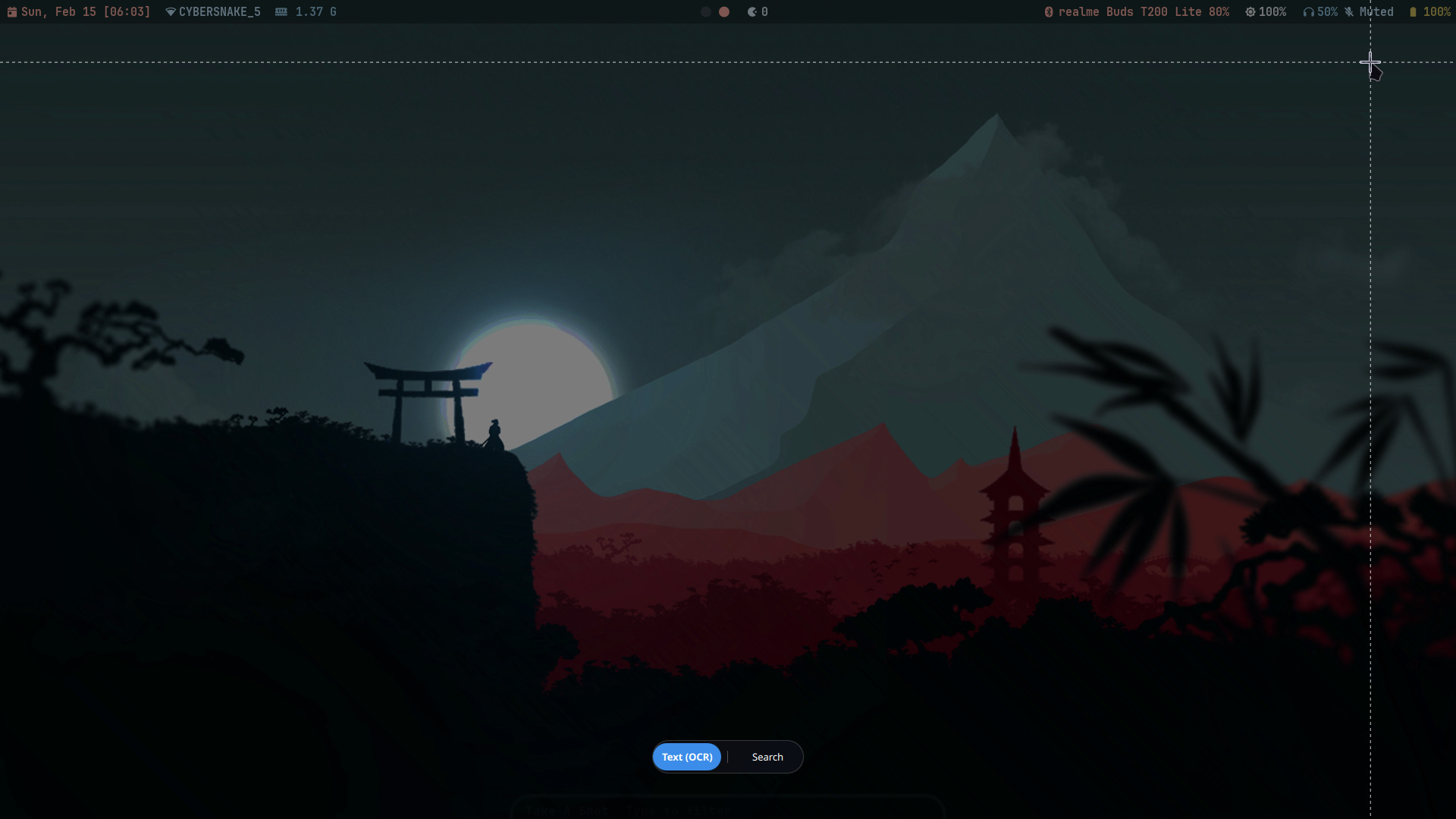 |
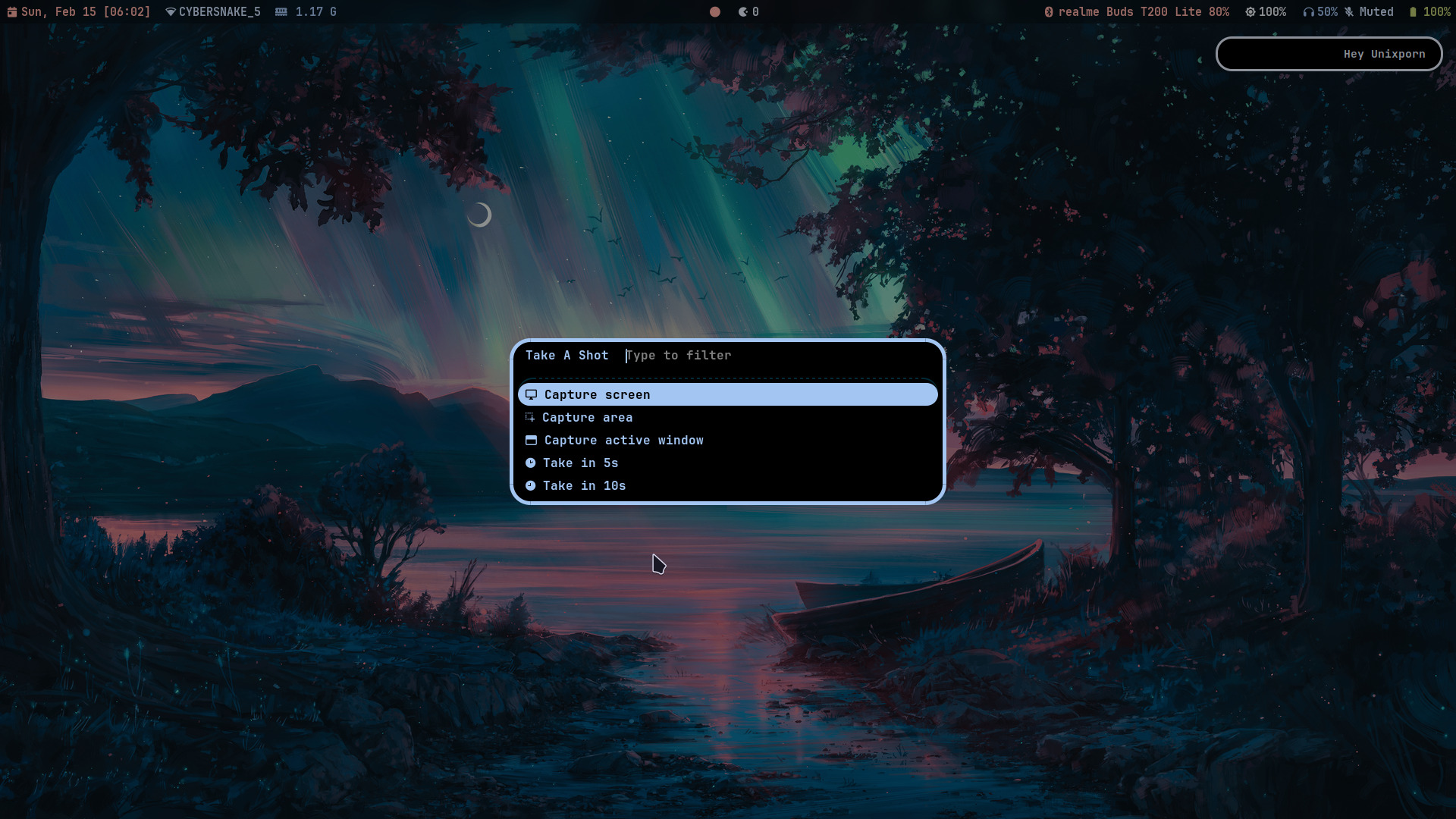 |
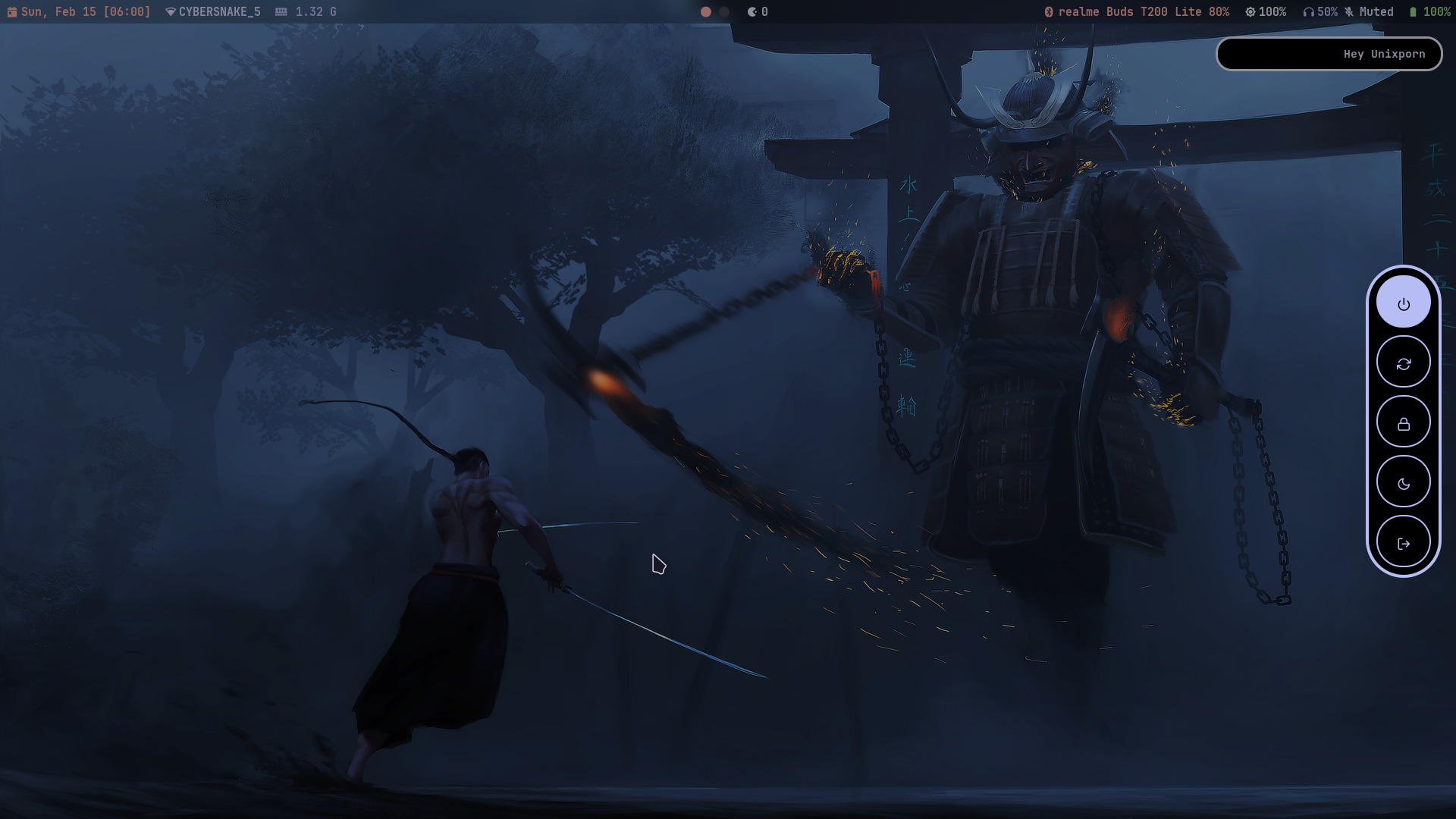 |
✨ Features
| 🔮 | 💾 | 🎛 | 🪄 | 🐚 | | :-------------------------------------------------------------------------------------------------------------: | :-----------------------------------------------------------------------------------------------------: | :-------------------------------------------------------------------------------------------------------------: | :---------------------------------------------------------------------------: | :----------------------------------------------------------------------------------------------: | | Material You theming — Matugen derives a full palette from your wallpaper and applies it to every component | Safe installer — every file that would be overwritten is backed up to a timestamped directory first | Modular installs — choose exactly which modules to deploy: configs, scripts, icons, themes, fonts, dotfiles | Dry-run mode — preview every single action without touching a single file | Shell-aware PATH patching — detects Zsh, Bash, Fish, Ksh, and falls back to POSIX .profile |
| ↩️ | 🔤 | 🌐 | 📜 | 🎨 | | :-------------------------------------------------------------------------------: | :---------------------------------------------------------------------------------------------------------: | :----------------------------------------------------------------------------------------------------: | :------------------------------------------------------------------------------: | :-----------------------------------------------------------------------------: | | One-command undo — restore all your originals with ./install.sh --uninstall | Bundled fonts — JetBrains Mono Nerd, Font Awesome, Icomoon Feather, Nerd Symbols — installed and cached | Zen Browser CSS — custom userChrome.css and userContent.css tuned to match the Viper aesthetic | 50+ custom scripts — automatically marked executable and patched into PATH | Live theming — change wallpaper, run matugen, everything recolors instantly |
🧩 Stack
| Role | Tool | | :------------------: | :-------------------------------------------------------------------------------------------------- | | 🏗 Base | Arch Linux | | 🪟 Compositor | Hyprland | | 📊 Bar | Waybar | | 🖥 Terminal | Kitty + Foot | | 🐚 Shell | Zsh + Starship | | 🔔 Notifications | Mako | | 🚀 Launcher | Rofi Wayland fork | | 🌐 Browser | Zen Browser | | 🔒 Locker | Hyprlock | | 📁 Files | Nautilus + Yazi | | 📝 Editor | Neovim | | 🖼 Wallpaper | awww | | 🎨 Theming | Matugen | | 📡 System Info | Fastfetch | | 🎵 Audio | cmus + Cava + mpv | | 📈 Monitor | btop | | ⬇ Downloads | aria2 |
📦 Prerequisites
[!IMPORTANT]
The installer checks for these and warns about anything missing. It will not block installation unless core system utilities likecporfindare absent.
Tested On
| | | | :------------: | :------------------------------------------------ | | 🖥 OS | Arch Linux (latest) | | GPU | Intel / AMD / NVIDIA (all supported via Hyprland) | | 🪟 Display | Wayland (Hyprland) |
Core packages
yay -S hyprland waybar foot kitty zsh rofi mako       \
        hyprlock matugen-bin btop yazi fastfetch neovim starship          \
        cava cmus mpv nautilus zen-browser-bin aria2 advcpmv
Supporting packages
Click to expand
| Package | Purpose | | ----------------------------------------------- | ----------------------------------------- | | xdg-desktop-portal-hyprland | Wayland portal — screenshare, file picker | | polkit-gnome | GUI authentication agent | | grim + slurp + wl-clipboard | Screenshot toolchain | | brightnessctl | Brightness control | | pavucontrol | Audio volume GUI | | pipewire + pipewire-pulse + pipewire-alsa | Audio stack | | wireplumber | PipeWire session manager | | networkmanager | Networking | | bluez + bluez-tools | Bluetooth | | xorg-xwayland | X11 app compatibility | | eza | Better ls | | fd | Better find | | bat | Better cat | | bleachbit | System cleaner script dependency |
Fonts
The .fonts/ directory is bundled and installed automatically. To install manually:
yay -S ttf-jetbrains-mono-nerd ttf-font-awesome nerd-fonts-symbols-only
fc-cache -f
⚡ Installation
[!CAUTION]
Run --dry-run first on an existing setup. The installer backs up every file it will overwrite, but you should always confirm what it touches before committing.
Quick start
git clone https://github.com/Cybersnake223/Hypr
cd Hypr
chmod +x install.sh
./install.sh --dry-run   # preview first
./install.sh             # install when ready
What happens during install
[1] ✅  Verify core system utilities
[2] 🔍  Check Hyprland ecosystem packages
[3] 💾  Backup all files that will be overwritten
[4] 📁  Copy selected modules into $HOME
[5] 🔑  chmod +x all scripts in ~/.local/bin/scripts
[6] 🔤  Rebuild font cache via fc-cache -f
[7] 🛤  Detect shell and optionally patch PATH
[8] 📋  Print install summary with log path
Backups land here:
~/.local/share/hypr-dotfiles-backups/<YYYYMMDD-HHMMSS>/Each backup contains a .manifest of every installed path — used by --uninstall to restore precisely.
Manual install (no script)
The installer is just a Bash script — review it, then replicate manually:
for dir in .config .icons .themes .fonts; do
  [ -d "$dir" ] && cp -r "$dir" "$HOME/"
done
[ -d .local/bin/scripts ] && cp -r .local/bin/scripts "$HOME/.local/bin/"
for f in .Xresources .gtkrc-2.0; do
  [ -f "$f" ] && cp "$f" "$HOME/"
done
find "$HOME/.local/bin/scripts" -type f -exec chmod +x {} +
fc-cache -f
echo 'export PATH="$HOME/.local/bin:$PATH"' >> ~/.zshrc
📂 File Layout
$HOME
├── .config/
│   ├── hypr/             ← Hyprland compositor
│   ├── waybar/           ← Status bar
│   ├── rofi/             ← App launcher
│   ├── nvim/             ← Neovim
│   ├── zsh/              ← Zsh (uses $ZDOTDIR)
│   ├── kitty/            ← Kitty terminal
│   ├── foot/             ← Foot terminal
│   ├── mako/             ← Notifications
│   ├── yazi/             ← TUI file manager
│   ├── mpv/              ← Media player
│   ├── btop/             ← System monitor
│   ├── matugen/          ← Color templates
│   ├── fastfetch/        ← System info
│   ├── cava/             ← Audio visualizer
│   └── ...
├── .local/bin/scripts/   ← 50+ custom shell scripts
├── .fonts/               ← Bundled fonts
├── .icons/               ← Icon theme
├── .themes/              ← GTK/Qt themes
├── .Xresources
└── .gtkrc-2.0
/etc/ (system-level — not installed, apply manually): ├── auto-cpufreq.conf    ← CPU governor tuning ├── pacman.conf          ← Pacman parallel downloads + eye candy └── pacman.d/
🚩 Installer Flags
| Flag | What it does | | :----------------------: | :----------------------------------------------- | | --dry-run | 🔍 Preview every action — zero changes made | | --yes | ✅ Skip all confirmation prompts | | --select | 🎛 Interactively pick which modules to install | | --no-backup | ⚠️ Skip backup — also disables --uninstall | | --uninstall | ↩️ Restore originals from the most recent backup | | --list-backups | 📋 Show all backups with timestamps and sizes | | --install-deps | 📦 Auto-install missing Hyprland ecosystem deps | | --install-nvim-deps | 📦 Auto-install Neovim system dependencies | | --skip-deps | 🚀 Skip the ecosystem dependency check | | --version | ℹ️ Show version and exit | | -h / --help | 📖 Show usage |
# First-timer recommended flow
./install.sh --dry-run
Standard install
./install.sh
Non-interactive (CI / scripted)
./install.sh --yes --skip-deps
Pick only what you want
./install.sh --select
Undo the last install
./install.sh --uninstall
See all saved backups
./install.sh --list-backups
--select module picker
[✓]  1  .config       Application configs (hypr, waybar, rofi, nvim, zsh…)
[✓]  2  scripts       Custom scripts → ~/.local/bin/scripts
[ ]  3  .icons        Icon theme
[✓]  4  .themes       GTK/Qt themes
[✓]  5  .fonts        Custom fonts (triggers fc-cache rebuild)
[✓]  6  dotfiles      Root dotfiles (.Xresources, .gtkrc-2.0)
Toggle a number, press Enter to confirm.
Shell-aware PATH patching
| Shell | Line added | File patched | | ------------ | --------------------------------------- | -------------------------------------- | | zsh | path=(~/.local/bin $path) | ~/.zshrc | | bash | export PATH="$HOME/.local/bin:$PATH" | ~/.bashrc | | fish | fishaddpath $HOME/.local/bin | ~/.config/fish/conf.d/hypr_path.fish | | ksh / mksh | export PATH="$HOME/.local/bin:$PATH" | ~/.kshrc | | Other | export PATH="$HOME/.local/bin:$PATH" | ~/.profile |
⌨️ Keybinds
[!NOTE]
ALT is the primary modifier across the entire setup.🔧 System
| Keybind | Action | | ------------- | ---------------------- | | F1 | Toggle mute (speakers) | | F2 / F3 | Volume −/+ 10% | | F4 | Toggle mute (mic) | | F7 | Toggle Wi-Fi | | F9 | Lock screen | | F11 / F12 | Brightness −/+ 10% | | Print | Screenshot |
🚀 Apps & Launchers
| Keybind | Action | | --------------- | --------------------------- | | ALT + Enter | Terminal (Kitty) | | ALT + D | App launcher (Rofi) | | ALT + R | Yazi (TUI file manager) | | ALT + N | Neovim | | ALT + M | cmus | | ALT + H | btop | | ALT + T | aerc (email) | | ALT + E | Emoji picker | | ALT + X | Power menu | | ALT + B | Bluetooth menu | | ALT + L | AirPods TUI | | ALT + Y | YouTube downloader | | ALT + V | Clipboard history | | ALT + W | Change wallpaper | | ALT + K | Kill window | | ALT + C | Dismiss notifications | | ALT SHIFT + T | Nautilus (GUI files) | | ALT SHIFT + P | Audio mixer (wiremix) | | ALT SHIFT + V | Watch video | | ALT SHIFT + S | Universal snip (QuickShell) | | ALT SHIFT + K | System cleaner | | ALT SHIFT + D | aria2 downloader | | ALT SHIFT + C | Script editor | | ALT SHIFT + E | Config editor | | ALT SHIFT + N | Wi-Fi menu |
🌐 Web shortcuts (personal — edit before use)
[!NOTE]
These open personal bookmarks hardcoded in the Hyprland config. Edit them before adopting this setup.
| Keybind | Action | | --------------- | ------------------ | | ALT SHIFT + B | Zen Browser | | ALT SHIFT + I | Zen private window | | ALT + G | GitHub | | ALT SHIFT + Y | YouTube | | ALT SHIFT + G | Gemini | | ALT SHIFT + W | Wallhaven | | ALT SHIFT + O | ChatGPT | | ALT SHIFT + R | Reddit |
🪟 Window management
| Keybind | Action | | --------------------- | ----------------- | | ALT + Q | Close window | | ALT + F | Toggle fullscreen | | ALT + P | Toggle floating | | ALT + J | Toggle split | | ALT + ↑ ↓ ← → | Move focus | | ALT SHIFT + ↑ ↓ ← → | Swap window | | ALT CTRL + ↑ ↓ ← → | Resize window | | ALT + LMB drag | Move window | | ALT + RMB drag | Resize window |
🗂 Workspaces
| Keybind | Action | | ---------------------- | ----------------------------- | | ALT + 1–0 | Switch to workspace 1–10 | | ALT SHIFT + 1–0 | Move window to workspace 1–10 | | ALT + Scroll up/down | Cycle workspaces | | ALT + ` | Toggle scratchpad | | ALT SHIFT + ` | Move window to scratchpad |
🎨 Theming
This setup uses Matugen — a Material You color extraction engine. Change your wallpaper, run Matugen, and Waybar, Rofi, Mako, Hyprlock, GTK apps, and the terminal all recolor automatically.
# Set wallpaper and regenerate palette
aww set /path/to/wallpaper.jpg
matugen image /path/to/wallpaper.jpg
# Force a refresh from the cached wallpaper
matugen image ~/.config/hypr/wallpaper/current.jpeg[!NOTE]
Matugen templates live in .config/matugen/. Edit them to control exactly how color tokens map to each app's config format.
🌐 Zen Browser
Custom styling for Zen Browser is included under .zen/chrome/ to match the Viper aesthetic.
| File | Purpose | | -------------------------------- | ------------------------------------------ | | .zen/chrome/userChrome.css | Browser chrome — sidebar, tab bar, toolbar | | .zen/chrome/userContent.css | Internal pages — new tab, about: pages | | .zen/chrome/zen-logo-mocha.svg | Custom logo asset |
[!IMPORTANT]
The installer does not copy .zen/ automatically. Apply it manually:
cp -r .zen/chrome "$HOME/.zen/chrome"Then enable custom CSS in about:config:
toolkit.legacyUserProfileCustomizations.stylesheets = trueRestart Zen. If your profile is not at ~/.zen/ (e.g. Flatpak installs use ~/.var/app/), find the correct path via about:support → Profile Directory.
🔄 Updating
git pull
./install.sh --dry-run   # preview what changed
./install.sh             # apply
Each run creates a fresh backup. To roll back after an update:
./install.sh --uninstall      # restore most recent backup
./install.sh --list-backups   # or inspect all available backups
🔧 Troubleshooting
Waybar / Rofi / Mako not launching
./install.sh --dry-run
which hyprland waybar rofi mako hyprlock matugen kitty foot zsh
Scripts fail with
command not found
# Zsh
echo 'path=(~/.local/bin $path)' >> ~/.zshrc
source ~/.zshrc
Bash / others
echo 'export PATH="$HOME/.local/bin:$PATH"' >> ~/.bashrc
source ~/.bashrc
GTK 2 theme broken after nwg-look
cp /path/to/Hypr/.gtkrc-2.0 ~/.gtkrc-2.0Colors didn't update after wallpaper change
matugen image /path/to/your/wallpaperIcon glyphs showing as boxes
yay -S ttf-font-awesome nerd-fonts-symbols-only
fc-cache -f
--uninstall says "No install manifest found"
The installer was never run, or the backup directory was deleted. Restore files manually from the repo tree.
Something went wrong mid-install
# Show the last 50 lines of the most recent install log
tail -50 /tmp/hypr-install-*.log 2>/dev/null
🔐 Security
Do not open a public GitHub issue for vulnerabilities. See SECURITY.md for responsible disclosure.
🤝 Contributing
PRs are welcome for fixes, improvements, and documentation updates. Include screenshots when UI is affected.
💬 Getting Help
Need help or have questions? Start a discussion:
- GitHub Discussions — ask questions, share setups, get help
📄 License
MIT — see LICENSE for details.


