
Local persistent memory store for LLM applications including claude desktop, github copilot, codex, antigravity, etc.
🚧 This project is currently being rewritten.
Expect breaking changes and potential bugs.
Contributers needed
To contribute, visit https://github.com/CaviraOSS/OpenMemory/tree/rewrite branch. If you find an issue, please open a GitHub issue with details so it can be tracked and resolved.OpenMemory
Real long-term memory for AI agents. Not RAG. Not a vector DB. Self-hosted, Python + Node.





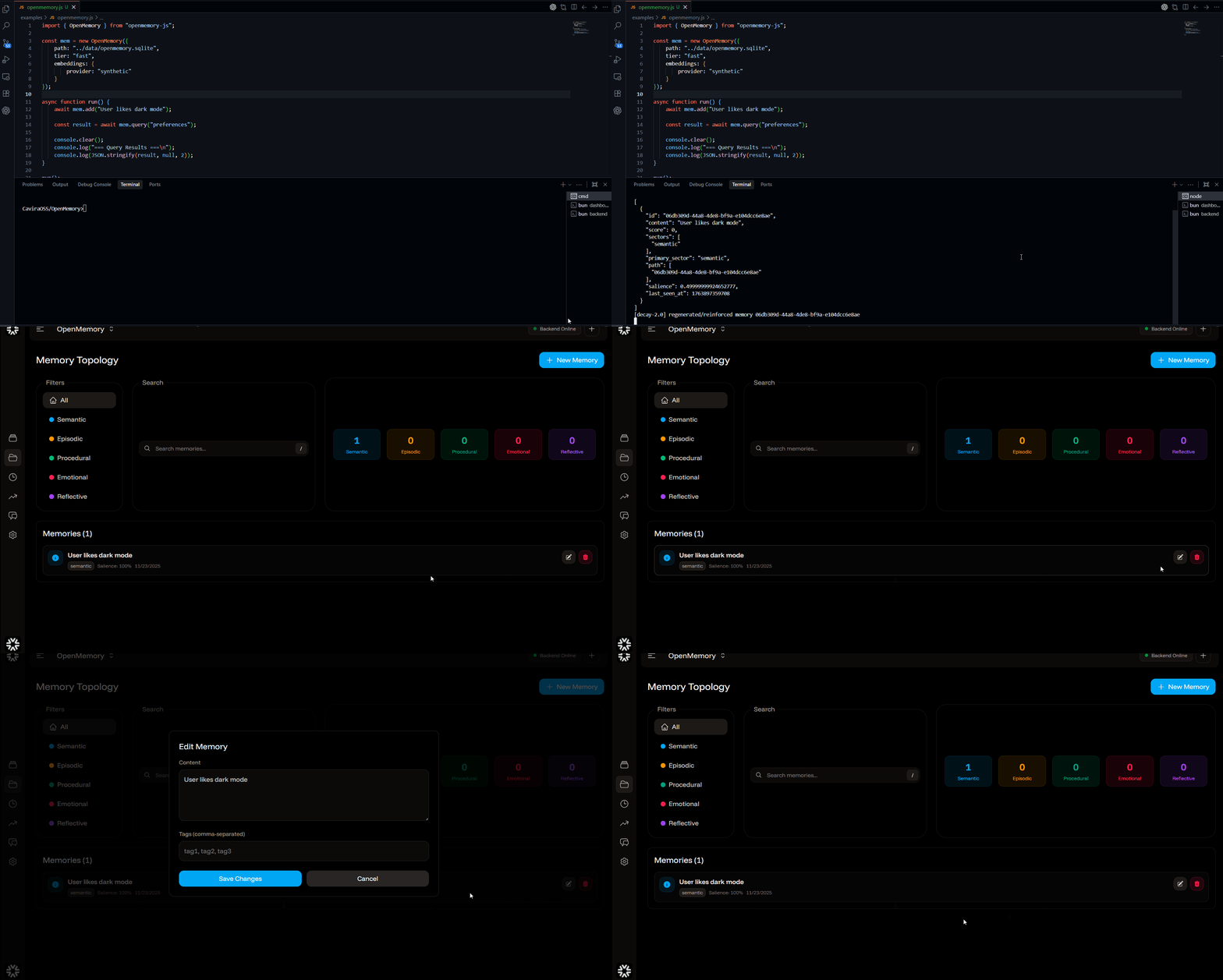
OpenMemory is a cognitive memory engine for LLMs and agents.
- 🧠 Real long-term memory (not just embeddings in a table)
- 💾 Self-hosted, local-first (SQLite / Postgres)
- 🐍 Python + 🟦 Node SDKs
- 🧩 Integrations: LangChain, CrewAI, AutoGen, Streamlit, MCP, VS Code
- 📥 Sources: GitHub, Notion, Google Drive, OneDrive, Web Crawler
- 🔍 Explainable traces (see why something was recalled)
1. TL;DR – Use It in 10 Seconds
🐍 Python (local-first)
Install:
pip install openmemory-pyUse:
from openmemory.client import Memory
mem = Memory() mem.add("user prefers dark mode", user_id="u1") results = mem.search("preferences", user_id="u1") await mem.delete("memory_id")
Note:add,search,get,deleteare async. Useawaitin async contexts.
🔗 OpenAI
mem = Memory()
client = mem.openai.register(OpenAI(), user_id="u1")
resp = client.chat.completions.create(...)
🧱 LangChain
from openmemory.integrations.langchain import OpenMemoryChatMessageHistory
history = OpenMemoryChatMessageHistory(memory=mem, user_id="u1")
🤝 CrewAI / AutoGen / Streamlit
OpenMemory is designed to sit behind agent frameworks and UIs:
- Crew-style agents: use
Memoryas a shared long-term store - AutoGen-style orchestrations: store dialog + tool calls as episodic memory
- Streamlit apps: give each user a persistent memory by
user_id
🟦 Node / JavaScript (local-first)
Install:
npm install openmemory-jsUse:
import { Memory } from "openmemory-js"
const mem = new Memory() await mem.add("user likes spicy food", { user_id: "u1" }) const results = await mem.search("food?", { user_id: "u1" }) await mem.delete("memory_id")
Drop this into:
- Node backends
- CLIs
- local tools
- anything that needs durable memory without running a separate service.
📥 Connectors
Ingest data from external sources directly into memory:
# python
github = mem.source("github")
await github.connect(token="ghp_...")
await github.ingest_all(repo="owner/repo")
// javascript
const github = await mem.source("github")
await github.connect({ token: "ghp_..." })
await github.ingest_all({ repo: "owner/repo" })Available connectors: github, notion, googledrive, googlesheets, googleslides, onedrive, webcrawler
2. Modes: SDKs, Server, MCP
OpenMemory can run inside your app or as a central service.
2.1 Python SDK
- ✅ Local SQLite by default
- ✅ Supports external DBs (via config)
- ✅ Great fit for LangChain / LangGraph / CrewAI / notebooks
2.2 Node SDK
- Same cognitive model as Python
- Ideal for JS/TS applications
- Can either run fully local or talk to a central backend
2.3 Backend server (multi-user + dashboard + MCP)
Use when you want:
- org‑wide memory
- HTTP API
- dashboard
- MCP server for Claude / Cursor / Windsurf
git clone https://github.com/CaviraOSS/OpenMemory.git
cd OpenMemory
cp .env.example .env
cd packages/openmemory-js npm install npm run dev   # default :8080
Or with Docker (API + MCP):
docker compose up --build -dOptional: include the dashboard service profile:
docker compose --profile ui up --build -dUsing Doppler-managed config (recommended for hosted dashboard/API URLs):
cd OpenMemory
tools/ops/composewithdoppler.sh up -d --build
Check service status:
docker compose ps
curl -f http://localhost:8080/health
The backend exposes:
/api/memory/*– memory operations/api/temporal/*– temporal knowledge graph/mcp– MCP server- dashboard UI (when
uiprofile is enabled)
3. Why OpenMemory (vs RAG, vs “just vectors”)
LLMs forget everything between messages. Most “memory” solutions are really just RAG pipelines:
- text is chunked
- embedded into a vector store
- retrieved by similarity
- whether something is a fact, event, preference, or feeling
- how recent / important it is
- how it links to other memories
- what was true at a specific time
- vendor lock‑in
- latency
- opaque behavior
- privacy problems
- 🧠 Multi‑sector memory (episodic, semantic, procedural, emotional, reflective)
- ⏱ Temporal reasoning (what was true when)
- 📉 Decay & reinforcement instead of dumb TTLs
- 🕸 Waypoint graph (associative, traversable links)
- 🔍 Explainable traces (see which nodes were recalled and why)
- 🏠 Self‑hosted, local‑first, you own the DB
- 🔌 SDKs + server + VS Code + MCP
4. The “Old Way” vs OpenMemory
Vector DB + LangChain (cloud-heavy, ceremony):
import os
import time
from langchain.chains import ConversationChain
from langchain.memory import VectorStoreRetrieverMemory
from langchain_community.vectorstores import Pinecone
from langchain_openai import ChatOpenAI, OpenAIEmbeddings
os.environ["PINECONEAPIKEY"] = "sk-..." os.environ["OPENAIAPIKEY"] = "sk-..." time.sleep(3)  # cloud warmup
embeddings = OpenAIEmbeddings() pinecone = Pinecone.fromexistingindex(embeddings, index_name="my-memory") retriever = pinecone.asretriever(searchkwargs={"k": 2}) memory = VectorStoreRetrieverMemory(retriever=retriever) conversation = ConversationChain(llm=ChatOpenAI(), memory=memory)
conversation.predict(input="I'm allergic to peanuts")
OpenMemory (3 lines, local file, no vendor lock-in):
from openmemory.client import Memory
mem = Memory() mem.add("user allergic to peanuts", user_id="user123") results = mem.search("allergies", user_id="user123")
✅ Zero cloud config • ✅ Local SQLite • ✅ Offline‑friendly • ✅ Your DB, your schema
5. Features at a Glance
- Multi-sector memory
- Temporal knowledge graph
validfrom / validto, point‑in‑time truth, evolution over time.
- Composite scoring
- Decay engine
- Explainable recall
- Embeddings
- Integrations
- Connectors
- Migration tool
If you’re building agents, copilots, journaling systems, knowledge workers, or coding assistants, OpenMemory is the piece that turns them from “goldfish” into something that actually remembers.
6. MCP & IDE Workflow
OpenMemory ships a native MCP server, so any MCP‑aware client can treat it as a tool.
Claude / Claude Code
claude mcp add --transport http openmemory http://localhost:8080/mcpCursor / Windsurf
.mcp.json:
{
  "mcpServers": {
    "openmemory": {
      "type": "http",
      "url": "http://localhost:8080/mcp"
    }
  }
}
Available tools include:
openmemory_queryopenmemory_storeopenmemory_listopenmemory_getopenmemory_reinforce
7. Temporal Knowledge Graph
OpenMemory treats time as a first‑class dimension.
Concepts
validfrom/validto– truth windows- auto‑evolution – new facts close previous ones
- confidence decay – old facts fade gracefully
- point‑in‑time queries – “what was true on X?”
- timelines – reconstruct an entity’s history
- change detection – see when something flipped
Example
POST /api/temporal/fact
{
  "subject": "CompanyX",
  "predicate": "has_CEO",
  "object": "Alice",
  "valid_from": "2021-01-01"
}
Then later:
POST /api/temporal/fact
{
  "subject": "CompanyX",
  "predicate": "has_CEO",
  "object": "Bob",
  "valid_from": "2024-04-10"
}
Alice’s term is automatically closed; timeline queries stay sane.
8. CLI (opm)
The opm CLI talks directly to the engine / server.
Install
cd packages/openmemory-js
npm install
npm run build
npm link   # adds opm to your PATH
Usage
# Start the API server
opm serve
In another terminal:
opm health
opm add "Recall that I prefer TypeScript over Python" --tags preference
opm query "language preference"
Commands
opm add "user prefers dark mode" --user u1 --tags prefs
opm query "preferences" --user u1 --limit 5
opm list --user u1
opm delete <id>
opm reinforce <id>
opm stats
Useful for scripting, debugging, and non‑LLM pipelines that still want memory.
9. Architecture (High Level)
OpenMemory uses Hierarchical Memory Decomposition with a temporal graph on top.
graph TB
    classDef inputStyle fill:#eceff1,stroke:#546e7a,stroke-width:2px,color:#37474f
    classDef processStyle fill:#e3f2fd,stroke:#1976d2,stroke-width:2px,color:#0d47a1
    classDef sectorStyle fill:#fff3e0,stroke:#f57c00,stroke-width:2px,color:#e65100
    classDef storageStyle fill:#fce4ec,stroke:#c2185b,stroke-width:2px,color:#880e4f
    classDef engineStyle fill:#f3e5f5,stroke:#7b1fa2,stroke-width:2px,color:#4a148c
    classDef outputStyle fill:#e8f5e9,stroke:#388e3c,stroke-width:2px,color:#1b5e20
    classDef graphStyle fill:#e1f5fe,stroke:#0277bd,stroke-width:2px,color:#01579b
INPUT[Input / Query]:::inputStyle     CLASSIFIER[Sector Classifier]:::processStyle
EPISODIC[Episodic]:::sectorStyle     SEMANTIC[Semantic]:::sectorStyle     PROCEDURAL[Procedural]:::sectorStyle     EMOTIONAL[Emotional]:::sectorStyle     REFLECTIVE[Reflective]:::sectorStyle
EMBED[Embedding Engine]:::processStyle
SQLITE[(SQLite/Postgres<br/>Memories / Vectors / Waypoints)]:::storageStyle     TEMPORAL[(Temporal Graph)]:::storageStyle
subgraph RECALL_ENGINE["Recall Engine"]         VECTOR[Vector Search]:::engineStyle         WAYPOINT[Waypoint Graph]:::engineStyle         SCORING[Composite Scoring]:::engineStyle         DECAY[Decay Engine]:::engineStyle     end
subgraph TKG["Temporal KG"]         FACTS[Facts]:::graphStyle         TIMELINE[Timeline]:::graphStyle     end
CONSOLIDATE[Consolidation]:::processStyle     REFLECT[Reflection]:::processStyle     OUTPUT[Recall + Trace]:::outputStyle
INPUT --> CLASSIFIER     CLASSIFIER --> EPISODIC     CLASSIFIER --> SEMANTIC     CLASSIFIER --> PROCEDURAL     CLASSIFIER --> EMOTIONAL     CLASSIFIER --> REFLECTIVE
EPISODIC --> EMBED     SEMANTIC --> EMBED     PROCEDURAL --> EMBED     EMOTIONAL --> EMBED     REFLECTIVE --> EMBED
EMBED --> SQLITE     EMBED --> TEMPORAL
SQLITE --> VECTOR     SQLITE --> WAYPOINT     SQLITE --> DECAY
TEMPORAL --> FACTS     FACTS --> TIMELINE
VECTOR --> SCORING     WAYPOINT --> SCORING     DECAY --> SCORING     TIMELINE --> SCORING
SCORING --> CONSOLIDATE     CONSOLIDATE --> REFLECT     REFLECT --> OUTPUT
OUTPUT -.->|Reinforce| WAYPOINT     OUTPUT -.->|Salience| DECAY
10. Migration
OpenMemory ships a migration tool to import data from other memory systems.
Supported:
- Mem0
- Zep
- Supermemory
cd migrate
python -m migrate --from zep --api-key ZEP_KEY --verify
(See migrate/ and docs for detailed commands per provider.)
11. Roadmap
- 🧬 Learned sector classifier (trainable on your data)
- 🕸 Federated / clustered memory nodes
- 🤝 Deeper LangGraph / CrewAI / AutoGen integrations
- 🔭 Memory visualizer 2.0
- 🔐 Pluggable encryption at rest
12. Contributing
Issues and PRs are welcome.
- Bugs: https://github.com/CaviraOSS/OpenMemory/issues
- Feature requests: use the GitHub issue templates
- Before large changes, open a discussion or small design PR
13. License
OpenMemory is licensed under Apache 2.0. See LICENSE for details.


