
Play Tetris in your terminal.
Tetrigo
teh·tree·go
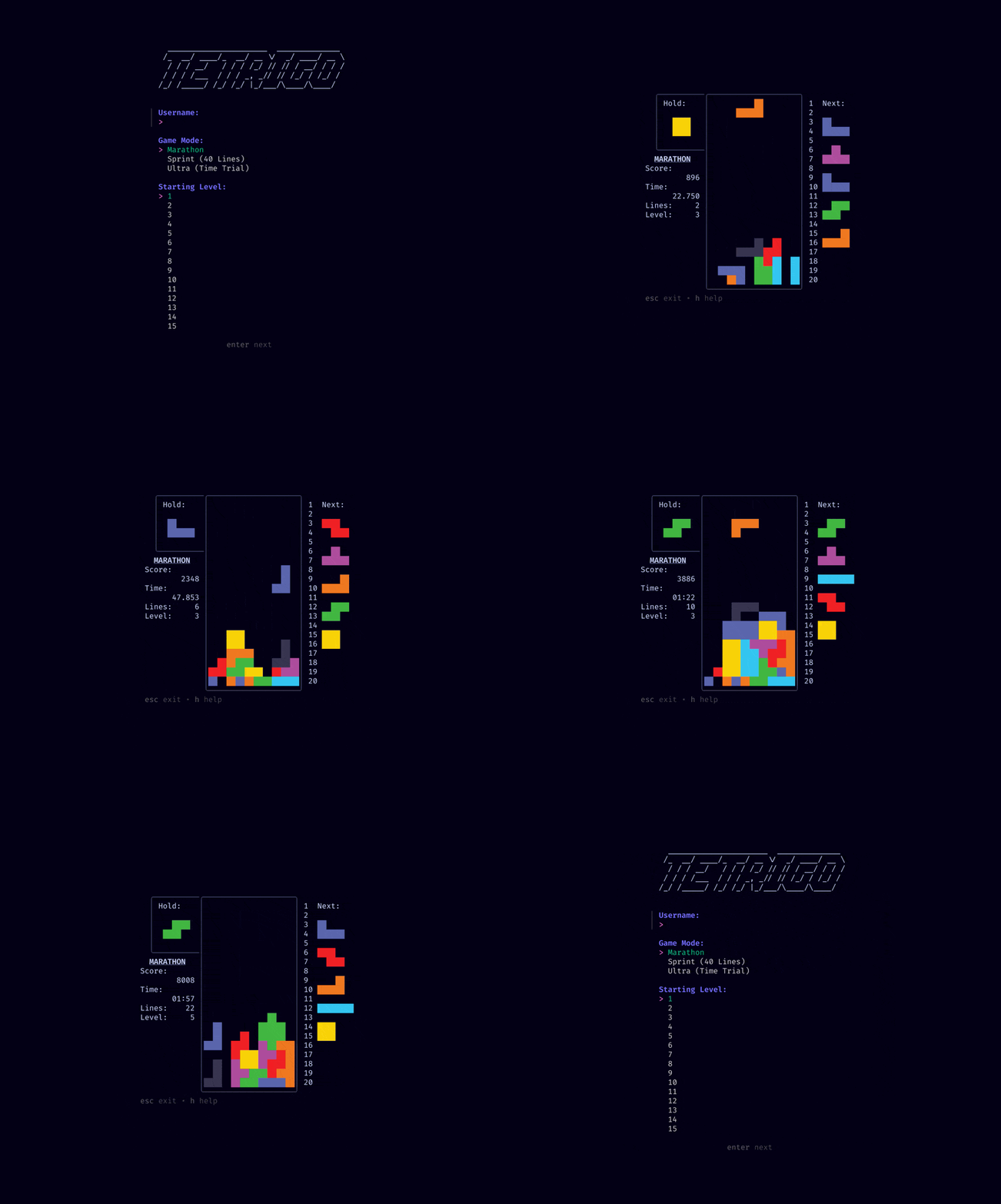
A Golang implementation of Tetris, following the official 2009 Tetris Design Guideline.
This project consists of three main components, depending on what your goals are:
- "I just want to play Tetris"
cmd/tetrigo/ is for you. See the installation section.
- "I want to create my own Tetris game/UI"
pkg/tetris/modes/ are for you. You can reuse these game modes with your own UI.
- "I want to create my own Tetris game mode"
pkg/tetris/ are for you. You can create your own game mode with a custom set of rules and requirements.
You can find more information on these sections in the development section. If you have a suggestion, bug, or feature request, please open a GitHub issue.
Contents
Installation
Tetrigo can be installed by downloading the binary or by building from source. See the instructions below for your preferred method.
Binary
You can download the binary corresponding to your operating system from the releases page on GitHub.
Once downloaded you can run the binary from the command line:
# Linux or macOS
./tetrigo
Windows
tetrigo.exe
Optionally, you can move the binary to a directory in your $PATH to run it from anywhere (example).
Build From Source
Ensure that you have a supported version of Go properly installed and setup. You can find the minimum required version of Go in the go.mod file.
You can then install the latest release globally by running:
go install github.com/Broderick-Westrope/tetrigo/cmd/tetrigo@v0.1.6Build, run or install using Nix
If you're using Nix, you can do any of the following: The flake installs a wrapper that automatically sets up the database and config in your user’s XDG config directory on first run.
nix run github:Broderick-Westrope/tetrigo     # Run the package and delete it
nix build github:Broderick-Westrope/tetrigo   # Build the package into a result symlink
nix shell github:Broderick-Westrope/tetrigo   # Create a temporary shell with the tetrigo binary
This flake also exposes an overlay, so you can use tetrigo as a package in your own Nix projects:
{
  # Import the flake
  inputs.tetrigo.url = "github:Broderick-Westrope/tetrigo"
outputs = { tetrigo, ... }: {     packages.x86_64-linux.default = let       # Apply the overlay       pkgs = import nixpkgs {         system = "x86_64-linux";         overlays = [ tetrigo.overlays.default ];       };     # Use the package     in pkgs.tetrigo;     # Optionally override the package using:     # pkgs.tetrigo.override = {     #   config = {     #     max_level = 20;     #     keys = {     #       force_quit = ["q"];     #       exit = ["esc"];     #     };     #   };     #   dbPath = ./my/custom/location/tetrigo.db;     # }; }
🛠 The>tetrigopackage acceptsconfiganddbPathas override arguments.
-configshould be a Nix attribute set mirroring values inexample.config.toml.
-dbPathshould be a path to a.dbfile.
These are automatically converted into a TOML config and used when the game launches.
Usage
For general information on how to play Tetris see this beginners guide.
Controls
The default game controls are as follows:
- Move Left:
A - Move Right:
D - Toggle Soft Drop On/Off:
S - Hard Drop:
W - Rotate Clockwise:
E - Rotate Counter-Clockwise:
Q - Hold Tetrimino / Submit menu option:
SpaceorEnter - Pause Game / Exit:
Escape - Force Quit game:
Ctrl+C - Show Controls Help:
?
The menu, leaderboard, etc can be navigated using the arrow keys (moving), escape (exit), and enter (submit). These controls are not configurable.
Configuration
CLI
Starting Tetrigo with no subcommand or flags will start the game in the menu where you can manually configure simple settings like the player name and game mode:
./tetrigoYou're also able to start the game directly in a game mode (eg. Marathon), skipping the menu:
# Start the game in Marathon mode with a level of 5 and the player name "Brodie"
./tetrigo play marathon --level=5 --name=Brodie
To see more options for starting the game you can run:
./tetrigo --helpTOML
More complex configuration can be done using a TOML file. If no config file is found sensible defaults will be used.
By default, Tetrigo will look for the file ./tetrigo/config.toml within the devices XDG config (or equivalent) directory. The adrg/xdg defines values XDGCONFIG_HOME for various operating systems (eg. on macOS it is ~/Library/Application Support directory exists it will be stored there, otherwise in ~/Library/Preferences). You can specify a different file using the --config flag.
./tetrigo --config=/path/to/config.tomlAn example configuration file is provided in example.config.toml.
Data
The game data is stored in a SQLite database. By default, the database is stored in ./tetrigo/tetrigo.db within the devices XDG data (or equivalent) directory. The adrg/xdg defines XDGDATA_HOME for various operating systems (eg. on macOS if the ~/Library/Application Support directory exists it will be stored there, otherwise in /Library/Application Support). You can specify a different file path using the --db flag.
./tetrigo --db=/path/to/data.dbDevelopment
This project consists of three main components:
cmd/tetrigo/: A TUI (Text User Interface) allowing you to play it out of the box. It also serves as a demonstration on how to use the packages and how to create a TUI using Bubble Tea.pkg/tetris/modes/: The functionality for different Tetris game modes. This can be used to easily create a Tetris game with your own UI but without needing to know the ruleset.pkg/tetris/: The core Tetris logic, including things like Tetriminimos, the Matrix, and scoring. This can be used to create game modes with your own ruleset and requirements.
task -lYou can run the TUI using the run task:
task runBuilding
You can build the project using the build task:
task buildThis will create a binary in the bin/ directory which can be run using the instructions in the Installation section.
Testing
Tests can be run using the test task:
task testYou can also use the cover task to generate and open a coverage report:
task coverThe ordered priorities for testing are:
pkg/tetris/pkg/tetris/modes/cmd/tetrigo/
STAR HISTORY!!
TODO
- Add more tests
- Add the remaining Lock Down options.
- Check for Lock Down 0.5s after landing on a surface
- Score points from T-Spins
- SSH Multiplayer (akin to Gambit)


