
AI Commits for IntelliJ based IDEs/Android Studio.

AI Commits
AI Commits for IntelliJ based IDEs/Android Studio.




[//]: # (- [Demo](#demo))
Description
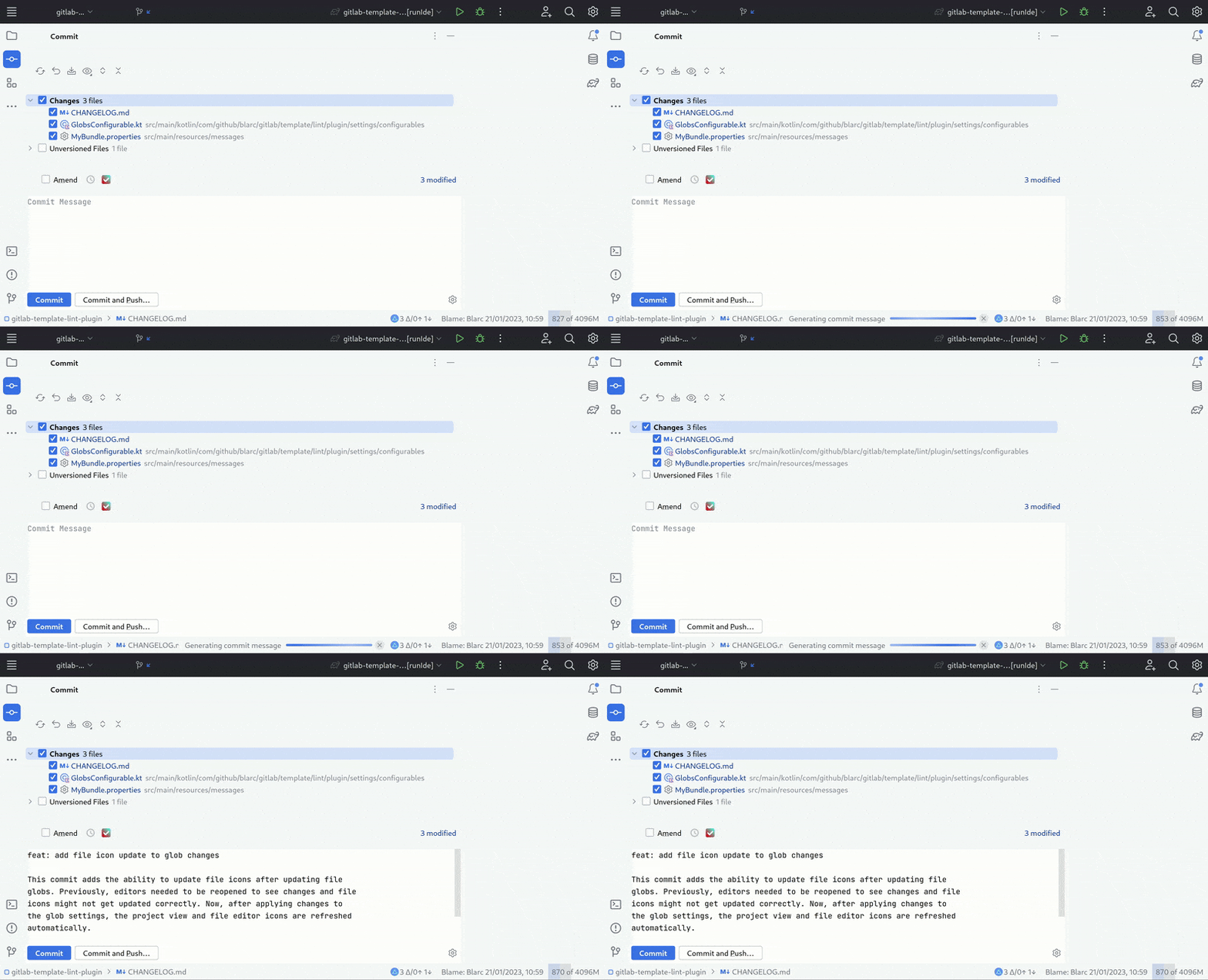
AI Commits is a plugin that generates your commit messages by using git diff and LLMs. To get started, install the plugin and configure a LLM API client in plugin's settings: Settings > Tools > AI Commits
Features
- Generate commit message from git diff using LLM
- Compute diff only from the selected files and lines in the commit dialog
- Create your own prompt for commit message generation
- Use predefined variables and hint to customize your prompt
- Supports Git and Subversion as version control systems.
Supported models
- Amazon Bedrock
- Anthropic
- Azure Open AI
- Claude Code (via CLI)
- Codex CLI (via CLI)
- Gemini Google AI
- Gemini Vertex AI
- GitHub Models
- Hugging Face
- Mistral AI
- Open AI
- Ollama
- Qianfan (Ernie)
Demo
Compatibility
IntelliJ IDEA, PhpStorm, WebStorm, PyCharm, RubyMine, AppCode, CLion, GoLand, DataGrip, Rider, MPS, Android Studio, DataSpell, Code With Me
Install

Or you could install it inside your IDE:
For Windows & Linux: File > Settings > Plugins > Marketplace > Search for "AI Commits" > Install Plugin > Restart IntelliJ IDEA
For Mac: IntelliJ IDEA > Preferences > Plugins > Marketplace > Search for "AI Commits" > Install Plugin > Restart IntelliJ IDEA
Installation from zip
- Download zip from releases
- Import to IntelliJ: Settings > Plugins > Cog > Install plugin from
- Set LLM client configuration in plugin's settings: Settings > Tools > AI Commits
[//]: # ()
[//]: # ()
Support
- Star the repository
- Buy me a coffee
- Rate the plugin
- Share the plugin
- Sponsor me
Change log
Please see CHANGELOG for more information what has changed recently.
Contributing
Please see CONTRIBUTING for details.
Acknowledgements
- Inspired by Nutlope's AICommits.
- openai-kotlin for OpenAI API client.
- langchain4j for LLM API clients.
License
Please see LICENSE for details.
Star History


