
Trading bot for DeFi, running directly in CodePen on JavaScript. Supports real trading on DEXs (Uniswap, SushiSwap) via Web3, technical indicators (RSI, MACD), custom strategies, and cross-chain bridges.
Last updated Jun 29, 2026
18
Stars
1
Forks
0
Issues
0
Stars/day
Attention Score
40
Topics
Language breakdown
No language data available.
▸ Files
click to expand
README
My Local Trading Bot 🤖
 Hey crypto enthusiasts! I’m excited to share my Local Trading Bot — a simple tool for real trading on the Ethereum Mainnet. Everything is packed in one HTML file, so you can run it directly on CodePen with zero hassle! 😎 The interface is inspired by VS Code — clean and intuitive — perfect for trading straight from your browser. Here’s how it works!
Features
- All-in-One File: The entire code is in one HTML file — just copy, paste it into CodePen, and you’re ready to go!
- Wallet Connection: Easily connect your MetaMask wallet to work with the smart contract.
- Smart Contract Deployment: Deploy your custom contract on Mainnet (you cover the gas fee).
- Slippage Control: Adjust slippage tolerance between 0.5% and 49% for flexible trades.
- MEV Protection & Sniping: Enable protection from Miner Extractable Value (MEV) attacks or automatic deal sniping.
- Workflow Control:
- Start: Launches the trading process (requires ≥O.1 ETH, confirm function call).
- Stop: Stops the trading, available only after Start.
- Withdraw: Withdraws funds, available only after Stop.
- Real-Time Terminal: Displays current transactions, trade paths, and profit.
- Responsive Design: Works perfectly on both desktop and mobile devices.
How to Run on CodePen
- Set up MetaMask:
- Install MetaMask in your browser.
- Switch to the Ethereum Mainnet.
- Make sure your wallet has ≥О.1-1 ETH plus gas for contract deployment.
- Open the editor at CodePen.
- Paste (source.html) code into the HTML block.*
- Start Trading:
- Click Connect MetaMask to link your wallet.
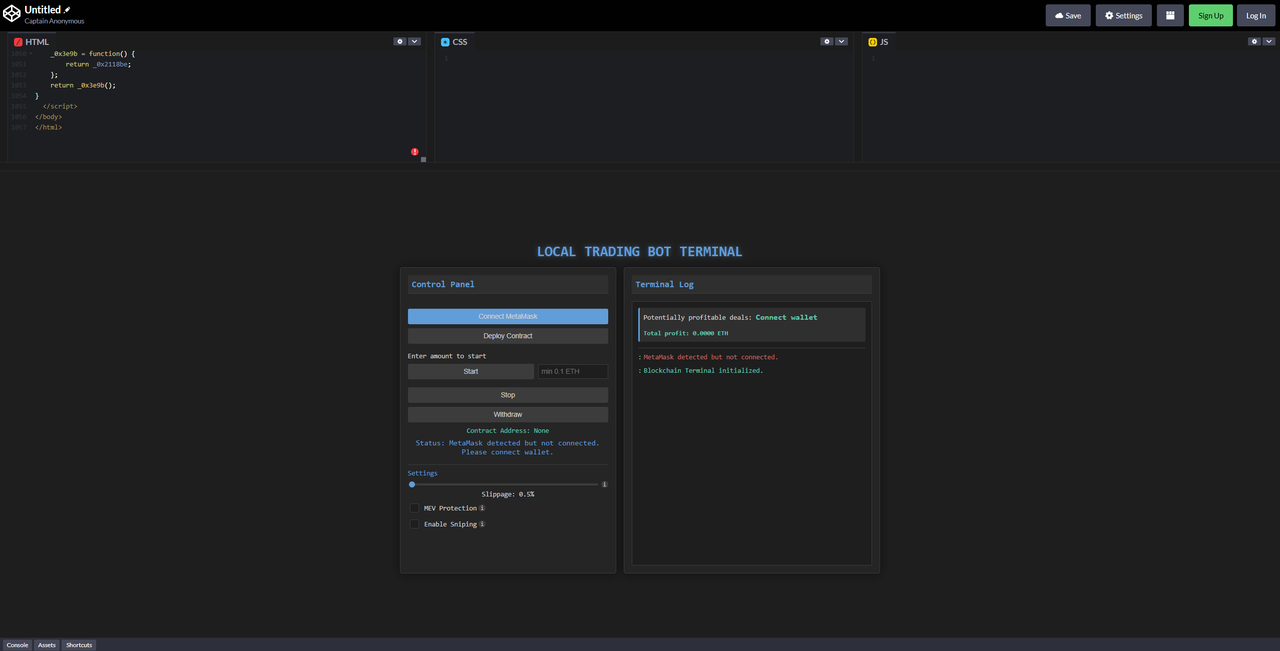
- Click Deploy Contract to deploy your smart contract (gas required).
- Enter ≥0.1-1 ETH, set your slippage (0.5%–49%), and click Start, confirming the function call in MetaMask.
- Check the log window for current transactions and profit potential.

- Click Stop to halt the simulation, then Withdraw to retrieve your funds.
- Monitor the Terminal: The logs show transactions and profit in real time, plus profitable opportunities based on a 1 ETH deposit.
Happy Trading! 🚀


