
A car safety technology that can auto-detect driver drowsiness in real-time. This system can prevent road accidents that are caused by drivers who fell asleep while driving.
Real-Time-Drowsiness-Detection-System
Drowsiness detection is a safety technology that can prevent accidents that are caused by drivers who fell asleep while driving. The objective of this project is to build a drowsiness detection system that will detect drowsiness through the implementation of computer vision system that automatically detects drowsiness in real-time from a live video stream and then alert the user with an alarm notification.
Motivation
According to the National Highway Traffic Safety Administration, every year about 100,000 police-reported crashes involve drowsy driving. These crashes result in more than 1,550 fatalities and 71,000 injuries. The real number may be much higher, however, as it is difficult to determine whether a driver was drowsy at the time of a crash. So, we tried to build a system, that detects whether a person is drowsy and alert him.Built With
- OpenCV Library - Most used computer vision library. Highly efficient. Facilitates real-time image processing.
- imutils library - A collection of helper functions and utilities to make working with OpenCV easier.
- Dlib library - Implementations of state-of-the-art CV and ML algorithms (including face recognition).
- scikit-learn library - Machine learning in Python. Simple. Efficient. Beautiful, easy to use API.
- Numpy - NumPy is the fundamental package for scientific computing with Python.
Getting Started
These instructions will get you a copy of the project up and running on your local machine for development and testing purposes.
- Install and set up Python 3.
- Install cmake in your system
Running the application
- Clone the repository.
git clone https://github.com/AnshumanSrivastava108/Real-Time-Drowsiness-Detection-System- Move into the project directory.
cd Real-Time-Drowsiness-Detection-System- (Optional) Running it in a virtual environment.
pip install virtualenvvirtualenv -p C:\Python37\python.exe test_envtest_env\Scripts\Activatesource test_env/bin/activate- Install all the required libraries, by installing the requirements.txt file.
pip install -r requirements.txt- Installing the dlib library.
- Run the application.
python Real-Time-Drowsiness-Detection-System.py --shape-predictor shapepredictor68facelandmarks.dat --alarm Alert.wavAlogorithm
- Capture the image of the driver from the camera.
- Send the captured image to haarcascade file for face detection.
- If the face is detected then crop the image consisting of the face only. If the driver is distracted then a face might not be detected, so play the buzzer.
- Send the face image to haarcascade file for eye detection.
- If the eyes are detected then crop only the eyes and extract the left and right eye from that image. If both eyes are not found, then the driver is looking sideways, so sound the buzzer.
- The cropped eye images are sent to the hough transformations for detecting pupils, which will determine whether they are open or closed.
- If they are found to be closed for five continuous frames, then the driver should be alerted by playing the buzzer.
Testing and Results in Real-World Scenario:
The tests were conducted in various conditions including:
- Different lighting conditions.
- Drivers posture and position of the automobile drivers face.
- Drivers with spectacles.
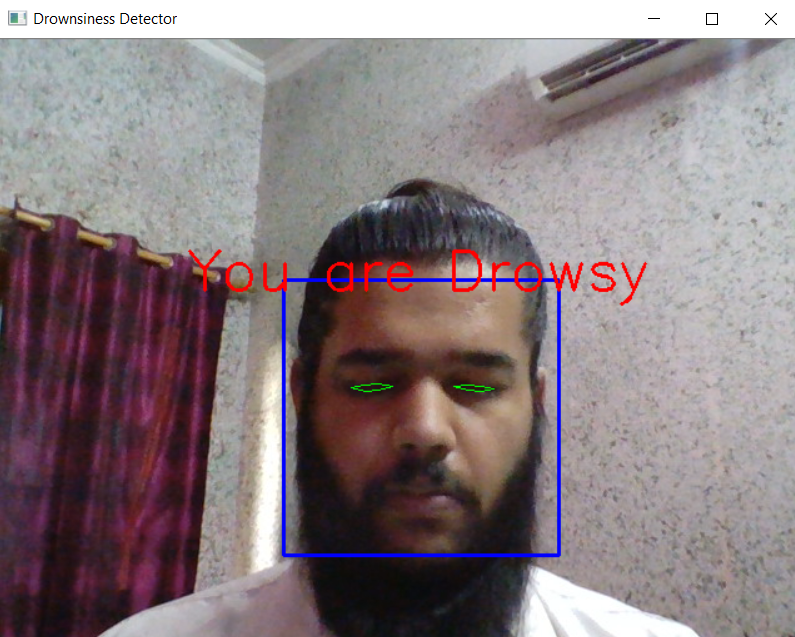
Test case 2: Position of the automobile drivers face
- Centre Positioned
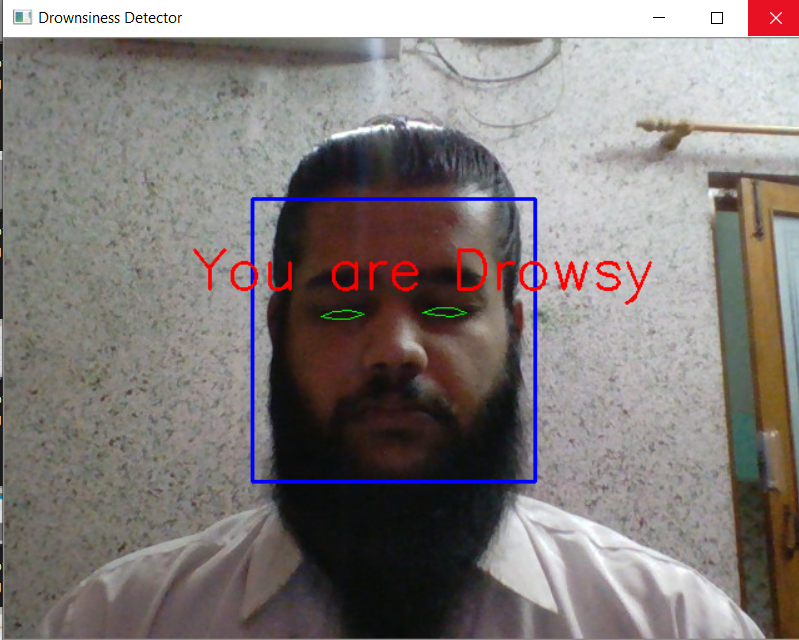
- Right Positioned
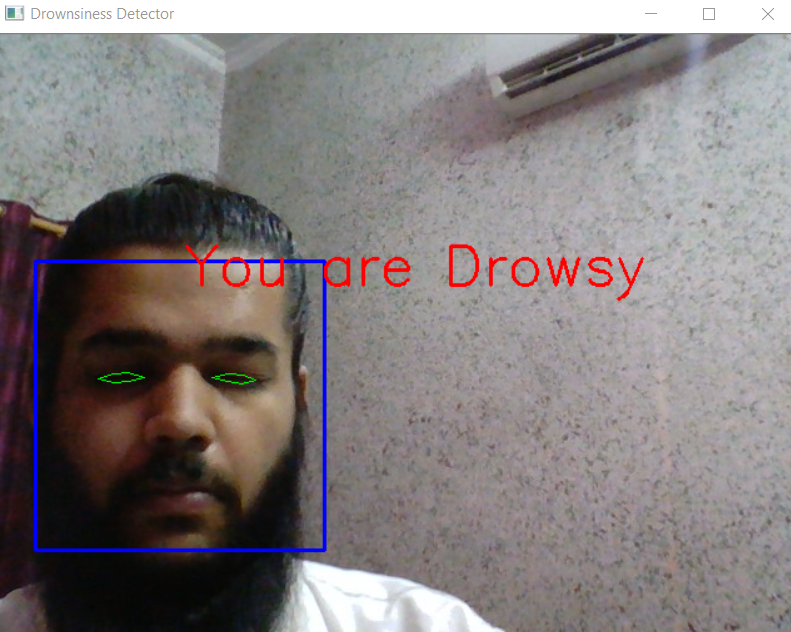
- Left Positioned
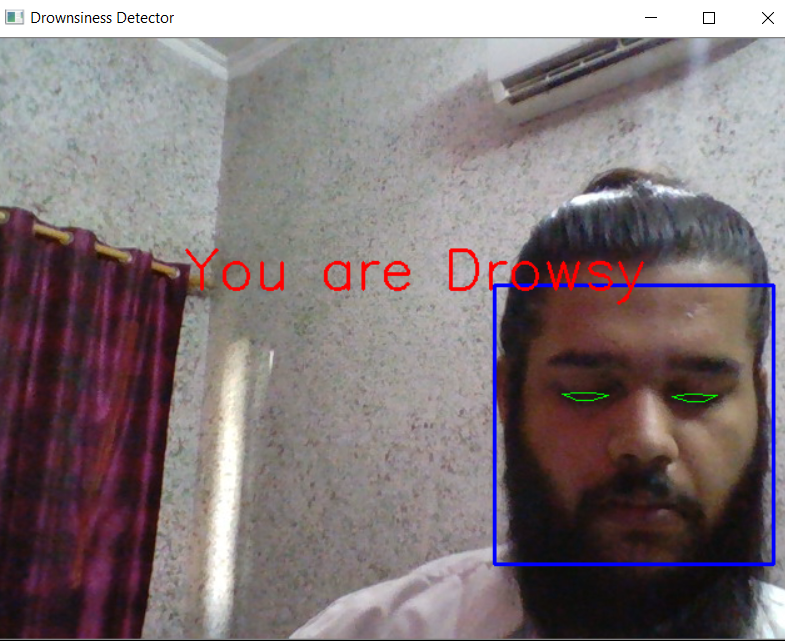
Result: As shown in screen snapshot in above, when the automobile driver's face is positioned at the Left, the face, eyes, eye blinks, and drowsiness was successfully detected.
Test case 3: When the automobile driver is wearing spectacles
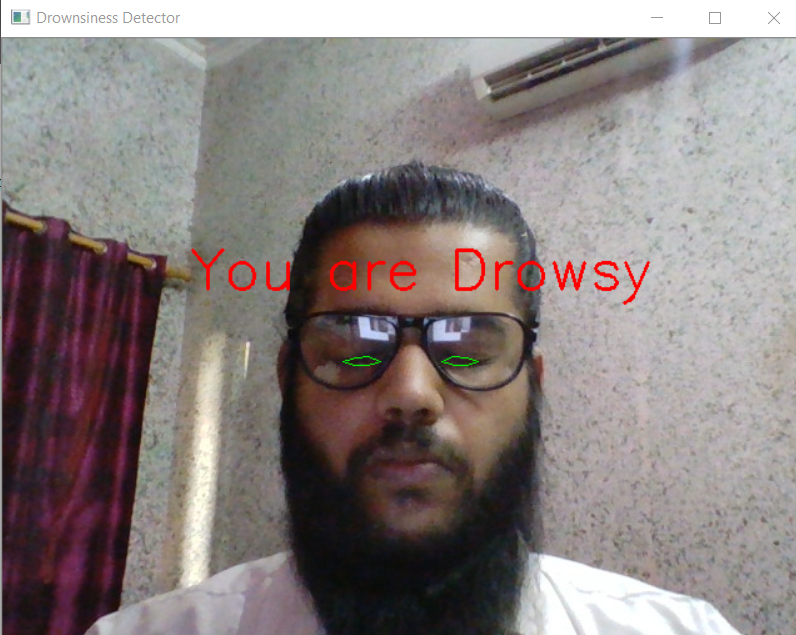
Result: As shown in screen snapshot in above, When the automobile driver is wearing spectacles, the face, eyes, eye blinks, and drowsiness was successfully detected.
Test case 4: When the automobile driver’s head s tilted
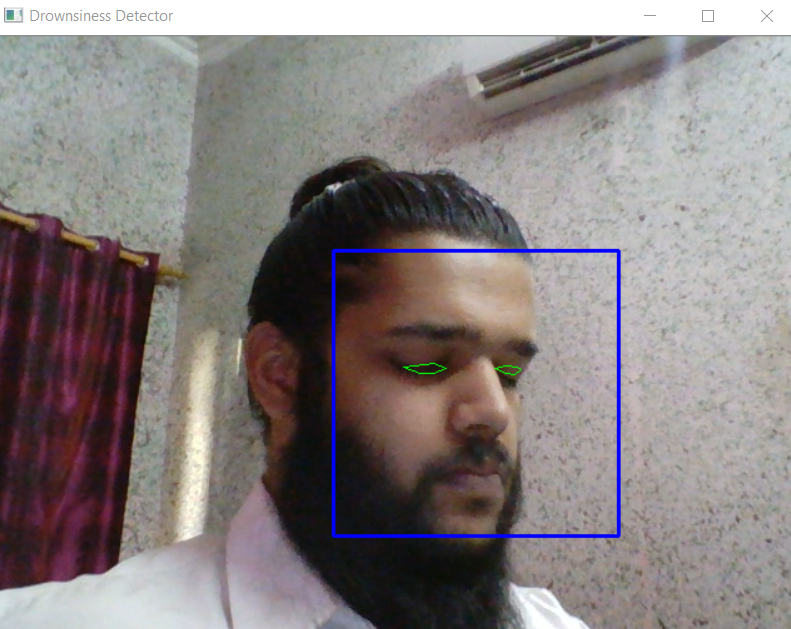
The system was extensively tested even in real world scenarios, this was achieved by placing the camera on the visor of the car, focusing on the automobile driver. It was found that the system gave positive output unless there was any direct light falling on the camera.
Future Scope
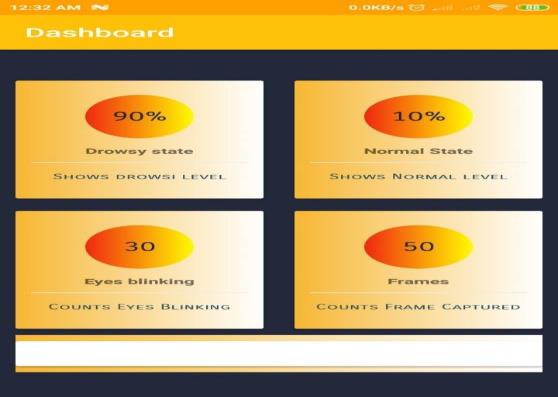
Smart phone application: It can be implemented as a smart phone application, which can be installed on smart phones. And the automobile driver can start the application after placing it at a position where the camera is focused on the driver.
References
IEEE standard Journal Paper,
[1] Facial Features Monitoring for Real Time Drowsiness Detection by Manu B.N, 2016 12th International Conference on Innovations in Information Technology (IIT) [Pg. 78-81] (https://ieeexplore.ieee.org/document/7880030)
[2] Real Time Drowsiness Detection using Eye Blink Monitoring by Amna Rahman Department of Software Engineering Fatima Jinnah Women University 2015 National Software Engineering Conference (NSEC 2015) (https://ieeexplore.ieee.org/document/7396336)
Websites referred:
1. https://www.codeproject.com/Articles/26897/TrackEye-Real-Time-Tracking-Of-Human-Eyes- 2. https://realpython.com/face-recognition-with-python/ 3. https://www.pyimagesearch.com/2017/04/03/facial-landmarks-dlib-opencv 4. https://www.pyimagesearch.com/2017/04/10/detect-eyes-nose-lips-jaw-dlib-opencv 5. https://www.codeproject.com/Articles/26897/TrackEye-Real-Time-Tracking-Of-HumanEyesUsing-a 6. https://docs.opencv.org/3.4/d7/d8b/tutorialpyface_detection.html 7. https://www.learnopencv.com/training-better-haar-lbp-cascade-eye-detector-opencv/
Author
Anshuman Srivastava
- Twitter: @Anshuman_121
- Github: @AnshumanSrivastava108
- LinkedIn: @AnshumanSrivastava108


