
Find Nerd Glyphs Easily 🤓🔭


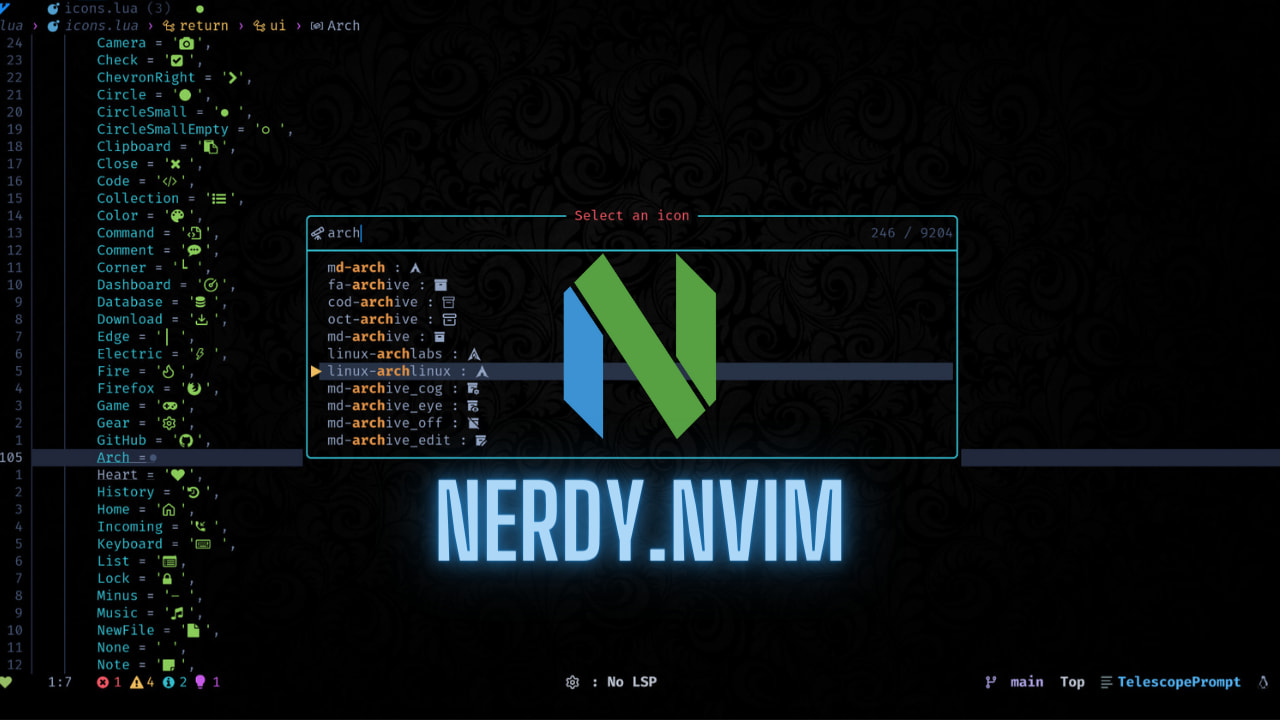
Do you like Nerd fonts? but don't like going over to their site to fetch a glyph for your pretty terminal? Well, me too!
Introducing nerdy.nvim, a super handy plugin that lets you search, preview and insert all nerd font glyphs straight from Neovim!
✨ Features
- Fuzzy search and insert nerd glyphs, by name and unicode
- Find and insert icons you use frequently
- Programmatic access to nerd glyphs by name for use in your configs
- Auto fetch latest icons list from official sources
Setup
⚡ Requirements
- You have installed the latest version of
neovim - snacks.nvim picker — for prettier select UI and multi select (optional, recommended)
🚀 Installation
-- Lazy
{
    '2kabhishek/nerdy.nvim',
    dependencies = {
        'folke/snacks.nvim',
    },
    cmd = 'Nerdy',
    opts = {
        max_recents = 30, -- Configure recent icons limit
        copytoclipboard = false, -- Copy glyph to clipboard instead of inserting
        copyregister = '+', -- Register to use for copying (if copyto_clipboard is true)
    },
    keys = {
        { '<leader>in', '<cmd>Nerdy list<CR>', desc = "Browse nerd icons" },
        { '<leader>iN', '<cmd>Nerdy recents<CR>', desc = "Browse recent nerd icons" },
    },
},
💻 Usage
🚀 Commands
Available Commands:
:Nerdy- Browse all nerd font icons (default behavior):Nerdy list- Browse all nerd font icons (explicit):Nerdy recents- Browse recently used icons:Nerdy get <icon_name>- Insert specific icon by name
:help nerdy for more details.
✅ Multi Select
Multi-select Support: When using with snacks.nvim picker, you can select multiple glyphs at once:
- Use
<Tab>to select/deselect individual glyphs - Use
<Ctrl-a>to select all glyphs on a filtered list - Use
<Enter>to confirm your selection
⌨️ Keybindings
By default, these are the configured keybindings.
| Keybinding | Command | Description | | ------------ | --------------------------------- | ------------------------- | | <leader>in | :Nerdy list<CR> or :Nerdy<CR> | Browser nerd icons | | <leader>iN | :Nerdy recents<CR> | Browser recent nerd icons |
I recommend customizing these keybindings based on your preferences using the keys config in lazy.
Use :help nerdy for more details.
🔭 Telescope Extension
Nerdy also comes with a Telescope extension, to use it add the following to your telescope configs.
require('telescope').load_extension('nerdy')And then call
:Telescope nerdy
:Telescope nerdy_recents
" or
:lua require('telescope').extensions.nerdy.nerdy()
:lua require('telescope').extensions.nerdy.nerdy_recents()
📝 Get Icons by Name Programmatically
You can also get nerd font icons programmatically using the nerdy.get() function:
local nerdy = require('nerdy')
-- Get a specific icon by name local lua = nerdy.get('seti-lua') -- Returns ''
-- Handle cases where icon doesn't exist local unknown_icon = nerdy.get('non-existent') -- Returns '' and shows warning
-- Use in your own functions local function getlanguageicon(language) local iconname = 'md-language' .. language return nerdy.get(icon_name) end
Recent icons are not tracked when fetching icons programmatically.
💡 This is useful when configuring Neovim status lines, file trees, or any plugin that needs consistent nerd font icons without hard coding unicode characters.
🔄 Fetch New Icons
Running the python scripts/generator.py command will automatically fetch new icons from source and update the icons.
Behind The Code
🌈 Inspiration
I love nerd font glyphs, and I use them anywhere I can! but I was wasting a lot of time going back and forth between nerd font site and neovim, also the copy feature was super buggy for me on the site, so I made nerdy!
💡 Challenges/Learnings
- Making the generated icon table with vim.ui.select was a bit tricky.
🧰 Tooling
🔍 More Info
- nerdy-vscode — Nerdy for VS Code
⭐ hit the star button if you found this useful ⭐
Source | Blog | Twitter | LinkedIn | More Links | Other Projects


