
Better marks for Neovim 🏹📌


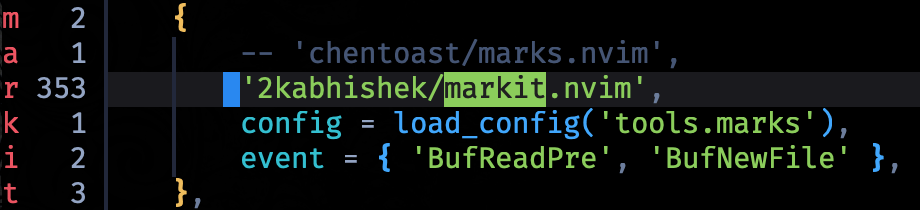
markit.nvim enhances marks experience in neovim, making it easier to mark and navigate to specific lines of code in your projects.
✨ Features
- Quickly manage and navigate marks across your entire codebase with an intuitive commands.
- Set persistent bookmarks with visual sign/virtual text annotations, organized into customizable groups
- Seamless picker integrations via pickme.nvim for fuzzy searching and quick access to your marks/bookmarks.
- View marks and bookmarks in the sign column with customizable priorities and highlight groups.
- Cycle between marks and bookmarks within buffers or across your entire project with git-aware scoping.
- Preview marks in floating windows to see context before jumping, with enhanced file content display.
- Extract marks and bookmarks to quickfix lists for batch operations and integration with other tools.
⚡ Setup
⚙️ Requirements
- Neovim >= 0.6.0
- pickme.nvim (for picker integration)
💻 Installation
With lazy.nvim
{
    '2kabhishek/markit.nvim',
    dependencies = { '2kabhishek/pickme.nvim', 'nvim-lua/plenary.nvim' },
    opts = {}, -- Add your configuration here, required if you are not calling markit.setup manually elsewhere
    event = { 'BufReadPre', 'BufNewFile' },
},
🛠️ Configuration
require('markit').setup {
  -- whether to add comprehensive default keybindings. default true
  adddefaultkeybindings = true,
  -- which builtin marks to show. default {}
  builtin_marks = { ".", "<", ">", "^" },
  -- whether movements cycle back to the beginning/end of buffer. default true
  cyclic = true,
  -- whether the shada file is updated after modifying uppercase marks. default false
  forcewriteshada = false,
  -- how often (in ms) to redraw signs/recompute mark positions.
  -- higher value means better performance but may cause visual lag,
  -- while lower value may cause performance penalties. default 150.
  refresh_interval = 150,
  -- sign priorities for each type of mark - builtin marks, uppercase marks, lowercase
  -- marks, and bookmarks.
  -- can be either a table with all/none of the keys, or a single number, in which case
  -- the priority applies to all marks.
  -- default 10.
  sign_priority = { lower=10, upper=15, builtin=8, bookmark=20 },
  -- disables mark tracking for specific filetypes. default {}
  excluded_filetypes = {},
  -- disables mark tracking for specific buftypes. default {}
  excluded_buftypes = {},
  -- whether to enable the bookmark system. when disabled, improves startup performance, default true
  enable_bookmarks = true,
  -- bookmark groups configuration (only used when enable_bookmarks = true)
  bookmarks = {
    {
      sign = "⚑",           -- string: sign character to display (empty string to disable)
      virt_text = "hello",  -- string: virtual text to show at end of line
      annotate = false      -- boolean: whether to prompt for annotation when setting bookmark
    },
    { sign = "!", virt_text = "", annotate = false },
    { sign = "@", virt_text = "", annotate = true },
  },
}
🚀 Usage
Commands
markit.nvim provides a unified hierarchical command system for all functionality:
Mark Commands
| Command | Description | | ---------------------------------------- | ------------------------------------------------ | | Markit mark list [scope] | List marks (scope: buffer, project, all) | | Markit mark list quickfix [scope] | Send marks to quickfix | | Markit mark toggle [mark_char] | Toggle mark at cursor | | Markit mark set [mark_char] | Set mark at cursor | | Markit mark delete [scope] [mark_char] | Delete marks (scope: line, buffer, project, all) | | Markit mark next | Go to next mark | | Markit mark prev | Go to previous mark | | Markit mark goto <mark_char> | Go to specific mark | | Markit mark preview | Preview mark in floating window |
Bookmark Commands
| Command | Description | | ---------------------------------------- | ---------------------------------------------------- | | Markit bookmark list [scope] | List bookmarks (scope: buffer, project, all, 0-9) | | Markit bookmark list quickfix [scope] | Send bookmarks to quickfix | | Markit bookmark toggle [group] | Toggle bookmark at cursor (group: 0-9) | | Markit bookmark annotate | Annotate bookmark at cursor | | Markit bookmark delete [scope] [group] | Delete bookmarks (scope: line, buffer, project, all) | | Markit bookmark next [group] | Go to next bookmark (group: 0-9) | | Markit bookmark prev [group] | Go to previous bookmark (group: 0-9) | | Markit bookmark goto <group> | Go to specific bookmark group (0-9) | | Markit bookmark signs [buffer] | Toggle signs display for buffer |
Command Scopes
The unified command system supports different scopes for filtering marks and bookmarks:
buffer: Show only marks/bookmarks in the current bufferproject: Show marks/bookmarks within the current git repository (usesgit rev-parse --show-toplevel)all: Show all marks/bookmarks across all buffers0-9: (Bookmarks only) Show bookmarks from a specific group
" Mark operations
:Markit mark list project          " List all marks in current git repo
:Markit mark set a                 " Set mark 'a' at cursor
:Markit mark toggle                " Toggle mark at cursor (next available)
:Markit mark delete buffer         " Delete all marks in current buffer
:Markit mark goto A                " Jump to global mark 'A'
" Bookmark operations :Markit bookmark list buffer       " List bookmarks in current buffer :Markit bookmark toggle 0          " Toggle bookmark group 0 at cursor :Markit bookmark list 2            " List bookmarks from group 2 :Markit bookmark delete project    " Delete all bookmarks in git repo :Markit bookmark signs             " Toggle bookmark signs display
" Quickfix integration :Markit mark list quickfix all     " Send all marks to quickfix list :Markit bookmark list quickfix 1   " Send group 1 bookmarks to quickfix
Keybindings
By default, these are the configured keybindings using the unified command structure:
| Keybinding | Command | Description | | ----------------- | ------------------------------------------ | -------------------------------- | | <leader>mm | :Markit mark list all<cr> | All Marks | | <leader>mM | :Markit mark list buffer<cr> | Buffer Marks | | <leader>ms | :Markit mark set<cr> | Set Next Available Mark | | <leader>mS | :Markit mark set<cr> | Set Mark (Interactive) | | <leader>mt | :Markit mark toggle<cr> | Toggle Mark at Cursor | | <leader>mT | :Markit mark toggle<cr> | Toggle Mark (Interactive) | | <leader>mj | :Markit mark next<cr> | Next Mark | | <leader>mk | :Markit mark prev<cr> | Previous Mark | | <leader>mP | :Markit mark preview<cr> | Preview Mark | | <leader>md | :Markit mark delete line<cr> | Delete Marks In Line | | <leader>mD | :Markit mark delete buffer<cr> | Delete Marks In Buffer | | <leader>mX | :Markit mark delete<cr> | Delete Mark (Interactive) | | <leader>mb | :Markit bookmark list all<cr> | All Bookmarks | | <leader>mx | :Markit bookmark delete<cr> | Delete Bookmark at Cursor | | <leader>ma | :Markit bookmark annotate<cr> | Annotate Bookmark | | <leader>ml | :Markit bookmark next<cr> | Next Bookmark | | <leader>mh | :Markit bookmark prev<cr> | Previous Bookmark | | <leader>mv | :Markit bookmark signs<cr> | Toggle Signs | | <leader>mqm | :Markit mark list quickfix all<cr> | All Marks → QuickFix | | <leader>mqb | :Markit bookmark list quickfix all<cr> | All Bookmarks → QuickFix | | <leader>mqM | :Markit mark list quickfix buffer<cr> | Buffer Marks → QuickFix | | <leader>mqg | :Markit mark list quickfix all<cr> | All Marks → QuickFix | | <leader>m[0-9] | :Markit bookmark toggle [0-9]<cr> | Toggle Group [0-9] Bookmark | | <leader>mn[0-9] | :Markit bookmark next [0-9]<cr> | Next Group [0-9] Bookmark | | <leader>mp[0-9] | :Markit bookmark prev [0-9]<cr> | Previous Group [0-9] Bookmark | | <leader>mc[0-9] | :Markit bookmark delete [0-9]<cr> | Delete Group [0-9] Bookmarks | | <leader>mg[0-9] | :Markit bookmark list [0-9]<cr> | Group [0-9] Bookmarks | | <leader>mq[0-9] | :Markit bookmark list quickfix [0-9]<cr> | Group [0-9] Bookmarks → QuickFix |
I recommend customizing these keybindings based on your preferences.
See :help markit for more information.
Builtin Marks
The builtin_marks option allows you to track and show vim's builtin marks in the sign column. These marks will update automatically when the cursor moves.
Supported builtin marks:
'- Last jump^- Last insertion stop position.- Last change<- Start of last visual selection>- End of last visual selection
Bookmarks
Bookmarks are unnamed markers tied to a particular (buffer, line, col) triple. Unlike regular marks, bookmarks can have signs or virtual text annotations attached to them. They are useful for remembering positions across buffers without using uppercase marks.
For example, you might set two bookmarks to quickly toggle back and forth between a function and its corresponding unit test in another file.
markit.nvim supports up to 10 bookmark groups (0-9), each with its own optional sign text and virtual text annotations.
Highlights
markit.nvim defines the following highlight groups:
MarkSignHLThe highlight group for displayed mark signs.MarkSignNumHLThe highlight group for the number line in a signcolumn.MarkSignLineHLThe highlight group for the whole line the sign is placed in.MarkVirtTextHLThe highlight group for bookmark virtual text annotations.
🏗️ What's Next
✅ To-Do
- [ ] All marks are not showing up on
Markit mark list all - [ ] When jumping to bookmarked files, treesitter highlighting is not applied
⛅ Behind The Code
🌈 Inspiration
This is a fork of marks.nvim with some fixes and improvements from the community.
🧰 Tooling
🔍 More Info
- marks.nvim Inspiration and base for this project
⭐ hit the star button if you found this useful ⭐
Source | Blog | Twitter | LinkedIn | More Links | Other Projects


