
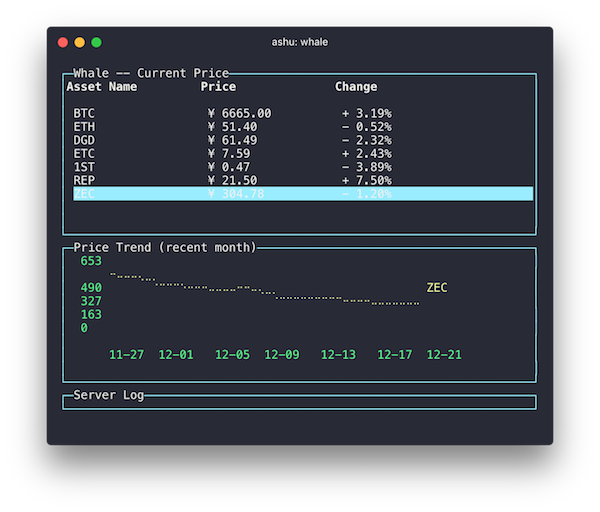
🐋 Show Ethereum and Bitcoin price in command line interface (CLI).
Whale
Show Ethereum and Bitcoin price in command line interface (CLI).
Install
$ npm install whale-cli -gUsage
$ whale --help
Usage: whale [options]
Whale, show Ethereum and Bitcoin price in command line interface (CLI).
Options:
-h, --help              output usage information   -V, --version           output the version number   -s, --seconds <number>  Set auto refresh time
Examples:
$ whale   $ whale -h   $ whale -s 60
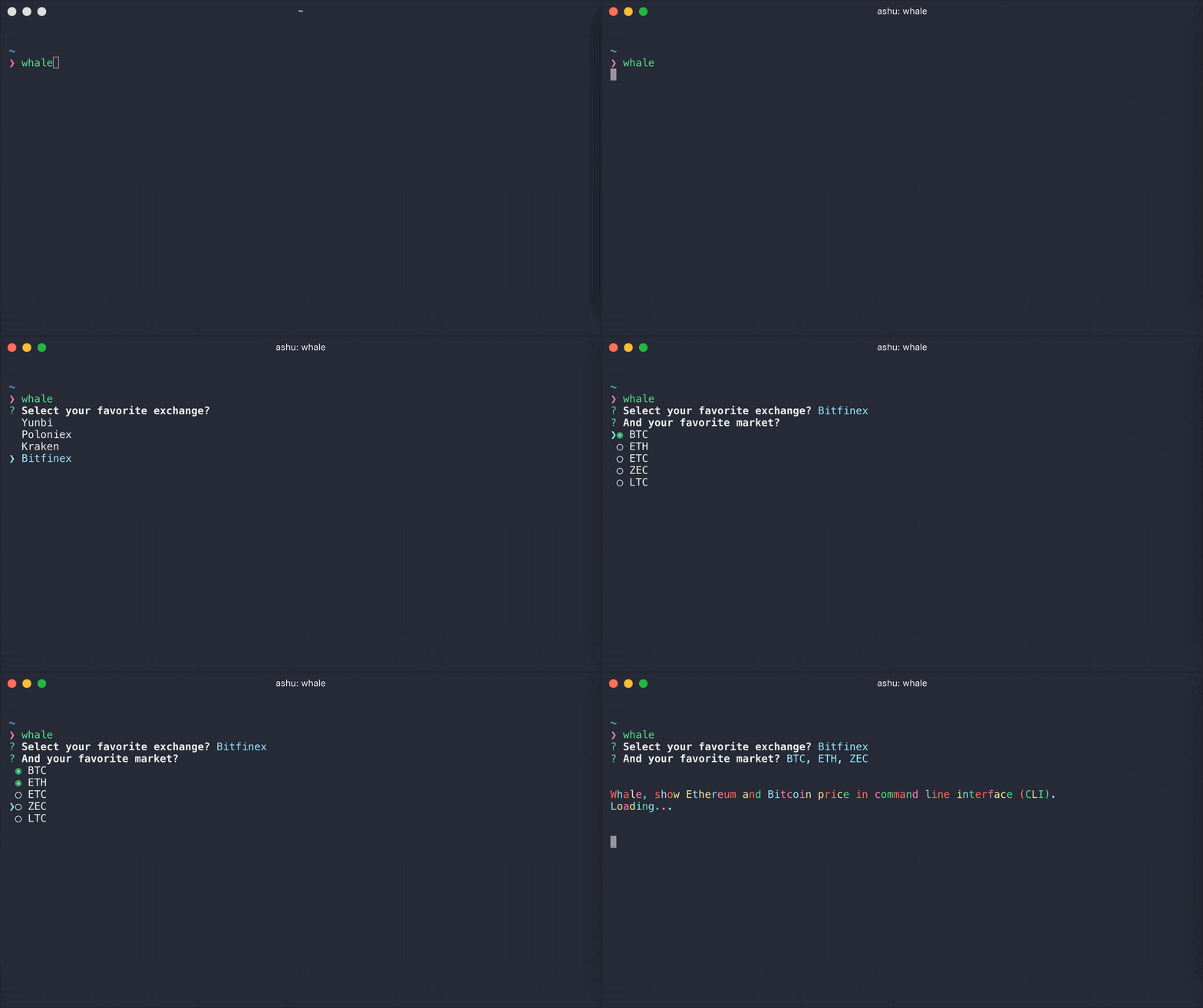
Interactive UI
Runwhale without arguments to launch the interactive UI that guides you through showing market price.
API
const whale = require('whale-cli')
/**  * Fetch current price of markets  * @param {String} exchange  * @param {Array} markets  */ whale.getCurrentPrice('Poloniex', ['BTC', 'ETH', 'ZEC']).then((res) => {   console.log(res) })
/**  * Fetch price trend of markets  * @param {String} exchange  * @param {String} market  * @param {Number} since options, default one month ago  * @param {Number} period options, default 24 hour, such as 1440  */ whale.getPriceTrend('Yunbi', 'ETH').then((res) => {   console.log(res) })
Supported Exchanges
Related
whale-tmux - Show Ethereum and Bitcoin price in tmuxLicense
MIT © 树


